Comica CVM-VS07C - User Manual
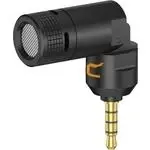
Comica CVM-VS07C Microphone – User Manual, read for free online in PDF format. We hope this helps you resolve any issues you may have. If you have further questions, please contact us through the contact form.

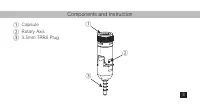
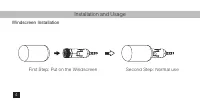
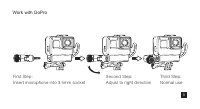
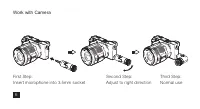
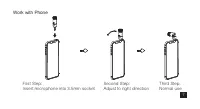
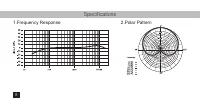
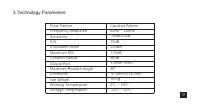


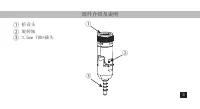
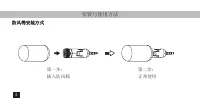

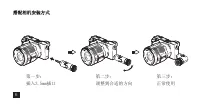
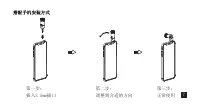
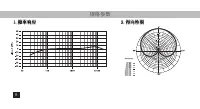
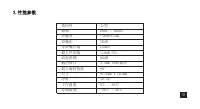
Table of Contents:
- Page 3 – Foreword; Thanks for purchasing COMICA CVM-VS07C; Notice; try the 3rd party's video APP
- Page 5 – Components and Instruction
- Page 6 – Installation and Usage; Windscreen Installation
- Page 7 – Work with GoPro
- Page 8 – Work with Camera
- Page 9 – Work with Phone
- Page 10 – Specifications
- Page 11 – Technology Parameters
- Page 13 – 多功能迷你直插式心型指向麦克风; 使用说明书
- Page 15 – iOS
- Page 17 – 部件介绍及说明
- Page 18 – 安装与使用方法; 防风棉安装方式
- Page 22 – 规格参数
CVM-VS07C
Mini Flexible Plug-in Cardioid Microphone
(Universal for Camera, Phone, GoPro)
User Manual
"Loading the manual" means you need to wait until the file loads and becomes available for online reading. Some manuals are very large, and the time they take to appear depends on your internet speed.
Summary
Foreword Thanks for purchasing COMICA CVM-VS07C Notice For the smartphone with Android system, the Mic works well in Audio Mode, it may not be compatible with most of the smartphones in Default Video Mode (Then we suggest you to try the 3rd party's video APP , such as TikTok, FiLMiC Pro, ect.); For ...
Components and Instruction CapsuleRotary Axis3.5mm TRRS Plug ① ③ ② ① ② ③ 3
Installation and Usage Windscreen Installation First Step: Put on the Windscreen Second Step: Normal use 4


