Citizen LC-110N/210N/310N - User Manual
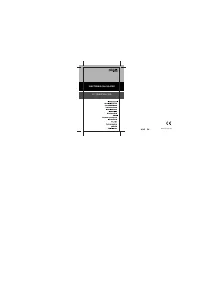
This user manual covers Citizen’s LC-110N, LC-210N, and LC-310N electronic calculators by detailing their control functions across multiple languages–including Dutch, Russian, Polish, Arabic, Chinese, Greek, Spanish, French, Italian, and Indonesian. The guide highlights key operations such as input clearing, memory functions (addition, subtraction, recall), and basic arithmetic examples, ensuring broad accessibility for users worldwide. It also includes essential environmental notes on battery disposal and WEEE regulations in the EU, emphasizing proper recycling methods to comply with sustainability standards.
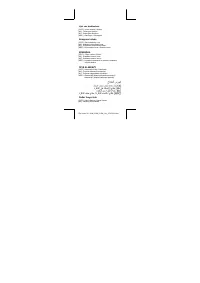
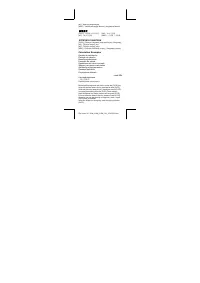

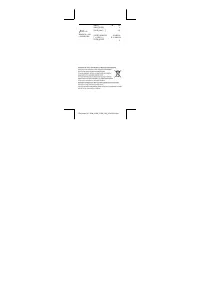
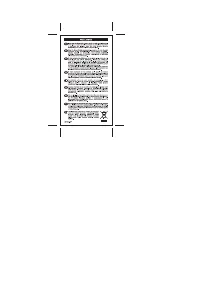

Table of Contents:
- Page 1 – Product Identification and Support Information
- Page 2 – Control Button Legend and Functions
- Page 3 – Function Key Reference Guide
- Page 4 – Calculator Operation Instructions
- Page 5 – Battery Disposal Instructions
- Page 6 – WEEE Disposal Regulations
- Page 7 – Company Contact and Legal Notices
CITIZEN
ELECTRONIC CALCULATOR
LC-110N/210N/310N
Instruction Manual
Manual de Instrucciones
Livro de Especificacoes
Anweisungshandbuch
Manuel d'instructions
Istruzioni all'Uso
Gebruiksaanwyzing
Manual
Инструкция по эксплуатации
Instrmkcja Obslugi
امرات يداك
Peraturan pemakaian
指导说明书
Εγχειρίδιο χρήσης
"Loading the manual" means you need to wait until the file loads and becomes available for online reading. Some manuals are very large, and the time they take to appear depends on your internet speed.
Was this manual helpful?
About this manual
- Brand
- Citizen
- Model
- LC-110N/210N/310N
- Document type
- User Manual
- Category
- Calculator
- Language(s)
- German, English, Spanish, French, Italian, Dutch, Polish, Russian, Swedish
- Pages
- 7
- File size
- 922.1 KB
- Format
Summary
Cover page listing models LC-110N, LC-210N, and LC-310N, manual title, and support resources.
Legend detailing symbols and operations for device control buttons, including functions such as input clearing, memory addition, and memory recall.
Reference guide detailing function keys like C/CE, M+, M-, and MRC, including calculation examples and key indexing.
Tips
- Always press the [C/CE] key to clear previous inputs before starting a new calculation.
- Use [M+] to add numbers to memory and [MRC] to recall or clear the stored data.
- When disposing of the device, follow local regulations for electronic waste, as the manual outlines specific separate collection systems for WEEE compliance.
Ask a question
Related manuals
Popular Citizen Calculators


More Citizen Calculators models
 Citizen CT-555 User Manual
 Citizen CT-555N Manual
 Citizen CT-666N User Manual
 Citizen CX-123II User Manual
 Citizen CX-123N User Manual
 Citizen SDC-368 Manual
 Citizen SDC-444S User Manual
 Citizen SDC-554S Manual
 Citizen SDC-805BN User Manual
 Citizen SDC-810BN User Manual
 Citizen SDC-812BN User Manual
 Citizen SDC-868L Manual