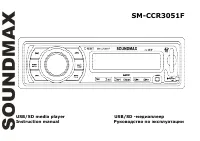
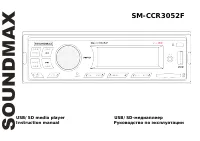
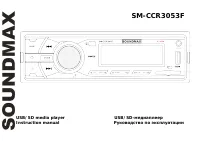
Page 2 - Table of contents
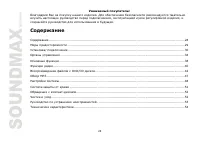
2 Dear customer! Thank you for purchasing our product. For safety, it is strongly recommended to read this manual carefullybefore connecting, operating and/or adjusting the product and keep the manual for reference in the future. Table of contents Table of contents .....................................
Page 3 - Important safeguards; becomes normal before operating the unit.
3 Important safeguards - Read carefully through this manual to familiarize yourself with this high-quality sound system. - Disconnect the vehicle's negative battery terminal while mounting and connecting the unit. - When replacing the fuse, be sure to use one with an identical amperage rating. Using...
Page 4 - Installation/ Connections; Installation way; the metal sliding housing into the car according to the diagram.
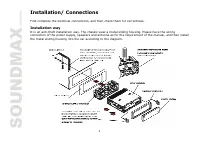
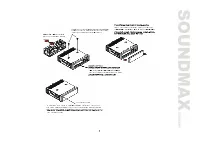
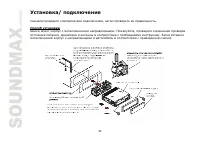
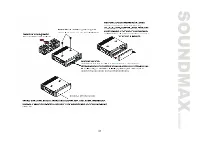
4 Installation/ Connections First complete the electrical connections, and then check them for correctness. Installation way It is an anti-theft installation way. The chassis wear a metal sliding housing. Please have the wiringconnection of the power supply, speakers and antenna as for the requireme...
Page 6 - Attaching the control panel; Push the panel to the right and insert the left side of it (pic.; Detaching the front panel; Press the REL button on the front panel. The panel will go down.
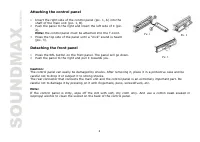
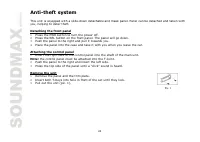
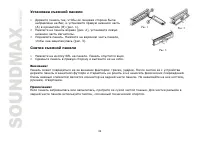
6 Attaching the control panel 1. Insert the right side of the control panel (pic. 1, A) into theshaft of the main unit (pic. 1, B). 2. Push the panel to the right and insert the left side of it (pic. 2). Note: the control panel must be attached into the T-Joint. 3. Press the top side of the panel un...
Page 7 - Connection scheme
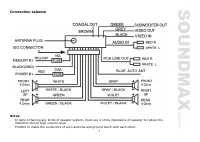
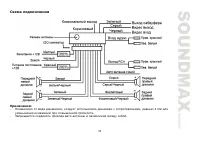
7 Connection scheme Notes: - In spite of having any kinds of speaker system, must use 4 ohms impedance of speaker to reduce thedistortion during high volume level. - Prohibit to make the conductors of auto antenna and ground touch with each other.
Page 8 - Panel controls; Front panel; Press it to flip down the front panel to insert or eject the disc.
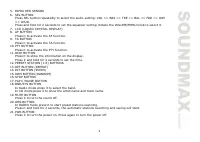
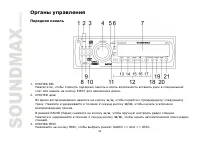
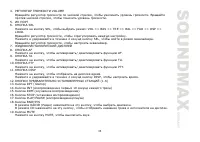
8 Panel controls Front panel 1. REL BUTTON Press it to flip down the front panel to insert or eject the disc. 2. 9 / : BUTTONS During playback press the 9 / : buttons to go to previous/ next track. Press and hold for 2 seconds to start fast backward/ forward playback.In RADIO mode press the 9 / : bu...
Page 10 - Remote control; cursor buttons
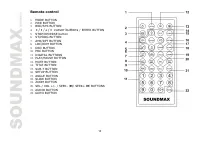
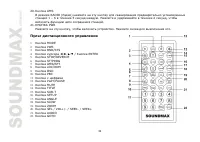
10 Remote control 1. MODE BUTTON 2. PWR BUTTON 3. BND/SYS BUTTON 4. 3 / 4 / 5 / 6 cursor buttons / ENTER BUTTON 5. STOP/REVERSE button 6. ST/PROG BUTTON 7. AMS/RPT BUTTON 8. LOC/RDM BUTTON 9. OSD BUTTON 10. PBC BUTTON 11. DIGITAL BUTTONS 12. PLAY/PAUSE BUTTON 13. MUTE BUTTON 14. TITLE BUTTON 15. SUB...
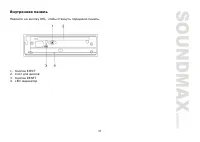
Page 11 - Inner panel; Press the REL button on the front panel to flip it down.
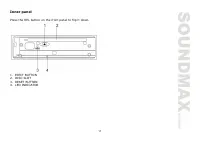
11 Inner panel Press the REL button on the front panel to flip it down. 1. EJECT BUTTON2. DISC SLOT3. RESET BUTTON4. LED INDICATOR
Page 12 - General operations; unit on it will resume the stored status you set.
12 General operations Reset the unit Operating the unit for the first time or after replacing the car battery, you must reset the unit.Press REL button, then press the RESET button to restore the unit to the original factory settings. Power button Press the PWR button to switch the unit on. Press it...
Page 13 - Clock display and adjustment; Radio operations; BAND selection; Manual tuning: Press the; Programming tuner stations; To recall a station:; Preset scan
13 Clock display and adjustment Press the DISP button to show the clock on the display.Press and hold for 2 seconds the DISP button to enter the time set mode. Rotate the VOLUME knob to adjusthours. Press SEL button. Rotate the VOLUME knob to adjust minutes. Press DISP button to save the time. Radio...
Page 14 - Auto memory store; Press the ST/PROG button on the RC to select Stereo or Mono mode.
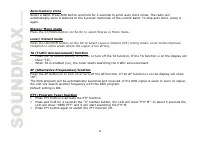
14 Auto memory store Select a band. Press AMS button and hold for 2 seconds to enter auto store mode. The radio willautomatically store 6 stations to the 6 preset memories of the current band. To stop auto store, press itagain. Stereo/ Mono mode Press the ST/PROG button on the RC to select Stereo or...
Page 15 - The following file types are supported:
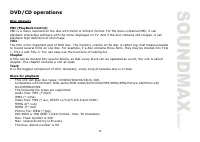
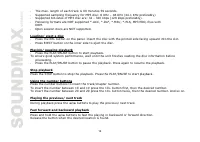
15 DVD/CD operations Disc glossary PBC (PlayBack Control) PBC is a menu recorded on the disc with SVCD or VCD2.0 format. For the discs contained PBC, it can playback interactive software with the menu displayed on TV. And if the disc contains still images, it canplayback high definition of still ima...
Page 18 - GOTO function
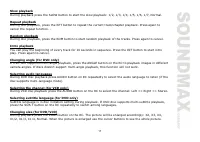
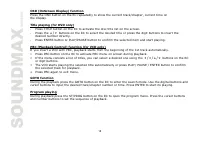
18 OSD (OnScreen Display) function Press the OSD button on the RC repeatedly to show the current track/chapter, current time onthe display. Title playing (for DVD only) - Press TITLE button on the RC to activate the disc title list on the screen. - Press the 5 / 6 buttons on the RC to select the des...
Page 20 - MP3 overview; Notes on MP3; Notes on creating your own CD-Rs or CD-RWs containing MP3 files
20 MP3 overview Notes on MP3 - MP3 is short for MPEG Audio Layer 3 and refers to an audio compression technology standard. - This product allows playback of MP3 files on CD-ROM, CD-R or CD-RW discs. - The unit can read MP3 files written in the format compliant with ISO 9660. However it does not supp...
Page 21 - System setup menu; System setup; TV system
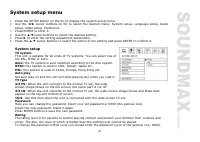
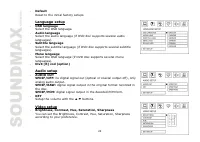
21 System setup menu 1. Press the SETUP button on the RC to display the system setup menu. 2. Use the cursor buttons on RC to select the desired menu: System setup, Language setup, Audio setup, Video setup, Preference. 3. Press ENTER to enter it. 4. Use the cursor buttons to select the desired setti...
Page 23 - Digital setup; Select the output mode:
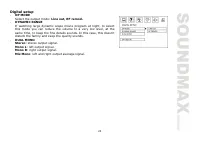
23 Digital setup OP MODE Select the output mode: Line out, RF remod. DYNAMIC RANGE If watching large dynamic scope movie program at night, to selectthis mode you can reduce the volume to a very low level, at thesame time, to keep the fine details sounds. In this case, this doesn'tdisturb the family ...
Page 25 - Cleaning the cabinet
25 Handling compact discs Dirty, scratched or warped discs may cause skip ping or noise.Handle the disc only by the edges. To keep clean do not touch its surface.Discs should be stored in their cases after use to avoid scratches.Do not expose discs to direct sunlight, high humidity, high temperature...
Page 26 - Troubleshooting guide
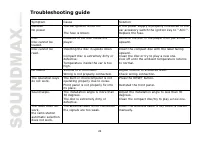
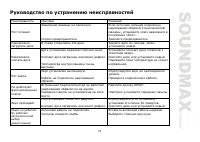
26 Troubleshooting guide Symptom Cause Solution GeneralNo power The car ignition is not on. The fuse is blown. If the power supply is properly connected to thecar accessory switch the ignition key to " ACC ".Replace the fuse. DiscDisc cannot beloaded. Presence of CD disc inside theplayer. Re...
Page 27 - Specification; General
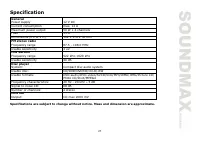
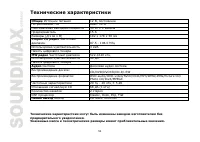
27 Specification Specifications are subject to change without notice. Mass and dimension are approximate. General Power supply 12 V DC Current consumption max. 14 A Maximum power output 50 W x 4 channels Fuse 15 A Dimensions (L x W x H) 192 x 178 x 50 mm FM stereo radio Frequency range 87.5 - 108.0 ...
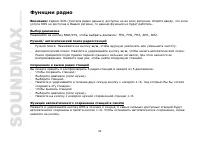
Page 32 - REL
32 1. , , ) ( ) ( . 1). 2. ( . 2), . 2. . , ( . 3). 1. REL . . 2. . : : , . . . , , . : , . , . . 1 . 2 . 3
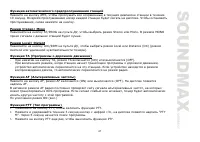
Page 39 - DISP
39 MODE, : RADIO ( ) => AUX => DISC ). MUTE, . , . DISP. DISP 2 , . , . SEL, . . , . DISP, .
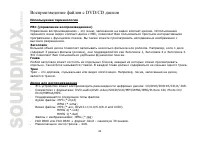
Page 43 - EJECT
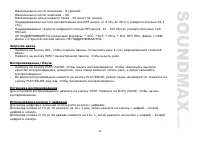
43 - 8 . 99. - 99 59 . MP3 : 8 48 ( 44,1 ). P3 : 32 - 320 ( 128 ). : *.ACC, *.DLF, *.M3U, *.PLS, MP3 PRO, DRM. . - REL, . . - EJECT , . / - PLAY/ PAUSE, . , , , . - PLAY/PAUSE, . PLAY/PAUSE , . STOP. PLAY/ PAUSE, . . 10 19 10+ 1 , . 20 29 10+ 1, .
Page 44 - SLOW; Intro; ANGLE; DVD; AUDIO
44 9 / : , / . 9 / : , . , . SLOW , : 1/2, 1/3, 1/4, 1/5, 1/6, 1/7, . R , . , . RDM, . , . Intro 10 . INT, . , . ( DVD ) DVD- , ANGLE . , . ( DVD ) DVD- , AUDIO , .
Page 46 - GOTO
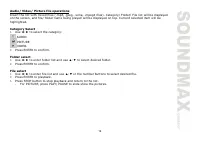
46 GOTO , . , . ENTER, . ST/PROG , . . / / ( , , ). / , , , , . . 1. / : AUDIO PICTURE VIDEO. 2. ENTER, . 1. / / . 2. ENTER, . 1. / , / . 2. ENTER, . 3. STOP, . PLAY/ PAUSE.
Page 48 - SETUP
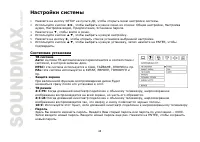
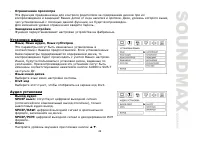
48 1. SETUP , . 2. , : , , , , . 3. , . 4. , . 5. , . 6. , , ENTER, . : , . NTSC: , , . PAL: , , . . 4:3 PS: , , . 4:3 LB: , , . 16:9: , . . 0000. . . ENTER, .
Page 53 - CD
53 . . , « ». . CD . , . . . . . . . . . . . . . RESET. . 30 . . , 30 . . . . . . .