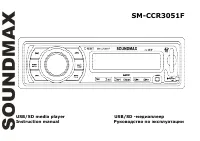
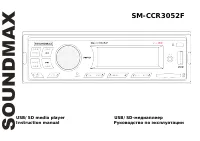
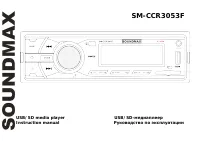
Page 2 - Table of contents
2 Dear customer! Thank you for purchasing our product. For safety, it is strongly recommended to read thismanual carefully before connecting, operating and/or adjusting the product and keep the manualfor reference in the future. Table of contents Table of contents ......................................
Page 3 - Important safeguards
3 Instruction manual for CD/MP3-RECEIVER Important safeguards Read carefully through the manual to familiarize yours with this high-quality sound system.Disconnect the vehicle's negative battery terminal while mounting and connecting the unit.When replacing the fuse, be sure to use one with an ident...
Page 4 - Installation/ Connections
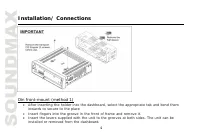
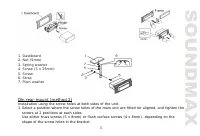
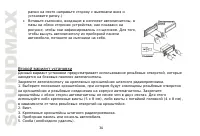
4 Installation/ Connections Din front-mount (method 1) After inserting the holder into the dashboard, select the appropriate tab and bend theminwards to secure to the placeInsert fingers into the groove in the front of frame and remove it.Insert the levers supplied with the unit to the grooves at bo...
Page 6 - Detachable control panel; Detaching the control panel
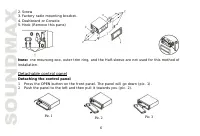
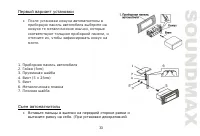
6 Pic. 1 2. Screw3. Factory radio mounting bracket.4. Dashboard or Console5. Hook (Remove this parts) Note: The mounting box, outer trim ring, and the Half-sleeve are not used for this method ofinstallation. Detachable control panel Detaching the control panel 1. Press the OPEN button on the front p...
Page 7 - Attaching the control panel
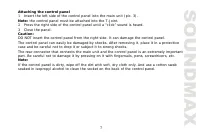
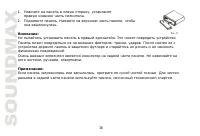
7 Attaching the control panel 1. Insert the left side of the control panel into the main unit (pic. 3). Note: the control panel must be attached into the T-Joint. 2. Press the right side of the control panel until a “click” sound is heard. 3. Close the panel. Caution:DO NOT insert the control panel ...
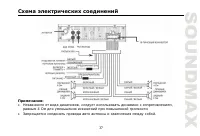
Page 8 - Electrical connections
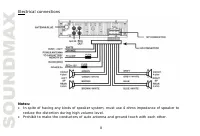
8 Electrical connections Notes: In spite of having any kinds of speaker system, must use 4 ohms impedance of speaker toreduce the distortion during high volume level.Prohibit to make the conductors of auto antenna and ground touch with each other.
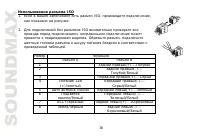
Page 9 - Using the ISO Connector; Location
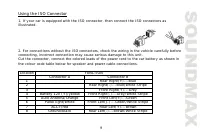
9 Using the ISO Connector 1. If your car is equipped with the ISO connector, then connect the ISO connectors asillustrated. 2. For connections without the ISO connectors, check the wiring in the vehicle carefully beforeconnecting, incorrect connection may cause serious damage to this unit.Cut the co...
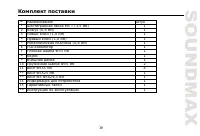
Page 10 - Accessories
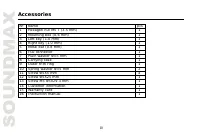
10 Accessories Name pcs 1 Hexagon nut M5 T (3.5 mm) 1 2 Mounting box (0.6 mm) 1 3 Left key (1.0 mm) 1 4 Right key (1.0 mm) 1 5 Metal bar (0.8 mm) 1 6 ISO connector 1 7 Plain washer =5 mm 1 8 Carrying case 1 9 Outer trim ring 1 10 Spring washer =5 mm 2 11 Screw 5X5 mm 4 12 Screw 5X25 mm 1 13 Screw M5...
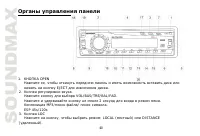
Page 11 - Panel controls
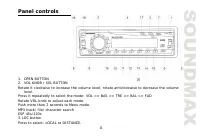
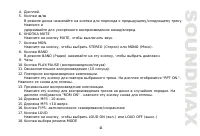
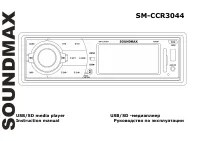
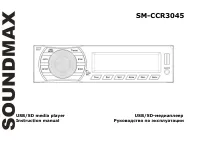
11 Panel controls 1. OPEN BUTTON2. VOL KNOB / SEL BUTTONRotate it clockwise to increase the volume level; rotate anticlockwise to decrease the volume level. Press it repeatedly to select the mode: VOL => BAS => TRE => BAL => FADRotate VOL knob to adjust each mode.Push more than 2 seconds...
Page 13 - seconds to power off.; Inner panel; Press the OPEN button on the front panel to flip it down.
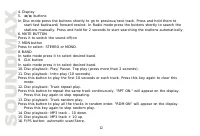
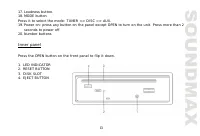
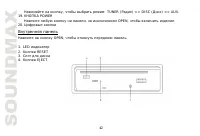
13 17. Loudness button.18. MODE buttonPress it to select the mode: TUNER => DISC => AUX.19. Power on: press any button on the panel except OPEN to turn on the unit. Press more than 2 seconds to power off. 20. Number buttons Inner panel Press the OPEN button on the front panel to flip it down. ...
Page 14 - Menu Function; to indicate
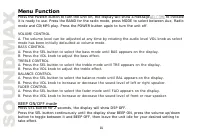
14 Menu Function Press the POWER button to turn the unit on, the display will show a message to indicate it is ready to use. Press the BAND for the radio mode, press MODE to select between Aux, Radiomode and CD/MP3 play. Press the POWER button again to turn the unit off. VOLUME CONTROLA. The volume ...
Page 15 - Press the CLK button anytime to view the time clock display.; DSP mode
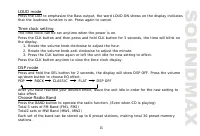
15 LOUD mode Press the LUD to emphasize the Bass output, the word LOUD ON shows on the display indicatesthat the loudness function is on. Press again to cancel. Time clock setting The time clock can be set anytime when the power is on.Press the CLK button and then press and hold CLK button for 3 sec...
Page 16 - Radio Tune/ Seek Function; In Radio Mode, press and hold; Save Your Preset Stations; Press
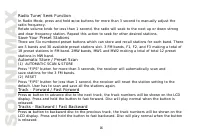
16 Radio Tune/ Seek Function In Radio Mode, press and hold / buttons for more than 3 second to manually adjust the radio frequency.Rotate volume knob for less than 1 second, the radio will seek to the next up or down strongand clear frequency station. Repeat this action to seek for other desired sta...
Page 17 - MP3 Play back; CD Electronic Shock Protection 12or 45 seconds
17 MP3 Play back CD Electronic Shock Protection 12or 45 seconds The electronic shock protection is ideal for driving uneven road. Press the Sound Select button for 2 seconds, the display will show "DSP OFF". Press the button again so that "ESP 12" will be shown on the display indicat...
Page 18 - Notes on MP3 and WMA
18 to choose your desired folder and press all the way down to confirm. The input folder will be searched and play. (4) CHARACTER SEARCH Press the "F/PS" Button for three times and the display will show "CHAR SCH". This is for searching the computer file names of the Mp3 songs. At th...
Page 19 - Notes on creating your own CD-Rs or CD-RWs containing MP3 files
19 WMA (Windows Media Audio) – music data compression format, created by MicrosoftCorporation. This format uses coding algorithm for compression of initial audio-record, greatlydecreasing the file size, but, saving the good sound quality even when the bit rate is low (forexample, 64 Kbit/s).Remember...
Page 21 - Cleaning the cabinet
21 Handling compact discs Dirty, scratched or warped discs may cause skip ping or noise.Handle the disc only by the edges. To keep clean do not touch its surface. Discs should be stored in their cases after use to avoid scratches.Do not expose discs to direct sunlight, high humidity, high temperatur...
Page 22 - Troubleshooting guide; General
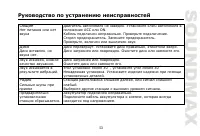
22 Troubleshooting guide General No power or nosound Car's engine switch is not on. Turn your car's key to ACC or ON.Cable is not correctly connected. Check connection.Fuse is burnt. Replace fuse. Check volume or mute on / off.If above solutions cannot help, press the RESET button. Disc Disc is insi...
Page 23 - Specification; FM stereo radio Frequency range
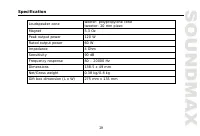
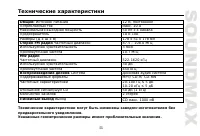
23 Specification GeneralPower supply 12 V DC Current consumption max. 10 A Maximum power output 50Wx4 channels Fuse 1A & 10A Dimensions (L x W x H) 178 x 51 x 178 mm FM stereo radio Frequency range 87.5 - 108.0 MHz Usable sensitivity 3 uV I.F. Frequency 10.7 MHz MW SectionFrequency range 522 kHz...
Page 24 - Instruction manual 13 cm 2 way coaxial acoustic system; Description; acoustic system
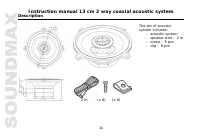
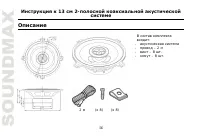
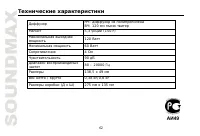
24 Instruction manual 13 cm 2 way coaxial acoustic system Description 2 m (x 8) (x 8) The set of acousticsystem includes: - acoustic system - speaker wire – 2 m - screw – 8 pcs - clip – 8 pcs
Page 26 - Mounting the speakers; correct installation of your system (
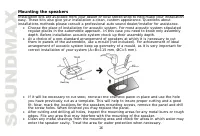
26 Mounting the speakers Installation kits are available from your dealer or local stereo shop to help make your installation easy. These kits also give your installation a clean, custom appearance. Questions about installations methods please consult a professional auto sound dealer/installer for a...
Page 27 - Securing the speakers; the screws evenly so that it will not warp the speaker frame.
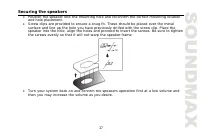
27 Securing the speakers Position the speaker into the mounting hole and reconfirm the correct mounting location and hole placement. Screw clips are provided to ensure a snug fit. These should be placed over the metal surface and line up the hole you have previously drilled with the screw clip. Plac...
Page 28 - If unit fails to operate properly
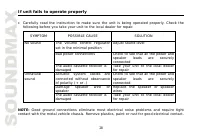
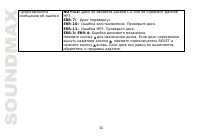
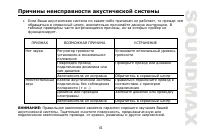
28 If unit fails to operate properly Carefully read the instruction to make sure the unit is being operated properly. Check the following before you take your unit to the local dealer for repair. SYMPTOM POSSIBLE CAUSE SOLUTION The volume control regulatorset in the minimal position Adjust sound lev...
Page 35 - OPEN
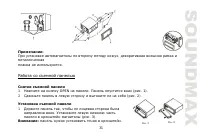
35 : , . 1. OPEN . ( . 1). 2. ( . 2). 1. , . ( . 3). : . . 1 . 2
Page 38 - ISO
38 ISO 1. ISO, , . 2. ISO , . , . A B 1 (+)--- 2 (-)--- 3 (+)--- 4 12 (+)/ (-)--- 5 / (+)--- 6 ((-)--- 7 ACC+/ (+)--- 8 (-)---
Page 47 - WMA; MPEG 3
47 ID3 3 . , , , . 4 : (1) . 5 6 10 . (2) "F/PS" , "TRK SCH". SEL, "TRK" . , SEL . . (3) "F/PS" , "FILE SCH". SEL, . , SEL . . (4) "F/PS" , "CHAR SCH". , , . SEL, . , . , , SEL . , , . 3 WMA 3 MPEG 3 .
Page 53 - ACC
53 . ACC ON. . . . . , . , . . , . . . , . . . . 30 , 30 . . , . . . . , .
Page 55 - CD
55 : 12 , . 10 50 4 10 ( ) 178 51 178 FM 87.5 - 108.0 3 10.7 MW 522-1620 30 450 MP3/ CD-R/ CD-RW20-100 5 10-20 5 CD 50 (1 ) 2 CD . 1000 . .