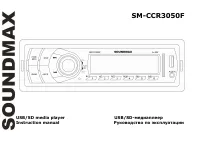
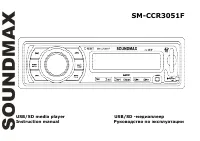
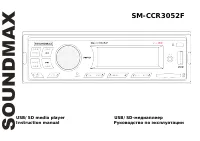
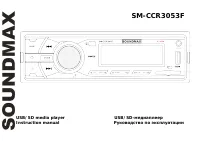
Page 2 - reference in the future.; Table of contents
2 Dear customer! Thank you for purchasing our product. For safety, it is strongly recommended to read this manual carefully before connecting, operating and/or adjusting the product and keep the manual for reference in the future. Table of contents TABLE OF CONTENTS ....................................
Page 3 - Important safeguards
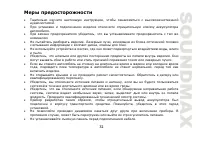
3 Important safeguards Read carefully through the manual to familiarize yours with this high-quality sound system. Disconnect the vehicle's negative battery terminal while mounting and connecting the unit. When replacing the fuse, be sure to use one with an identical amperage rating. Using a fuse wi...
Page 4 - Installation/Connections; professionally installed.; Before installing the unit, please remove two screws on the top.; Before the installation; Remove the old unit from the dashboard.; Remove the outer trim frame.; Mark polarity of the speaker wires.; Repeat this procedure for all of the speakers.
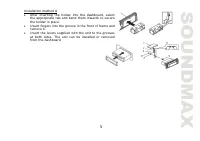
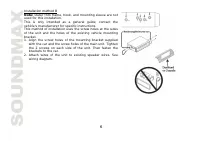
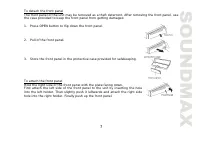
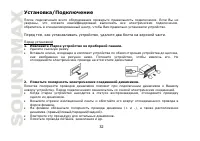
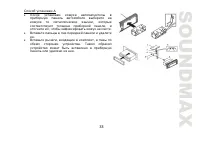
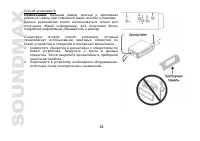
4 Installation/Connections First complete the electrical connections, and then check them for correctness. If you are not confident working with electrical wiring, removing and reinstalling interior panels, carpeting, dashboards or other components of your vehicle, please call your dealer in order t...
Page 8 - Connection scheme; reduce the distortion during high volume level.
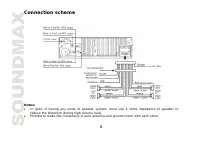
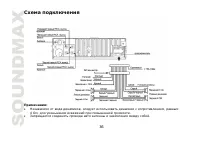
8 Connection scheme Notes: In spite of having any kinds of speaker system, must use 4 ohms impedance of speaker to reduce the distortion during high volume level. Prohibit to make the conductors of auto antenna and ground touch with each other.
Page 9 - Accessories
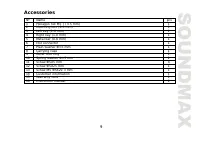
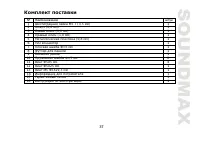
9 Accessories Name pcs 1 Hexagon nut M5 T (3.5 mm) 1 2 Mounting box (0.6 mm) 1 3 Left key (1.0 mm) 1 4 Right key (1.0 mm) 1 5 Metal bar (0.8 mm) 1 6 ISO connector 1 7 Plain washer =5 mm 1 8 Carrying case 1 9 Outer trim ring 1 10 Spring washer =5 mm 2 11 Screw 5X5 mm 4 12 Screw 5X25 mm 1 13 Screw M5 ...
Page 10 - Panel controls; Front panel
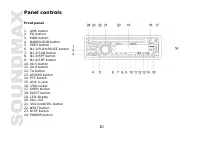
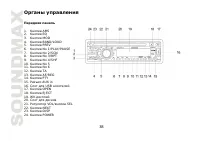
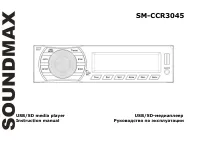
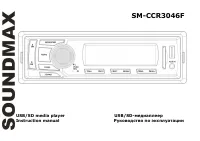
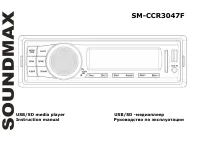
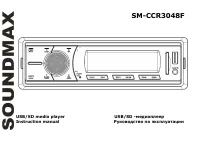
10 Panel controls Front panel 1. AMS button 2. EQ button 3. MOD button 4. BAND/LOUD button 5. PREV button 6. No 1/PLAY/PAUSE button 7. No 2/SCN button 8. No 3/RPT button 9. No 4/SHF button 10. No 5 button 11. No 6 button 12. TA button 13. AF/REG button 14. PTY button 15. AUX in jack 16. USB socket 1...
Page 11 - Inner panel; Press OPEN button on the front panel
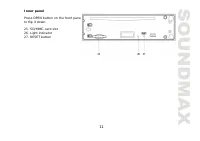
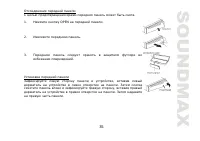
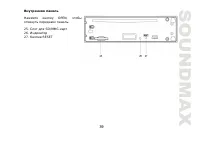
11 Inner panel Press OPEN button on the front panel to flip it down. 25. SD/MMC-card slot 26. Light indicator 27. RESET button
Page 12 - General operations; Power button
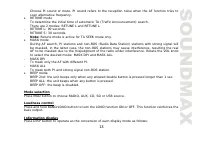
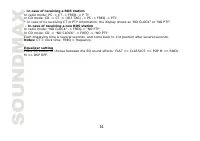
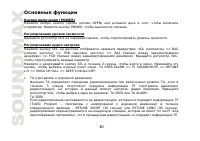
12 General operations Power button Press any button (except OPEN) or insert disc to switch the unit on. Press the POWER button to switch the unit off. Volume control Rotate the VOL knob on the front panel to adjust volume level. Audio settings adjustment Press SEL button until the display shows: VOL...
Page 15 - Radio operations; Band selection; preset number button.; Selecting station; seconds, they will return to automatic seek mode.; Program scanning; Press AMS button shortly to scan preset station.; Station storing; Press PREV/NEXT button to activate automatic seek mode.
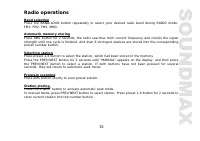
15 Radio operations Band selection Press the BAND/LOUD button repeatedly to select your desired radio band during RADIO mode: FM1, FM2, FM3, MW1. Automatic memory storing Press AMS button for 2 seconds, the radio searches from current frequency and checks the signal strength until one cycle is finis...
Page 16 - RDS function; Press AF/REG button to switch ON or OFF RDS function.; Setting RDS mode; the reception to move to the regional station.; Using PTY to Select Program; PTY engagement and return to previous normal mode.; Button
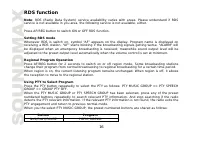
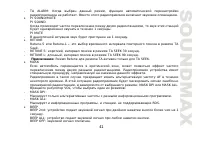
16 RDS function Note: RDS (Radio Data System) service availability varies with areas. Please understand if RDS service is not available in you area, the following service is not available, either. Press AF/REG button to switch ON or OFF RDS function. Setting RDS mode Whenever RDS is switch on, symbo...
Page 17 - FOLK M; Press TA button to turn on
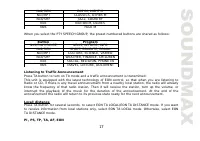
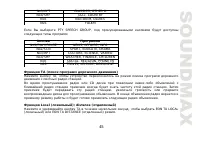
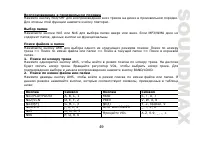
17 No2/SCN EASYM, LIGHT M No3/RPT CLASSICS, OTHER M No4/SHF JAZZ, COUNTRY No5 NATION M, OLDIES N06 FOLK M When you select the PTY SPEECH GROUP, the preset numbered buttons are shared as follows: Button Program No1/PLAY/PAUSE NEWS, AFFAIRS, INFO No2/SCN SPORT, EDUCATE, DRAMA No3/RPT CULTURE, SCIENCE,...
Page 18 - Other functions; TEL mute
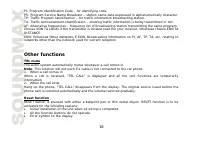
18 PI: Program Identification Code – for identifying code. PS: Program Service Name Broadcast – station name data expressed in alphanumerically character. TP: Traffic Program Identification – for traffic information broadcasting station. TA: Traffic Announcement Identification – showing traffic info...
Page 21 - The main unit supports MP3 decoding modes as below:
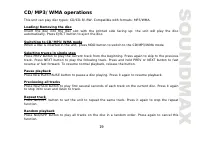
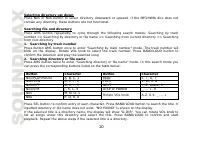
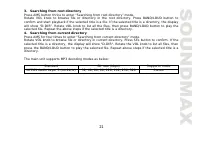
21 3. Searching from root directory Press AMS button thrice to enter “Searching from root directory” mode. Rotate VOL knob to browse file or directory in the root directory. Press BAND/LOUD button to confirm and start playback if the selected title is a file. If the selected title is a directory, th...
Page 22 - Aux In Operations; This unit equipped with you a memory card slot.
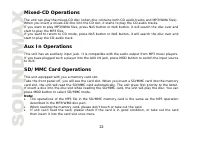
22 Mixed-CD Operations The unit can play the mixed-CD disc (when disc contains both CD audio tracks and MP3/WMA files). When you insert a mixed-CD disc into the CD slot, it starts to play the CD audio tracks. If you want to play MP3/WMA files, press No5 button or No6 button, it will search the disc ...
Page 23 - USB Device Operations; memory in the USB slot.
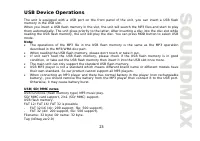
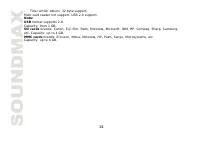
23 USB Device Operations The unit is equipped with a USB port on the front panel of the unit, you can insert a USB flash memory in the USB slot. When you insert a USB flash memory in the slot, the unit will search the MP3 files and start to play them automatically. The unit gives priority to the lat...
Page 25 - MP3 overview; Notes on MP3; support the MP3 data written by the method of packet write.; Notes on creating your own CD-Rs or CD-RWs containing MP3 files; of 44.1 kHz and a fixed bit rate o f 128 kbps.
25 MP3 overview Notes on MP3 - MP3 is short for MPEG Audio Layer 3 and refers to an audio compression technology standard. - This product allows playback of MP3 files on CD-ROM, CD-R or CD-RW discs. - The unit can read MP3 files written in the format compliant with ISO 9660. However it does not supp...
Page 26 - ESP function; WMA disc: 300 seconds; Handling compact discs; Dirty, scratched or warped discs may cause skip ping or noise.
26 CD-RW disc is recommended. Up to 16 characters are displayed for the name of an Album or a Track. ID3TAG version 1.x is required. - Note that the unit may not play Tracks in the order that you wrote them to the disc. ESP function This unit has the electronic shockproof (ESP) function. CD disc: 40...
Page 27 - Cleaning; damage its plastic surface.
27 Cleaning Cleaning the cabinetWipe with a soft cloth. If the cabinet is very dampen (not dropping wet) the cloth with a weak solution of soapy water, and then wipe clean.Cleaning discsFingerprints should be carefully wiped from the surface of disc with a soft cloth. Unlike conventional records, co...
Page 28 - Troubleshooting guide; Symptom
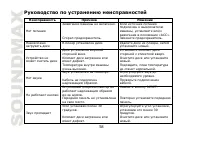
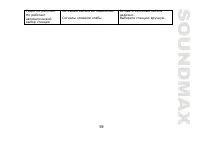
28 Troubleshooting guide Symptom Cause Solution No power The car ignition is not on. The fuse is blown. If the power supply is properly connected to the car accessory switch the ignition key to "ACC". Replace the fuse. Disc cannot be loaded. There is a disc inside the unit. Remove the disc f...
Page 29 - Specification
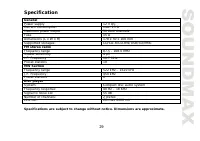
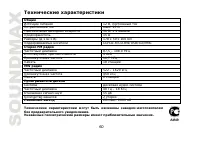
29 Specification GeneralPower supply 12 V DC Current consumption max. 15 A Maximum power output 50 Wx4 channels Fuse 15 A Dimensions (L x W x H) 178 x 50 x 160 mm Supported storages: D/CD-R/CD-RW/USB/SD/MMC FM stereo radioFrequency range 87.5 - 108.0 MHz Usable sensitivity 4 V I.F. Frequency 10.7 MH...
Page 30 - USB
30 ! . , , . ..................................................................................................... 30 ................................................................................ 31 ................................................................................ 32 .................
Page 35 - OPEN
Page 37 - ISO
37 1 M5 T (3,5 ) 1 2 (0,6 ) 1 3 (1,0 ) 1 4 (1,0 ) 1 5 (0,8 ) 1 6 ISO 1 7 =5 1 8 1 9 1 10 =5 2 11 5X5 4 12 5X25 1 13 M5 5X29,3 1 14 1 15 1 16 1
Page 39 - RESET
Page 42 - CT PTY; RDS; EQ
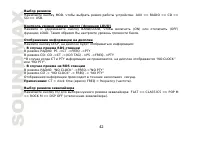
42 MOD, : AUX => RADIO => CD => SD => USB. ( LOUD) BAND/LOUD, (ON) (OFF) LOUD. . DISP, : - RDS : PS ->CT ->FREQ ->PTY CD: CD ->CT ->(ID3 TAG) ->PS ->FREQ ->PTY CT PTY , “NO CLOCK” “NO PTY”. - RDS : “NO CLOCK” ->FREQ->”NO PTY” CD -> “NO CLOCK” -> FREQ -...
Page 44 - PTY; PTY MUSIC GROUP
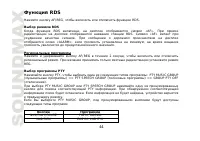
44 RDS AF/REG, RDS. RDS RDS , «AF». RDS. «AF» . «ALARM»; , . AF/REG 2 , . REG. PTY PTY, : PTY MUSIC GROUP ) => PTY SPEECH GROUP ( ) => GROUP PTY OFF ). PTY MUSIC GROUP PTY SPEECH GROUP PTY . . , . PTY MUSIC GROUP, : No1/PLAY/PAUSE POPM, ROCKM No2/SCN EASYM, LIGHT M
Page 51 - AUX In
51 ( . , CD , MP3/WMA ). CD . MP3/WMA , No5 No6, MP3 . CD , No5 No6, CD . AUX In AUX . MP3 . 3 AUX MOD AUX. SD/MMC . . SD/MMC . . ., SD/MMC , . SD/MMC MOD. : SD/MMC , CD/MP3/WMA /SD /USB ». . , .
Page 55 - ESP; CD
55 - CD-R , . , MP3 CD-R CD-RW , . - 3 3 , , 3. - CD-R CD-RW . . CD-R CD-RW . - 16 . 1. ID3TAG. - , , . ESP (ESP). CD : 40 . MP3 : 120 . WMA : 300 . . .