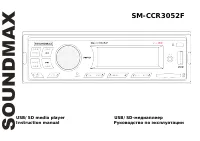
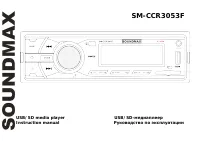
Page 2 - Table of contents
2 Dear customer! Thank you for purchasing our product. For safety, it is strongly recommended to read this manual carefully before connecting, operating and/or adjusting the product and keep the manual for reference in the future. Table of contents Table of contents ....................................
Page 3 - Important safeguards
3 Important safeguards - Read carefully through this manual to familiarize yourself with this high-quality sound system. - Disconnect the vehicle's negative battery terminal while mounting and connecting the unit. - When replacing the fuse, be sure to use one with an identical amperage rating. Using...
Page 4 - Installation/ Connections; Installation opening
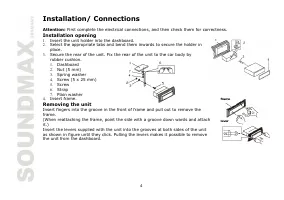
4 Installation/ Connections Attention: First complete the electrical connections, and then check them for correctness. Installation opening 1. Insert the unit holder into the dashboard. 2. Select the appropriate tabs and bend them inwards to secure the holder in place. 3. Secure the rear of the unit...
Page 5 - Detaching the front panel
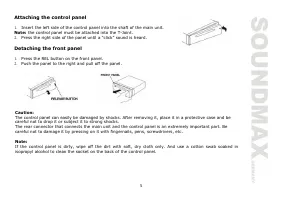
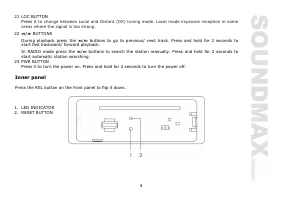
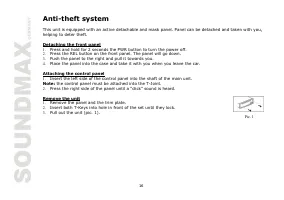
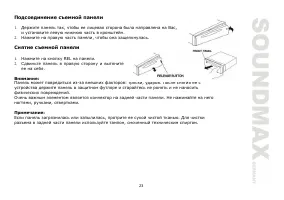
5 Attaching the control panel 1. Insert the left side of the control panel into the shaft of the main unit. Note: the control panel must be attached into the T-Joint. 2. Press the right side of the panel until a “click” sound is heard. Detaching the front panel 1. Press the REL button on the front p...
Page 6 - Connection scheme
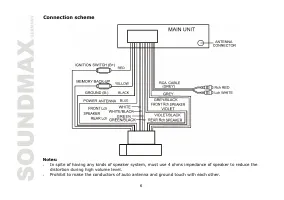
6 Connection scheme Notes: - In spite of having any kinds of speaker system, must use 4 ohms impedance of speaker to reduce the distortion during high volume level. - Prohibit to make the conductors of auto antenna and ground touch with each other.
Page 7 - Panel controls; Front panel
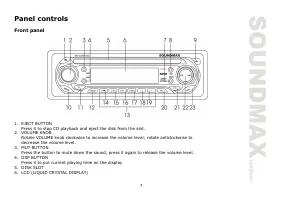
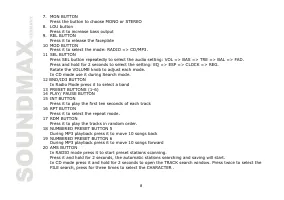
7 Panel controls Front panel 1. EJECT BUTTON Press it to stop CD playback and eject the disk from the slot. 2. VOLUME KNOB Rotate VOLUME knob clockwise to increase the volume level; rotate anticlockwise to decrease the volume level. 3. MUT BUTTON Press the button to mute down the sound, press it aga...
Page 10 - General operations; Reset the unit; Audio settings adjustment
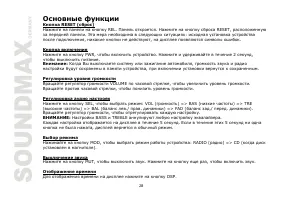
10 General operations Reset the unit Operating the unit for the first time or after replacing the car battery, you must reset the unit. Press REL button, then press the RESET button to restore the unit to the original factory settings. Power button Press the PWR button to switch the unit on. Press i...
Page 11 - Radio operations
11 Radio operations BAND selection Press the BND/ID3 button repeatedly to select your desired radio band during RADIO mode: FM1, FM2, FM3, AM1, AM2. Auto/ Manual tuning - Manual tuning: Press the / buttons shortly to select a station downward or upward step by step. - Automatic tuning: Press the / b...
Page 15 - MP3 overview; Notes on MP3; Notes on creating your own CD-Rs or CD-RWs containing MP3 files
15 MP3 overview Notes on MP3 - MP3 is short for MPEG Audio Layer 3 and refers to an audio compression technology standard. - This product allows playback of MP3 files on CD-ROM, CD-R or CD-RW discs. - The unit can read MP3 files written in the format compliant with ISO 9660. However it does not supp...
Page 18 - Troubleshooting guide
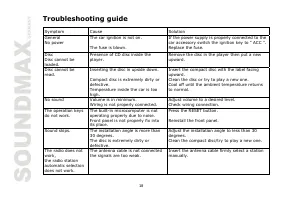
18 Troubleshooting guide Symptom Cause Solution General No power The car ignition is not on. The fuse is blown. If the power supply is properly connected to the car accessory switch the ignition key to " ACC ". Replace the fuse. Disc Disc cannot be loaded. Presence of CD disc inside the play...
Page 19 - Specification
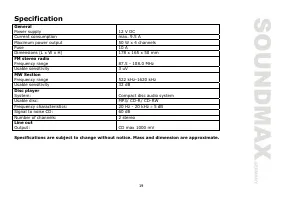
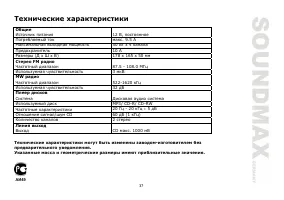
19 Specification Specifications are subject to change without notice. Mass and dimension are approximate. General Power supply 12 V DC Current consumption max. 9.5 A Maximum power output 50 W x 4 channels Fuse 10 A Dimensions (L x W x H) 178 x 165 x 50 mm FM stereo radio Frequency range 87.5 - 108.0...
Page 20 - Содержание
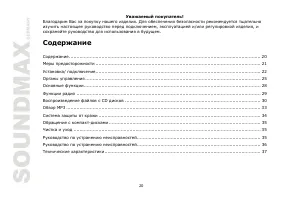
20 Уважаемый покупатель ! Благодарим Вас за покупку нашего изделия . Для обеспечения безопасности рекомендуется тщательно изучить настоящее руководство перед подключением , эксплуатацией и / или регулировкой изделия , и сохраняйте руководство для использования в будущем . Содержание Содержание ........
Page 22 - Внимание; Установки
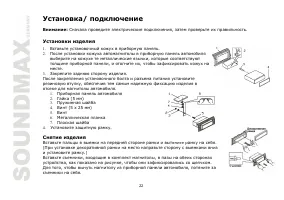
22 Установка / подключение Внимание : Сначала проведите электрические подключения , затем проверьте их правильность . Установки изделия 1. Вставьте установочный кожух в приборную панель . 2. После установки кожуха автомагнитолы в приборную панель автомобиля выберите на кожухе те металлические язычки...
Page 24 - Примечания
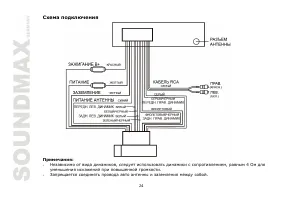
24 Схема подключения Примечания : - Независимо от вида динамиков , следует использовать динамики с сопротивлением , равным 4 Ом для уменьшения искажений при повышенной громкости . - Запрещается соединять провода авто антенны и заземления между собой .
Page 25 - Передняя
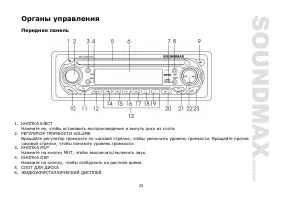
25 Органы управления Передняя панель 1. КНОПКА EJECT Нажмите ее , чтобы остановить воспроизведение и вынуть диск из слота . 2. РЕГУЛЯТОР ГРОМКОСТИ VOLUME Вращайте регулятор громкости по часовой стрелке , чтобы увеличить уровень громкости . Вращайте против часовой стрелки , чтобы понизить уровень гро...
Page 27 - Внутренняя
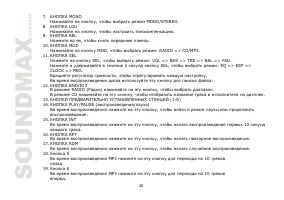
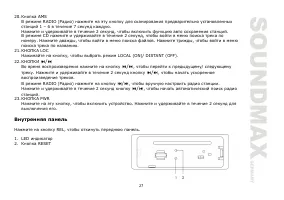
27 20. Кнопка AMS В режиме RADIO ( Радио ) нажмите на эту кнопку для сканирования предварительно установленных станций 1 – 6 в течение 7 секунд каждую . Нажмите и удерживайте в течение 2 секунд , чтобы включить функцию авто сохранения станций . В режиме CD нажмите и удерживайте в течение 2 секунд , ...
Page 30 - STEREO
30 Режим LOUD ( тонокомпенсация ) Нажимая на кнопку LOU, выберите функцию : LOUD ON/OFF. Режим STEREO Нажимая на кнопку MU, выберите функцию STEREO ( Стерео ) или MONO ( Моно ). В режиме MONO прием сигнала с дальних станций будет лучше . Режим LOCAL ( местной или удаленной чувствительности тюнера ) ...
Page 32 - Intro
32 Функция Intro Вы можете последовательно воспроизводить начало каждого трека в течение 10 секунд . Во время воспроизведения треков нажмите на кнопку INT, чтобы начать воспроизведение всех треков . Нажмите еще раз , чтобы отменить функцию . Поиск по номеру трека Чтобы найти трек по номеру : 1. Нажм...
Page 34 - Подсоединение
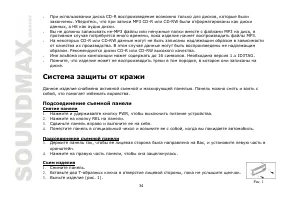
34 - При использовании диска CD-R воспроизведение возможно только для дисков , которые были закончены . Убедитесь , что при записи MP3 CD-R или CD-RW были отформатированы как диски данных , а НЕ как аудио диски . - Вы не должны записывать не - МР 3 файлы или ненужные папки вместе с файлами МР 3 на д...
Page 35 - Чистка
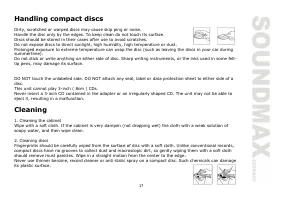
35 Обращение с компакт - дисками - Грязные , поцарапанные или погнутые диски могут вызвать искажение звука или шумы - Держите диск только за края ( как показано на рисунке ). Чтобы обеспечить чистоту , не прикасайтесь к его поверхности . - Диски должны храниться в их чехлах после использования , что...
Page 37 - FM
37 Технические характеристики Технические характеристики могут быть изменены заводом - изготовителем без предварительного уведомления . Указанные масса и геометрические размеры имеют приблизительные значения . Общие Источник питания 12 В , постоянное Потребляемый ток макс . 9.5 А Максимальная выходн...