Page 2 - Owner’s Record; For the customers in the USA; WARNING
2 US HT-RT3 4-587-771- 13 (3) D:\NORM'S JOB\SONY HA\SO160016\HT-RT3 (PMRF 04)\4587771133_USCaFRLaES\US\020REG.fm masterpage: Left For the customers in the USA Owner’s Record The model and serial numbers are located at the rear exterior of the Subwoofer. Record these numbers in the space provided bel...
Page 3 - CAUTION
D:\NORM'S JOB\SONY HA\SO160016\HT-RT3 (PMRF 04)\4587771133_USCaFRLaES\US\020REG.fm masterpage: Right 3 US HT-RT3 4-587-771- 13 (3) However, there is no guarantee that interference will not occur in a particular installation. If this equipment does cause harmful interference to radio or television re...
Page 4 - For the customers in Canada; AndroidTM is a trademark of Google Inc.
4 US HT-RT3 4-587-771- 13 (3) D:\NORM'S JOB\SONY HA\SO160016\HT-RT3 (PMRF 04)\4587771133_USCaFRLaES\US\020REG.fm masterpage: Left For the customers in Canada Properly shielded and grounded cables and connectors must be used for connection to host computers and/or peripherals. This device complies wi...
Page 5 - Right; Compatible iPod/iPhone models; marks are not indicated in this
D:\NORM'S JOB\SONY HA\SO160016\HT-RT3 (PMRF 04)\4587771133_USCaFRLaES\US\020REG.fm masterpage: Right 5 US HT-RT3 4-587-771- 13 (3) “Made for iPod,” and “Made for iPhone” mean that an electronic accessory has been designed to connect specifically to iPod or iPhone, respectively, and has been certifie...
Page 6 - Table of Contents
6 US HT-RT3 4-587-771- 13 (3) D:\NORM'S JOB\SONY HA\SO160016\HT-RT3 (PMRF 04)\4587771133_USCaFRLaES\US\010COVTOC.fm masterpage: Left Table of Contents About these operating instructions ........................... 5 Guide to parts and controls ....... 7 Listening Listening to sound from the connecte...
Page 7 - Guide to parts and controls; For more information, refer to the pages indicated in parentheses.; Top panel; INPUT touch key; About touch keys; Subwoofer
7 US HT-RT3 4-587-771- 13 (3) D:\NORM'S JOB\SONY HA\SO160016\HT-RT3 (PMRF 04)\4587771133_USCaFRLaES\US\030LSN.fm masterpage: Right Guide to parts and controls For more information, refer to the pages indicated in parentheses. Top panel (power) touch key Turns on the system, or sets it to standby...
Page 8 - Front panel; Front panel display
8 US HT-RT3 4-587-771- 13 (3) D:\NORM'S JOB\SONY HA\SO160016\HT-RT3 (PMRF 04)\4587771133_USCaFRLaES\US\030LSN.fm masterpage: Left Front panel Remote control sensor (page 23) Front panel display Blue LED indicator Shows the BLUETOOTH status as follows. (USB) port (page 12) During BLUETOOTH pa...
Page 9 - Rear panel; ANALOG IN jack
9 US HT-RT3 4-587-771- 13 (3) D:\NORM'S JOB\SONY HA\SO160016\HT-RT3 (PMRF 04)\4587771133_USCaFRLaES\US\030LSN.fm masterpage: Right Rear panel AC power cord (mains lead) HDMI OUT (ARC) jack TV IN (OPTICAL) jack ANALOG IN jack
Page 10 - DIMMER; Remote control
10 US HT-RT3 4-587-771- 13 (3) D:\NORM'S JOB\SONY HA\SO160016\HT-RT3 (PMRF 04)\4587771133_USCaFRLaES\US\030LSN.fm masterpage: Left INPUT (page 11) (power) Turns on the system, or sets it to standby mode. DIMMER Adjusts the brightness of the front panel display.“BRIGHT” “DARK” “OFF” The...
Page 11 - Li; Press INPUT repeatedly.; Listening
11 US HT-RT3 4-587-771- 13 (3) D:\NORM'S JOB\SONY HA\SO160016\HT-RT3 (PMRF 04)\4587771133_USCaFRLaES\US\030LSN.fm masterpage: Right Li sten in g / (previous/next/ rewind/fast forward) Press to select the previous/next track or file.Hold down to search backward or forward. * The and + butt...
Page 12 - Connect the USB device to the
12 US HT-RT3 4-587-771- 13 (3) D:\NORM'S JOB\SONY HA\SO160016\HT-RT3 (PMRF 04)\4587771133_USCaFRLaES\US\030LSN.fm masterpage: Left Listening to music from a USB device You can play music files on a connected USB device.For playable types of files, see “Playable types of files” (page 29). 1 Connect t...
Page 13 - Ad; Enjoying sound effects; Press VOICE repeatedly.; Sound Adjustment; Selecting the sound field
13 US HT-RT3 4-587-771- 13 (3) D:\NORM'S JOB\SONY HA\SO160016\HT-RT3 (PMRF 04)\4587771133_USCaFRLaES\US\040SND.fm masterpage: Right S o und Ad ju st me nt Enjoying sound effects You can easily enjoy pre-programmed sound fields that are tailored to different kinds of sound sources. Press SOUND FIELD ...
Page 14 - Press; BLUETOOTH Functions
14 US HT-RT3 4-587-771- 13 (3) D:\NORM'S JOB\SONY HA\SO160016\HT-RT3 (PMRF 04)\4587771133_USCaFRLaES\US\050BLT.fm masterpage: Left Listening to music from a BLUETOOTH device Pairing is an operation where BLUETOOTH devices register with each other beforehand. Once a pairing operation is performed, it...
Page 15 - BLUE; Perform any of the following items.; Compatible remote devices
15 US HT-RT3 4-587-771- 13 (3) D:\NORM'S JOB\SONY HA\SO160016\HT-RT3 (PMRF 04)\4587771133_USCaFRLaES\US\050BLT.fm masterpage: Right BLUE TOOTH F u ncti ons You can enable or disable codec AAC from BLUETOOTH device (page 18). To disconnect the BLUETOOTH device Perform any of the following items. Pr...
Page 16 - Using SongPal
16 US HT-RT3 4-587-771- 13 (3) D:\NORM'S JOB\SONY HA\SO160016\HT-RT3 (PMRF 04)\4587771133_USCaFRLaES\US\050BLT.fm masterpage: Left 3 Adjust the volume. Adjust the volume of the BLUETOOTH device. Adjust the volume of the system by pressing +/–. Adjust the volume of Subwoofer by pressing SW ...
Page 17 - Settings a; Using the setup display; Press MENU to turn on the menu in the front panel display.; The default settings are underlined.; Settings and Adjustments; Menu list
17 US HT-RT3 4-587-771- 13 (3) D:\NORM'S JOB\SONY HA\SO160016\HT-RT3 (PMRF 04)\4587771133_USCaFRLaES\US\060SET.fm masterpage: Right Settings a n d Adjust ments Using the setup display You can set the following items with the menu.Your settings are retained even if you disconnect the AC power cord (m...
Page 20 - Other Functions; System Power Off function
20 US HT-RT3 4-587-771- 13 (3) D:\NORM'S JOB\SONY HA\SO160016\HT-RT3 (PMRF 04)\4587771133_USCaFRLaES\US\070OTH.fm masterpage: Left Using the Control for HDMI function Connecting a device such as a TV or Blu-ray Disc player compatible with the Control for HDMI function* by HDMI cable (High Speed HDMI...
Page 21 - ther; Notes on HDMI connections; Audio Return Channel; One-Touch Play function; Scene Select function
21 US HT-RT3 4-587-771- 13 (3) D:\NORM'S JOB\SONY HA\SO160016\HT-RT3 (PMRF 04)\4587771133_USCaFRLaES\US\070OTH.fm masterpage: Right O ther Function s Depending on the settings of the TV, the System Audio Control function may not be available. For details, refer to the operating instructions of you...
Page 22 - Fasten the screws in the wall.
22 US HT-RT3 4-587-771- 13 (3) D:\NORM'S JOB\SONY HA\SO160016\HT-RT3 (PMRF 04)\4587771133_USCaFRLaES\US\070OTH.fm masterpage: Left Sound may be interrupted when the sampling frequency or the number of channels of audio output signals from the playback equipment is switched. If the connected equi...
Page 24 - Precautions; On safety; On operation; Additional Information
24 US HT-RT3 4-587-771- 13 (3) D:\NORM'S JOB\SONY HA\SO160016\HT-RT3 (PMRF 04)\4587771133_USCaFRLaES\US\080ADD.fm masterpage: Left Precautions On safety Should any solid object or liquid fall into the system, unplug the system and have it checked by qualified personnel before operating it any furt...
Page 25 - di; On cleaning; Troubleshooting; The power does not turn on.; General
25 US HT-RT3 4-587-771- 13 (3) D:\NORM'S JOB\SONY HA\SO160016\HT-RT3 (PMRF 04)\4587771133_USCaFRLaES\US\080ADD.fm masterpage: Right A d di tio n al Inf o rmatio n On cleaning Clean the system with a soft, dry cloth. Do not use any type of abrasive pad, scouring powder, or solvent such as alcohol or ...
Page 26 - Press SW
26 US HT-RT3 4-587-771- 13 (3) D:\NORM'S JOB\SONY HA\SO160016\HT-RT3 (PMRF 04)\4587771133_USCaFRLaES\US\080ADD.fm masterpage: Left If your TV is not compatible with Audio Return Channel, TV sound will not be output from the system even if the system is connected to the TV’s HDMI input jack. To out...
Page 27 - The USB device is not recognized.; USB device
27 US HT-RT3 4-587-771- 13 (3) D:\NORM'S JOB\SONY HA\SO160016\HT-RT3 (PMRF 04)\4587771133_USCaFRLaES\US\080ADD.fm masterpage: Right A d di tio n al Inf o rmatio n Depending on the sound source, the sound from the Surround Speakers may have been recorded with a soft sound effect. The surround effec...
Page 28 - The remote control does not function.
28 US HT-RT3 4-587-771- 13 (3) D:\NORM'S JOB\SONY HA\SO160016\HT-RT3 (PMRF 04)\4587771133_USCaFRLaES\US\080ADD.fm masterpage: Left Increase the volume on the connected BLUETOOTH device. The sound is not in sync with the image. When you are watching movies, you may hear the sound with a slight de...
Page 29 - Sensors of the TV do not work properly.; simultaneously for; Playable types of files; Supported audio formats; Dolby Digital; Reset
29 US HT-RT3 4-587-771- 13 (3) D:\NORM'S JOB\SONY HA\SO160016\HT-RT3 (PMRF 04)\4587771133_USCaFRLaES\US\080ADD.fm masterpage: Right A d di tio n al Inf o rmatio n Sensors of the TV do not work properly. The system may block some sensors (such as the brightness sensor) and the remote control receiv...
Page 30 - Specifications
30 US HT-RT3 4-587-771- 13 (3) D:\NORM'S JOB\SONY HA\SO160016\HT-RT3 (PMRF 04)\4587771133_USCaFRLaES\US\080ADD.fm masterpage: Left Specifications Amplifier section USA models: POWER OUTPUT AND TOTAL HARMONIC DISTORTION:(FTC) Front L + Front R:With 2.5 ohms loads, both channels driven, from 200 Hz – ...
Page 32 - Near automatic doors or fire alarms
32 US HT-RT3 4-587-771- 13 (3) D:\NORM'S JOB\SONY HA\SO160016\HT-RT3 (PMRF 04)\4587771133_USCaFRLaES\US\080ADD.fm masterpage: Left The radio waves broadcast by this system may interfere with the operation of some medical devices.Since this interference may result in malfunction, always turn off th...
Page 34 - Enregistrement du propriétaire; Pour les clients aux États-Unis; AVERTISSEMENT
2 FR HT-RT3 4-587-771- 13 (3) D:\NORM'S JOB\SONY HA\SO160016\HT-RT3 (PMRF 04)\4587771133_USCaFRLaES\CaFR\020REG.fm masterpage: Left Pour les clients aux États-Unis Enregistrement du propriétaire Les numéros de modèle et de série sont situés derrière du subwoofer, à l’extérieur. Reportez ces numéros ...
Page 35 - ATTENTION; ) Nettoyez l’appareil uniquement avec
D:\NORM'S JOB\SONY HA\SO160016\HT-RT3 (PMRF 04)\4587771133_USCaFRLaES\CaFR\020REG.fm masterpage: Right 3 FR HT-RT3 4-587-771- 13 (3) REMARQUE :Cet équipement a été testé et déclaré conforme aux limitations d’un appareil numérique de Classe B, selon la partie 15 de la Réglementation FCC. Ces limitati...
Page 36 - Pour les clients au Canada
4 FR HT-RT3 4-587-771- 13 (3) D:\NORM'S JOB\SONY HA\SO160016\HT-RT3 (PMRF 04)\4587771133_USCaFRLaES\CaFR\020REG.fm masterpage: Left 10) Protégez le cordon d’alimentation pour ne pas marcher dessus ni le pincer, en particulier au niveau de la prise, des multi-prises et au point de sortie de l’apparei...
Page 38 - Le réglage par défaut est souligné.
6 FR HT-RT3 4-587-771- 13 (3) D:\NORM'S JOB\SONY HA\SO160016\HT-RT3 (PMRF 04)\4587771133_USCaFRLaES\CaFR\020REG.fm masterpage: Left À propos de ce mode d’emploi Les instructions contenues dans le présent mode d’emploi décrivent les commandes de la télécommande. Vous pouvez également utiliser les c...
Page 39 - Table des matières
D:\NORM'S JOB\SONY HA\SO160016\HT-RT3 (PMRF 04)\4587771133_USCaFRLaES\CaFR\010COVTOC.fm masterpage: Right 7 FR HT-RT3 4-587-771- 13 (3) Table des matières À propos de ce mode d’emploi ............................... 6 Index des composants et des commandes ......................... 8 Écoute Écoute de...
Page 40 - Index des composants et des commandes; Panneau supérieur; Touche; À propos des touches
8 FR HT-RT3 4-587-771- 13 (3) D:\NORM'S JOB\SONY HA\SO160016\HT-RT3 (PMRF 04)\4587771133_USCaFRLaES\CaFR\030LSN.fm masterpage: Left Index des composants et des commandes Pour plus d’informations, reportez-vous aux pages indiquées entre parenthèses. Panneau supérieur Touche (marche) Mettre le sys...
Page 41 - Façade; Affichage de la façade
9 FR HT-RT3 4-587-771- 13 (3) D:\NORM'S JOB\SONY HA\SO160016\HT-RT3 (PMRF 04)\4587771133_USCaFRLaES\CaFR\030LSN.fm masterpage: Right Façade Capteur de télécommande (page 25) Affichage de la façade Voyant DEL bleu Affiche l’état BLUETOOTH comme suit. Port (USB) (page 13) Pendant l’appairage B...
Page 42 - Panneau arrière; Cordon d’alimentation CA
10 FR HT-RT3 4-587-771- 13 (3) D:\NORM'S JOB\SONY HA\SO160016\HT-RT3 (PMRF 04)\4587771133_USCaFRLaES\CaFR\030LSN.fm masterpage: Left Panneau arrière Cordon d’alimentation CA Prise HDMI OUT (ARC) Prise TV IN (OPTICAL) Prise ANALOG IN
Page 43 - « DARK »; MENU; Règle le volume du son de basse.; Télécommande
11 FR HT-RT3 4-587-771- 13 (3) D:\NORM'S JOB\SONY HA\SO160016\HT-RT3 (PMRF 04)\4587771133_USCaFRLaES\CaFR\030LSN.fm masterpage: Right INPUT (page 12) (marche) Mettre le système sous tension ou en mode veille. DIMMER Règle la luminosité de l’affichage de la façade.« BRIGHT » « DARK » « OF...
Page 44 - Suspend ou redémarre la lecture.; Appuyez plusieurs fois sur INPUT.; Écoute
12 FR HT-RT3 4-587-771- 13 (3) D:\NORM'S JOB\SONY HA\SO160016\HT-RT3 (PMRF 04)\4587771133_USCaFRLaES\CaFR\030LSN.fm masterpage: Left * (lire/pause) Suspend ou redémarre la lecture. NIGHT (page 14) / (précédent/suivant/ rembobinage/avance rapide) Appuyez pour sélectionner la plage ou le ...
Page 46 - Appuyez plusieurs fois sur VOICE.; Réglage du son
14 FR HT-RT3 4-587-771- 13 (3) D:\NORM'S JOB\SONY HA\SO160016\HT-RT3 (PMRF 04)\4587771133_USCaFRLaES\CaFR\040SND.fm masterpage: Left Pour utiliser des effets sonores Vous pouvez facilement utiliser des champs acoustiques préalablement programmés qui sont faits sur mesure en fonction des différentes ...
Page 47 - Rég; Fonctions BLUETOOTH
15 FR HT-RT3 4-587-771- 13 (3) D:\NORM'S JOB\SONY HA\SO160016\HT-RT3 (PMRF 04)\4587771133_USCaFRLaES\CaFR\050BLT.fm masterpage: Right Rég lage du son/Fonctions BL UETOOTH Pour écouter de la musique à partir d’un périphérique BLUETOOTH L’appairage est une opération où les périphériques BLUETOOTH s’en...
Page 48 - Réalisez une des actions suivantes.
16 FR HT-RT3 4-587-771- 13 (3) D:\NORM'S JOB\SONY HA\SO160016\HT-RT3 (PMRF 04)\4587771133_USCaFRLaES\CaFR\050BLT.fm masterpage: Left Une fois que le système et le périphérique BLUETOOTH sont connectés, vous pouvez contrôler la lecture en appuyant sur et / . Vous pouvez vous connecter au sy...
Page 49 - Fon; Utilisation de SongPal
17 FR HT-RT3 4-587-771- 13 (3) D:\NORM'S JOB\SONY HA\SO160016\HT-RT3 (PMRF 04)\4587771133_USCaFRLaES\CaFR\050BLT.fm masterpage: Right Fon c ti ons B L UETOOTH 2 Démarrez la lecture d’une source audio sur le périphérique à distance. Pour obtenir plus de détails sur les opérations de lecture, reportez...
Page 50 - Utilisation de l’écran de configuration; Appuyez sur MENU pour activer le menu sur l’affichage de la façade.; Les réglages par défaut sont soulignés.; Réglages et ajustements; Liste du menu
18 FR HT-RT3 4-587-771- 13 (3) D:\NORM'S JOB\SONY HA\SO160016\HT-RT3 (PMRF 04)\4587771133_USCaFRLaES\CaFR\060SET.fm masterpage: Left Utilisation de l’écran de configuration Vous pouvez régler les éléments suivants avec le menu.Vos réglages sont conservés même si vous débranchez le cordon d’alimentat...
Page 51 - nts
19 FR HT-RT3 4-587-771- 13 (3) D:\NORM'S JOB\SONY HA\SO160016\HT-RT3 (PMRF 04)\4587771133_USCaFRLaES\CaFR\060SET.fm masterpage: Right Régl ages et a justem e nts « AUD > »(Audio) « DUAL »(Mono double) Vous pouvez écouter un son diffusé en multiplex lorsque le système reçoit un signal diffusé en m...
Page 53 - Autres f; Fonction Contrôle audio du système; Autres fonctions
21 FR HT-RT3 4-587-771- 13 (3) D:\NORM'S JOB\SONY HA\SO160016\HT-RT3 (PMRF 04)\4587771133_USCaFRLaES\CaFR\070OTH.fm masterpage: Right Autres f onc tions Utilisation de la fonction Contrôle pour HDMI Le fait de connecter un périphérique tel qu’un téléviseur ou un lecteur de Blu-ray Disc compatible av...
Page 54 - Fonction Lecture une touche; Fonction Sélection de scène
22 FR HT-RT3 4-587-771- 13 (3) D:\NORM'S JOB\SONY HA\SO160016\HT-RT3 (PMRF 04)\4587771133_USCaFRLaES\CaFR\070OTH.fm masterpage: Left Le numéro correspondant au volume du système s’affiche sur l’écran du téléviseur en fonction du téléviseur. Le numéro du volume affiché sur le téléviseur peut ne pas...
Page 57 - Infor; Précautions; Sécurité; Informations complémentaires
25 FR HT-RT3 4-587-771- 13 (3) D:\NORM'S JOB\SONY HA\SO160016\HT-RT3 (PMRF 04)\4587771133_USCaFRLaES\CaFR\080ADD.fm masterpage: Right Infor ma tions compl é men taires Pour utiliser le système avec la télécommande Pointez la télécommande sur lecapteur de télécommande du subwoofer. Pour régler le vol...
Page 58 - Fonctionnement; Dépannage
26 FR HT-RT3 4-587-771- 13 (3) D:\NORM'S JOB\SONY HA\SO160016\HT-RT3 (PMRF 04)\4587771133_USCaFRLaES\CaFR\080ADD.fm masterpage: Left À propos de l’échauffement Si le système chauffe lors de son utilisation, ce n’est pas un dysfonctionnement.En cas d’utilisation continue à un volume fort de ce systèm...
Page 59 - L’alimentation ne s’allume pas.; Général
27 FR HT-RT3 4-587-771- 13 (3) D:\NORM'S JOB\SONY HA\SO160016\HT-RT3 (PMRF 04)\4587771133_USCaFRLaES\CaFR\080ADD.fm masterpage: Right Infor ma tions compl é men taires L’alimentation ne s’allume pas. Vérifiez que le cordon d’alimentation CA est correctement connecté. Le système ne fonctionne pas n...
Page 61 - Le périphérique USB n’est pas reconnu.; Périphérique USB
29 FR HT-RT3 4-587-771- 13 (3) D:\NORM'S JOB\SONY HA\SO160016\HT-RT3 (PMRF 04)\4587771133_USCaFRLaES\CaFR\080ADD.fm masterpage: Right Infor ma tions compl é men taires En fonction de la source audio, le son émis par les haut-parleurs surround peut avoir été enregistré avec un effet sonore doux. L’...
Page 62 - La télécommande ne fonctionne pas.
30 FR HT-RT3 4-587-771- 13 (3) D:\NORM'S JOB\SONY HA\SO160016\HT-RT3 (PMRF 04)\4587771133_USCaFRLaES\CaFR\080ADD.fm masterpage: Left Si un périphérique émettant des radiations électromagnétiques, tels qu’un équipement LAN sans fil, d’autres périphériques BLUETOOTH ou un micro-onde se trouve à prox...
Page 63 - Appuyez sur; Réinitialisation
31 FR HT-RT3 4-587-771- 13 (3) D:\NORM'S JOB\SONY HA\SO160016\HT-RT3 (PMRF 04)\4587771133_USCaFRLaES\CaFR\080ADD.fm masterpage: Right Infor ma tions compl é men taires Si « PRTCT » apparaît sur l’affichage de la façade du subwoofer. Appuyez sur pour éteindre le système. Une fois l’affichage désa...
Page 64 - Spécifications; Section amplificateur; Section HDMI
32 FR HT-RT3 4-587-771- 13 (3) D:\NORM'S JOB\SONY HA\SO160016\HT-RT3 (PMRF 04)\4587771133_USCaFRLaES\CaFR\080ADD.fm masterpage: Left Formats audio pris en charge Ce système prend en charge les formats audio suivants. Dolby Digital LPCM 2ch AAC Spécifications Section amplificateur Modèles desti...
Page 68 - ADVERTENCIA
2 ES HT-RT3 4-587-771- 13 (3) D:\NORM'S JOB\SONY HA\SO160016\HT-RT3 (PMRF 04)\4587771133_USCaFRLaES\LaES\020REG.fm masterpage: Left Para clientes de los EE.UU. Registro del propietario Los números de modelo y serie están situados en la parte externa posterior del Altavoz de subgraves activo (subwoof...
Page 69 - PRECAUCIÓN
D:\NORM'S JOB\SONY HA\SO160016\HT-RT3 (PMRF 04)\4587771133_USCaFRLaES\LaES\020REG.fm masterpage: Right 3 ES HT-RT3 4-587-771- 13 (3) NOTA:Este equipo ha sido probado y se comprobó que cumple con los límites para un dispositivo digital Clase B, en conformidad con la Parte 15 de las Normas de la FCC. ...
Page 70 - Para clientes de Canadá
4 ES HT-RT3 4-587-771- 13 (3) D:\NORM'S JOB\SONY HA\SO160016\HT-RT3 (PMRF 04)\4587771133_USCaFRLaES\LaES\020REG.fm masterpage: Left 11) Utilice únicamente aditamentos/ accesorios especificados por el fabricante. 12) Utilice únicamente con el carrito, plataforma, trípode, soporte o mesa especificada ...
Page 73 - Contenidos
D:\NORM'S JOB\SONY HA\SO160016\HT-RT3 (PMRF 04)\4587771133_USCaFRLaES\LaES\010COVTOC.fm masterpage: Right 7 ES HT-RT3 4-587-771- 13 (3) Contenidos Acerca de este Manual de Instrucciones ....................... 6 Guía para partes y controles ..... 8 Escuchar Escuchar sonido de los dispositivos conect...
Page 74 - Guía para partes y controles; Panel superior; Tecla táctil; Acerca de las teclas táctiles
8 ES HT-RT3 4-587-771- 13 (3) D:\NORM'S JOB\SONY HA\SO160016\HT-RT3 (PMRF 04)\4587771133_USCaFRLaES\LaES\030LSN.fm masterpage: Left Guía para partes y controles Para obtener más información, consulte las páginas indicadas entre paréntesis. Panel superior Tecla táctil (encender) Enciende el siste...
Page 75 - Panel frontal; Pantalla del panel frontal
9 ES HT-RT3 4-587-771- 13 (3) D:\NORM'S JOB\SONY HA\SO160016\HT-RT3 (PMRF 04)\4587771133_USCaFRLaES\LaES\030LSN.fm masterpage: Right Panel frontal Sensor del control remoto (página 25) Pantalla del panel frontal Indicador LED azul Muestra el estado de BLUETOOTH del siguiente modo. Puerto (US...
Page 76 - Panel trasero; Cable de alimentación de CA
10 ES HT-RT3 4-587-771- 13 (3) D:\NORM'S JOB\SONY HA\SO160016\HT-RT3 (PMRF 04)\4587771133_USCaFRLaES\LaES\030LSN.fm masterpage: Left Panel trasero Cable de alimentación de CA Toma HDMI OUT (ARC) Toma TV IN (OPTICAL) Toma ANALOG IN
Page 77 - Control remoto
11 ES HT-RT3 4-587-771- 13 (3) D:\NORM'S JOB\SONY HA\SO160016\HT-RT3 (PMRF 04)\4587771133_USCaFRLaES\LaES\030LSN.fm masterpage: Right INPUT (página 12) (encender) Enciende el sistema o lo ajusta en el modo en espera. DIMMER Ajusta el brillo de la pantalla del panel frontal.“BRIGHT” “DARK” ...
Page 78 - Presione repetidamente INPUT.; Escuchar
12 ES HT-RT3 4-587-771- 13 (3) D:\NORM'S JOB\SONY HA\SO160016\HT-RT3 (PMRF 04)\4587771133_USCaFRLaES\LaES\030LSN.fm masterpage: Left * (reproducir/pausa) Pone en pausa o reanuda la reproducción. NIGHT (página 14) / (anterior/siguiente/ retroceso/avance rápido) Presione para seleccionar ...
Page 80 - Presione repetidamente VOICE.; Ajustes de sonido; Uso de la función Voz clara
14 ES HT-RT3 4-587-771- 13 (3) D:\NORM'S JOB\SONY HA\SO160016\HT-RT3 (PMRF 04)\4587771133_USCaFRLaES\LaES\040SND.fm masterpage: Left Cómo disfrutar de los efectos de sonido Puede disfrutar fácilmente de campos de sonido preprogramados que están hechos a la medida para diferentes tipos de fuentes de ...
Page 81 - s de sonid; Funcións BLUETOOTH
15 ES HT-RT3 4-587-771- 13 (3) D:\NORM'S JOB\SONY HA\SO160016\HT-RT3 (PMRF 04)\4587771133_USCaFRLaES\LaES\050BLT.fm masterpage: Right A juste s de sonid o /Funcións BLUE TOOTH Cómo escuchar música desde un dispositivo BLUETOOTH El emparejamiento es una operación en donde los dispositivos BLUETOOTH s...
Page 82 - Dispositivos remotos compatibles
16 ES HT-RT3 4-587-771- 13 (3) D:\NORM'S JOB\SONY HA\SO160016\HT-RT3 (PMRF 04)\4587771133_USCaFRLaES\LaES\050BLT.fm masterpage: Left Puede conectarse al sistema desde un dispositivo BLUETOOTH emparejado incluso cuando el sistema se encuentra en modo en espera, siempre que haya configurado la funci...
Page 83 - UETO; Uso de SongPal
17 ES HT-RT3 4-587-771- 13 (3) D:\NORM'S JOB\SONY HA\SO160016\HT-RT3 (PMRF 04)\4587771133_USCaFRLaES\LaES\050BLT.fm masterpage: Right Funcións BL UETO OTH 2 Inicie la reproducción de la fuente de audio en el dispositivo remoto. Para más detalles acerca de las operaciones de reproducción, consulte el...
Page 84 - Cómo utilizar la pantalla de configuración; Presione repetidamente BACK/; Los ajustes predeterminados están subrayados.; Configuraciones y ajustes; Lista de menús
18 ES HT-RT3 4-587-771- 13 (3) D:\NORM'S JOB\SONY HA\SO160016\HT-RT3 (PMRF 04)\4587771133_USCaFRLaES\LaES\060SET.fm masterpage: Left Cómo utilizar la pantalla de configuración Puede ajustar los siguientes elementos con el menú.Sus ajustes se conservarán incluso cuando desconecte el cable de alimenta...
Page 85 - Config
19 ES HT-RT3 4-587-771- 13 (3) D:\NORM'S JOB\SONY HA\SO160016\HT-RT3 (PMRF 04)\4587771133_USCaFRLaES\LaES\060SET.fm masterpage: Right Config uraciones y aju s tes “SPK >”(Altavoz) “PLACE”(Colocación del altavoz) “STDRD”: Seleccione este ajuste si instala el panel de altavoces y los de altavoces...
Page 87 - Otra; Función de apagado del sistema; Otras funciones
21 ES HT-RT3 4-587-771- 13 (3) D:\NORM'S JOB\SONY HA\SO160016\HT-RT3 (PMRF 04)\4587771133_USCaFRLaES\LaES\070OTH.fm masterpage: Right Otra s fu ncion es Utilizar la función Control para HDMI La conexión de un dispositivo como un TV o un reproductor de Blu-ray Disc compatible con la función Control p...
Page 88 - Canal de retorno de audio; Función Selección de escena
22 ES HT-RT3 4-587-771- 13 (3) D:\NORM'S JOB\SONY HA\SO160016\HT-RT3 (PMRF 04)\4587771133_USCaFRLaES\LaES\070OTH.fm masterpage: Left El sonido únicamente sale del TV si se selecciona otra entrada distinta a la de “TV” al utilizar la función Imagen Doble en el TV. Al desactivar la función Imagen Do...
Page 91 - Precauciones; Sobre seguridad; Información adicional
25 ES HT-RT3 4-587-771- 13 (3) D:\NORM'S JOB\SONY HA\SO160016\HT-RT3 (PMRF 04)\4587771133_USCaFRLaES\LaES\080ADD.fm masterpage: Right Infor ma ción adi cional Operar el sistema utilizando el control remoto Apunte con el control remoto al sensor del control remoto del Altavoz de subgraves activo (sub...
Page 92 - Sobre la operación; El sistema no enciende.; Generalidades
26 ES HT-RT3 4-587-771- 13 (3) D:\NORM'S JOB\SONY HA\SO160016\HT-RT3 (PMRF 04)\4587771133_USCaFRLaES\LaES\080ADD.fm masterpage: Left Acerca de la acumulación de calor Aunque el sistema se calienta durante la operación, esto no es una falla.Si utiliza este sistema de manera continuada a un volumen al...
Page 93 - El sistema no funciona normalmente.; Sonido
27 ES HT-RT3 4-587-771- 13 (3) D:\NORM'S JOB\SONY HA\SO160016\HT-RT3 (PMRF 04)\4587771133_USCaFRLaES\LaES\080ADD.fm masterpage: Right Infor ma ción adi cional El sistema no funciona normalmente. Desconecte el cable de alimentación de CA del tomacorriente de pared, luego vuelva a reconectar después...
Page 95 - El dispositivo USB no es reconocido.; Dispositivo USB
29 ES HT-RT3 4-587-771- 13 (3) D:\NORM'S JOB\SONY HA\SO160016\HT-RT3 (PMRF 04)\4587771133_USCaFRLaES\LaES\080ADD.fm masterpage: Right Infor ma ción adi cional El sonido multicanal que no se ha grabado como sonido envolvente no sale de los altavoces de sonido envolvente. Si desea transmitir sonid...
Page 97 - Presione; Reseteo
31 ES HT-RT3 4-587-771- 13 (3) D:\NORM'S JOB\SONY HA\SO160016\HT-RT3 (PMRF 04)\4587771133_USCaFRLaES\LaES\080ADD.fm masterpage: Right Infor ma ción adi cional Si aparece “PRTCT” en la pantalla del panel frontal del Altavoz de subgraves activo (subwoofer). Presione para apagar el sistema. Después...
Page 98 - Especificaciones; Sección del amplificador
32 ES HT-RT3 4-587-771- 13 (3) D:\NORM'S JOB\SONY HA\SO160016\HT-RT3 (PMRF 04)\4587771133_USCaFRLaES\LaES\080ADD.fm masterpage: Left El sistema puede reconocer los siguientes archivos o carpetas en dispositivos USB: hasta 200 carpetas hasta 150 archivos/carpetas en una sola capa Es posible q...
Page 104 - Printed in Malaysia
HT-RT3 4-587-771- 13 (3) D:\NORM'S JOB\SONY HA\SO160016\HT-RT3 (PMRF 04)\4587771133_USCaFRLaES\LaES\090BCO.fm masterpage: Left ©2016 Sony Corporation Printed in Malaysia 4-587-771- 13 (3)
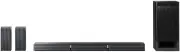


 Sony BDV-E2100
Manual
Sony BDV-E2100
Manual
 Sony BDV-E280
Manual
Sony BDV-E280
Manual
 Sony BDV-E370
Manual
Sony BDV-E370
Manual
 Sony BDV-E490
Manual
Sony BDV-E490
Manual
 Sony BDV-E880
Manual
Sony BDV-E880
Manual
 Sony BDV-IZ1000W
Manual
Sony BDV-IZ1000W
Manual
 Sony BDV-N790W
Manual
Sony BDV-N790W
Manual
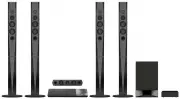 Sony BDVN9200WB
User Manual
Sony BDVN9200WB
User Manual
 Sony DAV-S400
Manual
Sony DAV-S400
Manual
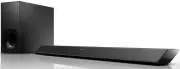 Sony HT-CT380
User Manual
Sony HT-CT380
User Manual
 Sony HT-CT780
User Manual
Sony HT-CT780
User Manual
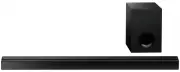 Sony HTCT80
User Manual
Sony HTCT80
User Manual
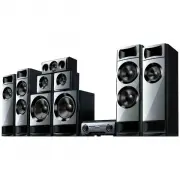 Sony HTM77
User Manual
Sony HTM77
User Manual
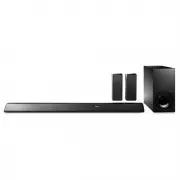 Sony HTRT5
User Manual
Sony HTRT5
User Manual
 Sony HTS100F
User Manual
Sony HTS100F
User Manual
 Sony HTX9000F
User Manual
Sony HTX9000F
User Manual
 Sony HTXT3
User Manual
Sony HTXT3
User Manual