Page 2 - WARNING; Precautions
2 GB DAV-S400 4-240-074- 12 (1) WARNING Welcome! Thank you for purchasing this SonyCompact AV System. Beforeoperating this system, please readthis manual thoroughly and retain itfor future reference. To prevent fire or shockhazard, do not expose the unitto rain or moisture. Do not install the applia...
Page 4 - Table of Contents
4 GB DAV-S400 4-240-074- 12 (1) Table of Contents WARNING .......................................................................................................... 2Welcome! ........................................................................................................... 2Precautions .......
Page 6 - About this Manual; • The instructions in this manual describe; Format of discs; Terms for discs; Title
6 GB DAV-S400 4-240-074- 12 (1) z Icon Meaning Icon Meaning About this Manual • The instructions in this manual describe the controls on the remote. You can alsouse the controls on the system if they havethe same or similar names as those on theremote. • The icons used in this manual are explained b...
Page 7 - Region code; DVDs labelled; will also play on this; Note
7 GB DAV-S400 4-240-074- 12 (1) You can Enjoy video playback(moving pictures) as wellas music. Play interactive softwareusing menu screensdisplayed on the TV screen(PBC Playback), inaddition to the videoplayback functions of Ver.1.1 discs. Moreover, youcan play high-resolutionstill pictures, if they...
Page 8 - Copyrights; Notes about the Discs; On handling discs
8 GB DAV-S400 4-240-074- 12 (1) Copyrights This product incorporates copyrightprotection technology that is protected bymethod claims of certain U.S. patents, otherintellectual property rights owned byMacrovision Corporation, and other rightsowners. Use of this copyright protectiontechnology must be...
Page 9 - Index to Parts and Controls; For more information, refer to the pages indicated in parentheses.; Front Panel; qa; continued
9 GB DAV-S400 4-240-074- 12 (1) Index to Parts and Controls For more information, refer to the pages indicated in parentheses. Front Panel 1 POWER switch/indicator (30) 2 Disc tray (30) 3 A OPEN/CLOSE (30) 4 Front panel display (10) 5 . / > , PREV/NEXT, PRESET +/– (28, 31) 6 H (play) (30) 7 X (pa...
Page 10 - Front Panel Display; When playing back a DVD
10 GB DAV-S400 4-240-074- 12 (1) When playing back a Super Audio CD, CD, or VIDEO CD When listening to the radio A L L P RO L O G I C D I G I TA L N T S C P B C A N G L E TITLE TRACK CHAPTER INDEX H TUNED M MONO ST S dBk H z PROGRAM M H z SHUFFLE REPEAT 1 F M A M DISC 1 S AUTO Current band Preset nu...
Page 11 - Rear Panel
11 GB DAV-S400 4-240-074- 12 (1) 1 AM antenna (19) 2 AUDIO 1 jacks (21) 3 AUDIO 2 jacks (21) 4 DIGITAL IN (OPTICAL) jack (22) 5 MONITOR OUT jack (21) 6 SPEAKER jacks (17) 7 FM 75 Ω COAXIAL antenna jack (20) Rear Panel AM COAXIAL FM75 Ω L R L R OPTICAL DIGITAL IN VIDEO OUT AUDIO OUT AUDIO IN AUDIO IN...
Page 12 - Remote; TV
12 GB DAV-S400 4-240-074- 12 (1) Remote 1 2 3 4 5 6 7 >10 10/0 8 9 1 TV [ / 1 (on/standby) (57) 2 Z OPEN/CLOSE (30) 3 NAME (60) 4 STEREO/MONO (59) 5 MEMORY (28) 6 CLEAR (35) 7 PLAY MODE (34) 8 AUDIO (44) 9 ANGLE (49) q; SUBTITLE (50) qa VOL +/– (58) qs . / > , PREV/NEXT, TV CH +/–, PRESET +/– ...
Page 13 - Guide to the Control Menu Display; Control Menu; List of Control Menu Items
13 GB DAV-S400 4-240-074- 12 (1) Guide to the Control Menu Display (Magic Pad) Use the Control Menu to select a function that you’d like to use. The Control Menu displayappears when the DVD DISPLAY button is pressed. For details, refer to the page inparentheses. Control Menu List of Control Menu Ite...
Page 14 - CUSTOM PARENTAL; Changes the audio setting.
14 GB DAV-S400 4-240-074- 12 (1) AUDIO (page 44) SUBTITLE (DVD only) (page 50) ANGLE (DVD only) (page 49) REPEAT (page 37) ADVANCED (DVD only) (page 51) CUSTOM PARENTAL CONTROL (page 52) SETUP (page 61) Changes the audio setting. Displays the subtitles.Changes the subtitle language. Changes the angl...
Page 15 - Quick Overview; Getting Started
15 GB DAV-S400 4-240-074- 12 (1) Getting Star ted 15 GB Quick Overview This chapter presents a quick overview so you can begin enjoying your new system right away.For selecting a language used in the on-screen display, refer to page 62.For selecting the aspect ratio of the TV to be connected, refer ...
Page 16 - Notes; Step 1: Speaker System Hookup; Required cords; Speaker cords; Inserting Batteries into the Remote; and
16 GB DAV-S400 4-240-074- 12 (1) Notes • Do not leave the remote in an extremely hot or humid place.• Do not use a new battery with an old one.• Do not drop any foreign object into the remote casing, particularly when replacing the batteries.• Do not expose the remote sensor to direct light from the...
Page 17 - Terminals for connecting the speakers; Connect the; Front speakers
Getting Star ted 17 GB DAV-S400 4-240-074- 12 (1) + – IMPEDANCE USE WOOFER: 3 Ω EXCEPT WOOFER: 6 Ω AM COAXIAL FM 75 Ω L R L R OPTICAL DIGITAL IN VIDEO OUT AUDIO OUT AUDIO IN AUDIO IN FRONT R REAR R CENTER WOOFER FRONT L REAR L ANTENNA AUDIO 1 AUDIO 2 MONITOR OUT SPEAKER + – + – + – + – Front speaker...
Page 18 - To avoid short-circuiting the speakers; Examples of poor conditions of the speaker cord
18 GB DAV-S400 4-240-074- 12 (1) To avoid short-circuiting the speakers Short-circuiting of the speakers may damage the system. To prevent this, be sure to follow theseprecautions when connecting the speakers. Make sure the bare wire of each speaker cord doesnot touch another speaker terminal or the...
Page 19 - Step 2: Antenna Hookups; Connect the supplied AM/FM antennas to listen to the radio.; Terminals for connecting the antennas
Getting Star ted 19 GB DAV-S400 4-240-074- 12 (1) AM COAXIAL FM 75 Ω L R L R OPTICAL DIGITAL IN VIDEO OUT AUDIO OUT AUDIO IN AUDIO IN SPEAKER FRONT R REAR R CENTER WOOFER FRONT L REAR L ANTENNA AUDIO 1 AUDIO 2 MONITOR OUT IMPEDANCE USE WOOFER: 3 Ω EXCEPT WOOFER: 6 Ω Step 2: Antenna Hookups Connect t...
Page 20 - If you have poor FM reception
20 GB DAV-S400 4-240-074- 12 (1) AM COAXIAL FM 75 Ω ANTENNA Outdoor FM antenna System z If you have poor FM reception Use a 75-ohm coaxial cable (not supplied) to connect the system to an outdoor FM antenna as shown below. Note If you connect the system to an outdoor antenna, ground it to protect ag...
Page 21 - Step 3: TV and Audio/Video Component Hookups; Video cord for connecting a TV monitor; Jacks for connecting video components; Connect a
Getting Star ted 21 GB DAV-S400 4-240-074- 12 (1) Step 3: TV and Audio/Video Component Hookups Required cords Video cord for connecting a TV monitor Audio cord (not supplied) When connecting a cord, be sure to match the colour-coded pins to the appropriate jacks on thecomponents. Jacks for connectin...
Page 22 - If you connect an MD deck with the OPTICAL jack; Connect the MD deck to the AUDIO IN L/R jacks of the system.; Connecting the AC Power Cord (mains lead)
22 GB DAV-S400 4-240-074- 12 (1) AM COAXIAL FM 75 Ω L R L R OPTICAL DIGITAL IN VIDEO OUT AUDIO OUT AUDIO IN AUDIO IN SPEAKER FRONT R REAR R CENTER WOOFER FRONT L REAR L AUDIO 1 AUDIO 2 MONITOR OUT IN IN OUT OUT OUT R AUDIO OUT AUDIO IN L R AUDIO OUT L OUTPUT VIDEO IN INPUT OPTICAL IMPEDANCE USE WOOF...
Page 23 - Speaker Setup; the rear speakers up to 4.6 meters closer (; Turn off the TV set once, then turn it on after 15 to 30 minutes.; If color irregularity occurs again; Place the subwoofer farther away from the TV set.; If color irregularity still occurs after performing the above
Getting Star ted 23 GB DAV-S400 4-240-074- 12 (1) Speaker Setup For the best possible surround sound, all the speakers other than the subwoofer should be thesame distance from the listening position ( A ). However, this system allows you to place the centre speaker up to 1.6 meters closer ( B ) and ...
Page 24 - To specify the size, distance, position and height of the speakers; Specifying the speaker parameters
24 GB DAV-S400 4-240-074- 12 (1) AMP MENU To specify the size, distance, position and height of the speakers 1 Press AMP MENU repeatedly to display 9 SP. SETUP on the front panel display. 2 Sit in your listening position and select the item to be set using X / x . • Items set in 9 SP. SETUP – Size o...
Page 25 - DISTANCE; Select this if the rear speakers are located in the section
Getting Star ted 25 GB DAV-S400 4-240-074- 12 (1) x DISTANCE You can vary the distance of each speaker as follows. The default settings are underlined.• F. D. 5 m (front speakers distance) Front speaker distance can be set in 0.2 meters steps from 1.0 to 15.0 meters. • C. D. 5 m (centre speaker dist...
Page 26 - To specify the balance and level of the speakers
26 GB DAV-S400 4-240-074- 12 (1) Height diagram • R. H. LOWSelect this if the rear speakers are located in section D . • R. H. HIGHSelect this if the rear speakers are located in section C . These parameters are not available when “REAR“ is set to “NONE”. To specify the balance and level of the spea...
Page 27 - LEVEL; to select the following items and; DIMMER; to adjust the
Getting Star ted 27 GB DAV-S400 4-240-074- 12 (1) x LEVEL You can vary the level of each speaker as follows. The default settings are underlined.• C. LEVEL 0 dB (centre speaker level) Adjust the level of the centre speaker (You can adjust from –6 dB to +6 dB in 1 dB steps). • R. LEVEL 0 dB (rear spe...
Page 28 - Presetting Radio Stations; Every time you press BAND, the band changes to AM or FM alternately.; Press PRESET + or – to select the preset number you want.
28 GB DAV-S400 4-240-074- 12 (1) Presetting Radio Stations You can preset 20 stations for FM and 10 stations for AM.Before tuning, make sure to turn down the volume to minimum. 1 Press BAND repeatedly until the band you want appears on the front paneldisplay. Every time you press BAND, the band chan...
Page 29 - The station is stored.; Repeat; To tune in a station with a weak signal; Press TUNING + or – repeatedly in; To change the preset number; Start over from
Getting Star ted 29 GB DAV-S400 4-240-074- 12 (1) 5 Press ENTER. The station is stored. 6 Repeat 1 to 5 to store other stations. To tune in a station with a weak signal Press TUNING + or – repeatedly in 2 to tune in the station manually. To change the preset number Start over from 1 . A L L P RO L O...
Page 30 - Press POWER on the system.; Playing Discs; Press; on the system; To turn off the system; Press
30 GB DAV-S400 4-240-074- 12 (1) Playing Discs Depending on the DVD or VIDEO CD,some operations may be different orrestricted. Refer to the operating instructions suppliedwith your disc. 1 Turn on your TV. 2 Switch the input selector on the TVto this system. 3 Press POWER on the system. The system e...
Page 31 - Additional operations; To
31 GB Pla ying Discs DAV-S400 4-240-074- 12 (1) Resuming Playback fromthe Point Where YouStopped the Disc (Resume Play) When you stop the disc, the systemremembers the point where you pressed x and “RESUME” appears on the front paneldisplay. As long as you do not open the disctray, Resume Play will ...
Page 32 - Using the DVD’s Menu; Using the title menu
32 GB DAV-S400 4-240-074- 12 (1) Notes • Depending on where you stopped the disc, the system may not resume playback from exactly thesame point. • The point where you stopped playing is cleared when:– you turn the power off by pressing POWER on the system. – you change the play mode. Using the DVD’s...
Page 33 - The menu for your selection appears.; or the number; Using the DVD menu
33 GB Pla ying Discs DAV-S400 4-240-074- 12 (1) Playing VIDEO CDs withPBC Functions (PBC Playback) With PBC (Playback Control) functions,you can enjoy simple interactive operations,search functions, and other such operations.PBC playback allows you to play VIDEOCDs interactively by following the men...
Page 34 - To go back to the menu
34 GB DAV-S400 4-240-074- 12 (1) 4 Follow the instructions in themenu for interactive operations. Refer to the instructions supplied withthe disc, as the operating proceduremay differ according to the VIDEOCD. To go back to the menu Press O RETURN. z To play without using PBC, press . / > or the ...
Page 35 - When playing a VIDEO CD,; To return to normal play; Press CLEAR during playback.; To turn off the programme menu; When playing a DVD; or the number buttons to
35 GB Pla ying Discs DAV-S400 4-240-074- 12 (1) PROGRAM 1. TRACK 0 2 ALL CLEAR 2. TRACK – –3. TRACK – –4. TRACK – –5. TRACK – –6. TRACK – – 7. TRACK – – 0:15:30 – – 0102030405 T x When playing a VIDEO CD, Super Audio CD, or CD For example, select track “02.”Press X / x or the number buttons to selec...
Page 36 - To change the programme; To cancel the programmed order; Playing in random order
36 GB DAV-S400 4-240-074- 12 (1) To change the programme 1 In Step 2, select the programme numberof the title, chapter, or track you want tochange using X / x or the number buttons, and press c . 2 Follow Step 3 for new programming. To cancel the programmed order To cancel all the titles, chapters, ...
Page 37 - You can set Repeat Play during stop; You can quickly display the “REPEAT”; Playing repeatedly; The Control Menu appears.
37 GB Pla ying Discs DAV-S400 4-240-074- 12 (1) 3 Select the Repeat Play setting. When playing a DVD and when Programme Play is set to OFF • OFF: does not play repeatedly.• DISC: repeats all the titles.• TITLE: repeats the current title on a disc.• CHAPTER: repeats the current chapter. When playing ...
Page 41 - Viewing Information About the Disc
41 GB Vie wing Inf ormation About the Disc DAV-S400 4-240-074- 12 (1) TITLE TRACK CHAPTER INDEX TUNED H MONO M ST S dBk H z PROGRAMM H z SHUFFLE REPEAT 1 TITLE TRACK CHAPTER INDEX TUNED H MONO M ST S dBk H z PROGRAMM H z SHUFFLE REPEAT 1 TITLE TRACK CHAPTER INDEX TUNED H MONO M ST S dBk H z PROGRAMM...
Page 44 - Sound Adjustments; Changing the Sound
44 GB DAV-S400 4-240-074- 12 (1) Sound Adjustments Changing the Sound If a DVD is recorded with multilingualtracks, you can select the language you wantwhile playing the DVD.If the DVD is recorded in multiple audioformats (PCM, Dolby Digital, MPEG audio,or DTS), you can select the audio formatyou wa...
Page 45 - Centre; The display examples are as follows:; • Dolby Surround
45 GB Sound Adjustments DAV-S400 4-240-074- 12 (1) L R C DTS 3/2.1 PROGRAM FORMAT LFE LS RS Displaying the audio information ofthe disc When you select “AUDIO,” the channelsbeing played are displayed on the screen.For example, in Dolby Digital format,multiple signals ranging from monaural to5.1 chan...
Page 46 - Selecting a Sound Field; To check the current sound field; sound field; The system memorises the last sound; * “VIRTUAL” sound field: Sound field with
46 GB DAV-S400 4-240-074- 12 (1) Selecting a Sound Field You can enjoy surround sound simply byselecting one of the pre-programmed soundfields according to the programme you wantto listen to. Surround sound can be appliedto DVD, VIDEO CD, and CD playback. Press SOUND FIELD repeatedly untilthe sound ...
Page 47 - Reproduces the acoustics of a jazz club.
47 GB Sound Adjustments DAV-S400 4-240-074- 12 (1) V.MULTI D. (VIRTUAL MULTI DIMENSION) Uses 3D sound imaging to create an array ofvirtual rear speakers positioned higher thanthe listener from a single pair of actual rearspeakers. This mode creates 5 sets of virtualspeakers surrounding the listener ...
Page 48 - HEADPHONE THEATER; LEVEL appears on the front panel; Adjust the volume level using; Adjustable parameters for each sound field; FRONT BAL. REAR BAL. REAR LEVEL CENTER LEVEL SUBWOOFER LEVEL
48 GB DAV-S400 4-240-074- 12 (1) HEADPHONE THEATER * When you connect your headphone to thePHONES jack of the system, theHEADPHONE THEATER mode allows youto experience a theatre like environmentwhile listening through a pair ofheadphones. This mode is very effectivewith 5.1 ch discreet signal source...
Page 49 - Enjoying Movies; Changing the Angles; To turn off the Control Menu
49 GB Enjo ying Mo vies DAV-S400 4-240-074- 12 (1) Enjoying Movies Changing the Angles If various angles (multi-angles) for a sceneare recorded on the DVD, “ANGLE”appears in the front panel display. Thismeans that you can change the viewingangle.For example, while playing a scene of atrain in motion...
Page 50 - Displaying the Subtitles; The options for SUBTITLE appear.; To cancel the SUBTITLE setting; Select “OFF” in Step 3.
50 GB DAV-S400 4-240-074- 12 (1) Displaying the Subtitles If subtitles are recorded on the discs, youcan turn the subtitles on and off whileplaying. If multilingual subtitles arerecorded on the disc, you can change thesubtitle language while playing, or turn thesubtitles on or off whenever you want....
Page 51 - Displays of each item; BIT RATE; When playing MPEG audio sound tracks; LAYER; The Control Menu is displayed.; The options for ADVANCED appear.; BIT RATE
51 GB Enjo ying Mo vies DAV-S400 4-240-074- 12 (1) BIT RATE 0 5 10 kbps Mbps 384 ENTER X / x To close the ADVANCED window Select “OFF” in Step 3. To turn off the Control Menu Press DVD DISPLAY repeatedly until theControl Menu is turned off. Displays of each item By pressing DVD DISPLAY repeatedly, y...
Page 52 - Locking Discs; PARENTAL CONTROL, PARENTAL; • Parental Control; Custom Parental Control; Insert the disc you want to lock.; If the disc is playing, press; Using Various Additional Functions
52 GB DAV-S400 4-240-074- 12 (1) Locking Discs (CUSTOM PARENTAL CONTROL, PARENTAL CONTROL) You can set two kinds of playbackrestrictions for a disc.• Custom Parental Control You can set the playback restrictions sothat the system will not play inappropriatediscs. • Parental Control Playback of some ...
Page 54 - If you have not entered a
54 GB DAV-S400 4-240-074- 12 (1) 1 In stop mode, press DVD SETUP. The Setup Display appears. 2 Press X / x to select “CUSTOM SETUP,” then press ENTER. “CUSTOM SETUP” is displayed. 3 Press X / x to select “PARENTAL CONTROL t ,” then press ENTER. x If you have not entered a password The display for re...
Page 55 - Select the level you want using
55 GB Using V arious Additional Functions DAV-S400 4-240-074- 12 (1) 7 Press ENTER. The selection items for “LEVEL” aredisplayed. 8 Select the level you want using X / x , then press ENTER. Parental Control setting is complete. The lower the value, the more strict thelimitation. If you make a mistak...
Page 56 - Area Code
56 GB DAV-S400 4-240-074- 12 (1) Standard Code number Argentina 2044 Australia 2047 Austria 2046 Belgium 2057 Brazil 2070 Canada 2079 Chile 2090 China 2092 Denmark 2115 Finland 2165 France 2174 Germany 2109 Hong Kong 2219 India 2248 Indonesia 2238 Italy 2254 Japan 2276 Standard Code number Korea 230...
Page 57 - Other Operations; By pressing; Switching between TV and DVD; Button
57 GB Other Operations DAV-S400 4-240-074- 12 (1) Controlling the TV withthe Supplied Remote You can control your Sony TV with thesupplied remote. Controlling the TV with the remote TV ? / 1 Number * buttons Other Operations COMMANDMODE DVD/TV switch ENTER 1 2 3 4 5 6 7 >10 10/0 8 9 TV/VIDEO You ...
Page 58 - Listening to the Radio; The last received station is tuned in.; To turn off the radio; AUDIO 1
58 GB DAV-S400 4-240-074- 12 (1) Listening to the Radio Preset radio stations in the system’s memoryfirst (see “Presetting Radio Stations” onpage 28). 1 Press FUNCTION repeatedly untilTUNER appears on the front paneldisplay. The last received station is tuned in. 2 Press PRESET + or PRESET –repeated...
Page 59 - To listen to non-preset radio stations; If an FM programme is noisy; To check the frequency or sound field; What is the Radio Data System?; Receiving RDS broadcasts; To check the RDS information
59 GB Other Operations DAV-S400 4-240-074- 12 (1) To listen to non-preset radio stations Use manual or automatic tuning in Step 2.For manual tuning, press m or M (TUNING + or –) on the remote repeatedly.For automatic tuning, press and hold m or M (TUNING + or –) on the remote. z If an FM programme i...
Page 60 - Naming Preset Stations
60 GB DAV-S400 4-240-074- 12 (1) 3 Press NAME. 4 Create an index name by using thecursor buttons: Press x / X to select a character, then press c to move the cursor to the next position. If you make a mistake Press C or c repeatedly until the character to be changed flashes, thenpress x / X to selec...
Page 61 - Using the Setup Display; How to use the Setup Display; The options for SETUP appear.; Settings and Adjustments; The Setup Display appears.
61 GB Settings and Adjustments DAV-S400 4-240-074- 12 (1) LANGUAGE SETUP OSD:DVD MENU:AUDIO:SUBTITLE: ENGLISHENGLISH ORIGINAL ENGLISH ( 47 ) : : CUSTOM RESET DVD Using the Setup Display By using the Setup Display, you can makevarious adjustments to items such as pictureand sound. You can also set a ...
Page 62 - Select an item using
62 GB DAV-S400 4-240-074- 12 (1) LANGUAGE SETUP OSD:DVD MENU:AUDIO:SUBTITLE: ENGLISHENGLISH ORIGINAL ENGLISH Setting the Display orSound Track Language (LANGUAGE SETUP) “LANGUAGE SETUP” allows you to setvarious languages for the on-screen displayor sound track. Select “LANGUAGE SETUP” in the SetupDi...
Page 63 - Settings for the Display
63 GB Settings and Adjustments DAV-S400 4-240-074- 12 (1) z If you select “OTHERS t ” in “DVD MENU,” “SUBTITLE,” or “AUDIO,” select and enter thelanguage code from the list using the number buttons(page 77).After you have made a selection, the language code(4 digits) is displayed the next time you s...
Page 64 - Selects the picture in pause mode.; PARENTAL CONTROL; Turns on the screen saver.; BACKGROUND; The background colour is blue.; Custom Settings
64 GB DAV-S400 4-240-074- 12 (1) x PAUSE MODE (DVD only) Selects the picture in pause mode. AUTO FRAME x PARENTAL CONTROL t (DVD only) Sets a password and playback limitationlevel for DVDs with playback limitation forchildren. For details, see “Limiting playbackfor children (Parental Control)” (page...
Page 65 - Settings for the Speakers; To return to the default setting; — YES
65 GB Settings and Adjustments DAV-S400 4-240-074- 12 (1) Settings for the Speakers (SPEAKER SETUP) To obtain the best possible surround sound,set the size of the speakers you haveconnected and their distance from yourlistening position. Then use the test tone toadjust the volume and the balance of ...
Page 66 - • REAR; Specifying the rear speaker position
66 GB DAV-S400 4-240-074- 12 (1) 5m 5m 5m 3.4m 3.4m Position diagram Height diagram x DISTANCE The default distance setting for the speakersin relation to the listening position is shownbelow. Be sure to change the value in the SetupDisplay when you move the speakers. Thedefault settings are underli...
Page 67 - BALANCE
67 GB Settings and Adjustments DAV-S400 4-240-074- 12 (1) FRONT CENTER REAR Notes • When you set the distance, the sound cuts off for a moment. • If each of the front or rear speakers are not placed at an equal distance from your listening position,set the distance according to the closest speaker. ...
Page 69 - Additional Information; Troubleshooting; Power
69 GB Additional Inf ormation DAV-S400 4-240-074- 12 (1) Additional Information Troubleshooting If you experience any of the followingdifficulties while using the system, use thistroubleshooting guide to help remedy theproblem before requesting repairs. Shouldany problem persist, consult your neares...
Page 70 - Operation
70 GB DAV-S400 4-240-074- 12 (1) The sound loses stereo effect when you play a VIDEO CD, or a CD. , Set “AUDIO” to “STEREO” in the Control Menu display (page 44). , Make sure you connect the system appropriately. The surround effect is difficult to hear when you are playing a Dolby Digital sound tra...
Page 72 - Glossary; Bit rate; Self-diagnosis Function; E XX
72 GB DAV-S400 4-240-074- 12 (1) Glossary Bit rate Value indicating the amount of video datacompressed in a DVD per second. The unitis Mbps (Mega bit per second). 1 Mbpsindicates that the data per second is1,000,000 bits. The higher the bit rate is, thelarger the amount of data. However, thisdoes no...
Page 73 - ” mark. Even when the region
73 GB Additional Inf ormation DAV-S400 4-240-074- 12 (1) Dolby Pro Logic Surround As one method of decoding DolbySurround, Dolby Pro Logic Surroundproduces four channels from two-channelsound. Compared with the former DolbySurround system, Dolby Pro Logic Surroundreproduces left-to-right panning mor...
Page 74 - still pictures and enjoy PBC functions.; Super Audio CD
74 GB DAV-S400 4-240-074- 12 (1) Title The longest section of a picture or musicfeature on a DVD, movie feature on a DVD,movie, etc., in video software or the entirealbum in audio software. Each title isassigned a title number enabling you tolocate the title you want. Track Sections of a picture or ...
Page 75 - Specifications; Amplifier section
75 GB Additional Inf ormation DAV-S400 4-240-074- 12 (1) Specifications Amplifier section Stereo mode 40 W + 40 W (6 ohms at 1 kHz, THD 10 %) Surround mode Front: 40 W + 40 WCenter*: 40 WRear*: 40 W + 40 W (6 ohms at 1 kHz, THD 10 %)Subwoofer*: 100 W (3 ohms at 100 Hz, THD 10 %) * Depending on the s...
Page 76 - Video Section; Speakers; General
76 GB DAV-S400 4-240-074- 12 (1) Video Section Outputs Video: 1 Vp – p, 75 ohms Speakers Front/Centre/Rear (SS–TS501) Speaker system Bass reflex Speaker unit 80 mm dia. cone type Rated impedance 6 ohms Dimensions (approx.) 97 × 102 × 105 mm (w/h/d) Mass (approx.) 0.5 kg Subwoofer (SS–WS501) Speaker ...
Page 77 - Language Code List; Code Language; Bangla
77 GB Additional Inf ormation DAV-S400 4-240-074- 12 (1) Language Code List For details, see pages 44, 50, 62.The language spellings conform to the ISO 639: 1988 (E/F) standard. Code Language Code Language Code Language Code Language 1027 Afar1028 Abkhazian1032 Afrikaans1039 Amharic1044 Arabic1045 A...
Page 78 - DVD Setup Menu List; LANGUAGE SETUP
78 GB DAV-S400 4-240-074- 12 (1) LOW HIGH LOW HIGH 6 steps left or right6 steps left or right DVD Setup Menu List You can set the following items with the DVD setup menu.The order of the displayed items may be different from the actual display. LANGUAGE SETUP OSD (Select the language youwant to use ...
Page 79 - ormation; Index; Numerics; CUSTOM SETUP 64
79 GB Additional Inf ormation DAV-S400 4-240-074- 12 (1) Index Numerics 16:9 634:3 LETTER BOX 634:3 PAN SCAN 63 A ADVANCED 51AMP MENU 24ANGLE 49Antenna Hookups 19AUDIO 44, 62 B BACKGROUND 64BALANCE 26, 67BAND 28Batteries 16Bit rate 51, 72 C CD 30CHAPTER 39Chapter 6, 72Continuous play CD, VIDEO CD, S...
Page 80 - Quick reference for Remote Commander; Sony Corporation Printed in Hungary
80 GB DAV-S400 4-240-074- 12 (1) Quick reference for Remote Commander 1 2 3 4 5 6 7 >10 10/0 8 9 z Shaded parts buttons are affected by the COMMANDMODE DVD/TV switch. Shaded descriptions refer to TVsetting on the switch. Note The remote control of the unit employs command signals in common with o...


 Sony BDV-E2100
Manual
Sony BDV-E2100
Manual
 Sony BDV-E280
Manual
Sony BDV-E280
Manual
 Sony BDV-E370
Manual
Sony BDV-E370
Manual
 Sony BDV-E490
Manual
Sony BDV-E490
Manual
 Sony BDV-E880
Manual
Sony BDV-E880
Manual
 Sony BDV-IZ1000W
Manual
Sony BDV-IZ1000W
Manual
 Sony BDV-N790W
Manual
Sony BDV-N790W
Manual
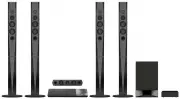 Sony BDVN9200WB
User Manual
Sony BDVN9200WB
User Manual
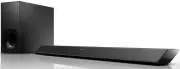 Sony HT-CT380
User Manual
Sony HT-CT380
User Manual
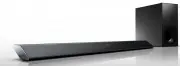 Sony HT-CT780
User Manual
Sony HT-CT780
User Manual
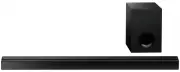 Sony HTCT80
User Manual
Sony HTCT80
User Manual
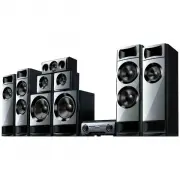 Sony HTM77
User Manual
Sony HTM77
User Manual
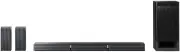 Sony HTRT3
User Manual
Sony HTRT3
User Manual
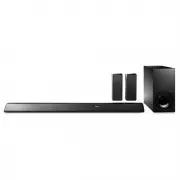 Sony HTRT5
User Manual
Sony HTRT5
User Manual
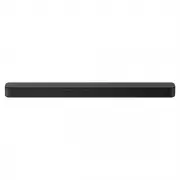 Sony HTS100F
User Manual
Sony HTS100F
User Manual
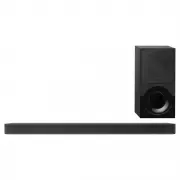 Sony HTX9000F
User Manual
Sony HTX9000F
User Manual
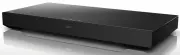 Sony HTXT3
User Manual
Sony HTXT3
User Manual