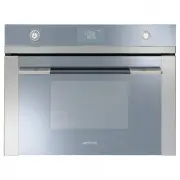
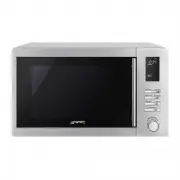
Page 2 - Instructions; IMPORTANT SAFETY INSTRUCTIONS; General safety instructions
Instructions 4 1 Instructions IMPORTANT SAFETY INSTRUCTIONS PLEASE READ CAREFULLY AND RETAIN FOR FUTURE USE. 1.1 General safety instructions Risk of personal injury • WARNING: If the door or the door seal is damaged, the oven must not be used until it has been repaired by authorised persons. • WARNI...
Page 3 - Risk of damaging the appliance; Improper use
Instructions 5 EN • Do not try to repair the appliance yourself or without the intervention of authorised persons. • If the power supply cable is damaged, contact technical support immediately and they will replace it. Risk of damaging the appliance • Do not use abrasive or corrosive detergents on g...
Page 5 - Manufacturer liability; Power voltage
Instructions 7 EN 1.3 Manufacturer liability The manufacturer declines all liability for damage to persons or property caused by:• Use of the appliance other than the one envisaged; • Non-observance of the user manual provisions; • Tampering with any part of the appliance; • Use of non-original spar...
Page 6 - How to read the user manual
Instructions 8 1.7 This user manual This user manual is an integral part of the appliance and must therefore be kept in its entirety and within the user’s reach for the whole working life of the appliance.• Read this user manual carefully before using the appliance. 1.8 How to read the user manual T...
Page 7 - Description; General Description; Control panel
Description 9 EN 2 Description 2.1 General Description 1 Control panel 2 Oven light 3 Seal 4 Door Frame shelf 2.2 Microwaves The appliance is equipped with a microwave generator called a magnetron. The microwaves generated are evenly emitted into the oven cavity in order to reach the food and heat i...
Page 8 - Temperature knob
Description 10 2.3 Control panel 1 Temperature knob This knob allows you to select:• the microwave power level• the cooking temperature • the duration of a function• programmed cooking • the current time• the switching on or off of the light inside the appliance. 2 Display Displays the current time,...
Page 9 - Cooling fan; Available accessories; Boiling rod
Description 11 EN Cooling fan The fan cools the appliance and comes into operation during cooking.The fan causes a steady outflow of air from above the door which may continue for a brief period of time even after the appliance has been turned off. 2.5 Available accessories Boiling rod To be placed ...
Page 10 - Use; Materials suitable for microwaves; Danger of burns
Use 12 3 Use 3.1 Instructions 3.2 Materials suitable for microwaves In general, in order for all of the food to be reached, the materials used for microwave cooking must be transparent to microwave energy.Below is a table of materials to use and those not to use: High temperature inside the oven cav...
Page 11 - MATERIALS NOT TO BE USED:
Use 13 EN MATERIALS TO USE: - Glass (always remove lids)* • Baking dishes• Glasses• Jars - Porcelain- Terracotta- Plastic (only if suitable for microwave use)* • Containers• Plastic wrap (must not come into contact with the food) *only if heat-resistant. MATERIALS NOT TO BE USED: Metals (these can g...
Page 12 - Remove any protective film from the; Using the accessories; Racks and trays
Use 14 3.3 First use 1. Remove any protective film from the outside or inside of the appliance, including accessories. 2. Remove any labels (apart from the technical data plate) from the accessories and from the oven cavity. 3. Remove and wash all the appliance accessories (see 4 Cleaning and mainte...
Page 13 - High temperature
Use 15 EN Baker plate For best results, we recommend placing the Baker plate at the centre of the rack. Boiling rod When using the microwave to heat or reheat liquids, the boiling process may be delayed while the liquids nevertheless exceed 100 degrees. To avoid this dangerous phenomenon, it is nece...
Page 14 - Display
Use 16 3.5 Using the oven Display Eco-logic indicator light Showroom indicator light Minute minder timer indicator light Timed cooking indicator light Programmed cooking indicator light Clock indicator light Microwave indicator light Defrost indicator light Child lock indicator light Temperature lev...
Page 15 - If a Grill function has been activated:
Use 17 EN Each time the temperature knob is pressed during a function, it will cycle through the parameters in the following order.The value can be changed in any mode by turning the temperature knob to the left or right. Keep the knob turned to produce a faster increase or decrease. If a microwave ...
Page 16 - Microwave function
Use 18 Microwave function 1. Turn the functions knob to select the microwave function . 2. Press the temperature knob.3. Turn the temperature knob to change the cooking time (max. 30 minutes). 4. Press the temperature knob.5. Turn the temperature knob to change the power level from 100W to 1000W (se...
Page 17 - Microwave power levels
Use 19 EN 6. Press the function knob to start microwave cooking. 7. At the end of the cooking time appears on the display and a buzzer sounds. 8. To deactivate the buzzer, press or turn one of the two knobs or open the door. Microwave power levels Below is a list of the power levels that can be sele...
Page 18 - QUICK START microwave function
Use 20 QUICK START microwave function 1. From stand-by mode, press the function knob twice. 2. The appliance will start the microwave oven with the default settings. Combination Microwave + grill function 1. Select the Microwave + Grill function using the function knob. 2. Press the temperature knob...
Page 19 - Press the function knob to start
Use 21 EN 6. Press the temperature knob.7. Turn the temperature knob to change the power level (from 100W to 700W). 8. Press the function knob to start combination cooking. Pre-heating stage The actual cooking is preceded by a preheating stage that allows the appliance to reach the cooking temperatu...
Page 20 - Minute minder timer
Use 22 Minute minder timer 1. Press the temperature knob once (twice if cooking is already in progress). The display shows and the indicator light flashes. 2. Turn the knob to set the duration (from 1 minute to 4 hours). After a few seconds, the indicator light stops flashing and the countdown start...
Page 24 - Special functions; Reheat
Use 26 3.6 Special functions Reheat 1. Press the function knob to confirm the settings and start re-heating. 2. Press the temperature knob.3. Turn the temperature knob to change the re-heating time. 4. Press the function knob to confirm the settings and start re-heating. Baker 1. Place the rack on t...
Page 26 - Cooking suggestion table
Use 28 Cooking suggestion table Defrost by time 1. Place the food into the oven cavity (see “Turn” procedure) 2. Use the function knob to select the defrost by time function indicated by the and symbols. 3. Press the temperature knob to set the defrosting time. 4. Turn the knob to modify the defrost...
Page 27 - Defrost by weight
Use 29 EN Defrost by weight 1. Place the food into the oven cavity (see “Turn” procedure) 2. Press and turn the function knob to select the defrost by weight function indicated by and the illuminated food symbols . 3. Press the function knob to confirm the defrost by weight function. 4. Turn the fun...
Page 28 - “Turn” procedure
Use 30 “Turn” procedure For best defrosting results it is recommended, when necessary, to turn the dish inside the oven compartment.1. Put the food in the oven, placing it parallel to the door. 2. The food should be turned when appears on the display. 3. Open the door and turn the dish 90°. 4. Close...
Page 29 - ON
Use 31 EN 6. For the second rotation the door will need to be opened and the dish turned by 180°. 7. Close the door and press the function knob to resume operation. 3.7 Secondary menu The appliance has a drop-down secondary menu that allows the user to:• Activate or deactivate the Child lock.• Activ...
Page 30 - Child lock mode
Use 32 Child lock mode This mode allows the appliance to lock the controls automatically after one minute of normal operation without any intervention from the user. During normal operation, it is indicated by the indicator light coming on. To disable the lock temporarily during cooking, keep the te...
Page 31 - Low power mode
Use 33 EN Low power mode This mode allows the appliance to limit the power used. Suitable for simultaneous use with further home appliances. HI: normal power. LO: low power. Timed light mode For greater energy savings, the light is turned off automatically one minute after the start of cooking. To p...
Page 32 - Cleaning and maintenance; Cleaning the surfaces; Ordinary daily cleaning
Cleaning and maintenance 34 4 Cleaning and maintenance 4.1 Instructions 4.2 Cleaning the surfaces To keep the surfaces in good condition, they should be cleaned regularly after use. Let them cool first. Ordinary daily cleaning Always use only specific products that do not contain abrasives or chlori...
Page 33 - Food stains or residues; Cleaning the door glazing; Drying
Cleaning and maintenance 35 EN Food stains or residues Do not use metallic sponges or sharp scrapers as they will damage the surfaces.Use ordinary non-abrasive products with the aid of wooden or plastic utensils if necessary. Rinse thoroughly and dry with a soft cloth or a microfibre cloth.Do not al...
Page 34 - Removing racks/trays support frames
Cleaning and maintenance 36 Removing racks/trays support frames Removing the guide frames enables the sides to be cleaned more easily.To remove the guide frames:1. Unscrew the two fastening pins of the frame: 2. Pull the frame towards the inside of the oven cavity in order to release it from the fas...
Page 36 - Installation; Electrical connection
Installation 38 5 Installation 5.1 Electrical connection General information Check the grid characteristics against the data indicated on the plate.The identification plate bearing the technical data, serial number and brand name is visibly positioned on the appliance.Do not remove this plate for an...
Page 37 - Position of the power cable
Installation 39 EN 5.2 Positioning Position of the power cable (rear view) Front panel seal Glue the supplied seal to the rear part of the front panel to avoid water or other liquids from leaking in. Heavy appliance Crushing hazard • Position the appliance into the cabinet cutout with the help of a ...
Page 38 - Fastening bushings
Installation 40 Fastening bushings Remove the bushing covers from the front of the oven. Mount the appliance into the recess.Secure the appliance to the piece of furniture using screws. Cover the bushings with the covers removed previously. Appliance overall dimensions (mm) (front view) (top view)