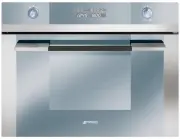
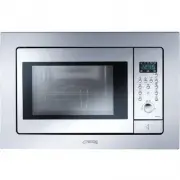
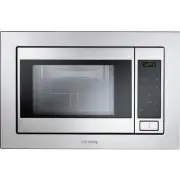
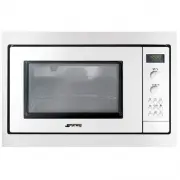
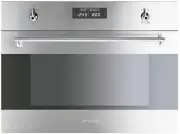
Page 2 - Table of Contents; INSTRUCTIONS FOR THE USER
Table of Contents GB-IE 1 INSTRUCTIONS FOR THE USER : these provide recommendations for use, a description of the controls and the correct procedures for cleaning and maintaining the appliance INSTRUCTIONS FOR THE INSTALLER : these are intended for the qualified engineer who is to install, commissio...
Page 3 - Precautions for Use; PRECAUTIONS FOR USE
Precautions for Use GB-IE 2 1 PRECAUTIONS FOR USE THIS MANUAL IS AN INTEGRAL PART OF THE APPLIANCE. TAKE GOOD CARE OF IT AND KEEP IT TO HAND THROUGHOUT THE OVEN'S LIFE CYCLE. WE URGE YOU TO READ THIS MANUAL AND ALL THE INFORMATION IT CONTAINS CAREFULLY BEFORE USING THE APPLIANCE. INSTALLATION MUST B...
Page 4 - Disposal Instructions; deliver the appliance to your local organisation authorised to
Disposal Instructions GB-IE 3 2 DISPOSAL INSTRUCTIONS - OUR ENVIRONMENT POLICY Our products are only packaged using non-pollutant, environment-friendly, recyclable materials. We urge you to cooperate by disposing of the packaging properly. Contact your local dealer or the competent local organisatio...
Page 5 - Safety Precautions; SAFETY PRECAUTIONS
GB-IE Safety Precautions 4 3 SAFETY PRECAUTIONS REFER TO THE INSTALLATION INSTRUCTIONS FOR THE SAFETY REGULATIONS FOR ELECTRIC OR GAS APPLIANCES AND VENTILATION FUNCTIONS. IN YOUR INTEREST AND TO ENSURE YOUR SAFETY, BY LAW ALL ELECTRIC APPLIANCES MUST ONLY BE INSTALLED AND SERVICED BY QUALIFIED STAF...
Page 6 - Do not switch on the oven; without; the turntable support, the turntable; Never switch on the microwave when it is empty; . If there is no food; ventilation openings
GB-IE Safety Precautions 5 WARNING: ACCESSIBLE PARTS MAY BECOME HOT DURING USE. YOUNG CHILDREN SHOULD BE KEPT AWAY. WARNING: DURING USE THE APPLIANCE BECOMES HOT. CARE SHOULD BE TAKEN TO AVOID TOUCHING HEATING ELEMENTS INSIDE THE OVEN. TO AVOID BURNS AND SCALDS CHILDREN SHOULD BE KEPT AWAY. WARNING!...
Page 8 - Instructions for the User; GET TO KNOW YOUR OVEN; BEFORE INSTALLATION
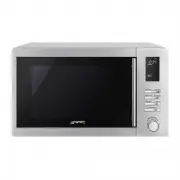
GB-IE Instructions for the User 7 4 GET TO KNOW YOUR OVEN 1. – Door window glass 8. – Lamp 2. – Catches 9. – Control panel 3. – Turntable support 10. – Glass tray 4. – Turntable ring 11. – Shelf ( DO NOT USE WITH 5. – Turntable plate MICROWAVES ) 6. – Grill Element 12. – Browning plate 7. – Mica cov...
Page 9 - DESCRIPTION OF FRONT PANEL CONTROLS
GB-IE Instructions for the User 8 6 DESCRIPTION OF FRONT PANEL CONTROLS All the appliance's control and monitoring devices are placed together on the front panel. The table below provides the key to the symbols used. FUNCTION’S PARAMETERS KNOB This knob allows you to set the time, select the cooking...
Page 10 - FUNCTION-SWITCH ON KNOB
GB-IE Instructions for the User 9 FUNCTION-SWITCH ON KNOB This knob allows access to the oven's three operating settings, and is also used to select a cooking function (see point “7.2 Operating settings”). From now on, for convenience it will be referred to as PT2. The table below provides a short d...
Page 11 - USING THE OVEN; Precautions and General Advice; Setting the current time
GB-IE Instructions for the User 10 7 USING THE OVEN 7.1 Precautions and General Advice When the oven and grill are used for the first time, they should be heated to the maximum temperature for long enough to burn off any oily residues left by the manufacturing process, which might contaminate foods ...
Page 12 - Selecting the function; Microwaves function
GB-IE Instructions for the User 11 7.4 Selecting the function In the ON state only, a cooking function can be selected by simply turning PT2 to the right or left. The function selected will change colour to orange on DSP3. The preset cooking time will be displayed on DSP1 and the preset parameters (...
Page 13 - Grill Element function
GB-IE Instructions for the User 12 7.4.4 Grill Element function After selecting this function press PT1 to set the parameters and the duration light starts to blink . Turn PT1 to the right or left to change the preset cooking duration. Press PT1 to validate. Press PT2 to immediately start the cookin...
Page 14 - Defrost by Time function
GB-IE Instructions for the User 13 7.4.8 Defrost by Time function After selecting this function press PT1 to set the parameters and the duration light starts to blink .Turn PT1 to the right or left to change the preset defrosting duration. Press PT2 to start the defrosting process. The microwaves po...
Page 15 - When the oven is wo; Interrupting a cooking cycle; Microwave emission is stopped immediately.; Modifying parameters; Secondary menu; Show Room Function
GB-IE Instructions for the User 14 7.5 When the oven is wo rking… 7.5.1 Interrupting a cooking cycle You can stop the cooking process at any time by pressing the Start/Stop key once or by opening the oven door. In both cases: Microwave emission is stopped immediately. The grill is de-activated b...
Page 16 - Power selection function
GB-IE Instructions for the User 15 Turn PT1 to the right or left to activate (ON SHO) or deactivate (OFF SHO) this function. To use the oven normally, set OFF SHO. After setting the parameter required, press PT2 to return the oven to the initial standby status. 7.6.2 Power selection function This fu...
Page 17 - Cooling fan system; ACCESSORIES AVAILABLE; Shelf
GB-IE Instructions for the User 16 7.7 Cooling fan system The appliance is equipped with a cooling system which comes into operation as soon as a cooking function starts. Operation of the fans generates a normal air flow which comes out above the door and may continue for a short time even after the...
Page 18 - RECOMMENDED COOKING TABLES; Cooking with Microwaves
GB-IE Instructions for the User 17 9 RECOMMENDED COOKING TABLES 9.1 Cooking with Microwaves Warning! Read the section “Safety Precautions” before cooking with your microwave. Follow these recommendations when cooking with microwaves: Before heating or cooking foods with peel or skin (e.g. apples, ...
Page 19 - Double the quantity » double the time
GB-IE Instructions for the User 18 Cooking with microwaves... 1. The greater the amount of food, the longer the cooking time. Keep in mind that: Double the quantity » double the time Half the quantity » half the time 2. The lower the temperature, the longer the cooking time. 3. Foods containing ...
Page 20 - Defrosting with Microwaves
GB-IE Instructions for the User 19 9.2 Defrosting with Microwaves General instructions for defrosting 1. When defrosting, use only dishes that are appropriate for microwaves (china, glass, suitable plastic). 2. The defrost function by weight and the tables refer to the defrosting of raw food. 3. The...
Page 22 - Using the browning plate; Use oven gloves at all times as the browning plate will become very
GB-IE Instructions for the User 21 9.3 Using the browning plate Normally when cooking food, such as pizzas or pies, on a grill or in a microwave oven, the dough or pastry becomes soggy. This can be avoided by using a browning plate. As a high temperature is reached quickly on the bottom of the brown...
Page 23 - Cooking with the Grill Element; a way that it doesn’t come into contact with the metal
GB-IE Instructions for the User 22 9.4 Cooking with the Grill Element For good results with the grill, use the rack supplied with the oven. Fit the rack in such a way that it doesn’t come into contact with the metal surfaces of the oven cavity since if it does there is a danger of electric arcing wh...
Page 24 - Microwaves + Grill Element
GB-IE Instructions for the User 23 After half the grilling time has passed, check on how the cooking is going and, if necessary, turn the food over. The grill is especially suitable for cooking thin portions of meat and fish. Thin portions of meat only need to be turned once, but thicker portions sh...
Page 25 - Cooking with the Round Heating Element; Round Heating Element + Fan; Roasting
GB-IE Instructions for the User 24 9.5 Cooking with the Round Heating Element 9.5.1 Round Heating Element + Fan The combination of the fan and round heating element around it, gives uniform heat distribution with no cold spots. This results in many benefits – no flavour transfer when cooking differe...
Page 26 - Baking
GB-IE Instructions for the User 25 If the weight of the meat to be roasted does not appear on the table choose the settings for the weight immediately below and extend the cooking times. Advice on ovenware Check that the ovenware fits inside the oven. Hot glass containers should be put on a dry kitc...
Page 27 - – since such baking tins absorb heat better.; Pizza Function; : the cavity walls and the browning plate become very hot. Care
GB-IE Instructions for the User 26 Advice on saving energy When you are making more than one cake, it is advisable to bake them in the oven one after the other when the oven is still hot. This lets you reduce the baking time for the second and later cakes. It is preferable to use dark coloured bakin...
Page 28 - What kind of ovenware can be used?; minimum distance 3 cm
GB-IE Instructions for the User 27 9.7 What kind of ovenware can be used? 9.7.1 Microwaves function For the microwave function, keep in mind that microwaves are reflected by metal surfaces. Glass, china, clay, plastic, and paper let microwaves pass. For this reason, metal pans and dishes or containe...
Page 29 - Lids
GB-IE Instructions for the User 28 9.7.5 Lids We recommend you use glass or plastic lids or cling film since: 1. This will stop excessive evaporation (mainly during very long cooking times); 2. The cooking times are shorter; 3. The food does not become dry; 4. The aroma is preserved. The lid should ...
Page 30 - 0 CLEANING AND MAINTENANCE; Take the plug out of the socket; Cleaning stainless steel; When cleaning and caring for stainless steel surfaces, always use; only; pour the product onto a damp cloth and wipe over; Food stains or spills
GB-IE Instructions for the User 29 10 CLEANING AND MAINTENANCE Before carrying out any operations, disconnect the appliance from the electricity supply. Take the plug out of the socket or switch off the oven’s power circuit. Warning! Never use a jet of steam for cleaning the inside of the oven. Warn...
Page 31 - Cleaning the cavity ceiling; excessive force as this may cause damage.; Cleaning the accessories
GB-IE Instructions for the User 30 To remove dirt that is harder to shift, use a non-aggressive cleaning product. Do not use oven sprays or other aggressive or abrasive cleaning products. Always keep the door and the oven front very clean to ensure that the door opens and closes properly. Make sure ...
Page 32 - 1 EXTRAORDINARY MAINTENANCE; Changing the light bulb
GB-IE Instructions for the User 31 11 EXTRAORDINARY MAINTENANCE Occasionally, the oven will require minor servicing procedures or the replacement of parts subject to wear and tear, such as gaskets, light bulbs, etc. The specific operations for each procedure of this kind are provided below. Before c...
Page 33 - When the oven is operating I can hear some strange noises! Check if:
GB-IE Instructions for the User 32 When the oven is operating I can hear some strange noises! Check if: There is any electrical arcing inside the oven caused by foreign metallic objects (see section on type of ovenware). The ovenware is touching the oven walls. There are any loose items of cut...
Page 34 - Instructions for the Installer; 2 INSTALLING THE APPLIANCE; Electrical connection; the 4 screws into the inside of the frame.
GB-IE Instructions for the Installer 33 12 INSTALLING THE APPLIANCE 12.1 Electrical connection The nameplate with the technical data, serial number and mark is in a visible position on the oven door frame. The nameplate must never be removed. The appliance must be connected to earth in compliance wi...
Page 35 - Cód