Shark WD101 - Manuals
Shark WD101 – User Manual in PDF format online.
Manuals:
User Manual Shark WD101







Summary
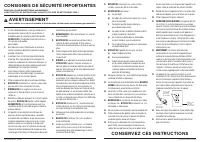
b) Hard or sharp objects (glass, nails, screws, or coins). c) Large quantities of dust (e.g., drywall dust). d) Smoking or burning objects (hot coals, cigarette butts, or matches). e) Flammable or combustible materials (lighter fluid, gasoline, or kerosene). f) Toxic materials (chlorine bleach, ammo...
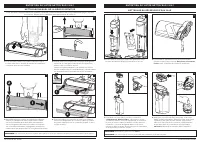
NOTE: To remove the handle, press the release button located on the back of the unit with a thin tool while pulling up on the handle. NOTE: When assembling your HydroVac, there may be a little water in or around the water tanks. This is because we test all our HydroVacs before you buy them to ensure...
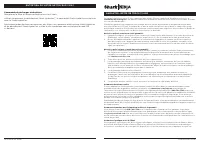
USING YOUR 3 - IN -1 CLEANER POWE R ON HARD FLOOR MODE AREA RUG MODE MAINTAINING YOUR 3 - IN -1 CLEANER Press and release the Power button on the handle to turn on power. Use Hard Floor mode for powerful cleaning on bare floors. To activate Hard Floor mode, turn on the unit and tilt the handle back....
Shark Manuals
-
 Shark NV356E
User Manual
Shark NV356E
User Manual
-
 Shark BU3521
User Manual
Shark BU3521
User Manual
-
Shark BU3521
Manual
-
 Shark S8201
User Manual
Shark S8201
User Manual
-
 Shark FA222
Manual
Shark FA222
Manual
-
 Shark S5003D
User Manual
Shark S5003D
User Manual
-
 Shark NV141
User Manual
Shark NV141
User Manual
-
 Shark S7201
User Manual
Shark S7201
User Manual
-
Shark S7201
Manual
-
 Shark RV2410WD
User Manual
Shark RV2410WD
User Manual
-
 Shark ZD201
User Manual
Shark ZD201
User Manual
-
Shark ZD201
Manual
-
 Shark AZ913ANZ
User Manual
Shark AZ913ANZ
User Manual
-
 Shark LA322
User Manual
Shark LA322
User Manual
-
 Shark HZ251
User Manual
Shark HZ251
User Manual
-
 Shark RV2001
User Manual
Shark RV2001
User Manual
-
Shark RV2001
Manual
-
 Shark SV1115
Manual
Shark SV1115
Manual
-
 Shark HP200
User Manual
Shark HP200
User Manual
-
Shark HP200
Manual