Page 2 - Does your TV weigh; more; Do you have all of the tools needed?
2 IMPORTANT SAFETY INSTRUCTIONS – SAVE THESE INSTRUCTIONS – PLEASE READ ENTIRE MANUAL PRIOR TO USE Does your TV weigh more than 75 lb (34 kg) including accessories? No — Perfect! Yes — This mount is NOT compatible. Visit MountFinder.Sanus.com or call 1-800-359-5520 (UK: 0800-056-2853) to fi nd a comp...
Page 3 - STEP 1 Attach Bracket to TV; Parts and Hardware for STEP 1
3 M4x30 mm M5x30 mm M6x35 mm M8x35 mm Spacer STEP 1 Attach Bracket to TV 04 x4 06 x4 09 x4 07 x4 08 x4 03 x4 05 x4 NOTE: Not all hardware included will be used. WARNING: This product contains small items that could be a choking hazard if swallowed. Before starting assembly, verify all parts are incl...
Page 5 - -3 Attach TV Brackets
5 1-3 Attach TV Brackets Spacer, screw and washer Center the TV brackets 01 and 02 over your TV hole pattern as shown - making sure the brackets are level. NOTE: The adjustment knobs on TV brackets 01 and 02 should be oriented to the outside edges. Install using the spacer, screw and washer combinat...
Page 6 - STEP 2 Attach Wall Plate to Wall; Parts and Hardware for STEP 2; WARNING
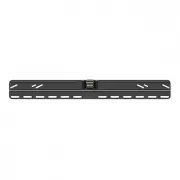
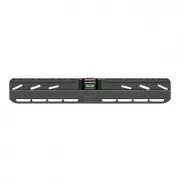
6 STEP 2 Attach Wall Plate to Wall Parts and Hardware for STEP 2 For wood stud installations (Double Stud), follow STEP 2A on PAGE 7For wood stud installations (Single Stud), follow STEP 2B on PAGE 12For concrete installations, follow STEP 2C on PAGE 17 NOTE: Not all hardware included will be used. ...
Page 7 - STEP 2A
7 1 2 3 CAUTION : Avoid potential personal injuries and property damage! ● Drywall covering the wall must not exceed 16 mm (5/8 in.) ● Minimum wood stud size: common 51 x 102 mm (2 x 4 in.) nominal 38 x 89 mm (1½ x 3½ in.) ● Minimum horizontal space between fasteners: 406 mm (16 in.) ● Stud centers ...
Page 8 - IMPORTANT
8 4 5 89 mm (3 1/2 in.) 5.5 mm (7/32 in.) 4. Place the wall plate template 10 at your desired height and position the slotted holes over your stud center lines. Level the wall plate template 10 and tape in place. NOTE: For assistance in determining wall plate location, see HeightFinder at sanus.com....
Page 12 - STEP 2B
12 1 2 3 CAUTION : Avoid potential personal injuries and property damage! ● Drywall covering the wall must not exceed 16 mm (5/8 in.) ● Minimum wood stud size: common 51 x 102 mm (2 x 4 in.) nominal 38 x 89 mm (1½ x 3½ in.) ● Stud center must be verified NOTE: See Introducing Sanus Magnetic Stud Fin...
Page 17 - STEP 2C
17 1 2 CAUTION: Avoid potential personal injuries and property damage! ● Mount the wall plate 11 directly onto the concrete surface ● Minimum solid concrete thickness: 203 mm (8 in.) ● Minimum concrete block size: 203 x 203 x 406 mm (8 x 8 x 16 in.) ● Minimum horizontal space between fasteners: 406 ...
Page 21 - HEAVY; STEP 3 Attach TV to Wall Plate
21 HEAVY ! You may need assistance with this step. STEP 3 Attach TV to Wall Plate 1. Hook the TV/brackets 01 and 02 onto the wall plate 11 . NOTE: The TV/brackets 01 and 02 can be slid anywhere along the wall plate 11 for optimal positioning of your TV. 2. Rest the TV into place against the wall. 3....
Page 22 - Manage Cables
22 Tilt the TV up or down to gain access to the back of the TV. Attach your cables, then adjust the Tv as desired. Manage Cables Cables
Page 23 - Adjustments; LEVEL
23 Adjustments LEVEL Tilt To level your TV, turn the level adjustment screw on the top of either TV bracket 01 or 02 to raise or lower that respective side of the TV. Your TV should adjust easily when moved, then stay in place. Adjust the tilt tension knob if your TV naturally tilts up or down. NOTE...
Page 25 - Features
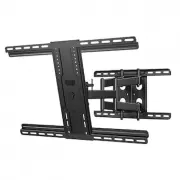
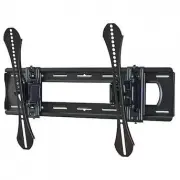
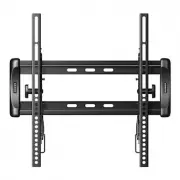
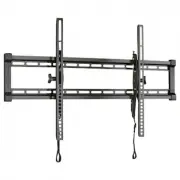
25 Features TV bracket expands to fi t TV hole patterns from 200 x 200 mm up to 400 x 400 mm Locking mechanisms for added security Brackets adjust side to side within the wall plate for optimal positioning TV tilts up or down for the perfect viewing angle Adjustment knobs allow fi ngertip control of T...
Page 26 - Dimensions
26 15.75 400.0 17.70 449.6 7.87 200.0 12.00° 7.00° 2.15 54.7 5.08 128.9 0.72 18.3 0.39 10.0 16.00 406.4 7.25 184.2 25.88 657.3 15.75 400.0 7.87 200.0 Dimensions in. [mm]
Page 28 - ESPAÑOL; ¿Su televisor pesa; más; ¿Listo para comenzar?
28 ESPAÑOL INSTRUCCIONES DE SEGURIDAD IMPORTANTES. CONSÉRVELAS. LEA TODO EL MANUAL ANTES DE UTILIZAR ESTE PRODUCTO. ¿Su televisor pesa más de 75 lb (34 kg), incluidos los accesorios? No — ¡Perfecto! Sí — Este soporte NO es compatible. Visite MountFinder.Sanus.com o llame al 1-800-359-5520 (Reino Uni...
Page 29 - Piezas y elementos de sujeción para el PASO 1; -1 Seleccionar los tornillos del televisor; -3 Fijar las placas de sujeción del televisor; Ver página 3
29 ESPAÑOL PASO 1 Colocar las placas de sujeción en el televisor Piezas y elementos de sujeción para el PASO 1 NOTA: No todos los accesorios incluidos deberán utilizarse. ADVERTENCIA: Este producto contiene piezas pequeñas que, si fuesen tragadas, podrían producir asfixia. Antes de iniciar el ensamb...
Page 30 - ADVERTENCIA; PASO 2A; PRECAUCIÓN; Ver página 6
30 ESPAÑOL PASO 2 Fijar la placa mural a la pared Para instalaciones sobre montantes de madera (doble montante), siga el PASO 2A en la PÁGINA 7Para instalaciones sobre montantes de madera (un solo montante), siga el PASO 2B en la PÁGINA 12Para instalaciones en paredes de hormigón, siga el PASO 2C en...
Page 31 - IMPORTANTE; PASO 2B
31 ESPAÑOL 1. Encuentre un clavo/tornillo en los montantes con el detector magnético de bordes de montantes Sanus 12 incluido. 2. Encuentre los bordes de los montantes con el detector magnético de bordes de montantes 12 . 3. Marque los centros de los montantes con un lápiz.4. Coloque la plantilla de...
Page 34 - ¡ELEMENTO PESADO; PASO 3 Fijar el televisor a la placa mural; NIVEL
34 ESPAÑOL ¡ELEMENTO PESADO ! Es posible que necesite ayuda en este paso. PASO 3 Fijar el televisor a la placa mural 1. Cuelgue el módulo televisor-placas 01 y 02 en la placa mural 11 . NOTA: El módulo televisor-placas 01 y 02 se pueden deslizar hacia cualquier parte junto con la placa mural 11 para...
Page 35 - EX TRACCIÓN DEL TELEVISOR; DESPLAZADOR LATERAL DEL TELEVISOR; Descripción
35 ESPAÑOL EX TRACCIÓN DEL TELEVISOR Deslice el televisor hacia la izquierda o hacia la derecha junto con la placa mural 11 para cambiar su posición. DESPLAZADOR LATERAL DEL TELEVISOR 1. Desconecte todos los cables del televisor.2. Para desbloquear el televisor de la placa mural: tire de ambas corre...
Page 36 - SANUS
Milestone AV Technologies and its affi liated corporations and subsidiaries (collectively, “Milestone”), intend to make this manual accurate and complete. However, Milestone makes no claim that the information contained herein covers all details, conditions, or variations. Nor does it provide for ev...