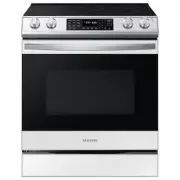
Page 2 - . Refer to the installation manual for; WARNING; Do not step, lean, or sit on the doors of the range
2 English WARNING To reduce the risk of tipping the range, the range must be secured by a properly installed Anti-Tip device. AFTER THE RANGE HAS BEEN INSTALLED, CONFIRM THAT THE ANTI-TIP DEVICE HAS BEEN PROPERLY INSTALLED AND VERIFY THAT THE ANTI-TIP DEVICE IS PROPERLY ENGAGED . Refer to the instal...
Page 3 - Regulatory Notice; Reorienting or relocating the receiving antenna.; CAUTION; FCC CAUTION
English 3 Regulatory Notice FCC STATEMENT: This equipment has been tested and found to comply within the limits for a Class B digital device, pursuant to part 15 of the FCC Rules. These limits are designed to provide reasonable protection against harmful interference in a residential installation. T...
Page 4 - IC RADIATION EXPOSURE STATEMENT:; General safety instructions; Reorient or relocate the receiving antennae.
4 English Regulatory Notice IC RADIATION EXPOSURE STATEMENT: This equipment complies with IC RSS-102 radiation exposure limits set forth for an uncontrolled environment. This equipment should be installed and operated so there is at least 8 inches (20 cm) between the radiator and your body. This dev...
Page 5 - Contents
English 5 C ontents Contents Important safety instructions 6 What you need to know about safety instructions 6 California Proposition 65 Warning 6 For your safety 7 Induction cooktop elements 9 Electrical safety 10 Child safety 11 Oven 11Remote Operation 12 Self-cleaning ovens 13 Ventilating hood 13...
Page 6 - SAVE THESE INSTRUCTIONS; CALIFORNIA PROPOSITION 65 WARNING; Important safety instructions; severe personal injury; minor personal injury
6 English Important safety instructions Impor tant saf ety ins truc tions SAVE THESE INSTRUCTIONS CAUTION To reduce the risk of fire, explosion, electric shock, or personal injury when using your range, follow these basic safety precautions. Do NOT attempt. Do NOT disassemble. Do NOT touch. Follow d...
Page 7 - User servicing
English 7 Impor tant saf ety ins truc tions SAVE THESE INSTRUCTIONS FOR YOUR SAFETY When using electrical appliances, you should follow basic safety precautions, including the following: CAUTION • Use this appliance only for its intended purpose as described in this Owner’s Manual. • Potentially hot...
Page 8 - Use only dry potholders.
8 English Important safety instructions Impor tant saf ety ins truc tions SAVE THESE INSTRUCTIONS • Use only dry potholders. Placing moist or damp potholders on hot surfaces may result in burns from steam. Do not let the potholder touch hot heating elements. Do not use a towel or other bulky cloth. ...
Page 9 - Use care when touching the cooktop.; INDUCTION COOKTOP ELEMENTS; Use proper pan sizes -
English 9 Impor tant saf ety ins truc tions SAVE THESE INSTRUCTIONS • Never leave surface elements unattended at high heat settings - Boilovers cause smoking and greasy spillovers that may ignite. A pan that has boiled dry may melt. • Metallic objects such as knives, forks, spoons, and lids should n...
Page 10 - The range should not be placed on a base.; ELECTRICAL SAFETY; Proper Installation
10 English Important safety instructions Impor tant saf ety ins truc tions SAVE THESE INSTRUCTIONS WARNING If the surface is cracked, switch off and unplug the appliance to avoid the possibility of electrical shock. Do not use your cooktop until the glass surface has been replaced. WARNING • Ensure ...
Page 11 - Heating elements may be hot; CHILD SAFETY
English 11 Impor tant saf ety ins truc tions SAVE THESE INSTRUCTIONS OVEN • DO NOT TOUCH THE HEATING ELEMENTS OR INTERIOR SURFACES OF THE OVEN. Heating elements may be hot even though they are dark in color. Interior surfaces of an oven become hot enough to cause burns. During and after use, do not ...
Page 12 - REMOTE OPERATION; Use care when opening the door.
12 English Important safety instructions Impor tant saf ety ins truc tions SAVE THESE INSTRUCTIONS • During use, the appliance becomes hot. Care should be taken to avoid touching heating elements inside the oven. • Do not use harsh abrasive cleaners or sharp metal scrapers to clean the oven door gla...
Page 13 - Clean ventilating hoods frequently.
English 13 Impor tant saf ety ins truc tions SAVE THESE INSTRUCTIONS • Before operating the self-clean cycle, wipe grease and food soils from the oven. Excessive amounts of grease may ignite, leading to smoke damage to your home. • Do not use any commercial oven cleaner or oven liner protective coat...
Page 14 - - Failing to have a qualified technician install the; GLASS/CERAMIC COOKING SURFACES; Do not cook on a broken cooktop.
14 English Important safety instructions Impor tant saf ety ins truc tions SAVE THESE INSTRUCTIONS CRITICAL INSTALLATION WARNINGS WARNING • This appliance must be installed by a qualified technician or service company. - Failing to have a qualified technician install the range may result in electric...
Page 20 - Do not overheat food.; CRITICAL CLEANING WARNINGS; - You may hurt yourself on the sharp edges of the
20 English Important safety instructions Impor tant saf ety ins truc tions SAVE THESE INSTRUCTIONS • Do not use sealed containers. Remove seals and lids before cooking. Sealed containers can explode due to the build up of pressure even after the oven has been turned off. • Take care that food you ar...
Page 21 - What’s included with your range; Introducing your new range; Overview
English 21 Intr oducing y our ne w rang e What’s included with your range Wire racks (2) * Air Fry tray (1) * (US model only) NOTE If you need an extra accessory marked with a *, you can buy it from the Samsung Contact Center (1-800-726-7864). Introducing your new range Overview 05 06 08 07 03 01 02...
Page 22 - About induction cooktop cooking; Before you begin; Energy saving tips
22 English Befor e you begin Before you begin Surface cooking About induction cooktop cooking CAUTION BEFORE COOKING • Do not use the Induction cooktop surface as a cutting board. • Do not place or store items that can melt or catch fire on the Induction cooktop, even when it is not being used. • Tu...
Page 24 - Surface cooking; How to set the appliance for cooktop cooking
24 English Surfac e cooking Surface cooking How to set the appliance for cooktop cooking CAUTION • The cooktop elements may be hot even when off and burns can occur. Do not touch the cooktop elements until they have cooled down sufficiently. • Never leave cooking food unattended when you set the hea...
Page 26 - Cookware for induction cooking zones
26 English Surfac e cooking Surface cooking CORRECT INCORRECT Flat pan bottom & straight sides. Curved or warped pan bottoms or sides. Pan size meets or exceeds the recommended minimum size for the Cooking Zone. See "Using the correct size cookware" on page 27 . Pan does not meet the min...
Page 28 - Temperature detection
28 English Surfac e cooking Surface cooking Temperature detection If for any reason the temperatures on any of the cooking zones exceeds the safety level, then the cooking zone will automatically reduce the heat to a lower power level.When you have finished using the cooktop, the cooling fan will co...
Page 30 - Operating the oven; The control panel
30 English Oper ating the o v en Operating the oven Operating the oven The control panel 08 08 09 09 02 12 11 13 14 06 07 02 03 04 05 06 07 10 10 01 01 Start/Stop : Tap to start or stop oven operation. 02 Time Options : Go to set time options. 03 Temperature : Go to set temperature options. 04 Light...
Page 31 - Display mode
English 31 Oper ating the o v en Display mode Sleep mode The control panel enters Sleep mode if the oven is not used for a while. In Sleep mode, the control panel is inactive, displaying only the time, until it is reactivated by the user. Wake-Up To activate the control panel, tap Power on key. Cloc...
Page 32 - Cooking mode
32 English Oper ating the o v en Operating the oven Cooking mode • Make sure to close the door before you start cooking. • If you leave the door open for about 2 minutes while the oven is in convection baking/roasting, baking, or broiling modes, the oven heating element will shut off. To restart the...
Page 33 - Using the oven racks
English 33 Oper ating the o v en Using the oven racks Your oven range comes with 2 racks and 7 rack positions. The rack positions are delineated by rack guides which support the racks. Each rack guide has a stop that prevents the rack from loosening during the oven's operation. Each rack has stopper...
Page 35 - Recipe guide
English 35 Oper ating the o v en Recipe guide CAUTION Always use this cooking mode with the oven door closed. Use care when opening the door. Let hot air or steam escape before you remove food from or put food into the oven. Baking Bake is used to cook cakes, cookies, and casseroles. Always preheat ...
Page 40 - Cooking options
40 English Oper ating the o v en Operating the oven Cooking options CAUTION Food that can easily spoil, such as milk, eggs, fish, poultry, and meat, should be chilled in a refrigerator before they are placed in the oven. Even when chilled, they should not stand for more than 1 hour before cooking be...
Page 41 - More functions
English 41 Oper ating the o v en More functions Tap and hold or 3 seconds on the control panel, and then use the drag slider to change various settings for your oven. Please refer to the following table for detailed descriptions. The Options menu is available only when the cooktop and oven are off. ...
Page 43 - Smart control
English 43 Oper ating the o v en To control the oven remotely 1. Tap Smart Control appears in the display. The oven can now be controlled remotely with a connected remote device. 2. Select the oven icon on the SmartThings app to open the Oven Control app. When the app is connected to the oven, you c...
Page 44 - Special features; Voice control
44 English Oper ating the o v en Operating the oven Special features The Sabbath feature K (For use on the Jewish Sabbath and Holidays) Use this option only for baking on the Jewish Sabbath and Holidays. For more information, visit the website at http://www.star-k.org With the Sabbath feature • The ...
Page 46 - Maintaining your appliance
46 English Maint aining y our applianc e Maintaining your appliance Self-cleaning This self-cleaning oven uses high temperatures (well above cooking temperatures) to burn off leftover grease and residue completely or reduce them to a finely powdered ash that you can wipe away with a damp cloth. CAUT...
Page 49 - Care and cleaning of the oven
English 49 Maint aining y our applianc e Care and cleaning of the oven WARNING • Be sure all controls are OFF and all surfaces are COOL before cleaning any part of the range. • If your range is moved for cleaning, servicing, or any reason, be sure the Anti-Tip device is re-engaged properly when the ...
Page 51 - Care and cleaning of the glass cooktop
English 51 Maint aining y our applianc e Removing heavy, burned-on residue 1. Allow the cooktop to cool. 2. Use a single-edge razor-blade scraper at approximately a 45° angle against the glass surface and scrape the soil. It will be necessary to apply pressure to remove the residue. 3. After scrapin...
Page 52 - Removing and reinstalling the oven door
52 English Maint aining y our applianc e Maintaining your appliance Cleaning the cooktop seal To clean the seal around the edges of the glass, lay a wet cloth on it for a few minutes, then wipe clean with a nonabrasive cleaner. Potential for permanent damage to the glass surface • Sugary spillovers ...
Page 54 - Changing the oven light; Removing and reinstalling the storage drawer
54 English Maint aining y our applianc e Maintaining your appliance Changing the oven light The oven light is a standard 40-watt appliance bulb. It will come on when the oven door is open. When the oven door is closed, tap the pad to turn it on or off. It will not work during a self-cleaning cycle. ...
Page 55 - Troubleshooting
English 55 Tr ouble shoo ting CONTROL DISPLAY Problem Possible cause Solution The display goes blank. A fuse in your home may be blown or the circuit breaker tripped. Replace the fuse or reset the circuit breaker. The display flashes. There was a power failure. Reset the clock. COOKTOP Problem Possi...
Page 59 - Information codes
English 59 Tr ouble shoo ting Problem Possible cause Solution Strong odor. An odor coming from the insulation around the inside of the oven is normal for the first few times the oven is used. Operate the oven empty on the bake setting at 400 °F for 1 hour. Fan noise. A convection fan may automatical...
Page 64 - Appendix; Open Source Announcement
64 English Appendix Warranty (CANADA) Appendix Open Source Announcement The software included in this product contains open source software. The following URL http://opensource.samsung.com/opensource/SMART_TP2_0/seq/0 leads to open source license information as related to this product. EXCEPT AS SET...
Page 65 - Memo