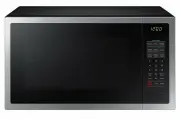
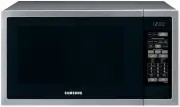
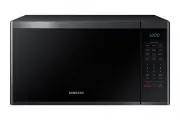
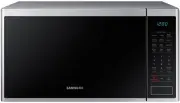
Page 3 - Safety Precautions; IMPORTANT SAFETY INSTRUCTIONS
3 Safety Precautions • To prevent delayed boiling and possible scalding, you should put a plastic spoon or glass stick into the beverages and stir before, during and after heating. Reason: During the heating of liquids the boiling point can be delayed; this means that eruptive boiling can start afte...
Page 4 - Installing Your Microwave Oven; Place the oven on a flat, level surface that strong; How a Microwave Oven Works; Cooking Principle; Your New Microwave oven; Checking Parts; Microwave oven
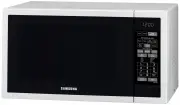
4 Installing Your Microwave Oven Place the oven on a flat, level surface that strong enough to safely bear the weight of the oven. ✽ Never block the air vents as the oven may overheat and automatically switch itself off. It will remain inoperable until it has cooled sufficiently. ✽ For your personal...
Page 6 - Table of Content; Operation; Setting the Clock; Using the Pause/Cancel Button; Using the Sensor Cook Buttons
6 Your New Microwave oven Table of Content Safety .................................................................................................. 2Safety Precautions ............................................................................. 2Installing Your Microwave Oven ........................
Page 7 - Sensor Cooking Guide; package
7 Operation Sensor Cooking Guide • Follow the instructions below when sensor cooking different types of food. Using the Instant Cook Buttons 1. Press the Instant Cook button corresponding to the food you are cooking ( Beverage , for example). The display shows the first serving size. (“ENTER” and “Q...
Page 8 - Using the Meat/Fish Buttons
8 Operation Using the Meat/Fish Buttons 1. Press the Meat/Fish button corresponding to the food you are cooking. The display shows “A-1”(item code). Press the Meat/Fish button repeatedly to select the item you want.(Refer to the Meat/Fish Chart below) 2. Press the Number 1 or 2 , 3 button to select ...
Page 9 - Using the Snack Bar Button; Snack Bar Chart; Defrosting Automatically; See page 13 for the Auto Defrosting Guide.; Reheating Automatically; For example, for three; Auto Reheat Chart
9 Operation Using the Snack Bar Button 1. Press the Snack Bar button corresponding to the food you are cooking. The display shows “A-1”(item code). Press the Snack Bar button repeatedly to select the item you want.(Refer to the Snack Bar Chart below) 2. Press the Number 1 or 2 , 3 button to select t...
Page 10 - For
10 Operation Setting and Using the Custom Cook Button (ME6144W/ME6144ST Only) The Custom Cook button memeoizes the time and power setting for a particular food. Programming the Custom Cook button 1. Press the Custom Cook button. Press the button twice to delete the previous Custom setting. The displ...
Page 11 - Cooking Instructions; Cooking Utensils; Cooking Techniques
11 Cooking Instructions Cooking Utensils Recommended Use • Glass and glass-ceramic bowls and dishes — Use for heating or cooking. • Microwavable browning dish — Use to brown the exterior of small items such as steaks, chops, or pancakes. Follow the directions provided with your browning dish. • Micr...
Page 13 - Guide for Cooking Seafood in Your Microwave
13 Cooking Instructions Guide for Cooking Seafood in Your Microwave • Cook fish until it flakes easily with a fork. • Place fish on a microwave-safe roasting rack in a microwave-safe dish. • Use a tight cover to steam fish. A lighter cover of wax paper or paper towel provides less steaming. • Do not...
Page 14 - Recipes; Beef and Barley Stew; Black Bean Soup; Makes about 2 quarts.
14 Cooking Instructions Recipes Beef and Barley Stew 675 g beef stew cubes, cut into ½-inch pieces½ cup chopped onion2 Tbs. all-purpose flour1 Tbs Worcestershire sauce1 can (380-405g) beef broth2 medium carrots, cut into ½-inch slices (about 1 cup)½ cup barley1 bay leaf¼ tsp. pepper1 pkg. (250-280g)...
Page 15 - Appendix
15 Appendix Troubleshooting Guide Before you call a repair person for your oven, check this list of possible problems and solutions. Neither the oven’s display nor the oven operate. • Properly insert the plug into a grounded outlet. • If the outlet is controlled by a wall switch, make sure the wall ...
Page 16 - Specifications
16 Appendix Specifications Model Number ME6124W / ME6124ST Oven Cavity 1.2 cu.ft Controls 10 power levels, including defrost Timer 99 minutes, 99 seconds Power Source 240 V ~ 50 Hz Power consumption Microwave 1550 Watts Power Output 1000 Watts (IEC-705) Operating frequency 2450 MHz Outside Dimension...