Page 2 - Contents
2 English C ontents Contents Using this user manual 3 The following symbols are used in this User Manual: 3 Safety instructions 3 Important safety instructions 3 Installation 7 What’s included 7 Installation site 8 Turntable 8 Maintenance 9 Cleaning 9Replacement (repair) 9 Care against an extended p...
Page 3 - Safety instructions; Important Safety InStrUCtIonS; WARNING; Using this user manual; the following symbols are used in this User manual:; severe personal injury or death; minor personal injury or property
English 3 Using this user manual & Saf ety ins truc tions Safety instructions Important Safety InStrUCtIonS READ CAREFULLY AND KEEP FOR FUTURE REFERENCE. mICrowave fUnCtIon only WARNING : If the door or door seals are damaged, the oven must not be operated until it has been repaired by a compete...
Page 4 - bed and breakfast type environments.
4 English Safety ins truc tions Safety instructions • by clients in hotels, motels and other residential environments; • bed and breakfast type environments. Only use utensils that are suitable for use in microwave ovens.When heating food in plastic or paper containers, keep an eye on the oven due t...
Page 5 - General safety
English 5 Safety ins truc tions This appliance can be used by children aged from 8 years and above and persons with reduced physical, sensory or mental capabilities or lack of experience and knowledge if they have been given supervision or instruction concerning use of the appliance in a safe way an...
Page 6 - microwave operation precautions; Important
6 English Safety ins truc tions Safety instructions Stand at arms length from the oven when opening the door to avoid getting scalded by escaping hot air or steam.Do not operate the oven when it is empty. The oven will automatically shut down for 30 minutes for safety purposes. We recommend placing ...
Page 7 - limited warranty; Installation; what’s included
English 7 Installation limited warranty Samsung will charge a repair fee for replacing an accessory or repairing a cosmetic defect if the damage to the unit or accessory was caused by the customer. Items this stipulation covers include: • Door, handles, out-panel, or control panel that are dented, s...
Page 8 - Installation site
8 English Installation Installation Accessories The oven comes with different accessories that help you prepare different types of food. Roller ring Turntable Clean water bowl Roller ring Put in the centre of the base. It supports the turntable. Turntable Put on the roller ring with the centre fitti...
Page 9 - maintenance; Cleaning; Care against an extended period of disuse
English 9 m aint enanc e maintenance Cleaning Clean the oven regularly to prevent impurities from building up on or inside the oven. Also pay special attention to the door, door sealing, and turntable and roller ring (applicable models only).If the door won’t open or close smoothly, first check if t...
Page 10 - Before you start; Current time
10 English Befor e you s tar t Before you start There is some basic information that you should know before going directly to a cooking recipe. Before or during any cooking mode, you can set/change the clock or the kitchen timer to your needs. Current time It is important to set the correct clock ti...
Page 11 - Kitchen timer
English 11 Befor e you s tar t Sound on/off 01 02 You can mute or unmute the beep or melody of the oven. • To mute the sound, press Sound to show “OFF” on the display. Then, press START . • To unmute the sound, press Sound again to show “ON” on the display. Then, press START . Kitchen timer 01 03 02...
Page 12 - Cookware for microwave
12 English Befor e you s tar t Before you start Cookware for microwave Cookware used for Microwave Mode must allow microwaves to pass through and penetrate food. Metals such as stainless steel, aluminum and copper reflect microwaves. Therefore, do not use cookware made of metallic materials. Cookwar...
Page 13 - operations; feature panel; START; Power Defrost
English 13 o perations operations feature panel The front panel comes in a wide range of materials and colours. For improved quality, the actual appearance of the oven is subject to change without notice. 01 02 04 03 05 06 10 11 16 13 09 12 15 07 08 14 17 01 Sensor Cook 02 Auto Cook 03 Power Defrost...
Page 14 - manual mode; Power Level; Common settings
14 English o perations operations manual mode Microwave This is the basic function of this microwave oven. The power level is set to High by default. 1. Put food in a microwave-safe container and then on the turntable. 03 04 02 03 2. Use the number buttons to set the cooking time (max: 99 min 99 sec...
Page 15 - Sensor cook; Sensor Cook
English 15 o perations Power level You can change the heating intensity according to the cooking recipe or to your preference. 01 02 1. Press Power Level . 2. Use the number buttons to select a specific power level. Available levels range from No power (0) to High (10). See the table below. 0 PL:0 N...
Page 16 - auto cook; Healthy Cooking
16 English o perations operations Sensor cooking guide Follow the instructions below when sensor cooking different types of food. Food Amount Popcorn 85-100 g 1 package Procedure Use only one microwave-only bag of popcorn at a time. Use caution when removing and opening hot bag from oven. Let oven c...
Page 19 - Snack
English 19 o perations Auto cook guide The following table presents auto programmes for cooking, roasting, and baking. The table contains food quantities, weight ranges, and appropriate recommendations. Cooking modes and times have been pre-programmed for your convenience. 1. Snack Code Food Serving...
Page 20 - Convenience
20 English o perations operations Code Food Serving Size (g) Instructions 9 Nacho Place the nachos on a plate without letting them overlap. Sprinkle cheese evenly over them. Contents: 2 cups tortilla chips⅓ cup grated cheese 10 Quiche (Chilled) This program is suitable for refrigerated quiche. Remov...
Page 21 - Auto Reheat
English 21 o perations Auto Reheat Use Auto Reheat to warm up food leftovers or precooked food. The operating time and power level will be set according to the selected programme. 02 04 03 1. Put food in the centre of the turntable and close the door. 2. Press Auto Reheat . 3. Use the Auto Reheat bu...
Page 22 - My plate
22 English o perations operations Auto Reheat guide The following table presents auto programmes for reheating food. The table contains food quantities, weight ranges, and appropriate recommendations. Code Food Serving Size (g) Instructions 1 Casserole / Stew 1 serving 200-230 Place refrigerated cas...
Page 24 - Keep warm
24 English o perations operations Power Defrost guide The following table presents auto programmes for defrosting food. The table contains food quantities, weight ranges, and appropriate recommendations. Code Food Serving Size (kg) Instructions 1 Meat 0.1-1.5 Shield the edges with aluminium foil. Tu...
Page 25 - Steam clean
English 25 o perations 5. Open the door and please clean cavity of oven with dried dishtowel. Remove the turntable and only under rack with kitchen paper. warnInG Water Bowl only can be use during “ Steam Clean ” mode. When cooking non-liquid items, remove water bowl because It will damage and cause...
Page 26 - Cooking Smart; microwave cooking guide
26 English C ooking Smar t Cooking Smart We provide these cooking guides to help you make the most out of this oven. Experience our cooking know-how to add convenience and richness to your life. microwave cooking guide • Cover the food throughout the entire cooking. The vaporised moisture from the f...
Page 28 - reheating guide
28 English C ooking Smar t Cooking Smart reheating guide General This reheating guide is based on the condition that the room temperature is between 18 °C and 20 °C for liquid, and between 5 °C and 7 °C for chilled food. Follow the operating time, power level, and standing time specified in this tab...
Page 29 - Defrosting guide
English 29 C ooking Smar t Defrosting guide This defrosting guide is based on the condition that frozen food is between -18 °C and -20 °C in internal temperatures. The standing time varies depending on the food type (meat or vegetables) and serving size (thinner or thicker pieces of food). • Put fro...
Page 31 - troubleshooting and information code; troubleshooting
English 31 tr ouble shoo ting and inf ormation c ode Problem Cause Action The power turns off during operation. The oven has been cooking for an extended period of time. After cooking for an extended period of time, let the oven cool. The cooling fan is not working. Listen for the sound of the cooli...
Page 33 - Information codes
English 33 tr ouble shoo ting and inf ormation c ode Information codes Code Description Action C-d0 Control buttons are pressed over 10 seconds. Clean the keys and check if there is water on the surface around key. If it occurs again, turn off the microwave oven over 30 seconds and try setting again...
Page 34 - memo
34 English technic al speci fications memo technical specifications SAMSUNG strives to improve its products at all times. Both the design specifications and these user instructions are thus subject to change without notice. Model MS32J5133B* MS40J5133B* Power Source 240 V - 50 Hz Power Consumption 1...
Page 35 - Memo
Memo MS32J5133BT_SA_DE68-04325B-01_EN.indd 35 2015-11-05 �� 1:45:57
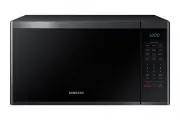


 Samsung MS28F303TFS User Manual
 Samsung MS28J5215AB User Manual
 Samsung MS28J5215AS User Manual
 Samsung MS28J5255UB User Manual
 Samsung MS28J5255US User Manual
 Samsung MS28J5255UW User Manual
 Samsung MS40J5133BT User Manual
 Samsung MW89MST User Manual
 Samsung SMH1622B User Manual
 Samsung SMH1622S User Manual
 Samsung SMH1713B User Manual