Page 2 - Contents
2 English Contents Contents Using this user manual 4 The following symbols are used in this User Manual: 4 Safety instructions 5 Important safety instructions 5 Installation 13 What’s included 13 Installation site 15 Turntable 15 Maintenance 16 Cleaning 16Replacement (repair) 17 Care against an exte...
Page 3 - Cooking Smart; Microwave cooking guide; Troubleshooting
Cont ent s English 3 Cooking Smart 46 Microwave cooking guide 46 Reheating guide 49 Defrosting guide 51 Quick & Easy 53 Troubleshooting 54 Checkpoints 54Information codes 59 Technical specifications 60 MS32J5133BT_SA_DE68-04325B-00_EN.indd 3 2015-02-06 �� 11:08:45
Page 4 - Using this user manual; The following symbols are used in this User Manual:; WARNING; severe personal injury or death; CAUTION; minor personal injury or property damage; NOTE
4 English Using this user manual Using this user manual You have just purchased a SAMSUNG microwave oven. Your Owner’s Instructions contains valuable information on cooking with your microwave oven: • Safety precautions • Suitable accessories and cookware • Useful cooking tips • Cooking tips The fol...
Page 5 - Saf; Safety instructions; IMPORTANT SAFETY INSTRUCTIONS
English 5 Saf ety ins truc tions Safety instructions IMPORTANT SAFETY INSTRUCTIONS READ CAREFULLY AND KEEP FOR FUTURE REFERENCE. MAKE SURE THAT THESE SAFETY PRECAUTIONS ARE OBEYED AT ALL TIMES. BEFORE USING THE OVEN, CONFIRM THAT THE FOLLOWING INSTRUCTIONS ARE FOLLOWED. Microwave function only WARNI...
Page 6 - : This appliance can be used by children aged from 8 years; : Microwave heating of beverages can result in delayed; : The contents of feeding bottles and baby food jars shall be
Safety ins truc tions 6 English Safety instructions WARNING : This appliance can be used by children aged from 8 years and above and persons with reduced physical, sensory or mental capabilities or lack of experience and knowledge if they have been given supervision or instruction concerning use of ...
Page 7 - The appliance should not be cleaned with a water jet.
English 7 Saf ety ins truc tions English 7 Failure to maintain the oven in a clean condition could lead to deterioration of the surface that could adversely affect the life of the appliance and possibly result in a hazardous situation. The appliance is not intended for installing in road vehicles, c...
Page 8 - Oven function only - Optional
Safety ins truc tions 8 English Safety instructions Oven function only - Optional WARNING : When the appliance is operated in the combination mode, children should only use the oven under adult supervision due to the temperatures generated. During use the appliance becomes hot. Care should be taken ...
Page 9 - General safety; Do not touch the power plug with wet hands.
English 9 Saf ety ins truc tions English 9 The temperature of accessible surfaces may be high when the appliance is operating. The door or the outer surface may get hot when the appliance is operating. Keep the appliance and its cord out of reach of children less than 8 years. Appliances are not int...
Page 10 - Do not pour or directly spray water onto the oven.
Safety ins truc tions 10 English Safety instructions Do not place the oven over a fragile object such as a sink or glass object. Do not use benzene, thinner, alcohol, steam cleaner or high pressure cleaner to clean the appliance. Ensure that the power voltage, frequency and current are the same as t...
Page 11 - Remove wire twist ties from paper or plastic bags.
English 11 Saf ety ins truc tions English 11 Remove wire twist ties from paper or plastic bags. Reason: Electric arcing or sparking may occur and may damage the oven. Do not use your microwave oven to dry papers or clothes. Use shorter times for smaller amounts of food to prevent overheating and bur...
Page 12 - door seals and sealing surfaces
Safety ins truc tions 12 English Safety instructions B. Do NOT place any object between the oven door and front face or allow food or cleaner residues to accumulate on sealing surfaces. Ensure that the door and door sealing surfaces are kept clean by wiping after use first with a damp cloth and then...
Page 13 - Ins; Installation; What’s included
English 13 Ins tallation Installation What’s included Make sure all parts and accessories are included in the product package. If you have a problem with the oven or accessories, contact a local Samsung customer centre or the retailer. Oven at a glance 01 02 03 04 05 06 07 08 01 Door 02 Vent 03 Oven...
Page 14 - Accessories
Installation 14 English Installation Accessories The oven comes with different accessories that help you prepare different types of food. Roller ring Clean water bowl Turntable Roller ring Put in the centre of the base. It supports the turntable. Turntable Put on the roller ring with the centre fitt...
Page 15 - Installation site
Ins tallation English 15 Installation site 01 04 03 02 01 85 cm from the floor 02 10 cm from the rear wall 03 10 cm from the side 04 20 cm from above • Select a flat, level surface approx. 85 cm above the floor. The surface must support the weight of the oven. • Secure room for ventilation, at least...
Page 16 - Maint; Maintenance; Cleaning
16 English Maint enanc e Maintenance Cleaning Clean the oven regularly to prevent impurities from building up on or inside the oven. Also pay special attention to the door, door sealing, and turntable and roller ring (applicable models only).If the door won’t open or close smoothly, first check if t...
Page 18 - tar; Before you start; Current time; Clock
18 English Befor e you s tar t Before you start There is some basic information that you should know before going directly to a cooking recipe. Before or during any cooking mode, you can set/change the clock or the kitchen timer to your needs. Current time It is important to set the correct clock ti...
Page 19 - Power saving; Child Lock; Eco
Be for e y ou s tar t English 19 Power saving To reduce power consumption when not using the oven, use the power saving function of the oven. • To activate power saving, press Eco to turn off the display. • To deactivate power saving, open the door or press Eco again. The display turns back on with ...
Page 20 - Kitchen timer
Befor e you s tar t 20 English Before you start Sound On/Off 01 02 You can mute or unmute the beep or melody of the oven. • To mute the sound, press Sound to show “OFF” on the display. Then, press START . • To unmute the sound, press Sound again to show “ON” on the display. Then, press START . Kitch...
Page 21 - About microwave energy
Be for e y ou s tar t English 21 About microwave energy Microwaves are high-frequency electromagnetic waves. The oven uses the prebuilt magnetron to generate microwaves which are used to cook or reheat food without deforming or discolouring the food. 1. The microwaves generated by the magnetron are ...
Page 22 - Cookware for microwave; Flat bottom and straight sides
Befor e you s tar t 22 English Before you start Cookware for microwave Cookware used for Microwave Mode must allow microwaves to pass through and penetrate food. Metals such as stainless steel, aluminum and copper reflect microwaves. Therefore, do not use cookware made of metallic materials. Cookwar...
Page 24 - Oper; Operations; Feature panel
24 English Oper ations Operations Feature panel The front panel comes in a wide range of materials and colours. For improved quality, the actual appearance of the oven is subject to change without notice. 01 02 04 03 05 06 10 11 16 13 09 12 15 07 08 14 17 01 Sensor Cook 02 Auto Cook 03 Power Defrost...
Page 25 - Simple steps to start; To cook food; To defrost frozen food; Power Defrost; Press; START
Oper ations English 25 Simple steps to start To cook food 03 02 1. Put the food in a microwave-safe container and then in the centre of the turntable. 2. Use the number buttons to set the cooking time. 3. Press START . NOTE When cooking is complete, the oven beeps 4 times. Use oven gloves to take ou...
Page 26 - Manual mode; Microwave; Power Level; and select a different level.
Oper ations 26 English Operations Manual mode Microwave This is the basic function of this microwave oven. The power level is set to High by default. 1. Put food in a microwave-safe container and then on the turntable. 03 04 02 03 2. Use the number buttons to set the cooking time (max: 99 min 99 sec...
Page 27 - Common settings; Cooking time; Time increment
Oper ations English 27 Common settings Cooking time Follow these steps to set or change the cooking time. By default, the power level is set to High. Use the number buttons to set the cooking time (max: 99 min 99 sec). The time area consists of the minute and second elements. To set a cooking time o...
Page 28 - Power level
Oper ations 28 English Operations Power level You can change the heating intensity according to the cooking recipe or to your preference. 01 02 1. Press Power Level . 2. Use the number buttons to select a specific power level. Available levels range from No power (0) to High (10). See the table belo...
Page 29 - Sensor cook; Press the; Sensor Cook; button; ” and
Oper ations English 29 Sensor cook A sensor in the microwave oven detects moisture released from food as it heats, and adjusts the cooking time accordingly.Make sure microwave oven has been plugged in for at least 3 minutes. Use microwave-safe dish with loose-fitting lid, or cover microwave-safe dis...
Page 30 - Auto cook; Select a category by pressing either; Healthy Cooking; or
Oper ations 30 English Operations Auto cook 1. Healthy Cooking & 2. Meat/Poultry For healthier alternatives, the oven offers a total of 16 Healthy Cook programmes in 2 different categories. Take advantage of this feature to save you time or shorten your learning curve. The cooking time and tempe...
Page 33 - serving
Oper ations English 33 2. Meat/Poultry Code Food Serving Size (g) Instructions 1 Chicken Breasts 300 Rinse pieces and put on a ceramic plate. Cover with microwave cling film. Pierce film. Put dish on turntable. Stand for 2 minutes. 2 Turkey Breasts 300 Rinse pieces and put on a ceramic plate. Cover ...
Page 34 - Select a category by pressing the; Snack
Oper ations 34 English Operations 3.Snack For inexperienced cooks, the oven offers a total of 14 Auto Cook programmes in Snack button. Take advantage of this feature to save you time or shorten your learning curve. The cooking time and temperature will be adjusted according to the selected recipe. 1...
Page 37 - Convenience; Put food in the centre of the turntable.
Oper ations English 37 Convenience Soften/Melt This is useful to soften or melt soft food or confection such as butter, chocolate, and sugar. 02 04 03 1. Put food in the centre of the turntable. 2. Press Soften/Melt . 3. Use the Soften/Melt button again or the number buttons to select a specific pro...
Page 38 - Auto Reheat
Oper ations 38 English Operations Auto Reheat Use Auto Reheat to warm up food leftovers or precooked food. The operating time and power level will be set according to the selected programme. 02 04 03 1. Put food in the centre of the turntable and close the door. 2. Press Auto Reheat . 3. Use the Aut...
Page 40 - My plate
Oper ations 40 English Operations My plate The My plate features has 4 pre-programmed cooking times. you do not need to set either the cooking times or the power level. 02 04 03 1. Put food in the centre of the turntable and close the door. 2. Press My plate . 3. Use the My plate button again or the...
Page 43 - Keep warm; IMPORTANT
Oper ations English 43 Keep warm The Keep warm feature keeps food hot until it’s served. Use this function to keep food warm until ready to serve. Keep warm mode operates for 99 minute. 04 02 03 1. Put food in the centre of the turntable and close the door. 2. Press Keep warm . 3. Press the number b...
Page 44 - Steam clean; Steam Clean; the; button. It can be seen; MISTY; light; INSIDE
Oper ations 44 English Operations Steam clean The steam provided by steam clean system will soak the cavity surface.After using steam clean function, you can easily clean the cavity of oven. IMPORTANT Use this function only after the oven has completely cooled. (Room temperature) NOTE Use normal wat...
Page 45 - Water Bowl only can be use during “; Steam
Oper ations English 45 5. Open the door and please clean cavity of oven with dried dishtowel. Remove the turntable and only under rack with kitchen paper. WARNING Water Bowl only can be use during “ Steam Clean ” mode. When cooking non-liquid items, remove water bowl because It will damage and cause...
Page 46 - Cooking Smar
46 English Cooking Smar t Cooking Smart We provide these cooking guides to help you make the most out of this oven. Experience our cooking know-how to add convenience and richness to your life. Microwave cooking guide • Cover the food throughout the entire cooking. The vaporised moisture from the fo...
Page 47 - Cut carrots into even sized slices. Stand for 3 minutes.
Cooking Smar t English 47 Fresh vegetables• Use a suitable glass Pyrex container with a lid. • Cut ingredients into as small pieces as possible to reduce the cooking time. • Add 30-45 ml of cold water to every 250 g unless otherwise specified. • Stir once during cooking and once after cooking, and t...
Page 48 - Cut pepper into small slices. Stand for 3 minutes.
48 English Cooking Smar t 48 English Cooking Smart Food Serving Size (g) Power Time (min.) Onions 250 90 % 5-5½ Cut onions into slices or halves. Add only 15 ml (1 tbsp) water. Stand for 3 minutes. Pepper 250 90 % 4½-5 Cut pepper into small slices. Stand for 3 minutes. Potatoes 250500 90 % 4-57-8 We...
Page 49 - Add 400 ml cold water. Stand for 5 minutes.; Reheating guide
Cooking Smar t English 49 Food Serving Size Power Time (min.) Mixed Corn (Rice + Grain) 250 g 90 % 17-18 Add 400 ml cold water. Stand for 5 minutes. Pasta 250 g 90 % 10-11 Add 1000 ml hot water. Stand for 5 minutes. Reheating guide General This reheating guide is based on the condition that the room...
Page 50 - Baby milk
50 English Cooking Smar t 50 English Cooking Smart Food Serving Size (g) Power Time (min.) Pasta with Sauce (Chilled) 350 60 % 3½-4½ Put pasta (e.g. spaghetti or egg noodles) on a flat ceramic plate. Cover with microwave cling film. Stir before serving. Stand for 3 minutes. Filled Pasta with Sauce (...
Page 51 - Defrosting guide
Cooking Smar t English 51 Food Serving Size Power Time (sec.) Baby Milk 100 ml200 ml 30 % 30-4060-70 Stir or shake well and pour into a sterilised glass bottle. Place into the centre of turn-table. Cook uncovered. Shake well and stand for at least 3 minutes. Before serving, shake well and check the ...
Page 52 - Food
52 English Cooking Smar t 52 English Cooking Smart Food Serving Size Power Time (min.) Fruits Berries 300 g 20 % 6-7 Spread fruit on a flat, round glass dish (with a large diameter). Stand for 5-10 minutes. Bread Bread Rolls (Each ca. 50 g) 2 pcs4 pcs 20 % 1-1½2½-3 Toast/Sandwich 250 g 4-4½ German B...
Page 53 - Melting crystallized honey
Cooking Smar t English 53 Quick & Easy Melting crystallized honey Put 20 g crystallized honey into a small deep glass dish.Heat for 20-30 seconds using 30 %, until honey is melted. Melting gelatine Lay dry gelatine sheets (10 g) for 5 minutes into cold water.Put drained gelatine into a small gla...
Page 54 - ouble; Checkpoints; Problem
54 English Tr ouble shoo ting Troubleshooting You may encounter a problem using the oven. In that case, first check the table below and try the suggestions. If a problem persists, or if any information code keeps appearing on the display, contact a local Samsung service centre. Checkpoints If you en...
Page 57 - button again to
Tr ouble shoo ting English 57 Problem Cause Action The interior light is dim or does not turn on. The door has been left open for a long time. The interior light may automatically turn off when the Eco function operates. Close and reopen the door or press the “ Cancel ” button. The interior light is...
Page 58 - Please have the following information read
Tr ouble shoo ting 58 English Troubleshooting Problem Cause Action The brightness inside the oven varies. Brightness changes depending on power output changes according to function. Power output changes during cooking are not malfunctions. This is not an oven malfunction. Cooking is finished, but th...
Page 59 - Information codes; Code
Tr ouble shoo ting English 59 Information codes Code Description Action C-d0 Control buttons are pressed over 10 seconds. Clean the keys and check if there is water on the surface around key. If it occurs again, turn off the microwave oven over 30 seconds and try setting again. If it appears again, ...
Page 60 - Technical specifcations; Cooling fan motor
Technic al speci fic ations 60 English Technical specifcations Technical specifcations SAMSUNG strives to improve its products at all times. Both the design specifications and these user instructions are thus subject to change without notice. Model MS32J5133B* MS40J5133B* Power Source 240 V - 50 Hz ...
Page 61 - Memo
Memo MS32J5133BT_SA_DE68-04325B-00_EN.indd 61 2015-02-06 �� 11:08:52
Page 64 - QUESTIONS OR COMMENTS
QUESTIONS OR COMMENTS COUNTRY CALL OR VISIT US ONLINE AT AUSTRALIA 1300 362 603 www.samsung.com/au/support NEW ZEALAND 0800 726 786 www.samsung.com/nz/support CHINA 400-810-5858 www.samsung.com/cn/support HONG KONG (852) 3698 4698 www.samsung.com/hk/support (Chinese) www.samsung.com/hk_en/support (E...
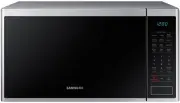


 Samsung MS28J5215AB User Manual
 Samsung MS28J5215AS User Manual
 Samsung MS28J5255UB User Manual
 Samsung MS28J5255US User Manual
 Samsung MS28J5255UW User Manual
 Samsung MS40J5133BG User Manual
 Samsung MW89MST User Manual
 Samsung SMH1622B User Manual
 Samsung SMH1622S User Manual
 Samsung SMH1713B User Manual
 Samsung SMH1713S User Manual