Page 2 - What the icons and signs in this user; safety; SAVE THESE INSTRUCTIONS
English - 2 IMPORTANT SAFETY SYMBOLS AND PRECAUTIONS What the icons and signs in this user manual mean: WARNING Hazards or unsafe practices that may result in severe personal injury or death. CAUTION Hazards or unsafe practices that may result in minor personal injury or property damage. CAUTION To ...
Page 3 - WARNING
English - 3 IMPORTANT SAFETY INSTRUCTIONS When using any electrical appliance, basic safety precautions should be followed, including the following: WARNING WARNING To reduce risk of burns, electric shock, fire, personal injury or exposure to excessive microwave energy: 1. Read all safety instructio...
Page 4 - GROUNDING INSTRUCTIONS; Use of Extension Cords; CRITICAL
English - 4 GROUNDING INSTRUCTIONS T his appliance must be grounded. In the event of an electrical short circuit, grounding reduces the risk of electric shock by providing an escape wire for the electrical current. This appliance is equipped with a cord that includes a grounding wire and a grounding...
Page 5 - INSTALLATION; CRITICAL USAGE
English - 5 CAUTION INSTALLATION CAUTIONS Position the oven so that the plug is easily accessible. • Failing to do so may result in electric shock or fire due to electric leakage. Unplug the oven when it is not being used for long periods of time or during a thunder/lightning storm. • Failing to do ...
Page 6 - USAGE CAUTIONS; CRITICAL CLEANING
English - 6 CAUTION USAGE CAUTIONS If the surface of the microwave is cracked, turn it off. • Failing to do so may result in electric shock. Dishes and containers can become hot. Handle with care.Hot foods and steam can cause burns. Carefully remove container coverings, directing steam away from you...
Page 7 - contents
English - 7 contents SETTING UP YOUR MICROWAVE OVEN 8 8 Checking the parts 8 Warranty and service information 8 Setting up your microwave oven 9 Features 9 Checking the control panel 10 Setting the time 10 Child lock 10 Options USING YOUR MICROWAVE OVEN 10 10 Kitchen timer button 10 Add 30 sec butto...
Page 8 - CHECKING THE PARTS
English - 8 setting up your microwave oven Be sure to follow these instructions closely so that your new microwave oven works properly. CHECKING THE PARTS Carefully unpack your microwave oven, and make sure you’ve received all the parts shown below. If your microwave oven was damaged during shipping...
Page 9 - CHECKING THE CONTROL PANEL
English - 9 01 SETTING UP Y OUR MICROW A VE O VEN CHECKING THE CONTROL PANEL FEATURES Display See page 12 See page 14 See page 13 See page 16 See page 10 See page 11 See page 11 See page 10-11 See page 15 See page 17 See page 10 See page 10 See page 16 Oven Control Panel Glass Turntable Door Safety ...
Page 10 - Activating/Deactivating; Filter Reminder; using your
English - 10 SETTING THE TIME Your microwave oven is equipped with a built-in clock. Set the clock when first installing your microwave oven and after a power failure. The time is displayed whenever the microwave oven is not being used. 1. Press the Clock button. 2. Use the number buttons to enter t...
Page 11 - SET TIMER BUTTON; METAL SHELF; Reheating food; ECO MODE
English - 11 02 USING Y OUR MICROW A VE O VEN SET TIMER BUTTON You can set the microwave so the light turns on and off automatically at a preset time. The light comes on at the same time every day until reset. 1. Press the Set Timer button. 2. Use the number buttons to set the light on time. 3. Pres...
Page 12 - SENSOR COOKING BUTTONS; Sensor cooking utensils & covers; REHEAT BUTTON
English - 12 SENSOR COOKING BUTTONS The Sensor Cooking buttons let you cook favorite foods using preset power levels and times at the touch of a button. If the food is not thoroughly cooked or reheated when you use the auto cook feature, complete the cooking process by selecting a power level and co...
Page 13 - AUTO DEFROST BUTTON
English - 13 02 USING Y OUR MICROW A VE O VEN Reheating table Follow the instructions below when reheating different types of food. Food Amount Procedure Dinner plate (rh-2) 1 serving (1 plate) Use only precooked, refrigerated foods. Cover the plate with vented plastic wrap or waxed paper tucked und...
Page 14 - FIT CHOICE BUTTON
English - 14 FIT CHOICE BUTTON 1. Press the Fit Choice button. Press the button repeatedly to cycle through the available items. (Refer to the Fit Choice table below for a list of the items.) 2. Press the 1 , 2 , 3 , or 4 button to select the amount. 3. Press the ENTER/START button to begin cooking....
Page 15 - KIDS MEALS BUTTON
English - 15 02 USING Y OUR MICROW A VE O VEN SOFTEN/MELT BUTTON 1. Press the Soften/Melt button. Press the button repeatedly to cycle through the available items. (Refer to the Soften/Melt table below for a list of the items.) 2. Press the number 1 or 2 button to select the amount. You can cook onl...
Page 16 - SNACKS BUTTON; MICROWAVE COOKING TIMES & POWER LEVELS
English - 16 SNACKS BUTTON 1. Press the Snacks button. Press the button repeatedly to cycle through the available items. (Refer to the Snack bar table below for a list of the items.) 2. Press the number 1 or 2 button to select the serving size. You can cook only 1 serving for Nachos. (Refer to the S...
Page 17 - Power Levels; KEEP WARM; cookware guide; MICROWAVE-SAFE UTENSILS
English - 17 03 COOKW ARE GUIDE Power Levels The 10 power levels allow you to choose the optimal power level for your cooking needs. 1 Warm 6 Simmer 2 Low 7 Medium high 3 Defrost 8 Reheat 4 Medium low 9 Sauté 5 Medium 10 High KEEP WARM You can keep cooked food warm in your microwave oven for up to 9...
Page 18 - cooking guide; GENERAL MICROWAVE TIPS; Cooking techniques
English - 18 Cookware Comments Oven-to-table ware Can be used, unless decorated with a metal trim. Fine glassware Can be used to warm foods or liquids. Delicate glass may break or crack if heated suddenly. Glass jars Regular glass is too thin to be used in a microwave, and can shatter. Metal Dishes,...
Page 19 - COOKING POULTRY; COOKING MEAT
English - 19 04 COOKING GUIDE Food Remove from oven After standing (10 MIN.) Beef Rare 135 °F 145 °F Medium 150 °F 160 °F Well Done 160 °F 170 °F Pork Medium 150 °F 160 °F Well Done 160 °F 170 °F Poultry Dark meat 170 °F 180 °F Light meat 160 °F 170 °F COOKING POULTRY Place the poultry on a microwav...
Page 20 - COOKING SEAFOOD; COOKING EGGS; COOKING VEGETABLES; Beef and barley stew
English - 20 COOKING SEAFOOD Place the fish on a microwave-safe roasting rack in a microwave-safe dish. Use a tight cover to steam the fish. A lighter cover of wax paper or paper towel will decrease steaming. Cook the fish until it flakes easily with a fork. Do not over cook fish. Check it after the...
Page 21 - Warm potato salad; cleaning and; CLEANING THE EXTERIOR; Cleaning under your microwave oven; CLEANING THE INTERIOR
English - 21 05 CLEANING AND MAINT AINING Warm potato salad 2 lbs. small red potatoes, cut into ½-inch pieces 4 slices bacon (uncooked), cut into ½-inch pieces ¼ cup chopped onion 2 tsp. sugar 1 tsp. salt 1 tsp. flour ½ tsp. celery seed ⅛ tsp. pepper 2½ Tbs. apple cider vinegar 1. In a 2-quart casse...
Page 23 - REPLACING THE CHARCOAL FILTER
English - 23 05 CLEANING AND MAINT AINING 3. Remove the filter from the filter case by widening the case, as shown below. Then, soak the grease filter in hot water mixed with a mild detergent. Rinse well and shake to dry. If necessary, brush the filter lightly to remove embedded dirt. When the filte...
Page 24 - troubleshooting; appendix
English - 24 troubleshooting Check these solutions if you have a problem with your microwave: Problem Solution The display and/or the oven is not working. Make sure the plug is properly connected to a grounded outlet. If the wall outlet is controlled by a wall switch, make sure the wall switch is tu...
Page 25 - MICROWAVE OVEN; Limited warranty to original purchaser
English - 25 06 TROUBLESHOO TING & APPENDIX & W ARRANT Y warranty (USA) SAMSUNG OVER-THE-RANGE (OTR) MICROWAVE OVEN Limited warranty to original purchaser This SAMSUNG brand product, as supplied and distributed by Samsung Electronics America, Inc. (SAMSUNG) and delivered new, in the original...
Page 30 - Signification des icônes et des symboles; AVERTISSEMENT; consignes de; CONSERVEZ PRÉCIEUSEMENT CES CONSIGNES
Français canadien - 2 SYMBOLES DE SÉCURITÉ IMPORTANTS ET PRÉCAUTIONS Signification des icônes et des symboles utilisés dans ce manuel : AVERTISSEMENT Risques ou manipulations dangereuses susceptibles d'entraîner des blessures graves, voire mortelles. ATTENTION Risques ou manipulations dangereuses su...
Page 31 - CONSIGNES DE SÉCURITÉ; ATTENTION
Français canadien - 3 CONSIGNES DE SÉCURITÉ IMPORTANTES Lorsque vous utilisez des appareils électriques, respectez les consignes de sécurité de base suivantes : AVERTISSEMENT AVERTISSEMENT Consignes visant à réduire les risques de brûlure, d'électrocution, d'incendie, de blessure ou d'exposition exc...
Page 32 - INSTRUCTIONS DE MISE À LA TERRE; Utilisation de rallonges; AVERTISSEMENTS
Français canadien - 4 INSTRUCTIONS DE MISE À LA TERRE C et appareil doit être relié à la terre. La mise à la terre réduit le risque de choc électrique, car elle fournit au courant un chemin de fuite en cas de court-circuit. Ce four est équipé d’un cordon d'alimentation disposant d’une fiche de mise ...
Page 33 - SYMBOLES
Français canadien - 5 ATTENTION SYMBOLES D'AVERTISSEMENT RELATIFS À L'INSTALLATION Installez le four de telle façon que la fiche reste facilement accessible. • Le non-respect de cette consigne peut entraîner un risque d'électrocution ou d'incendie suite à une fuite électrique. Débranchez la prise d'...
Page 35 - sommaire
Français canadien - 7 sommaire RÉGLAGE DE VOTRE FOUR MICRO-ONDES 8 8 Contrôle du contenu 8 Informations concernant la garantie et l'assistance 8 Préparation de votre four micro-ondes 9 Fonctions 9 Boutons du tableau de commande 10 Réglage de l'horloge 10 Sécurité enfants 10 Options UTILISATION DU FO...
Page 36 - réglage de votre four; CONTRÔLE DU CONTENU
Français canadien - 8 réglage de votre four micro-ondes Respectez scrupuleusement les instructions suivantes afin d'assurer le fonctionnement correct de votre nouveau four micro-ondes. CONTRÔLE DU CONTENU Sortez le four micro-ondes de son emballage avec précaution et vérifiez que vous disposez bien ...
Page 37 - BOUTONS DU TABLEAU DE COMMANDE
Français canadien - 9 01 PRÉP ARATION DE V OTRE FOUR MICRO-ONDES BOUTONS DU TABLEAU DE COMMANDE FONCTIONS Affichage Reportez-vous à la page 12 Reportez-vous à la page 14 Reportez-vous à la page 13 Reportez-vous à la page 16 Reportez-vous à la page 10 Reportez-vous à la page 11 Reportez-vous à la pag...
Page 38 - SÉCURITÉ ENFANTS; Activation/Désactivation; OPTIONS; Indicateur d'entretien des filtres; utilisation du four; BOUTON MINUTERIE
Français canadien - 10 RÉGLAGE DE L'HORLOGE Votre four micro-ondes est équipé d'une horloge intégrée. L'horloge doit être réglée lors de l'installation initiale du four ou après une coupure de courant. L'heure s'affiche lorsque le four micro-ondes n'est pas en cours de fonctionnement. 1. Appuyez sur...
Page 39 - BOUTON RÉGLAGE DE LA MINUTERIE; GRILLE MÉTALLIQUE; Faire réchauffer des aliments; MODE ÉCO
Français canadien - 11 02 UTILISA TION DU FOUR MICRO-ONDES BOUTON RÉGLAGE DE LA MINUTERIE Le four micro-ondes peut être réglé pour que l'éclairage s'allume et s'éteigne automatiquement à une heure prédéfinie. L'éclairage s'allume à la même heure tous les jours jusqu'à réinitialisation. 1. Appuyez su...
Page 40 - BOUTONS CUISSON PAR CAPTEUR; Ustensiles et couvercles pour la cuisson par capteur; BOUTON RÉCHAUFFAGE
Français canadien - 12 BOUTONS CUISSON PAR CAPTEUR Les boutons Sensor cooking (Cuisson par capteur) vous permettent de faire cuire vos plats préférés à l'aide d'une seule pression. Si les aliments ne sont pas assez cuits ou pas assez chauds après un programme de cuisson automatique, terminez la cuis...
Page 41 - BOUTON DÉCONGÉLATION AUTOMATIQUE
Français canadien - 13 02 UTILISA TION DU FOUR MICRO-ONDES Tableau de réchauffage Respectez les instructions suivantes lorsque vous faites réchauffer différentes catégories d'aliments. Type d'aliment Quantité Instructions Assiette repas (rh-2) 1 portion (1 assiette) Utilisez uniquement des aliments ...
Page 42 - BOUTON SELON SES PRÉFÉRENCES
Français canadien - 14 BOUTON SELON SES PRÉFÉRENCES 1. Appuyez sur le bouton Fit Choice (Selon ses préférences) . Appuyez plusieurs fois sur le bouton pour faire défiler les aliments disponibles. (Reportez-vous au tableau Selon ses préférences ci-dessous pour consulter une liste des aliments.) 2. Ap...
Page 43 - BOUTON RAMOLLIR/FAIRE FONDRE; BOUTON MENUS ENFANTS
Français canadien - 15 02 UTILISA TION DU FOUR MICRO-ONDES BOUTON RAMOLLIR/FAIRE FONDRE 1. Appuyez sur le bouton Soften/Melt (Ramollir/Faire fondre) . Appuyez plusieurs fois sur le bouton pour faire défiler les aliments disponibles. (Reportez-vous au tableau Ramollir/Faire fondre ci-dessous pour con...
Page 44 - TEMPS DE CUISSON AU FOUR MICRO-ONDES ET PUISSANCES; Cuisson en une étape; Cuisson en plusieurs étapes
Français canadien - 16 BOUTON EN-CAS 1. Appuyez sur le bouton Snacks (En-cas) . Appuyez plusieurs fois sur le bouton pour faire défiler les aliments disponibles. (Reportez-vous au tableau des En-cas ci-dessous pour consulter une liste des aliments.) 2. Appuyez sur les boutons 1 ou 2 pour sélectionne...
Page 45 - Niveaux de puissance; MAINTIEN AU CHAUD; guide des récipients; USTENSILES ADAPTÉS À LA CUISSON AU
Français canadien - 17 03 GUIDE DES RÉCIPIENT S Niveaux de puissance Les 10 niveaux de puissance vous permettent de choisir le niveau le plus adapté aux aliments que vous cuisinez. 1 Chaud 6 Mijotage 2 Faible 7 Moyennement élevé 3 Décongélation 8 Réchauffage 4 Moyennement faible 9 Sauté 5 Moyen 10 É...
Page 46 - guide de cuisson; CONSEILS GÉNÉRAUX D’UTILISATION DU; Techniques de cuisson
Français canadien - 18 Récipient Remarques Plats en verre Plats de service adaptés à la cuisson au four Peuvent être utilisés sauf s'ils sont ornés de décorations métalliques. Plats en cristal Peuvent être utilisés pour faire réchauffer des aliments ou des liquides. Les objets fragiles peuvent se br...
Page 47 - CUISSON DE LA VOLAILLE; CUISSON DE LA VIANDE
Français canadien - 19 04 GUIDE DE CUISSON Les températures suivantes sont les températures lors du retrait du four. La température des aliments augmente durant le temps de repos. Attendez-vous à ce que la température s’élève de 10 °F pendant le temps de repos. Type d'aliment Retrait du four Après r...
Page 48 - CUISSON DES FRUITS DE MER; CUISSON DES ŒUFS; CUISSON DES LÉGUMES; Ragoût de bœuf à l’orge
Français canadien - 20 CUISSON DES FRUITS DE MER Placez le poisson sur une grille à rôtir adaptée à la cuisson aux micro- ondes et dans un plat du même type. Utilisez un couvercle hermétique pour cuire le poisson à l’étuvée. L'utilisation de papier sulfurisé ou d'une serviette en papier comme couver...
Page 49 - Salade de pommes de terre chaude; nettoyage et; NETTOYAGE DE LA PARTIE EXTÉRIEURE; Nettoyage du dessous de votre four micro-ondes; NETTOYAGE DE LA PARTIE INTÉRIEURE
Français canadien - 21 05 NETT OY AGE ET ENTRETIEN Salade de pommes de terre chaude 2 lb de petites pommes de terre à peau rouge (Roseval), coupées en morceaux de 0,5 pouce 4 tranches de lard (cru) coupées en morceaux de ½ pouce ¼ tasse d’oignons hachés 2 cuillères à café de sucre 1 cuillère à café ...
Page 51 - REMPLACEMENT DU FILTRE À CHARBON
Français canadien - 23 05 NETT OY AGE ET ENTRETIEN 3. Retirez le filtre de son boîtier en élargissant ce dernier, comme indiqué ci-dessous. Puis, laissez tremper le filtre à graisse dans un détergent doux dilué dans de l’eau chaude. Rincez-le et secouez-le pour le faire sécher. Si nécessaire, brosse...
Page 52 - dépannage; annexe
Français canadien - 24 dépannage Consultez cette section si vous rencontrez un problème de fonctionnement : Problème Solution L'affichage et/ou le four ne fonctionne pas. Assurez-vous que la fiche est branchée sur une prise correctement mise à la terre. Si la prise murale est commandée par un interr...
Page 53 - FOUR MICRO-ONDES À HOTTE
Français canadien - 25 06 DÉP ANNA GE, ANNEXE ET GARANTIE garantie (États-Unis) FOUR MICRO-ONDES À HOTTE INTÉGRÉE DE SAMSUNG Garantie limitée à l'acquéreur d'origine Ce produit de la marque SAMSUNG, fourni et distribué par Samsung Electronics America, Inc. (SAMSUNG), livré en état neuf dans son cart...


 Samsung MC455THRCBB
User Manual
Samsung MC455THRCBB
User Manual
 Samsung ME11A7510DS/AA
User Manual
Samsung ME11A7510DS/AA
User Manual
 Samsung ME11A7710DG/AA
User Manual
Samsung ME11A7710DG/AA
User Manual
 Samsung ME16A4021AS/AA
User Manual
Samsung ME16A4021AS/AA
User Manual
 Samsung ME17R7021ES/AA
User Manual
Samsung ME17R7021ES/AA
User Manual
 Samsung ME21DB630012AA
User Manual
Samsung ME21DB630012AA
User Manual
 Samsung ME21DB650012AA
User Manual
Samsung ME21DB650012AA
User Manual
 Samsung ME21DB670012AA
User Manual
Samsung ME21DB670012AA
User Manual
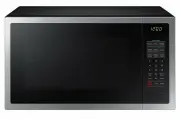 Samsung ME6104ST1
User Manual
Samsung ME6104ST1
User Manual
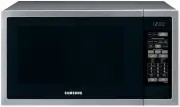 Samsung ME6144ST
User Manual
Samsung ME6144ST
User Manual
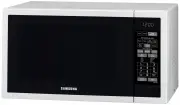 Samsung ME6144W
User Manual
Samsung ME6144W
User Manual
 Samsung MS23J5133AK
User Manual
Samsung MS23J5133AK
User Manual
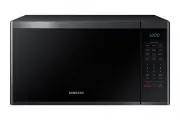 Samsung MS40J5133BG
User Manual
Samsung MS40J5133BG
User Manual
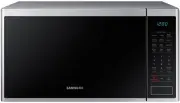 Samsung MS40J5133BT
User Manual
Samsung MS40J5133BT
User Manual
 Samsung CE107M-4S
User Manual
Samsung CE107M-4S
User Manual