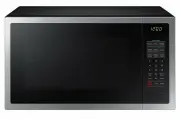
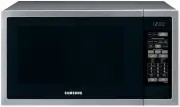
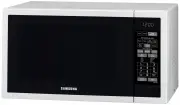
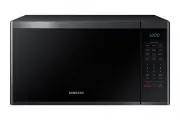
Page 2 - Contents
2 English C ontents Contents Using this user manual 3 The following symbols are used in this User Manual: 3 Safety instructions 4 Important safety instructions 4 Correct Disposal of This Product (Waste Electrical & Electronic Equipment) 12 Installation 13 What’s included 13 Installation site 18 ...
Page 3 - Using this user manual; The following symbols are used in this User Manual:; severe personal injury or death; minor personal injury or property damage
English 3 Using this user manual Using this user manual You have just purchased a SAMSUNG microwave oven. Your Owner’s Instructions contains valuable information on cooking with your microwave oven: • Safety precautions • Suitable accessories and cookware • Useful cooking tips • Cooking tips The fol...
Page 4 - Safety instructions; IMPORTANT SAFETY INSTRUCTIONS
4 English Safety ins truc tions Safety instructions IMPORTANT SAFETY INSTRUCTIONS READ CAREFULLY AND KEEP FOR FUTURE REFERENCE. MAKE SURE THAT THESE SAFETY PRECAUTIONS ARE OBEYED AT ALL TIMES. BEFORE USING THE OVEN, CONFIRM THAT THE FOLLOWING INSTRUCTIONS ARE FOLLOWED. Microwave function only WARNIN...
Page 5 - : This appliance can be used by children aged from 8 years; : Microwave heating of beverages can result in delayed; : The contents of feeding bottles and baby food jars shall be
English 5 Safety ins truc tions WARNING : This appliance can be used by children aged from 8 years and above and persons with reduced physical, sensory or mental capabilities or lack of experience and knowledge if they have been given supervision or instruction concerning use of the appliance in a s...
Page 6 - The appliance should not be cleaned with a water jet.
6 English Safety ins truc tions Safety instructions Failure to maintain the oven in a clean condition could lead to deterioration of the surface that could adversely affect the life of the appliance and possibly result in a hazardous situation. The appliance is not intended for installing in road ve...
Page 7 - Oven function only - Optional
English 7 Safety ins truc tions Oven function only - Optional WARNING : When the appliance is operated in the combination mode, children should only use the oven under adult supervision due to the temperatures generated. During use the appliance becomes hot. Care should be taken to avoid touching he...
Page 8 - General safety
8 English Safety ins truc tions Safety instructions The temperature of accessible surfaces may be high when the appliance is operating. The door or the outer surface may get hot when the appliance is operating. Keep the appliance and its cord out of reach of children less than 8 years. Appliances ar...
Page 12 - Product group definition
12 English Safety ins truc tions Safety instructions Product group definition This product is a Group 2 Class B ISM equipment. The definition of group 2 which contains all ISM equipment in which radio-frequency energy is intentionally generated and/or used in the form of electromagnetic radiation fo...
Page 13 - Installation; What’s included
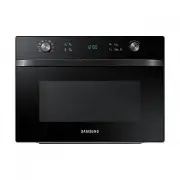
English 13 Installation Installation What’s included Make sure all parts and accessories are included in the product package. If you have a problem with the oven or accessories, contact a local Samsung customer centre or the retailer. Oven at a glance 01 02 03 04 01 Control panel 02 Safety Door Lock...
Page 14 - Accessories
14 English Installation Installation Accessories The oven comes with different accessories that help you prepare different types of food. Roller ring Turntable Crusty plate Low rack High rack Steam cooker * Pro Steamer * Glass container * Barbecue set * NOTE Availability of accessories with an aster...
Page 16 - Pro Steamer
16 English Installation Installation Pro Steamer (MC35J8055L* models only) • The Pro Steamer is a set of the stainless-steel cover, steam tray, and Crusty plate, which is designed for steam cooking. Use the Pro Steamer to brown food such as pastry and pizza dough with Microwave mode. Do not use with...
Page 18 - Installation site
18 English Installation Installation Installation site 01 04 03 02 01 85 cm from the floor 02 10 cm from the rear wall 03 10 cm from the side 04 20 cm from above • Select a flat, level surface approx. 85 cm above the floor. The surface must support the weight of the oven. • Secure room for ventilati...
Page 19 - Maintenance; Cleaning
English 19 Maint enanc e Maintenance Cleaning Clean the oven regularly to prevent impurities from building up on or inside the oven. Also pay special attention to the door, door sealing, and turntable and roller ring (applicable models only).If the door won’t open or close smoothly, first check if t...
Page 21 - Before you start; Clock; OK; OK
English 21 Befor e you s tar t Before you start There are a couple of components that you should know before going directly to a recipe. Before or during any cooking mode, you can set/change the clock or the kitchen timer to your needs. Clock It is important to set the correct clock time to ensure c...
Page 22 - Power saving
22 English Befor e you s tar t Before you start Sound On/Off You can turn on or off the key tone, beep, or alarm. This setting is available only in Standby state (when the current time is displayed). To mute the sound, hold down for 3 seconds. “ OFF ” appears on the display. To unmute the sound, hol...
Page 23 - About microwave energy
English 23 Befor e you s tar t About microwave energy Microwaves are high-frequency electromagnetic waves. The oven uses the prebuilt magnetron to generate microwaves which are used to cook or reheat food without deforming or discolouring the food. 1. The microwaves generated by the magnetron are di...
Page 24 - Cookware for microwave
24 English Befor e you s tar t Before you start Cookware for microwave Cookware used for Microwave Mode must allow microwaves to pass through and penetrate food. Metals such as stainless steel, aluminum and copper reflect microwaves. Therefore, do not use cookware made of metallic materials. Cookwar...
Page 26 - Operations; Control panel
26 English Oper ations Operations Control panel The front panel comes in a wide range of materials and colours. For improved quality, the actual appearance of the oven is subject to change without notice. 01 03 05 08 06 09 10 11 12 07 04 02 01 Mode dial Turn the mode dial to select a desired cooking...
Page 29 - Manual mode; START
English 29 Oper ations Manual mode Step 1. Select mode Turn the mode dial to select a manual mode, for example, Convection. The default temperature blinks. Step 2. Set temperaure or Power level Use the value dial to adjust the default temperature (or power level). When done, press OK to move to the ...
Page 30 - Stop
30 English Oper ations Operations CAUTION • Always use oven gloves while taking out food. • Microwave oven may operate for 5 minutes to be cooled when the temperature of oven cavity is hot after cooking. will be displayed. To change the cooking time during cooking Use the value dial to adjust the co...
Page 33 - Simple start
English 33 Oper ations Microwave Microwaves are high-frequency electromagnetic waves. The microwave energy enables food to be cooked or reheated without changing either the form or the colour. • Use only microwave-safe cookware. Step 1 > Step 2 > Step 3 > Step 4 Microwave Power level Cookin...
Page 35 - Auto mode
English 35 Oper ations Auto mode The oven offers 3 different auto modes for your convenience: Slim Fry , Auto Cook , and Power Defrost . Select one that best fits your needs. Step 1. Select mode Turn the mode dial to select an auto mode ( Slim Fry and Auto Cook ) or press Power Defrost . The default...
Page 37 - Special functions
English 37 Oper ations Power Defrost The oven offers 5 defrosting programmes for your convenience. The time and power level are automatically adjusted according to the selected programme. Step 1 > Step 2 > Step 3 Power Defrost 1 to 5 weight 1. Put food in suitable cookware, then on the turntab...
Page 40 - Cooking Smart; Auto cooking; Slim Fry guide
40 English C ooking Smar t Cooking Smart Auto cooking Slim Fry guide Food Serving size (g) Directions F1 Roast vegetables 200-250300-350 Slice fresh vegetables (e.g. pieces of pepper, onions, courgette slices and mushrooms) and brush oil, spice. Put them on crust plate. Set plate on the high rack. A...
Page 42 - Auto cook guide
42 English C ooking Smar t Cooking Smart Auto cook guide Food Serving size (g) Directions A1 Frozen Lasagne 400-450 Put frozen lasagne into a suitable sized ovenproof dish. Put dish on low rack. After cooking, stand for 3-4 min. A2 Frozen Thin Pizza 300-350400-450 Put frozen pizza on the low rack. A...
Page 47 - Power Defrost guide
English 47 C ooking Smar t Power Defrost guide Food Serving size (g) Directions d1 Meat 200-1500 Shield the edges with aluminium foil. Turn the meat over, when the oven beeps. This programme is suitable for beef, lamb, pork, steaks, chops, minced meat. Stand for 20-60 minutes. d2 Poultry 200-1500 Sh...
Page 48 - Manual cooking; Microwave cooking guide
48 English C ooking Smar t Cooking Smart Manual cooking Microwave cooking guide • Do not use metal containers with Microwave mode. Always put food containers on the turntable. • It is recommended to cover the food for best results. • After cooking is complete, let the food settle in its own steam. F...
Page 54 - Grilling guide
54 English C ooking Smar t Cooking Smart Grilling guide The grill-heating elements are located on the ceiling of the cooking chamber. These elements operate only when the door is closed and the turntable is rotating.When grilling food, put the food on the high rack unless otherwise instructed.Prehea...
Page 57 - Convection guide
English 57 C ooking Smar t Convection guide Convection In Convection mode, both the heating element and the side-wall fan operate together to circulate the heat inside the cooking chamber. Use this mode for biscuits, individual scones, rolls, and cakes as well as fruit cakes, choux, and soufflés. Al...
Page 59 - Steam cooking guide
English 59 C ooking Smar t Steam cooking guide Food Serving size (g) Mode Cooking Time (min.) Artichokes 300 (1-2 pcs) 900 W 5-6 Rinse and clean artichokes. Put into bowl. Add one tablespoon lemon juice. Cover with lid. Stand for 1-2 minutes. Fresh Vegetables 300 900 W 4-5 Weigh the vegetables (e.g....
Page 62 - Troubleshooting; Checkpoints
62 English Tr ouble shoo ting Troubleshooting You may encounter a problem using the oven. In that case, first check the table below and try the suggestions. If a problem persists, or if any information code keeps appearing on the display, contact a local Samsung service centre. Checkpoints If you en...
Page 69 - Information codes
English 69 Tr ouble shoo ting Information codes If the oven fails to operate, you may see an information code on the display. Check the table below and try the suggestions. Code Description Action C-20 The temperature sensor is open. Unplug the power cord of the oven, and contact a local Samsung ser...
Page 70 - Technical specifications
70 English Technic al speci fications Technical specifications Technical specifications SAMSUNG strives to improve its products at all times. Both the design specifications and these user instructions are thus subject to change without notice. Power Source 230 V ~ 50 Hz Power Consumption Maximum pow...
Page 71 - Memo
Memo MC35J8055_EN_DE68-04336H-01_EN.indd 71 2015-02-04 4:06:55