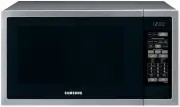
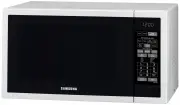
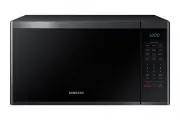
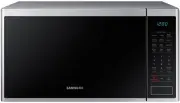
Page 2 - Contents; Important safety instructions
English 2 Contents Contents Important safety instructions 4 What You Need To Know About Safety Instructions 4 Precautions To Avoid Possible Exposure To Excessive Microwave Energy 4 Important Safety Symbols And Precautions 5 State Of California Proposition 65 Warning 5 Grounding Instructions 10 Use O...
Page 4 - SAVE THESE INSTRUCTIONS
English 4 Impor tant saf ety ins truc tions SAVE THESE INSTRUCTIONS Important safety instructions Congratulations on your new Samsung microwave oven. This manual contains important information on the installation, use and care of your appliance. Please take time to read this manual to take full adva...
Page 5 - IMPORTANT SAFETY SYMBOLS AND PRECAUTIONS; STATE OF CALIFORNIA PROPOSITION 65 WARNING
English 5 Impor tant saf ety ins truc tions SAVE THESE INSTRUCTIONS IMPORTANT SAFETY SYMBOLS AND PRECAUTIONS What the icons and signs in this user manual mean: WARNING Hazards or unsafe practices that may result in severe personal injury or death . CAUTION Hazards or unsafe practices that may result...
Page 10 - GROUNDING INSTRUCTIONS
English 10 Impor tant saf ety ins truc tions SAVE THESE INSTRUCTIONS Important safety instructions CAUTION 1. Clean Ventilating Hoods Frequently - Grease should not be allowed to accumulate on the hood of the filter. 2. When flaming foods under the hood, turn the fan on. 3. Use care when cleaning th...
Page 11 - USE OF EXTENSION CORDS
English 11 Impor tant saf ety ins truc tions SAVE THESE INSTRUCTIONS USE OF EXTENSION CORDS A short power-supply cord is provided to reduce the risk of your becoming entangled in or tripping over a longer cord. Longer cord sets or extension cords are available and you can use them if you exercise ca...
Page 12 - CRITICAL INSTALLATION WARNINGS
English 12 Impor tant saf ety ins truc tions SAVE THESE INSTRUCTIONS Important safety instructions CRITICAL INSTALLATION WARNINGS This appliance must be installed by a qualified technician or service company. • Failing to have a qualified technician install the oven may result in electric shock, fir...
Page 13 - INSTALLATION CAUTIONS
English 13 Impor tant saf ety ins truc tions SAVE THESE INSTRUCTIONS Do not install this appliance in a humid, oily, or dusty location, or in a location exposed to direct sunlight or water (rain drops). • This may result in electric shock or fire. Plug the power plug into the wall socket firmly. Do ...
Page 14 - CRITICAL USAGE WARNINGS
English 14 Impor tant saf ety ins truc tions SAVE THESE INSTRUCTIONS Important safety instructions CRITICAL USAGE WARNINGS If the microwave appliance is flooded, please contact your nearest service center. Failing to do so may result in electric shock or fire.Read and follow the specific “Precaution...
Page 16 - USAGE CAUTIONS
English 16 Impor tant saf ety ins truc tions SAVE THESE INSTRUCTIONS Important safety instructions USAGE CAUTIONS If the surface of the microwave is cracked, turn it off. • Failing to do so may result in electric shock. Dishes and containers can become hot. Handle with care. Hot foods and steam can ...
Page 18 - CRITICAL CLEANING INSTRUCTIONS
English 18 Impor tant saf ety ins truc tions SAVE THESE INSTRUCTIONS Important safety instructions CRITICAL CLEANING INSTRUCTIONS Do not clean the appliance by spraying water directly onto it.Do not use benzene, thinner, or alcohol to clean the appliance. • This may result in discoloration, deformat...
Page 19 - Setting up your new microwave oven; Checking the parts
English 19 Se tting up y our ne w micr ow av e ov en Setting up your new microwave oven Be sure to follow these instructions closely so that your new microwave oven works properly. Checking the parts Carefully unpack your microwave oven, and make sure you’ve received all the parts shown below. If yo...
Page 20 - Setting up your microwave oven
English 20 Se tting up y our ne w micr ow av e ov en Setting up your new microwave oven Setting up your microwave oven damp cloth 1. Open the door by pulling the handle on the right side of the door. 2. Wipe the inside of the oven with a damp cloth. pre-assembled roller ring indentation 3. Install t...
Page 21 - Checking the control panel
English 21 Se tting up y our ne w micr ow av e ov en Checking the control panel 01 04 07 10 02 05 08 11 03 06 09 12 13 14 16 19 17 20 15 18 21 01 Popcorn Button 02 Cookie Button 03 Slim Fry Button 04 Auto Cook Button 05 Defrost Button 06 Microwave Button 07 Convection Bake/Roast Button 08 Speed Bake...
Page 22 - Clock Settings; Activating / Deactivating
English 22 Se tting up y our ne w micr ow av e ov en Setting up your new microwave oven Clock Settings Your microwave oven is equipped with a built-in clock. Set the clock when first installing your microwave oven or after a power failure. The time is displayed whenever the microwave oven is not bei...
Page 23 - Eco mode; How to connect the microwave oven
English 23 Se tting up y our ne w micr ow av e ov en Eco mode Eco Mode reduces standby power usage. When you touch the STOP/CLEAR Eco button once, the display will go out and the microwave shifts to a mode which minimizes power usage. To cancel the Eco Mode, touch any other button. Smart Control To ...
Page 24 - Voice Control
English 24 Se tting up y our ne w micr ow av e ov en Setting up your new microwave oven NOTE • After enabling Smart Control, if you open the door before cooking starts, Smart Control will be disabled. • Even If does not show on the display, you can still monitor the microwave oven’s status and turn ...
Page 28 - Auto Connectivity
English 28 Se tting up y our ne w micr ow av e ov en Setting up your new microwave oven Function “Alexa” “Ok Google” MW Hood Control • Turn on/off the (hood light, hood lamp, lamp, light) on microwave • Turn on/off the (hood light, hood lamp) • Set the microwave (brightness, light level, lamp level)...
Page 29 - My settings
English 29 Se tting up y our ne w micr ow av e ov en My settings You can customize your new microwave oven to suit your preferences.To customize: 2 1 1 2 1 1. Touch the 0 button for 3 seconds. Touch the number pad to select a function you want to customize (Refer to the table below.) and then touch ...
Page 30 - Filter Reminder
English 30 Se tting up y our ne w micr ow av e ov en Setting up your new microwave oven NOTE • If you change your mind while adjusting a setting, touch the STOP/CLEAR Eco button to cancel, and then adjust the setting again. • If there is a power interruption, you will need to reset ‘ Demo Mode ’ and...
Page 31 - Using your microwave oven; Kitchen Timer
English 31 Using y our micr ow av e ov en Using your microwave oven Kitchen Timer Your microwave has a built-in timer function - the Kitchen Timer. Use the Kitchen Timer for timing up to 99 minutes, 99 seconds. 2 1 5 3 1. Touch the button. 2. Use the number pad to set the time you want the timer to ...
Page 32 - STOP/CLEAR Eco button
Using your microwave oven English 32 Using y our micr ow av e ov en Cooktop Lamp (High/Low/Off) Touch the button to turn the cooktop lamp on or off. Touch the button once for high, twice for low, and three times to turn the cooktop lamp off.On the display Hi, Lo, OFF will appear instead of High, Low...
Page 33 - Accessory Combination Guide
English 33 Using y our micr ow av e ov en +30sec button This feature offers a convenient way to increase cooking time. +30sec feature is only for manual cooking mode. 1 2 1. In standby mode, touching +30sec button will add 30 seconds of microwave mode at 100 % power. (Power level can not be changed ...
Page 36 - Slim Fry
Using your microwave oven English 36 Using y our micr ow av e ov en Slim Fry The Slim Fry menu contains pre-set cooking programs for 9 different items. You do not need to set the cooking times or the power level. 3 5 2 6 4 1. Place the food on the tray or the rack. (See Accessory Combination Guide o...
Page 37 - Example for Slim Fry operation
English 37 Using y our micr ow av e ov en Example for Slim Fry operation To set SF-4. Frozen Chicken Nuggets with 2 servings for example, follow the instructions below. Touch Display shows 2 3 4 5 6 Time counting down
Page 39 - Auto Cook
English 39 Using y our micr ow av e ov en Auto Cook The Auto Cook menu contains pre-set cooking programs for 71 different items. You do not need to set the cooking times or the power level. 3 5 4 7 6 2 8 1. Place the food on the tray or the rack. (See Accessory Combination Guide on page 33 ) 2. Touc...
Page 40 - Example for Auto Cook operation
Using your microwave oven English 40 Using y our micr ow av e ov en Example for Auto Cook operation To set A-23. Frozen Waffles with 3 servings for example, follow the instructions below. Touch Display shows 2 3 4 5 6 7 8 Time counting down
Page 52 - Microwave
Using your microwave oven English 52 Using y our micr ow av e ov en Microwave Microwave mode can operate with One-stage cooking mode and Multi-stage cooking mode (maximum of 2 stages). You can also change power level (10-100) if needed. 2 4 2 5 8 1 6 1. Touch the Microwave button. (You can skip this...
Page 53 - Convection Bake/Roast
English 53 Using y our micr ow av e ov en Convection Bake/Roast The Convection Bake/Roast mode uses dry heat to cook and brown food. A high speed fan circulates hot air inside the oven to heat food quickly and evenly. When you cook using convection, you would generally use the low rack. 2 4 3 5 5 1 ...
Page 55 - Cookware for cooking with speed bake/roast
English 55 Using y our micr ow av e ov en NOTE • This mode combines microwave energy with hot air. This combination reduces the cooking time while giving the food a brown and crispy surface. • The vent fan operates at low speed while the oven operates in Speed Bake/Roast mode. Cookware for cooking w...
Page 56 - Speed Bake/Roast Cooking Guide
Using your microwave oven English 56 Using y our micr ow av e ov en Speed Bake/Roast Cooking Guide Use the cooking mode, power levels, and times in this table as guides for speed cooking. NOTE Always use oven gloves when taking the food out of the microwave oven. Type Food Amount Mode Time (Min) Dir...
Page 58 - Keep Warm
Using your microwave oven English 58 Using y our micr ow av e ov en Keep Warm You can keep cooked food warm in your microwave oven for up to 99 minutes and 99 seconds. 2 1 3 1. Touch the Keep Warm button. 2. Enter the time by touching the number pad . If you don’t set the cook time, your oven will m...
Page 60 - Cookware guide; Recommended cooking utensils
English 60 Cookw ar e guide Cookware guide To cook food in your microwave oven, microwaves must be able to penetrate the food without being reflected or absorbed by the dish.It is important to choose the correct cookware, therefore look for cookware that is marked microwave-safe. The following table...
Page 61 - Testing utensils
English 61 Cookw ar e guide Testing utensils If you are not sure whether a dish is microwave-safe or not, you can perform this test: 1. Fill a 1 cup glass measuring cup with water and put it inside your oven, next to the dish you want to test. 2. Set the microwave to 1 minute using the number pad , ...
Page 62 - Cooking guide; Cooking techniques
English 62 Cooking g uide Cooking guide Microwave energy actually penetrates food and is attracted to and absorbed by the water, fat, and sugar molecules in the food. The microwaves cause the molecules in the food to move rapidly. The rapid movement of these molecules creates friction and the result...
Page 63 - Guide for cooking eggs in your microwave
English 63 Cooking g uide Recommended cooking utensils • Dense foods, such as potatoes, take longer to heat than lighter foods. Food with a delicate texture should be heated at a low power level to prevent it from becoming tough. • Altitude and the type of cookware you are using can affect cooking t...
Page 64 - Guide for cooking vegetables in your microwave
English 64 Cooking g uide Cooking guide Guide for cooking vegetables in your microwave • Vegetables should be washed just before cooking. Often, no extra water is needed. If you are cooking dense vegetables such as cubed potatoes, carrots, or green beans, add about ¼ cup water. • Small vegetables (s...
Page 65 - Cleaning and maintaining your microwave oven; Cleaning the exterior; Cleaning under your microwave oven
English 65 Cleaning and maint aining y our micr ow av e oven Cleaning and maintaining your microwave oven Keeping your microwave oven clean improves its performance, wards off unnecessary repairs, and lengthens its life. Cleaning the exterior It’s best to clean spills on the outside of your microwav...
Page 66 - Cleaning the interior; Cleaning the turntable and roller rings
Cleaning and maintaining your microwave oven English 66 Cleaning and maint aining y our micr ow av e oven Cleaning the interior CAUTION To avoid injury, ensure that the microwave oven has cooled down before cleaning it. CAUTION Remove the glass tray from the oven when cleaning the oven or tray. To p...
Page 67 - Replacing the cooktop/night light
English 67 Cleaning and maint aining y our micr ow av e oven Replacing the cooktop/night light When replacing the cooktop/night light, make sure that you are wearing gloves to avoid injury from the heat of the bulb. 1. Unplug the oven or turn off the power at the main power supply. 2. Remove the scr...
Page 68 - Cleaning the grease filter
Cleaning and maintaining your microwave oven English 68 Cleaning and maint aining y our micr ow av e oven Cleaning the grease filter Your microwave oven has two metal reusable grease filters. The grease filters should be removed and cleaned at least once every four months or as required. NOTE Your m...
Page 69 - Replacing the charcoal filter
English 69 Cleaning and maint aining y our micr ow av e oven Replacing the charcoal filter If your oven is vented to the inside, the charcoal filter should be replaced every 6 to 12 months and more often if necessary. The charcoal filter cannot be cleaned. To order a new charcoal filter, contact the...
Page 70 - Troubleshooting; Check points
English 70 Tr ouble shoo ting Troubleshooting Check points If you encounter a problem with your oven, first check the table below and try the recommendations. If a problem persists, or if an information code keeps appearing on the display, contact a local Samsung service center. Problem Cause Action...
Page 75 - Information codes
English 75 Tr ouble shoo ting Information codes If the oven fails to operate, you may see an information code on the display. Check the table below for the code, and then follow the directions. Code Description Action C-20 The temperature sensor read the temperature incorrectly. Touch the STOP/CLEAR...
Page 76 - Appendix; Specifications
English 76 Appendix Appendix Specifications Model MC17T8000C* Oven Cavity 1.7 cu ft Controls 10 power levels, including Defrost Timer 99 minutes, 99 seconds Power Source 120 VAC, 60 Hz Power Consumption 1700 Watt Microwave / 1750 Watt Heater Microwave Power Output 950 Watts Cook Top Light LED lamp (...