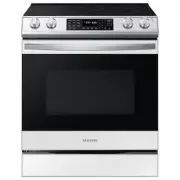
Page 2 - features of your new range; The latest in heat-distribution technology
features of your new range Enhanced convenience. Better cooking. Easy maintenance. Your new electric range has been designed to bring you these benefits and more. The latest in heat-distribution technology Other ranges with just one fan tend to make a swirl of heat that fails to cover the whole insi...
Page 3 - important safety instructions; SAFETY SYMBOLS
Important safety instructions _ important safety instructions Read and follow all instructions before using your oven to prevent the risk of fire, electric shock, personal injury, or damage when using the range. This guide does not cover all possible conditions that may occur. Always contact your se...
Page 4 - FOR YOUR SAFETY
_ Important safety instructions FOR YOUR SAFETY When using electrical appliances, basic safety precautions should be followed, including the following: Use this appliance only for its intended purpose as described in this Owner’s Manual. Potentially hot surfaces include the cooktop, areas facing the...
Page 5 - SURFACE COOKING UNITS
Important safety instructions _ SURFACE COOKING UNITS Never leave surface units unattended at high heat settings. Boilovers cause smoking and greasy spillovers that may ignite. Do not lift the cooktop. Lifting the cooktop can lead to damage and improper operation of the range. Do not operate the coo...
Page 6 - OVEN
_ Important safety instructions OVEN DO NOT TOUCH HEATING ELEMENTS OR INTERIOR SURFACES OF THE OVEN. Heating elements may be hot even though they are dark in color. Interior surfaces of an oven become hot enough to cause burns. During and after use, do not touch or let clothing or other flammable ma...
Page 7 - VENTILATING HOOD
Important safety instructions _ SELF-CLEANING OVENS Do not clean door gasket. The door gasket is essential for a good seal. Care should be taken not to rub, damage, or move the gasket. Never keep pet birds in the kitchen. The health of birds is extremely sensitive to the fumes released during an ove...
Page 8 - contents
_ Contents contents INTRODUCING yOUR NEW RANGE 9 9 Overview 9 What’s included with your range SURFACE COOKING 10 10 About surface cooking12 How to set the appliance for surface cooking 14 Using the proper cookware14 Choosing the proper cookware15 Protecting the smoothtop surface USING THE WARMING DR...
Page 9 - OVERVIEW; introducing your new range
01 INTRODUCING Introducing your new range _ 9 OVERVIEW WHAT’S INCLUDED WITH YOUR RANGE Wire racks Broil pan Broil pan insert Cleaner & cleaning pad introducing your new range Warming drawer Oven door Convection fan Shelf position Glass surface Automatic oven light switch Oven light Self/steam cl...
Page 10 - surface cooking; ABOUT SURFACE COOKING; About the radiant surface elements
10 _ Surface cooking surface cooking ABOUT SURFACE COOKING CAUTION BEFORE COOKING Do not use the glass cooktop surface as a cutting board. Do not place or store items that can melt or catch fire on the glass cooktop, even when it is not being used. Turn the surface units on only after placing the co...
Page 11 - Location of the radiant surface elements and controls; Hot surface indicator
02 SURF ACE COOKING Surface cooking _ 11 Location of the radiant surface elements and controls The radiant control knobs operate the radiant surface elements on the cooktop as shown below. 1 6 5 2 4 3 1. Single element: Left rear 2. Single element: Right rear . Dual element: Left front . Dual elemen...
Page 12 - HOW TO SET THE APPLIANCE FOR SURFACE COOKING; Recommended settings
12 _ Surface cooking HOW TO SET THE APPLIANCE FOR SURFACE COOKING CAUTION The surface elements may be hot and burns may occur. Do not touch surface elements until they have cooled down sufficiently. At high or medium-high settings, never leave food unattended. Boilovers cause smoking and greasy spil...
Page 13 - Using the warming center
02 SURF ACE COOKING Surface cooking _ 1 Using the warming center The warming center , located in the back center of the glass surface, will keep hot, cooked food at serving temperature. The surface warmer will not glow red like the cooking elements. • CAUTION Do not warm food on the warming center f...
Page 15 - PROTECTING THE SMOOTHTOP SURFACE; Cleaning
02 SURF ACE COOKING Surface cooking _ 1 PROTECTING THE SMOOTHTOP SURFACE Cleaning Clean the cooktop before using it for the first time. Clean your cooktop daily or after each use. This will keep your cooktop looking good and can prevent damage. If a spillover occurs while cooking, immediately clean ...
Page 16 - using the warming drawer; ABOUT THE WARMING DRAWER
1 _ Using the warming drawer using the warming drawer ABOUT THE WARMING DRAWER The warming drawer will keep hot, cooked foods warm. Always start with hot food. Do not use to heat cold food other than crisping crackers, chips or dry cereal. Allow approximately 25 minutes for the warming drawer to pre...
Page 17 - TURNING THE WARMING DRAWER ON OR OFF
Using the warming drawer _ 1 03 W ARMING DRA WER TURNING THE WARMING DRAWER ON OR OFF 1 . Set the warming drawer to the heat level you want. Press the WARMING DRAWER pad once for low, twice for medium, or 3 times for high. The warming drawer starts automatically once you have fi nished selecting the...
Page 18 - operating the oven; THE OVEN CONTROL PANEL
1 _ Operating the oven operating the oven THE OVEN CONTROL PANEL READ THE INSTRUCTIONS CAREFULLy BEFORE USING THE OVEN. For satisfactory use of your oven, become familiar with the various features and functions of the oven as described below. Detailed instructions for each feature and function follo...
Page 19 - SETTING THE CLOCK; How to set the clock
Operating the oven _ 19 04 OPERA TING THE OVEN SETTING THE CLOCK The clock must be set to the correct time of day for the automatic oven timing functions to work properly. The time of day cannot be changed during a timed cooking, a delay-timed cooking or a self-cleaning cycle. You can choose between...
Page 20 - MINIMUM AND MAXIMUM SETTINGS; SETTING THE KITCHEN TIMER; How to set the timer
20 _ Operating the oven MINIMUM AND MAXIMUM SETTINGS All of the features listed have minimum and maximum time or temperature settings. A beep will sound each time a pad on the control panel is pressed and the entry is accepted. An error tone will sound in the form of a long beep if the entered tempe...
Page 21 - USING THE OVEN RACKS; Oven rack positions; Baking layer cakes
Operating the oven _ 21 04 OPERA TING THE OVEN USING THE OVEN RACKS Oven rack positions 1 2 3 4 5 6 7 The oven has 7 rack positions (1~7). TyPE OF FOOD RACK POSITION Frozen pies Angel food cake 2 Bundt or pound cakes Biscuits, muffi ns, brownies, cookies, cupcakes, layer cakes, pies Casseroles Small...
Page 22 - BAKING; How to set the thermostat; How to adjust the thermostat while cooking
22 _ Operating the oven BAKING The oven can be programmed to bake at any temperature from 150°F to 550°F. How to set the thermostat 1 . Start the set up. Press the BAKE pad. The default temperature is 350°F. 2 . Enter the temperature you want on the number pad, eg. 3, 7, 5. . Start the bake function...
Page 23 - CONVECTION BAKING; Tips for convection baking; How to set the oven for convection baking
Operating the oven _ 2 04 OPERA TING THE OVEN CONVECTION BAKING By using the convection bake feature, you will be able to cook faster. You can program the oven for convection baking at any temperature between 175°F and 550°F. Convection baking uses a fan to circulate the oven’s heat evenly and conti...
Page 24 - Recommended convection baking guide
2 _ Operating the oven Recommended convection baking guide Food Item Rack Position Temp.* (preheated oven) ( ˚F ) Convection bake time ** (min) Cake Cupcakes 4 325 17-19 Bundt Cake 3 325 35-43 Angel Food 2 325 35-39 Pie 2 crust, fresh, 9” 3 350-400 45-55 2 crust, frozen fruit, 9” 3 350 68-78 Cookies...
Page 25 - CONVECTION ROASTING; How to set the oven for convection roasting
Operating the oven _ 2 04 OPERA TING THE OVEN CONVECTION ROASTING Convection roasting is good for cooking large tender cuts of meat, uncovered. Heat comes from the top heating element. The convection fan circulates the heated air evenly over and around the food. Meat and poultry are browned on all s...
Page 26 - Recommended convection roasting guide
2 _ Operating the oven Recommended convection roasting guide Meat Weight (lb) Oven temp. ( ˚F ) Roasting time* (min per lb) Internal temp. ( ˚F ) Beef Rib Roast 4-6 325 25-28 28-32 145 (med/rare) 160 (medium) Rib Eye Roast, (boneless) 4-6 325 24-29 29-34 145 (med/rare) 160 (medium) Rump, Eye, Tip Si...
Page 27 - TIMED COOKING; How to set the oven for timed cooking
Operating the oven _ 2 04 OPERA TING THE OVEN TIMED COOKING In a timed cooking, the oven turns on immediately and cooks for the length of time you select. At the end of the cooking time, the oven turns off automatically. You can use the timed cooking feature only with another cooking operation (bake...
Page 28 - DELAY TIMED COOKING; How to set the oven for delay timed cooking
2 _ Operating the oven DELAY TIMED COOKING In a delay timed cooking, the oven’s timer turns the oven on and off at times you select in advance. You can use the delay timed c ooking feature only with another cooking operation (bake, convection bake, or convection roast). You can set the oven for a de...
Page 29 - BROILING; Using the broil pan; How to set the oven for broiling
Operating the oven _ 29 04 OPERA TING THE OVEN BROILING Broil stop position Broil stop position Leave the door open to the broil stop position. The door will stay open by itself, yet the proper temperature is maintained in the oven. Using the broil pan The broil pan and the insert allow grease to dr...
Page 30 - Recommended broiling guide
0 _ Operating the oven Recommended broiling guide The size, weight, thickness, starting temperature, and your preference of doneness will affect broiling times. This guide is based on meats at refrigerator temperature. Food Quantity and/ or thickness Shelf position First side time (min.) Second side...
Page 31 - USING THE CUSTOM COOK FEATURE; How to record a recipe setting; How to recall a setting
Operating the oven _ 1 04 OPERA TING THE OVEN USING THE CUSTOM COOK FEATURE By using the custom cook feature, you can record up to 3 different recipe settings. The feature may be used for baking, convection baking, or convection roasting. It will not work with any other function, including the delay...
Page 32 - PROOFING; How to set the oven for proofi ng
2 _ Operating the oven PROOFING The proofi ng feature maintains a warm environment useful for rising yeast-leavened products. How to set the oven for proofi ng 1 . Enter the proofi ng mode. Press the PROOF pad. 2 . Start the proofi ng function. Press the SET/START pad. The proofi ng feature automati...
Page 33 - USING THE KEEP WARM FUNCTION; How to use the keep warm feature; TURNING THE OVEN LIGHT ON AND OFF
Operating the oven _ 04 OPERA TING THE OVEN USING THE KEEP WARM FUNCTION The keep warm feature will maintain an oven temperature of 170°F. You should not use this feature to reheat cold foods. The keep warm feature will keep cooked food warm for serving up to 3 hours after cooking has fi nished. Aft...
Page 34 - EXTRA FEATURES; 2 hour energy saving; How to turn 12 hour energy saving feature on or off; Fahrenheit or Celsius temperature selection
_ Operating the oven EXTRA FEATURES 12 hour energy saving With this feature, should you forget and leave the oven on, the control will automatically turn off the oven after 12 hours during baking functions or after 3 hours during a broil function. How to turn 12 hour energy saving feature on or off ...
Page 35 - Convection auto conversion feature; How to disable or enable the auto conversion feature; Thermostat adjustment; How to adjust the oven temperature
Operating the oven _ 04 OPERA TING THE OVEN Convection auto conversion feature When using convection bake, the convection auto conversion feature will automatically convert entered regular baking temperatures to convection baking temperatures. This feature is activated so that the display will show ...
Page 36 - How to turn the sound on or off; Control lockout; How to activate the control lockout feature
_ Operating the oven Sound on/off By using this feature, you can set the oven controls to operate silently. How to turn the sound on or off 1 . Press Oven Light and 0 on the number pad at the same time for 3 seconds. The display will show Snd On (sound on) or Snd OFF (sound off). The default setting...
Page 37 - Setting the Sabbath; How to use the Sabbath feature
Operating the oven _ 04 OPERA TING THE OVEN Setting the Sabbath (For use on the Jewish Sabbath & Holidays) The Sabbath feature can be used with baking only. The oven temperature may be set higher or lower after setting the Sabbath feature (the oven temperature adjustment feature should be used o...
Page 38 - maintaining your appliance; Before a self-cleaning cycle
_ Maintaining your appliance maintaining your appliance SELF-CLEANING A self-cleaning oven uses high temperatures (well above cooking temperatures) to burn off leftover grease and residue completely or reduce them to a fi nely powdered ash that you can wipe away with a damp cloth. CAUTION During the...
Page 39 - How to set the oven for self-cleaning; How to delay the start of self-cleaning; How to turn off the self-cleaning feature
Maintaining your appliance _ 9 05 MAINT AINING YOUR APPLIANCE How to set the oven for self-cleaning 1 . Select the length of time for the self-cleaning operation, eg. 3 hours. Press the SELF CLEAN pad once for a 3 hour clean time, twice for a 4 hour clean time, or 3 times for a 2 hour clean time. Th...
Page 40 - How to set the oven for steam-cleaning; After a steam-cleaning cycle
0 _ Maintaining your appliance STEAM-CLEANING How to set the oven for steam-cleaning Steam-cleaning saves time and energy for light cleaning. For heavier-duty cleaning of debris and grease, use the self-cleaning function. 1 . Remove all accessories from the oven. 2 . Pour approximately 10 oz. (300 m...
Page 41 - CARE AND CLEANING OF THE OVEN; Cleaning painted parts and decorative trim; Cleaning stainless steel surfaces
Maintaining your appliance _ 1 05 MAINT AINING YOUR APPLIANCE CARE AND CLEANING OF THE OVEN WARNING Be sure all controls are OFF and all surfaces are COOL before cleaning any part of the range. • If your range is removed for cleaning, servicing or any reason, be sure the Anti-Tip device is re-engage...
Page 42 - Cleaning the broil pan and insert; Oven racks
2 _ Maintaining your appliance Cleaning the broil pan and insert Do not attempt to clean the broil pan or insert by leaving it in the oven during a self-cleaning cycle. After broiling, remove the broil pan from the oven. Remove the insert from the pan. Carefully pour out the grease from the pan into...
Page 43 - CARE AND CLEANING OF THE GLASS COOKTOP; Normal daily use cleaning; Removing burned-on residue
Maintaining your appliance _ 05 MAINT AINING YOUR APPLIANCE CARE AND CLEANING OF THE GLASS COOKTOP Normal daily use cleaning Use only a ceramic cooktop cleaner or the cleaner supplied with this appliance on the glass cooktop. Other creams may not be as effective. By following these steps, you can ma...
Page 44 - Removing metal marks and scratches; Cleaning the cooktop seal
_ Maintaining your appliance Removing metal marks and scratches 1. Be careful not to slide pots and pans across your cooktop. It will leave marks on the cooktop surface. You can remove these marks by applying ceramic cooktop cleaner or the included cleaner with a cleaning pad for ceramic cooktops. 2...
Page 45 - REMOVING AND REPLACING THE OVEN DOOR; How to remove the door; How to replace the door
Maintaining your appliance _ 05 MAINT AINING YOUR APPLIANCE REMOVING AND REPLACING THE OVEN DOOR How to remove the door CAUTION The door is very heavy. Be careful when removing and lifting the door. Do not lift the door by the handle. Turn the power OFF before removing the door. • • 1. Open the door...
Page 46 - REMOVING AND REPLACING THE WARMING DRAWER; How to remove the warming drawer; How to replace the warming drawer
_ Maintaining your appliance 3. Open the door fully. If the door will not open fully, the indentation is not inserted correctly in the bottom edge of the slot. 4. Push the hinge locks up against the front frame of the oven cavity to the locked position. Hinge lock Unlocked position Locked position 5...
Page 47 - CHANGING THE OVEN LIGHT
Maintaining your appliance _ 05 MAINT AINING YOUR APPLIANCE CHANGING THE OVEN LIGHT The oven light is a standard 40-watt appliance bulb. It will come on when the oven door is open. When the oven door is closed, press the OVEN LIGHT pad to turn it on or off. It will not work during a self-cleaning cy...
Page 48 - troubleshooting; TROUBLESHOOTING
_ Troubleshooting troubleshooting TROUBLESHOOTING Samsung works hard to ensure that you don’t have problems with your new electric range. If you run into unexpected trouble, look first for a solution in the table below. If, after trying the suggested solution, you’re still having trouble, call Samsu...
Page 52 - warranty; SAMSUNG ELECTRIC RANGE
2 _ Warranty warranty PLEASE DO NOT DISCARD THIS REPLACES THE WARRANTy PAGE IN THE USE & CARE GUIDE SAMSUNG ELECTRIC RANGE LIMITED WARRANTy TO ORIGINAL PURCHASER This SAMSUNG brand product, as supplied and distributed by SAMSUNG ELECTRONICS AMERICA, INC. (SAMSUNG) and delivered new, in the origi...
Page 56 - QUESTIONS OR COMMENTS?
QUESTIONS OR COMMENTS? COUNTRy CALL OR VISIT US ONLINE AT IN THE US 1-800-SAMSUNG(726-7864) www.samsung.com/us IN CANADA 1-800-SAMSUNG(726-7864) www.samsung.com/ca DG68-00104A FTQ352IWUX_XAA DG68-00104B.indd 56 2008-08-06 ¿ÀÀü 8:21:12