Page 2 - Marks and their meanings; Meanings of symbols used in this manual; AFETY PRECAUTIONS; Meanings of symbols displayed on indoor unit and/or outdoor unit; WARNING
En-1 ● OPERATING INSTRUCTIONS ● WARNING Do not connect the power cord to an intermediate point, use an extension cord, or connect multiple devices to a single AC outlet. • This may cause overheating, fi re, or electric shock. Make sure the power plug is free of dirt and insert it securely into the ou...
Page 3 - CAUTION; IMPORTANT
En-2 This appliance is not intended for use by persons (including children) with reduced physical, sensory or mental capabilities, or lack of ex-perience and knowledge, unless they have been given supervision or instruction concerning use of the appliance by a person responsible for their safety. Ch...
Page 4 - For installation
En-3 ● OPERATING INSTRUCTIONS ● WARNING (Improper handling may have serious consequences, including serious injury or death.) This appliance can be used by children aged from 8 years and above and persons with reduced physical, sensory or mental capabilities or lack of experience and knowledge if th...
Page 5 - AME OF EACH PART; Indoor unit; Remote controller holder
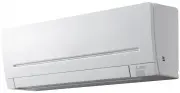
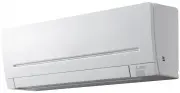
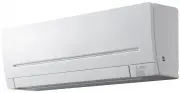
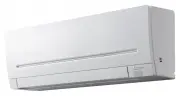
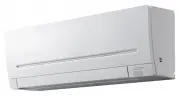
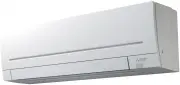
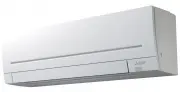
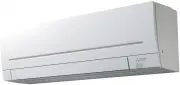
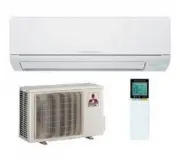
En-4 Operation indicator lamp Remote control receiving section Emergency operation switch Page 11 Horizontal vane Air inlet Air fi lter Air cleaning fi lter (Anti-Allergy Enzyme fi lter) (Electrostatic anti-allergy enzyme fi lter, option) Front panel N AME OF EACH PART Indoor unit Remote controller Sign...
Page 6 - Installing the remote controller batteries; REPARATION BEFORE OPERATION
En-5 ● OPERATING INSTRUCTIONS ● Before operation: Insert the power supply plug into the power outlet and/or turn the breaker on. Installing the remote controller batteries 1. Remove the front lid. 2. Insert the negative pole of AAA alkaline batteries fi rst. 3. Install the front lid. 4. Press RESET. ...
Page 7 - COOL mode; ELECTING OPERATION MODES; DRY mode
En-6 AUTO mode (Auto change over) The unit selects the operation mode according to the difference between the room temperature and the set temperature. During AUTO mode, the unit changes mode (COOL↔HEAT) when the room temperature is about 2°C away from the set temperature for more than 15 minutes. N...
Page 8 - AN SPEED AND AIRFLOW DIRECTION ADJUSTMENT; Left-right Airflow direction
En-7 ● OPERATING INSTRUCTIONS ● Press to select fan speed. Each press changes fan speed in the following order: • Two short beeps are heard from the indoor unit when set to AUTO.• Use higher fan speed to cool/heat the room quicker. It is recommended to lower the fan speed once the room is cool/warm....
Page 9 - SAVE OPERATION; CONO COOL OPERATION
En-8 I- SAVE OPERATION 1 Press during COOL, ECONO COOL, HEAT mode or NIGHT MODE to select i-save mode. 2 Set the temperature, fan speed, and airfl ow direction. • The same setting is selected from the next time by simply pressing . • Two settings can be saved. (One for COOL, ECONO COOL, one for HEAT)...
Page 10 - IGHT MODE OPERATION
En-9 ● OPERATING INSTRUCTIONS ● N IGHT MODE OPERATION Press during operation to activate NIGHT MODE. • The operation indicator lamp dims. • The beep sound will be disabled except that emitted when the opera- tion is started or stopped. • Noise level of the outdoor unit will be lower than that mentio...
Page 11 - EEKLY TIMER OPERATION; Setting the weekly timer; Checking weekly timer setting
En-10 W EEKLY TIMER OPERATION • A maximum of 4 ON or OFF timers can be set for individual days of the week. • A maximum of 28 ON or OFF timers can be set for a week. Setting the weekly timer * Make sure that the current time and day are set correctly. 1 Press to enter the weekly timer setting mode. ...
Page 12 - MERGENCY OPERATION
En-11 ● OPERATING INSTRUCTIONS ● Operation indicator lamp When the remote controller cannot be used... Emergency operation can be activated by pressing the emergency operation switch (E.O.SW) on the indoor unit. Each time the E.O.SW is pressed, the operation changes in the following order: If a powe...
Page 13 - LEANING; Clean every 2 weeks; Front panel; Important
En-12 1. Lift the front panel until a “click” is heard.2. Hold the hinges and pull to remove as shown in the illustration above. • Wipe with a soft dry cloth or rinse it with water. • Do not soak it in water for more than two hours. • Dry it well in shade before installing it. 3. Install the front p...
Page 14 - Wi-Fi interface introduction; Information for users; Option 1 - Access Point Mode Pairing
En-13 ● OPERATING INSTRUCTIONS ● W i-Fi INTERFACE SETTING UP (VGK TYPE ONLY) This Wi-Fi interface, communicates the status information and controls the commands from the server by connecting to the indoor unit. Wi-Fi interface Wi-Fi interface Front panel Front panel Wi-Fi interface introduction RESE...
Page 15 - LED Pattern
En-14 9 10 3 4 5 6 7 8 When WPS-Push is enabled on the Wi-Fi interface, MODE LED starts fl ashing orange (every second). Open Wi-Fi Control App. Enter MAC and ID into ‘Add new unit’ and select ‘Add’. Once completed, control your heat pump via Wi-Fi. 7 W i-Fi INTERFACE SETTING UP (VGK TYPE ONLY) RESET...
Page 16 - Troubleshooting
En-15 ● OPERATING INSTRUCTIONS ● Description ERR (Orange) NET (Green) MODE (Orange) UNIT (Green) Connection to server established, and connection to indoor unit failedConnection to Router failed, and connection to indoor unit established (*3) Connection to Router failed, and starting up indoor unit ...
Page 17 - HEN YOU THINK THAT TROUBLE HAS OCCURRED
En-16 Even if these items are checked, when the unit does not recover from the trouble, stop using the air conditioner and consult your dealer. Symptom Explanation & Check points Indoor Unit The unit cannot be operated. • Is the breaker turned on? • Is the power supply plug connected? • Is the O...
Page 18 - Installation place; Electrical work; NSTALLATION PLACE AND; When using the air conditioner again:; HEN THE AIR CONDITIONER IS NOT
En-17 ● OPERATING INSTRUCTIONS ● In the following cases, stop using the air conditioner and consult your dealer. • When water leaks or drips from the indoor unit. • When the operation indicator lamp blinks. • When the breaker trips frequently. • The remote control signal is not received in a room wh...
Page 19 - PECIFICATIONS; Wi-Fi interface setting information; Guaranteed operating range
En-18 S PECIFICATIONS Wi-Fi interface Model MAC-568IFB3-E Input Voltage DC12.7 V (from indoor unit) Power consumption MAX 2 W Size H×W×D (mm) 79×44×18.5 Weight (g) 60 (including cable) Transmitter power level (MAX) 17.5 dBm @IEEE 802.11b RF channel 1ch ~ 13ch (2412~2472 MHz) Radio protocol IEEE 802....