Page 2 - Contents; SuperFreeze function
Contents 2 Warning and Safety instructions .......................................................................... 5 Caring for the environment ................................................................................ 13 How to save energy ...................................................
Page 3 - Using the refrigerator efficiently
Contents 3 Explanation of the different settings...................................................................... 35 Switching Party mode on/off ........................................................................ 35 Switching Holiday mode on/off .........................................
Page 5 - Warning and Safety instructions; Correct application; This appliance is designed for domestic use and for use in similar
Warning and Safety instructions 5 This appliance complies with all statutory safety requirements.Please note that inappropriate use can lead to personal injury anddamage to property. To avoid the risk of accidents and damage to the appliance,please read these instructions carefully before using it f...
Page 6 - Safety with children
Warning and Safety instructions 6 This appliance is not intended for use by persons (including children) with reduced physical, sensory or mental capabilities, orlack of experience and knowledge, unless they have been givensupervision or instruction concerning its use by a person responsiblefor th...
Page 7 - Technical safety
Warning and Safety instructions 7 Technical safety The refrigerant circuit has been checked for leaks. This appliance complies with all current local and national safety requirements. This appliance contains the coolant Isobutane (R600a), a natural gas which is environmentally friendly. Although...
Page 9 - Correct use
Warning and Safety instructions 9 Repairs and other work by unqualified persons could be dangerous. Maintenance work and repairs to electrical appliancesmust only be carried out by a Miele approved service technician. The manufacturer's warranty will be invalidated if the appliance is not repair...
Page 11 - Cleaning and care
Warning and Safety instructions 11 Use only genuine original Miele spare parts. If spare parts or accessories from other manufacturers are used, the warranty will beinvalidated, and Miele cannot accept liability. Cleaning and care Do not use any oils or grease on the door seals, as these will ca...
Page 12 - Disposal of your old appliance; Symbol on the compressor (depending on model)
Warning and Safety instructions 12 Disposal of your old appliance If your old appliance has a door lock, destroy it. This way you will prevent the risk of playing children accidentally locking themselves inand endangering their lives. Splashes of coolant can damage the eyes. Be careful not to da...
Page 13 - Caring for the environment
Caring for the environment 13 Disposal of the packingmaterial The transport and protective packinghas been selected from materials whichare environmentally friendly fordisposal, and can normally be recycled. Recycling the packaging reduces theuse of raw materials in themanufacturing process and also...
Page 14 - How to save energy; In a ventilated room.
How to save energy 14 Normal energyconsumption Increased energyconsumption Installation/Maintenance In a ventilated room. In an enclosed, unventilatedroom. Protected from directsunlight. In direct sunlight. Not situated near a heatsource (radiator, oven). Situated near a heat source(radiator, oven)....
Page 15 - Use
How to save energy 15 Normal energyconsumption Increased energyconsumption Use The drawers and shelves arearranged as they were whenthe appliance was delivered. Only open the door whennecessary and for as short atime as possible. Store foodin an organised way. Frequent opening of thedoor for long pe...
Page 16 - Guide to the appliance
Guide to the appliance 16 Picture shows an example of an appliancemodel. a Control panel with display b Interior lighting c Door shelf d Fan e Adjustable shelf f Bottle rack g Condensate channel and drain hole h Fruit and vegetable drawers i Bottle shelf with bottle holder j Recessed handle with doo...
Page 17 - Symbols in the display
Guide to the appliance 17 Symbols in the display Controls Symbol Function Standby For switching on the whole appliance;For switching on the refrigerator sectionseparately Settings mode For selecting settings (see “Selecting furthersettings”) / Minus/plus For altering a setting (e.g. tempera...
Page 18 - Accessories; Accessories supplied; Bottle holder; Optional accessories; Bottle rack
Accessories 18 Accessories supplied Bottle holder The fins of the bottle holder jut out intothe bottle shelf and make bottles moresecure when opening and closing theappliance door. Ice cube tray Optional accessories A range of useful Miele accessories andcare products are available for yourappliance...
Page 19 - Miele all purpose microfibre cloth
Accessories 19 KKF-FF Active AirClean charcoalfilter with holder The charcoal filter neutralizesunpleasant odours in the refrigeratorsection for improved air quality. The charcoal filter holder clips onto theprotective strip at the back of the shelfand can be moved as necessary. KKF-RFActive AirClea...
Page 20 - Before using for the first time; Removing packaging material; Connecting the appliance; appears in the display.
Before using for the first time 20 Before using for the first time Removing packaging material Remove all packaging material fromthe inside of the appliance. Removing the protective foil The appliance is covered withprotective foil to protect it duringtransportation. Remove the protective foil o...
Page 21 - Switching on and off; Touch display
Switching on and off 21 Touch display The touch display can be scratchedby pointed or sharp objects, e.g.pens.Only touch the display with yourfingers. If your fingers are cold, the touchdisplay may not react. Switching the appliance on To enable the temperature to getsufficiently cold inside the app...
Page 22 - Settings mode; Switching off the appliance
Switching on and off 22 Start screen °C 3 -18 °C The start screen is the screen fromwhich all settings can be selected. The display is divided into several fieldsfor this purpose: The temperature display for therefrigerator section is in the upperfield. Touch the temperature display toaccess the...
Page 24 - Switch the appliance off.
Switching on and off 24 The refrigerator section is switched onand will start to cool. It will graduallyreach the set temperature. The interiorlighting will come on when therefrigerator section door is opened. Switching off for longerperiods of time If, during a long absence, theappliance is switche...
Page 25 - The correct temperature
The correct temperature 25 It is very important to set the correcttemperature for storing food in theappliance. Bacteria will cause foodwhich is not stored at the correcttemperature to deteriorate rapidly.Temperature influences the growth rateof these micro-organisms. Reducing thetemperature reduces...
Page 26 - Temperature display; the lowest; Setting the temperature
The correct temperature 26 Temperature display °C 3 -18 °C Start screen In normal operation the uppertemperature display shows the average, actual temperature in therefrigerator section and the lower temperature display the lowest temperature in the freezer section at the present time. Depending...
Page 27 - Temperature range
The correct temperature 27 Touch OK after setting the temperature to confirm your entry. Or wait approximately 8 secondsafter the last touch of a sensor. Thetemperature will then be adoptedautomatically. Useful tip: The newly set temperature can also be confirmed and adopted byclosing the applia...
Page 28 - Using SuperFreeze, SuperCool and DynaCool
Using SuperFreeze, SuperCool and DynaCool 28 The following functions are availabledepending on the section: – Refrigerator section SuperCool and DynaCool – Freezer section SuperFreeze See the following pages for moreinformation on these functions and howto switch them on. SuperFreeze functio...
Page 29 - DynaCool function
Using SuperFreeze, SuperCool and DynaCool 29 DynaCool function When the dynamic cooling function(DynaCool) is not switched on, thenatural circulation of air will causedifferent temperature zones in therefrigerator as the cold, heavy air sinksto the lowest section. Make use of thedifferent tempera...
Page 30 - Functions that are switched on are
Using SuperFreeze, SuperCool and DynaCool 30 Functions that are switched on are not displayed on the start screen. Following an interruption to the powersupply any function which waspreviously switched on will beswitched off. Displaying a selected function Touch the temperature display for therele...
Page 31 - Temperature and door alarm; Temperature alarm
Temperature and door alarm 31 The appliance has been fitted with awarning system which ensures that thetemperature in the freezer sectioncannot rise unnoticed and to avoidenergy being wasted if a door is leftopen. Temperature alarm Health risk due to consumption of spoiled food!If the temperature ...
Page 32 - Door alarm; will light up
Temperature and door alarm 32 You can exit the flashing temperaturedisplay early: Touch the temperature display for thefreezer section. The flashing, warmest temperaturedisplayed will disappear. The displaywill revert to showing the currenttemperature in the freezer. Door alarm The appliance is fi...
Page 33 - Selecting further settings; Settings overview
Selecting further settings 33 Settings overview The following settings can be activated or changed. The factory settings areshown in bold or as a marked level in the segment bar. Setting Selection/factory defaultsetting Switching Party mode on/off On (orange symbol)/ Off Switch Holiday mode on/o...
Page 34 - In Settings mode; Touch; or
Selecting further settings 34 Selecting further settings In Settings mode , certain settings can be adjusted and functions selected,allowing you to adjust the refrigerationappliance to suit your requirements. See the following pages for moreinformation on these settings. The door alarm and other ...
Page 35 - Entering values; Exiting a menu (“Back”; will not be
Selecting further settings 35 Entering values All values entered must be confirmedwith OK . If the value is not confirmed, the display will revert to the start screenafter approx. 15 seconds and theselected or altered values will not beadopted. Exiting a menu (“Back” ) You can return to the prev...
Page 36 - Switching Holiday mode
Selecting further settings 36 Switching Holiday mode on/off This function is useful when you go onholiday if you do not wish to switch therefrigerator section off completely anddo not need a high degree of cooling. The freezer section remains switchedon at -18 °C. The refrigerator section isregul...
Page 37 - Using the minute minder; – Altering the minute minder
Selecting further settings 37 Using the minute minder (QuickCool timer) The minute minder can be used to timeactivities in the kitchen, e.g. chillingpastry. An audible tone will sound at theset time. A minute minder can be set for amaximum duration of 9 hoursand 59 minutes. – Setting the minute mi...
Page 38 - – Deactivating the safety lock
Selecting further settings 38 Activating or deactivating the safetylock / The safety lock can be activated tosecure against unintentional: – switching off – temperature adjustments – selection of DynaCool, SuperCool and SuperFreeze, – adjustment of settings (only switching off the safety lock i...
Page 39 - Switching Sabbath mode
Selecting further settings 39 Switching Sabbath mode on/off The appliance has a Sabbath mode tosupport the observance of religiouscustoms. The following are switched off: – the interior lighting when the door is opened, – all acoustic and visual signals, – the temperature display, – the DynaCool,...
Page 40 - is triggered
Selecting further settings 40 Setting the time before the dooralarm is triggered The appliance has a door alarm. If adoor is open for a longer period of timean alarm will sound (unless this hasbeen switched off: see “Setting thevolume/Switching alarms and audibletones on/off”) and will lig...
Page 42 - Reminder to replace charcoal filter
Selecting further settings 42 Reminder to replace charcoal filter The appliance is not supplied withcharcoal filters with holder KKF-FF(Active AirClean). These are availableto purchase separately (see“Accessories – Optional accessories”). If the charcoal filter indicator has beenactivated, you wi...
Page 43 - Different storage zones; Warmest area
Using the refrigerator efficiently 43 Different storage zones Due to the natural air circulation thereare different temperature zones in therefrigerator. Cold, heavy air sinks to the lowestsection of the appliance. Make use ofthe different zones when placing food inthe appliance. Useful tip: To allo...
Page 44 - mountain cheese; Notes on buying food; Take a cooling bag when; Storing food correctly; in packaging or
Using the refrigerator efficiently 44 Food which is not suitable forstorage in the refrigerator Not all food is suitable for refrigerationat temperatures below 5 °C because itis sensitive to cold. Depending on thetype of food, the appearance,consistency, flavour and/or vitamincontent may be altered ...
Page 45 - Adjusting the interior fittings (refrigerator section); Moving the adjustable shelves; Lift the shelf up slightly at the front.
Adjusting the interior fittings (refrigerator section) 45 Adjusting the door shelves/bottle shelf Only move door/bottle shelves whenthey are empty. Push the door/bottle shelf upwards,then remove it by pulling it forwards. Replace the shelf at the requiredheight. Ensure that it is securelypushed ...
Page 46 - Adjusting the bottle rack; – Place the holder with the charcoal
Adjusting the interior fittings (refrigerator section) 46 Adjusting the bottle rack The bottle rack is available as anoptional accessory (see “Guide to theappliance - Optional accessories”). The bottle rack can be placed ondifferent levels in the appliance. Raise the rack and pull it forwardssligh...
Page 47 - Freezing and storing food; Freezing fresh food; – that the packaging is not damaged
Freezing and storing food 47 Freezing fresh food Fresh food should be frozen as quicklyas possible so that the nutritional valueof the food, its vitamin content,appearance and flavour are maintained. Food which takes a long time to freezewill lose more water from its cells,which then shrink. During ...
Page 48 - Home freezing
Freezing and storing food 48 Home freezing Only freeze food which is fresh andin good condition. Tips on home freezing – The following types of food are suitable for freezing: Fresh meat, poultry, game, fish,vegetables, herbs, fresh fruit, dairyproducts, pastry, leftovers, egg yolks,egg whites and a...
Page 49 - Before placing food in the appliance
Freezing and storing food 49 Before placing food in the appliance When freezing more than 2 kg offresh food, switch on the SuperFreezefunction for some time before placingthe food in the freezer (see “UsingSuperFreeze, SuperCool andDynaCool - SuperFreeze function”). This helps food which is alread...
Page 51 - Cooling drinks quickly; Using accessories; Making ice cubes; Adjusting the interior fittings
Freezing and storing food 51 Cooling drinks quickly To cool drinks quickly in the refrigeratorsection, switch on the SuperCoolfunction. If you want to cool a large amount ofdrinks, or if you want to cool drinks inthe freezer section, select Party mode in Settings mode . When cooling drinks quic...
Page 52 - Defrosting; Refrigerator section
Defrosting 52 Refrigerator section The refrigerator section defrostsautomatically. Condensate and frost can build up onthe back wall of the refrigerator sectionwhile the compressor is running. You donot need to remove this, as it willdefrost and evaporate automaticallywith the warmth generated by th...
Page 53 - Cleaning agents
Cleaning and care 53 Do not let water get into theelectronic unit or the lighting. Risk of damage due to moisture ingress.The steam from a steam cleaningappliance can damage plastic partsand electrical components.Do not use a steam cleaner to cleanthe appliance. Cleaning water must not get into th...
Page 55 - interior
Cleaning and care 55 Cleaning the interior andaccessories The appliance should be cleanedregularly, or at least once a month. Clean up any spills, stains or foodimmediately. Do not allow them todry and stick to the appliance. Clean the interior with a clean sponge, lukewarm water and a littlewashi...
Page 56 - Stainless steel appliances; Cleaning the ventilation gaps; Risk of damage due to incorrect
Cleaning and care 56 Cleaning the front of theappliance and the side panels If soiling is left on for any length oftime, it may become impossible toremove. Surfaces may sufferdiscolouration or damage.Therefore it is best to remove soilingfrom the appliance doors and sidepanels immediately. All surfa...
Page 57 - Cleaning the door seals
Cleaning and care 57 Cleaning the door seals If a door seal is damaged or hascome out of the groove, the door willnot close properly and coolingperformance will be reduced.Condensate will build up in theinterior and this can cause a build-upof ice.Do not damage the door seals andensure that they do ...
Page 58 - Replacing the charcoal filters; The holder for the charcoal
Cleaning and care 58 Replacing the charcoal filters Charcoal filters and a KKF-FF (ActiveAirClean) holder are available asoptional accessories (see “Guide tothe appliance - Optional accessories”). Replace the charcoal filters in theholder every 6 months. If you would like to be remindedautomatically...
Page 59 - Problem solving guide; Problem
Problem solving guide 59 With the help of the following guide, minor faults in the performance of theappliance, some of which may result from incorrect operation, can be remediedwithout contacting Miele. This will save you time and money because you won'tneed a service call. Please note that a call-...
Page 62 - Messages in the display
Problem solving guide 62 Messages in the display Message Possible cause and remedy lights up in the display, the appliancedoes not get cold eventhough the controls andthe interior lighting areworking. Demo mode is switched on. Switch Demo mode off (see “Selecting furthersettings – Switching Dem...
Page 63 - Message
Problem solving guide 63 Message Possible cause and remedy lights up red in the freezer sectiontemperature display andan alarm sounds. The temperature alarm has been activated (see “Temperature and door alarm”). The temperature inthe freezer section has risen higher or fallen lowerthan the temp...
Page 65 - appliance fault
Problem solving guide 65 Message Possible cause and remedy lights up red in the display, a fault code Fwith numbers appearsand an alarm sounds. There is a fault. To switch the alarm off touch in the display. Call Miele. To report the fault you need the fault code and alsothe model number a...
Page 66 - The interior lighting is not working
Problem solving guide 66 The interior lighting is not working Problem Possible cause and remedy The interior lighting isnot working. The appliance is not switched on. Switch the appliance on. Sabbath mode is switched on: the display is dark and the appliance is cooling. Touch the display. wil...
Page 67 - Other problems
Problem solving guide 67 Other problems Problem Possible cause and remedy The door to the freezerwill not open because ithas been opened andclosed too many timesin succession. This is not a fault. The suction caused by openingand closing the door is preventing the door fromopening. Wait approx. 1 mi...
Page 68 - Noises; What causes them
Noises 68 Normalnoises What causes them Brrrrr ... A humming noise is made by the motor (compressor). This noisecan get louder for brief periods when the motor switches on. Blubb,blubb ... A gurgling noise can be heard when coolant is circulatingthrough the pipes. Click ... Clicking sounds are made ...
Page 69 - Service; Contact in case of fault; – Displaying licence agreements; Warranty
Service 69 Contact in case of fault In the event of any faults which youcannot remedy yourself, please contactMiele. Contact information for Miele can befound at the end of this booklet. Please quote the model and serialnumber of your appliance whencontacting Miele. This information canbe found on t...
Page 70 - Electrical connection; The fuse rating must be at least 10 A.
Electrical connection 70 The appliance is supplied with a mainscable and moulded plug ready forconnection to an AC single-phase 220–240 V 50 Hz supply. The fuse rating must be at least 10 A. This appliance must be connected to asuitable switched socket. The electricalinstallation must be in complian...
Page 71 - Installation; Location
Installation 71 Fire risk and danger of damage from appliances which give off heat.Appliances which give off heat cancatch fire and set fire to therefrigeration appliance.Do not place appliances which giveoff heat, such as mini-ovens, doubleburner hobs or toasters on therefrigeration appliance. ...
Page 72 - Risk of damage due to; Ventilation; Risk of fire and damage due to
Installation 72 Risk of damage due to condensation on the externalappliance panels.In environments with high humidity,condensation can build up onexternal appliance panels, which cancause corrosion.To prevent this, it is advisable toinstall the appliance with sufficientventilation in a dry and/or ...
Page 73 - Two people are required for
Installation 73 Fitting the supplied wallspacers The wall spacers supplied must beused in order to achieve the statedenergy consumption values and toprevent the build-up of condensationat high ambient temperatures.Appliance depth is increased byapprox. 35 mm with the wall spacersfitted. If the wall ...
Page 74 - Aligning the appliance; Ensure
Installation 74 Aligning the appliance To align the appliance, adjust thefront feet using the spanner supplied. Supporting the appliance door Ensure that you unscrew the adjustable foot from the lower hinge plate with the enclosedspanner until it sits on the floor. Thenunscrew the foot by a f...
Page 75 - When installed next to a wall
Installation 75 Top box Refrigeration appliance Housing unit Wall * The appliance depth is increased byapprox. 35 mm for appliances withwall spacers fitted. The appliance can be built into a run ofkitchen units and installed directly nextto a kitchen furniture unit. Theappliance front mu...
Page 76 - Appliance dimensions
Installation 76 Appliance dimensions * Dimensions without wall spacers fitted. Appliance depth is increased by 35 mm with thewall spacers supplied fitted. A [mm] B [mm] C [mm] D [mm] KFN 28032 D ws 1,006 754 1,817 1,806 KFN 28032 D edt/cs 1,006 754 1,817 1,806
Page 77 - Changing the door hinging; Preparing to change the door hinging; Removing the top covers
Changing the door hinging 77 The appliance is supplied with right-hand hinging. If left-hand hinging isrequired, the hinges must be changed. Danger of injury and damage when changing the door hinging!There is an increased danger ofinjury and damage if the refrigerationappliance is installed by a s...
Page 78 - Removing the upper door
Changing the door hinging 78 Removing the upper door Danger of injury when removing the upper door!The appliance door is no longersecure once the hinge plate hasbeen removed.The door must be held by a secondperson. Loosen the screws in the upper hinge plate and pull it upwards and off. D...
Page 80 - Preparing the doors
Changing the door hinging 80 Changing the middle hingeplate over Pull the cover off. Unscrew the hinge plate with the protective film underneath. Turn the hinge plate 180° and screw it into position with theprotective film on the opposite side. The protective film protects theapplianc...
Page 81 - Changing over the spring clip; Refitting the lower door
Changing the door hinging 81 Changing over the spring clip Place the spring clip (closing hook) on the opposite side: Press the lug downwards and pushthe spring clip to the side out of the guide. Push the spring clip into the guide on the opposite side until it clicks intoplace. Refit...
Page 82 - Refitting the upper door
Changing the door hinging 82 Refitting the upper door Place the upper door onto middle hinge pin . Close the upper door. Inserting the upper hinge plate Fit the hinge plate on the opposite side and secure it in place with thescrews . If necessary, drill pilot holes for the screws o...
Page 83 - Aligning the appliance doors
Aligning the appliance doors 83 The appliance doors can be alignedwith the appliance housing after theyhave been fitted. In the following illustration the door isnot shown in the closed position tomake it easier to see what you have todo. To align the lower door use the longouter slots in the lower ...
Page 87 - Miele New Zealand Limited
www.miele.com.au Miele Experience Centre and Head Office Melbourne: 1 Gilbert Park DriveKnoxfield, VIC 3180 Miele Experience Centre South Melbourne: 206-210 Coventry StreetSouth Melbourne, VIC 3205 Miele Experience Centre and Office Sydney: 3 Skyline PlaceFrenchs Forest, NSW 2086 Miele Experience Ce...
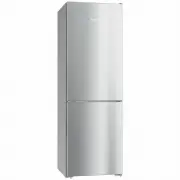


 Miele 11502710
User Manual
Miele 11502710
User Manual
 Miele 11502940
User Manual
Miele 11502940
User Manual
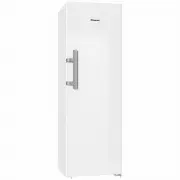 Miele K28202DWS
User Manual
Miele K28202DWS
User Manual
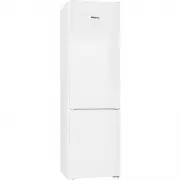 Miele KFN 29032 D ws
User Manual
Miele KFN 29032 D ws
User Manual
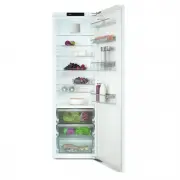 Miele KS7743E
User Manual
Miele KS7743E
User Manual
 Miele F 1471 Vi
Manual
Miele F 1471 Vi
Manual
 Miele K 1901 Vi
Manual
Miele K 1901 Vi
Manual
 Miele KF 1901 Vi
Manual
Miele KF 1901 Vi
Manual
 Miele K 1801 Vi
Manual
Miele K 1801 Vi
Manual
 Miele KFN 14947 SDE ed
Manual
Miele KFN 14947 SDE ed
Manual
 Miele KDN 9713 i-1
Manual
Miele KDN 9713 i-1
Manual
 Miele FN 9752 i
Manual
Miele FN 9752 i
Manual