Page 2 - Contents
Contents 2 Caring for the environment .............................................................................. 6 IMPORTANT SAFETY INSTRUCTIONS ............................................................ 7 Guide to the washer .......................................................................
Page 4 - Customer Service
Contents 4 Customer Service .............................................................................................. 78 Contact in the event of a fault ............................................................................. 78Optional accessories ............................................
Page 5 - Settings
Contents 5 Settings .............................................................................................................. 95 Calling up settings ............................................................................................... 95Selecting settings ................................
Page 6 - Caring for the environment; Disposal of your old appliance
Caring for the environment 6 Disposal of the packingmaterial The cardboard box and packingmaterials protect the appliance duringshipping. They have been designed tobe biodegradable and recyclable. Ensure that any plastic wrappings,bags, etc. are disposed of safely andkept out of the reach of childre...
Page 7 - IMPORTANT SAFETY INSTRUCTIONS
IMPORTANT SAFETY INSTRUCTIONS WARNING To reduce the risk of fire, electric shock or injury to persons whileusing your appliance follow basic safety precautions, including thefollowing: Read all instructions before using the appliance. GROUNDING INSTRUCTIONS This appliance must be grounded. In ...
Page 9 - Use
IMPORTANT SAFETY INSTRUCTIONS Use Do not allow children to play on or in the appliance. Close supervision is necessary when the appliance is used near children. The drum door glass will be hot when washing at very high temperatures. Do not touch the glass. Danger of burns! Keepchildren away from...
Page 10 - Miele tumble dryers and Miele washing machines can be installed
IMPORTANT SAFETY INSTRUCTIONS Miele tumble dryers and Miele washing machines can be installed as a washer-dryer stack. A Miele washer-dryer stacking kit isrequired as an optional accessory for this. Please ensure that thewasher-dryer stacking kit is suitable for the Miele tumble dryer andthe Miele...
Page 11 - FCC Declaration of Conformity
IMPORTANT SAFETY INSTRUCTIONS FCC Declaration of Conformity These devices comply with FCC Rules Part 15. This equipment has been tested and found to be in compliance with the limits for aClass B digital device, pursuant to Part 15 of the FCC Rules ofOperation and is subject to the following condit...
Page 12 - Guide to the washer; Control panel; OK
Guide to the washer 12 Control panel a Control field The control field consists of adisplay and various sensor buttons.The individual sensor buttons areexplained in the following sections. b Sensor buttons The values in the display can bechanged with the sensor buttons....
Page 14 - Scrolling through a list; Language ; Cap ; Setting numerical values; Start in
Guide to the washer 14 Examples on how to operatethe appliance Scrolling through a list The scroll bar in the display indicates that a selection is available. Language OK The list scrolls down when the sensor button is touched. The listscrolls up when the sensor button is touched. Th...
Page 15 - Before using for the first time; Damage from incorrect
Before using for the first time 15 Damage from incorrect installation and connection.Installing and connecting thewashing machine incorrectly willcause serious damage to property.See “Installation”. Removing the protective filmand stickers Remove: - any protective film from the door - any sticke...
Page 16 - Availability of the WiFi connection
Before using for the first time 16 Miele@home Your washing machine is equippedwith an integrated WiFi module. To use this feature, you will need: - A WiFi network - The Miele@mobile app - A Miele user account. The user account can be created via theMiele@mobile app. The Miele@mobile app will guide y...
Page 17 - steps; Setting the display text; Connecting via WPS
Before using for the first time 17 Switching on the washingmachine Turn the program selector to the Normal program. The welcome tone will sound and thewelcome screen will light up. The display will guide you through the 5 steps of the initial commissioning. 1. Setting the display text You will be ...
Page 18 - Commissioning TwinDos
Before using for the first time 18 3. Removing the shippingstruts Damage resulting from failure to remove the shipping struts.Failure to remove the shipping strutscan result in damage to the washingmachine and to adjacent cabinetry orappliances.Remove the shipping struts asdescribed in “Installati...
Page 19 - Settings for compartment; Agent for ; Miele UltraPhase 1; Per load; UltraPhase 1
Before using for the first time 19 Settings for compartment The UltraPhase 1 values are pre-set inthe standard default settings. Agent for OK Confirm with the OK sensor button. Miele UltraPhase 1 OK Confirm with the OK sensor button. The following will appear in the di...
Page 20 - Agent for ; Miele UltraPhase 2; UltraPhase 2
Before using for the first time 20 Push the UltraPhase 1 detergent cartridge into compartment 1 until it locks into position. Settings for compartment The UltraPhase 2 values are pre-set inthe standard default settings. After the cartridge has been pushed in,the display message switches to: Age...
Page 21 - must
Before using for the first time 21 Push the UltraPhase 2 detergent cartridge into compartment 2 until it locks into position. When the cartridge is pushed in, themessage in the display changes to: “TwinDos” set. Can be changed in “Settings”. Confirm with the OK sensor control. Close the Twi...
Page 22 - Environmentally friendly washing; Energy and water consumption; Express; Detergent consumption
Environmentally friendly washing 22 Energy and water consumption - Make use of the maximum load of the respective wash program.The energy and water consumptionwill then be the lowest in relation tothe size of the load. - When smaller amounts of laundry are washed, the washing machine'sautomatic load...
Page 23 - Feedback
Environmentally friendly washing 23 Feedback You can view information about theenergy and water consumption of yourwashing machine with the sensor button. The following information will appear inthe display: - An estimate of the energy and water consumption before the programbegins. - The actua...
Page 24 - Prepare the laundry; Sort the laundry
1. Prepare the laundry 24 Empty all pockets. Damage due to foreign objects. Nails, coins, paper clips, and so oncan cause damage to garments andcomponents in the machine.Check the laundry before washingand remove any such foreignobjects. Sort the laundry Only wash items that are labeledmachine w...
Page 25 - Selecting a program; Program selection; ” and using; Outdoor; Touch the
2. Selecting a program 25 Switching on the washingmachine Turn the program selector to aprogram. Program selection There are three possible ways to selecta program: 1. Selecting the standard programswith the program selector dial Turn the program selector to therequired program. The selected pro...
Page 26 - program selector; Turn the program selector to the; The following appears in the display:
2. Selecting a program 26 3. Selecting programs via theMobileStart program selector position and the Miele@mobile app Tip: In order to use MobileStart , the washing machine must be logged on tothe WiFi network and Remote control must be switched on. Turn the program selector to the MobileS...
Page 27 - Loading the washing machine; Opening the door; Please note the maximum load for; Closing the door; Shut the door with a gentle swing.
3. Loading the washing machine 27 Opening the door Take hold of the door and pull itopen. Check the drum for pets or foreignobjects before loading it withlaundry. The most efficient use of energy andwater is achieved when a full load iswashed. However, do not overload asthis reduces cleaning effic...
Page 28 - Selecting program settings; Selecting an extra option; Options sensor button; No Extras; Degree of soiling
4. Selecting program settings 28 Selecting a temperature/spinspeed You can alter the pre-set temperature/spin speed of a wash program if this ispermitted by the program. The temperatures reached inside thewashing machine might not be thesame as the temperatures selected.Perfect wash results are achi...
Page 29 - Delay start/SmartStart; Delay Start; Setting the Delay Start time
4. Selecting program settings 29 Delay start/SmartStart Delay Start With the Delay Start function, you candelay the start of the program. This function is active when thesetting SmartGrid is switched off. The hours can be set in the values from 00 to 24 . The minutes can be set in 15- minute incre...
Page 30 - Setting the time period; SmartStart
4. Selecting program settings 30 SmartStart The SmartStart function lets youdefine a time period during which yourwashing machine will startautomatically. The start takes place viaa signal, e.g., from your energysupplier, that indicates that theelectricity rate is particularlyeconomical. Please chec...
Page 31 - Changing TwinDos dispensing
5. Adding detergent 31 There are several options for addingdetergent to the washing machine. The washing machine is equipped withthe TwinDos system. TwinDos has to be activated asdescribed in “Before using for the firsttime”. The TwinDos system can only beoperated with the Miele UltraPhase 1and Ultr...
Page 32 - Selecting the degree of soiling; No visible soiling or stains
5. Adding detergent 32 Selecting the degree of soiling The degree of soiling in laundry isdivided into 3 settings: - Light No visible soiling or stains - Normal Visibly soiled and/or just a few slightstains - Heavy Heavily soiled and/or stains clearlyvisible The dispensing amount for ...
Page 33 - Detergent dispenser drawer; Filling with detergent
5. Adding detergent 33 Detergent dispenser drawer This washing machine requires highefficiency detergent. Adhere strictly tothe dispensing amounts supplied by thedetergent manufacturer. The detergentsmust be marked with the followinglabel: Ensure that TwinDos dispensing isdeactivated. Filling with d...
Page 36 - Inserting a capsule
5. Adding detergent 36 CapDosing Three different types of capsule areavailable: = Fabric care (e.g., fabric softener, proofing agent) = Additives (e.g., detergent enhancers) = Detergent (for the main wash only) Each capsule contains the correctamount for one wash cycle. Capsules are available ...
Page 37 - Color run and dye removers; Damage due to color run/dye
5. Adding detergent 37 Close the lid and press it firmly shut. Close the detergent dispenserdrawer. The capsule is opened by the act ofinserting it in the detergent dispenserdrawer. The contents can run out ofthe capsule if you then remove itfrom the drawer before it is used.Dispose of opened ca...
Page 38 - Starting a program; Energy savings
6. Starting a program 38 Touch the flashing Start / Add laundry sensor button. The door will lock and the washprogram will start. The program status will appear in thedisplay. The washing machine will keep youupdated on the program status and thetime remaining for the program to run. If a delay-s...
Page 39 - Start
7. Program end 39 Opening the door andremoving the laundry The door remains locked during theAnti-crease phase. The display willchange to show: End/Anti-Crease Press Start button Unlock the door either by touchingthe Start / Add laundry sensor button or by turning the program selector tothe ...
Page 40 - Spin cycle; Final spin speed; Program
Spin cycle Final spin speed Program Selectable spin speeds in words and numbers (rpm) Max 1,600 High 1,200 Med 800 Slow 600 0 Normal – – – X X Proofing – X X X X Delicates – – X X X Sanitize X – – X X Handwash – X X X X Dress Shirts – – X X X QuickIntenseWash X X X X X Express – ...
Page 41 - Ending a program with a spin cycle
Spin cycle 41 Final spin speed in the washprogram When a program is selected, theoptimum spin speed for the washprogram is always shown in the display. A faster spin speed can be selected forcertain wash programs. The highest selectable spin speed isindicated in the table. Omitting the final spin (R...
Page 42 - Program guide; Programs on the program selector
Program guide Programs on the program selector Temperature with garment care label symbols Item/Tip Normal Full load (17.6 lb/8 kg) Hot + 140°F/60°C Cotton, linen, and mixed fibre textiles made ofboth cotton and linen. Hot 120°F/50°C Warm + 105°F/40°C Warm 85°F/30°C Cold Cold USA test prog...
Page 43 - Silks
Program guide Temperature with garment care label symbols Item/Tip Sanitize Full load (17.6 lb/8 kg) Sanitize 170°F/75°C Cotton or linen fabrics with direct skin contactor for which special hygiene requirementsapply. Handwash Small load (4.4 lb/2 kg) Warm + 105°F/40°C For fine textiles which...
Page 44 - Programs positioned on the More programs/; Proofing
Program guide Temperature with garment care label symbols Item/Tip Darks/Denims Small load (4.4 lb/2 kg) Warm + 105°F/40°C Black and dark garments made from cotton,mixed fibers, and denim. - Wash inside out. - Denim often contains excess dye and may run during the first few washes. Therefore,was...
Page 48 - Temperature
Program guide Settings /maintenance Settings You can use the settings to alter the washing machine's electronics to suitchanging requirements. See “Settings” for more detailed information. Maintenance The washing machine has two maintenance programs. 1. Clean Machine for cleaning the washing mac...
Page 49 - Extra options; Selecting extra options; Extras; SingleWash; not; SoftSteam; and; Buzzer
Extra options 49 You can supplement the washprograms with extra options. Selecting extra options Extra options are selected ordeselected using the sensor buttons inthe control field. Additional extraoptions can be selected on the displayusing the Extras sensor button. Touch the sensor button for t...
Page 51 - Soak
Extra options 51 Soak For heavily soiled and stained itemswith protein stains. A soak duration of between 30 minutesand 6 hours in 30-minute incrementscan be selected for the soak process.See “Settings” for more information. The factory default setting is30 minutes. AllergoWash This option should be...
Page 52 - Wash program overview – extra options
Wash program overview – extra options SingleWash SoftSteam Buzzer Eco Normal – Proofing – – – Delicates Sanitize Handwash – – Dress Shirts QuickIntenseWash – – Express – – – Darks/Denims Extra White Outdoor – – – Table Linens/Drapes ...
Page 54 - Program sequence; Main wash
Program sequence Main wash Rinses Spin cycle Water level Wash rhythm Water level Rinses Normal 2-3 1,2 Proofing – 1 Delicates 2-4 1,2 Sanitize 3-4 1,2 Handwash 2 Dress Shirts 3-4 2 QuickIntenseWash 2 Express 2 Darks/Denims 3-5 1,2 ...
Page 55 - Woolens
Program sequence 55 = low water level = medium water level = high water level = intensive rhythm = normal rhythm = sensitive rhythm = ultra sensitive rhythm = handwash rhythm = carried out – = not carried out This washing machine has fullyelectronic controls with automatic loadcont...
Page 56 - PowerWash; ExtraRinse
Program sequence 56 PowerWash PowerWash is a washing techniquedeveloped by Miele. It is activated inthe following programs: - Normal (with small and medium load sizes) - Wrinkle-free - Dress Shirts - Delicates How it works Conventional washing techniques washwith more water than the laundry canabsor...
Page 57 - Changing the program sequence; Interrupting a program; Canceling a program; Program Canceled
Changing the program sequence 57 Changing a program (safetylock) A program, temperature, spin speed, orselected extra options cannot bechanged once the machine has beensuccessfully started. This prevents themachine being operated unintentionally,e.g., by children. If the washing machine is switched ...
Page 58 - Detergent; Detergents recommended by Miele
Detergent Detergents recommended by Miele Miele Detergents have been specially designed for day-to-day use in MieleWashing Machines. See “Detergents and care products” for more informationabout these detergents. Miele UltraPhase 1 and 2 Miele Capsules Normal – Proofing – – – Delicates ...
Page 59 - General detergent recommendations
Detergent General detergent recommendations The wash programs that are not listed do not have a detergent recommendation Universal detergent Color detergent Detergent forWoolens and delicates Bleach 1 Normal – Delicates – – – Sanitize – Handwash – – – Dress Shirts – QuickIntens...
Page 60 - Replacing the TwinDos cartridge; Preparing the cartridge; or; Replacing the cartridge
Replacing the TwinDos cartridge 60 A message will appear in your washingmachine display if a detergent cartridgeis empty. Preparing the cartridge Remove the cover cap from thecartridge. or Remove the film seal from thecartridge completely. Risk of damage from film seal If the film seal is not ...
Page 61 - Cleaning and care; Risk of electric shock.
Cleaning and care 61 Cleaning the housing andcontrol panel Risk of electric shock. Mains voltage is present when thewashing machine is switched offDisconnect the machine from theelectricity supply before cleaning ormaintenance. Risk of damage due to ingress of water.The pressure of a water jet c...
Page 62 - Cleaning the
Cleaning and care 62 Removing and cleaning the insert forliquid detergents An insert for liquid detergents is locatedin the compartment of the detergent dispenser drawer. Remove the insert. Clean the insertthoroughly with warm water. Cleaning the compartment Compartment 1 has a siphon for be...
Page 63 - Cleaning the siphon and the
Cleaning and care 63 Cleaning the siphon and the / compartment channel Liquid starch results in clogging. Thesiphon in the / compartment no longer works and the compartmentcan overflow.Clean the siphon particularlythoroughly after using liquid starch afew times. 1. Remove the siphon from the...
Page 64 - TwinDos maintenance; Starting the maintenance program; TwinDos Care
Cleaning and care 64 TwinDos maintenance Damage resulting from dried laundry detergent.If the system has not been used for along time (more than 2 months),detergent in the hoses can becomeviscous or dry out. The hoses canbecome blocked and would thenneed to be cleaned by CustomerService.Clean the ...
Page 65 - Clean; Cleaning the water-inlet filter; Cleaning the filter in the inlet hose
Cleaning and care 65 Sanitize info(Cleaning the drum) Washing at low temperatures and/orusing liquid detergents can causebacteria and odors to build up in thewashing machine. Use the Clean Machine program to clean the washing machine. Note the message in thedisplay: Sanitize info: Run a high temp. p...
Page 66 - Frequently asked questions; A wash program cannot be started; Problem
Frequently asked questions Many malfunctions and faults that can occur in daily operation can be easilyremedied. You can save time and money in many cases, as you do not need tocontact Miele Customer Service. Information to help you rectify faults yourself can be found at www.miele.com/service. The ...
Page 67 - Fault message after a program has been interrupted; at least 2 minutes
Frequently asked questions Fault message after a program has been interrupted Problem Possible cause and solution Drainage See The drain is blocked or restricted.The drain hose has been fixed too high. Clean the drain filter and the drain pump. The maximum drain height is 39 ³⁄₈" (1 m). ...
Page 68 - Fault message after the end of the program; Additional programs
Frequently asked questions Fault message after the end of the program Problem Possible cause and solution Check dosage Excessive foam has built up during washing. With TwinDos, check the dosage amount set. Reduce the amount set in 10% increments. Use less detergent next time and follow thema...
Page 70 - Messages or faults affecting the TwinDos system
Frequently asked questions Messages or faults affecting the TwinDos system Problem Possible cause and solution is almost empty.Only a few more cy-cles are possible The detergent in the cartridge is running low. There isenough left for approx. 4 to 8 wash programs. Order a new cartridge. Twin...
Page 72 - General problems with the washer
Frequently asked questions General problems with the washer Problem Possible cause and solution The washing machine isemitting an odor. The Sanitize info was not observed. When washing, awash program using a temperature above 60°C(140°F) has not been run for a long time. Run the Clean Machine prog...
Page 73 - General problems with the washing machine
Frequently asked questions General problems with the washing machine Problem Possible cause and solution Large amounts of deter-gent residue remain inthe detergent dispenserdrawer. The water pressure is too low. Clean the filter in the water intake. Powder detergent used in conjunction with waters...
Page 74 - Poor wash results
Frequently asked questions Poor wash results Problem Possible cause and solution Liquid detergent is notachieving the requiredresults. Liquid detergents do not usually contain bleachingagents. Consequently, fruit, coffee, and tea stainscannot always be removed. Use the Miele 2-phase system. The de...
Page 75 - The drum door cannot be opened; The door lock has jammed.
Frequently asked questions The drum door cannot be opened Problem Possible cause and solution The door cannot bepulled open during aprogram. The drum is locked during a program. Follow the description in “6. Starting a program –Adding or removing laundry”. Comfort Cooling appears in the displayaft...
Page 76 - Turn off the washing machine.
Frequently asked questions 76 Opening the door in the eventof a blocked drain outlet and/or power outage Turn off the washing machine. Open the drain pump flap. Blocked drain outlet If the drain outlet is blocked, a largerquantity of water can remain in thewashing machine. Risk of scalding due...
Page 77 - Clean the drain filters thoroughly.
Frequently asked questions 77 Clean the drain filters thoroughly. Remove any foreign objects (e.g.,buttons, coins, etc.) and clean theinterior. Turn the impellers by hand tocheck that they rotate freely. Replace the drain filters correctly (onthe right and left) and tighten themsecurely. Clo...
Page 78 - Contact in the event of a fault
Customer Service 78 Information to help you rectify faultsyourself and about Miele spare partscan be found at www.miele.com/service. Contact in the event of a fault In the event of a fault which you cannotremedy yourself, please contact yourMiele dealer or Miele Customer Service. You can book a Miel...
Page 79 - Installation; Front view
Installation *INSTALLATION* 79 Front view a Drain hose b Hot-water inlet hose (pressure-proofto 870 psi/6,000 kPa) c Cold-water inlet hose (pressure-proof to 870 psi/6,000 kPa) d Electrical connection e Control panel f Detergent dispenser drawer g Door h Flap for drain filters, drain pumps,and emerg...
Page 80 - Rear view; Drain hose
Installation *INSTALLATION* 80 Rear view a Drain hose b Transport clips for inlet and drainhoses and power cord c Electrical connection d Protruding lid for holding whenmoving the machine e Cold-water inlet hose (pressure-proof to 870 psi/6,000 kPa) f Hot-water inlet hose (pressure-proofto 870 psi/6...
Page 81 - Installation surface; If installing on a wooden joist floor:
Installation *INSTALLATION* 81 Installation surface A concrete floor is the most suitableinstallation surface for this machine. It isfar less prone to vibration during thespin cycle than wooden floorboards ora carpeted surface. Please note: The machine must be level andsecurely positioned. To av...
Page 82 - Removing the shipping struts; Pull out the shipping strut.
Installation *INSTALLATION* 82 Removing the shipping struts Removing the left-hand shippingstrut Open the cover and use the wrenchsupplied with the washing machine toturn the shipping strut 90°. Pull out the shipping strut. Removing the right-hand shippingstrut Open the cover and use the wrenc...
Page 83 - Covering the holes
Installation *INSTALLATION* 83 Covering the holes Risk of injury from sharp edges. There is a risk of injury from reachinginto holes that are not covered.Cover the holes for the shippingstruts after they have been removed. Press the covers firmly shut until theyclick into place. Securing the shi...
Page 84 - Installing the shipping struts; Opening the covers
Installation *INSTALLATION* 84 Installing the shipping struts Opening the covers Press against the catch with a thinobject (a narrow screwdriver, forexample). The cover opens. Installing the shipping struts Install the shipping struts by followingthe instructions for their removal inreverse orde...
Page 85 - Leveling the machine; Unscrewing and adjusting the feet
Installation *INSTALLATION* 85 Leveling the machine The washing machine must standperfectly level on all four feet to ensuresafe and proper operation. Incorrect installation may increaseelectric and water consumption andmay cause the machine to move about. Unscrewing and adjusting the feet The four ...
Page 86 - Installing under a countertop
Installation *INSTALLATION* 86 Installing under a countertop Risk of electric shock due to exposed cablesThere is a risk of coming into contactwith live parts while the lid isremoved.Do not remove the washing machinelid. This washing machine (with lid intact)can be pushed under a countertop ifther...
Page 87 - Damage resulting from failure to
Installation *INSTALLATION* 87 Additional installationrequirements The washing machine must beinstalled in accordance with therelevant local regulations. Damage resulting from failure to remove the shipping struts.Failure to remove the shipping strutscan result in damage to the washingmachine and ...
Page 88 - For closets at room height; Product Dimensions; Dimensions
Installation *INSTALLATION* 88 For closets at room height You can also insert a ventilationopening at the top of the closet. Inaddition, you must provide an openingon the bottom side of the door. Risk of damage due to overheating of the washing machine.The air supply must not be hinderedby an addi...
Page 89 - Installation on a plinth
Installation *INSTALLATION* 89 Installation on a plinth - WTS 510 (only available in white) Washer-dryer stack - WTV 512 and WTV 502 washer-dryer stacking kit
Page 90 - The water protection system; - the electronic module and drainage
Installation *INSTALLATION* 90 The water protection system The Miele water protection systemprotects all parts of the washingmachine and its surroundings fromwater damage. The system consists of the followingmain components: - the inlet hose - the electronic module and drainage and overflow protecti...
Page 91 - Water intake; Health risk and risk of damage
Installation *INSTALLATION* 91 Water intake Health risk and risk of damage due to contaminated incoming water.The quality of the incoming watermust comply with the requirementsfor drinking water in the country inwhich the washing machine is beingoperated.Always connect the washingmachine to the dr...
Page 92 - Water drainage; Installing the elbow
Installation *INSTALLATION* 92 Water drainage The suds are drained through a drainpump with a 3.2 ft (1 m) delivery head.For the water to drain freely, the hosemust be installed free of kinks.If required, the hose can be extended toa length of up to 16.4 ft (5 m).Accessories are available from yourM...
Page 93 - Electrical connection; ELECTRICAL INSTRUCTIONS
Installation *INSTALLATION* 93 Electrical connection GROUNDING INSTRUCTIONSThis appliance must be grounded. Inthe event of a malfunction orbreakdown, grounding will reducethe risk of electric shock byproviding a path of least resistancefor electric current. This appliance isequipped with a cord havi...
Page 94 - Technical data
Technical data Height 33 7/16" (850 mm) Width 23 7/16" (596 mm) Depth 25 1/16" (636 mm) Depth with door open 41 1/2" (1054 mm) Height for building under 32 5/16" (+5/16"/-1/16") (820 mm) Width for building under 23 5/8" (600 mm) Weight Approx. 220.5 lb (100 kg) Capaci...
Page 95 - Calling up settings; Selecting settings; Changing a setting; Closing the Settings menu
Settings 95 You can use the settings to alter thewashing machine's electronics to suitchanging requirements. The settings can be altered at anytime. Calling up settings Turn the program selector to the Additional programs / position. Outdoor OK Touch the sensor buttons until the f...
Page 96 - Change dosage; Buzzer volume
Settings 96 Language The display can be set to appear inone of several different languages. The flag after the word Language acts as a guide in case a language which isnot understood has been set. The language selected is saved tomemory. TwinDos You can set the type of detergent anddispensing q...
Page 97 - Keypad tone; Options; Consumption; Options
Settings 97 Keypad tone Each touch of a sensor button isconfirmed with an audible tone. Options - Off - (quiet) - (factory default) - (loud) Welcome tone The volume for the welcome tone canbe set to one of 7 different settings. Options - Off - ...
Page 98 - Code; Make a note of the new PIN; Unit; The values are displayed as words.
Settings 98 Code The PIN code prevents the washingmachine being used without yourknowledge. Options - Activate When the PIN code has beenactivated, you have to enter it afterswitching the washing machine on.Otherwise, the washing machinecannot be operated.The factory default PIN code is 125. - Chang...
Page 99 - Brightness
Settings 99 Brightness You can set the brightness of thedisplay, the sensor buttons, and thedimmed sensor buttons. Options - Display Controls the brightness of thedisplay. – (dark) – (light) (default setting) - Buttons active Controls the brightness of theactivated sen...
Page 100 - Memory; Memory is deactivated as standard.; Soak duration; Gentle action; Gentle action can be activated for the
Settings 100 Memory The washing machine will save thelast settings (temperature, spin speed,and some of the extra options)selected for a wash program after theprogram has started. When the program is chosen again, thesaved settings will appear on thedisplay. Memory is deactivated as standard. Soak d...
Page 101 - Maximum rinse level; Low water pressure
Settings 101 Maximum rinse level This function is important for allergysufferers as it achieves excellent washresults. The water level in the rinses can bepermanently set to the highest value.The water consumption will beincreased. The maximum rinse level is deactivatedas standard. Suds cooling Addi...
Page 102 - The WiFi function is reactivated.
Settings 102 Miele@home Control the networking of yourwashing machine with your WiFinetwork. The following points may appear in thesubmenu: Set up This message only appears if thewashing machine has not yet beenconnected to a WiFi network. Please refer to “Before using for the firsttime” for instruc...
Page 103 - MobileStart; Delay
Settings 103 Remote control The Remote control setting is only visible if the Miele@home setting is set up and activated. Once the Miele app has been installedon your mobile device, you can checkthe status of your washing machinefrom anywhere and start it remotely.You can also control it remotely vi...
Page 104 - Activating/deactivating
Settings 104 RemoteUpdate The RemoteUpdate menu option is only displayed and can only be selected ifthe requirements for usingMiele@home have been met (see“Before using for the first time –Miele@home”). The RemoteUpdate function updatesthe software in your washing machine.If an update is available f...
Page 105 - Bleach
Settings 105 Bleach You can activate the automaticaddition of bleach at the end of themain wash. Bleach may only be used in someprograms. See “5. Adding detergent –Using bleach” for more detailedinformation. Activating bleach extends the programduration by approximately 10 minutes. The washing machi...
Page 106 - Detergents and care products; Miele UltraPhase 1 and 2
Detergents and care products 106 Detergent, fabric care products,additives, and machine care productsare available for this washing machine.All the products have been designed forMiele washing machines. These and many other useful productscan be ordered via the Miele onlineshop, from your Miele deal...
Page 107 - Caps Sport
Detergents and care products 107 Special-purposedetergents These special-purpose detergents areavailable as convenient single-usecapsules. Caps Sport - For synthetic fabrics - Neutralizes unpleasant odors thanks to odor absorber - Prevents static charge in clothes - Retains the shape and breathab...
Page 108 - Fabric care
Detergents and care products 108 Fabric care These fabric-care products are availableas convenient single-use capsules. Fabric softener capsules - Fabric softener for freshly scented laundry - Pure and thorough cleanliness with a fresh scent - For soft, bouncy laundry - Prevents static charge in ...
Page 111 - National Headquarters; Canada; Headquarters and Miele Centre; International Headquarters
9 Independence WayPrinceton, NJ 08540www.mieleusa.com U.S.A. Miele, Inc. National Headquarters Please have the model and serial numberof your appliance available whencontacting Customer Service. Canada ImporterMiele Limited Headquarters and Miele Centre Customer Support Phone: 888-99-MIELE (64353)[e...


 Miele 11204460
User Manual
Miele 11204460
User Manual
 Miele 11613700
User Manual
Miele 11613700
User Manual
 Miele 11614040
User Manual
Miele 11614040
User Manual
 Miele 11614070
User Manual
Miele 11614070
User Manual
 Miele 11614100
User Manual
Miele 11614100
User Manual
 Miele 11614130
User Manual
Miele 11614130
User Manual
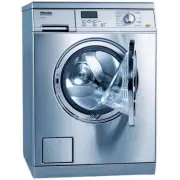 Miele PW 5065
Manual
Miele PW 5065
Manual
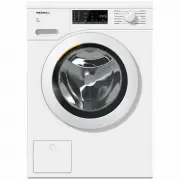 Miele WCA020
User Manual
Miele WCA020
User Manual
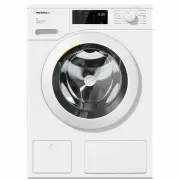 Miele WCD660
User Manual
Miele WCD660
User Manual
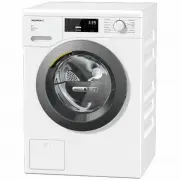 Miele WTD160WCS
User Manual
Miele WTD160WCS
User Manual
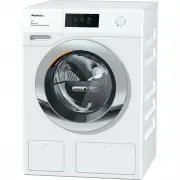 Miele WTR870WPM
User Manual
Miele WTR870WPM
User Manual
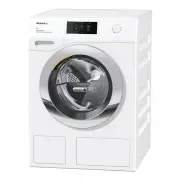 Miele WTW870WPM
User Manual
Miele WTW870WPM
User Manual
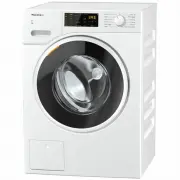 Miele WWD120
User Manual
Miele WWD120
User Manual
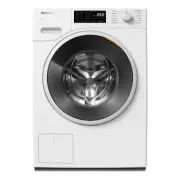 Miele WWD160 WCS
User Manual
Miele WWD160 WCS
User Manual
 Miele WWD164
User Manual
Miele WWD164
User Manual
 Miele WWD320
User Manual
Miele WWD320
User Manual
 Miele WWD660 WCS TDOS
User Manual
Miele WWD660 WCS TDOS
User Manual