Page 2 - Contents
Contents Guide to the appliance . . . . . . . . . . . . . . . . . . . . . . . . . . . . . . . . . . . . . . . . . . . . . . 4 Caring for the environment . . . . . . . . . . . . . . . . . . . . . . . . . . . . . . . . . . . . . . . . . 6 Warning and safety instructions . . . . . . . . . . . . . . . ....
Page 4 - General view; Guide to the appliance
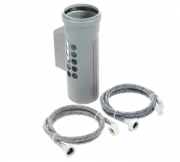
Guide to the appliance General view 1 Supply cable for electrical connection 2 Condensed water container 3 Control panel 4 Door 5 Condenser unit cover 6 Drain hose for condensed water (if fitted) 7 Four height-adjustable screw feet Guide to the appliance 4
Page 5 - Control panel
Control panel b “I-On/0-Off” button for switching the appliance on and off.When the machine is switched on, thedrum light will come on as you openthe door. c “Door” button to open the door/cancel a programme.This button does not stay pressed in. d “START” button starts a drying programme.The indicat...
Page 6 - Disposal of packing; Caring for the environment
Caring for the environment Disposal of packing The transport and protective packinghas been selected from materialswhich are environmentally friendly fordisposal and can normally be recycled.Rather than just throwing these ma-terials away, please ensure they are of-fered for recycling. Disposal of y...
Page 7 - Correct usage; Warning and safety instructions
Warning and safety instructions Please read the operating instruc-tions before using the tumble dryerfor the first time. They contain im-portant information about the safety,use and maintenance of themachine. This will avoid the risk ofaccidents and damage to the ma-chine. Keep these operating in-st...
Page 8 - Use
For safety reasons, do not use an ex-tension cable. There is a danger of overheating. Faulty components must only beexchanged for Miele original spare parts. Only when these parts are fittedcan the safety standards of the ma-chine be guaranteed. Use This equipment is not designed formaritime use or ...
Page 10 - Brief description; Brief instructions
Brief instructions Brief description Programmes are selected by turningthe programme selector and can be supplemented by pressing the addi- tional option buttons. Press the “START” button to begin aprogramme. The indicator lights in the sequence dis- play (on the right hand side of the con-trol pane...
Page 11 - Notes on laundry care
Notes on laundry care Before drying, check the drying sym-bol on the textile care label. Significance of symbols: q = Dry at normal temperature r = Dry at low temperature (also push in the “Low temperature”button if required) s = Do not tumble dry If no symbol is featured, dry at your ownrisk applyi...
Page 12 - Hints on saving energy; Switching on and loading; How to dry correctly
How to dry correctly Hints on saving energy Make sure that your laundry has beenthoroughly spun at the highest appro-priate spin speed before drying. Spin-ning at 1600 rpm, for example, savesapproximately 30% energy and timecompared with 800 rpm. Load the full amount of laundry ac-cording to the pro...
Page 13 - Selecting a programme; Short; Starting a programme
2 Selecting a programme Turn the programme selector to theprogramme required. See the “Programme chart” for a de-scription of each programme. 3 Selecting additional option(s) Additional options are switched onor off by pressing the appropriatebuttons. Indicator lights:– on = additional option select...
Page 14 - After drying
"Clean out airways" indicator light This indicator light shows that the dryeris not working most efficiently or econ-omically. The causes of this check message canbe: – the fluff filters in the door and the secondary filters in the door openingare blocked; – the condenser unit is blocked. Th...
Page 15 - To cancel a programme; Cancel the programme by:; Restart the programme by:; Altering a programme
Altering a programme Once a programme has started, nochanges to the programme or addi-tional options will be accepted. If the programme selector is turned toa different programme after a pro-gramme has begun, the “Drying” indi-cator light will flash. The programmeoriginally selected will continue to...
Page 16 - Programme chart
Programme chart Programme Fabric type maximum load (2) Special notes COTTONS Extra dry Multi-layered fabrics, not thoroughly dried with “Normal +” 5 kg Do not dry jersey wear in the Extra dry programme – tendency to shrink . Normal + Mixed load of cotton fabrics, eg towelling, jerseywear, ie single ...
Page 18 - Notes; Programmable functions
Programmable functions Notes The programmable functions can beused to create drying programmes tosuit your individual requirements.They will remain in the machine’smemory until cancelled. One or all of the programmable func-tions can be activated or cancelled(See following page). Correcting the dryi...
Page 19 - “Machine iron”
Activating and storing in the memory The programmable functions are acti-vated using the additional option but-tons in special combinations with theprogramme selector to introduce extrafeatures not marked up on the controlpanel. 1 Switch the machine off and shut thedoor. Turn the programme selector ...
Page 20 - Cleaning the fluff filters; Cleaning and care
Cleaning and care Cleaning the fluff filters The fluff which is created by the dryingprocess is collected in the fluff filters inthe door and door opening. Clean the filters after every pro-gramme to reduce drying time andsave energy. Open the door. Grip the filter by therecessed handle and pull upw...
Page 22 - Cleaning the condenser unit
Cleaning the condenser unit The machine must be disconnected fromthe electricity supply before cleaning. Check the condenser unit at least twice ayear and clean it if necessary. If the dryer isused frequently then clean the condenserunit after approx. 100 drying cycles. Keep hold of the outer conden...
Page 24 - Problem solving guide
Problem solving guide What to do if ... Electrical appliances should only be repaired by qualified personnel. Incorrectly repaired ma-chines may pose a considerable risk to the user. What to do if . . . Cause . . . Remedy . . . . . . the tumble dryer fails tostart when switched on This may be due to...
Page 28 - Repairs; Future updates; After sales service
After sales service Repairs In the event of any fault which you can-not remedy yourself, please contact: – your Miele dealer or – your nearest Miele Service Depart- ment (see back cover for the ad-dress). When contacting the Service Depart-ment, please quote the model and ser-ial numbers of your app...
Page 29 - Installation; Installation
Installation The machine must be perfectly level toensure safe and proper operation. Minor differences do not, however,have an adverse effect on operation. The screw feet can be adjusted tocompensate for any uneveness inthe floor surface. The ventilation slots beneath thedoor must on no account bebl...
Page 32 - Important; Non-rewireable plugs BS 1363; Electrical connection
Electrical connection Electrical connection U.K. All electrical work should be carried outonly by a suitably competent person, instrict accordance with national andlocal safety regulations. The appliance is supplied with a mainscable with moulded plug for connectionto a 230-240V mains supply. The vo...
Page 33 - Consumption data
Consumption data Programme Cap- acity Final spin speed (in a domestic washing machine) Electricity consump- tion Drying time incl. cooling down time Minutes kg rpm kWh 10 A (2) 16 A (2) COTTONS Extra dry 5 120014001600 3.43.33.0 102 9989 848174 Normal + 5 120014001600 2.9 2.752.45 928879 747164 Norm...
Page 34 - Technical data
Technical data Height . . . . . . . . . . . . . . . . . . . . . . . . . . Width . . . . . . . . . . . . . . . . . . . . . . . . . . Depth . . . . . . . . . . . . . . . . . . . . . . . . . . Weight . . . . . . . . . . . . . . . . . . . . . . . . . Drum volume . . . . . . . . . . . . . . . . . . . . M...