Page 2 - CONTENTS
CONTENTS 01 / English03 / Bahasa Indonesia05 / Български07 / Čeština09 / Eesti 11 / Español 13 / Hrvatski 15 / Latviešu17 / Lietuvių19 / Magyar21 / Polski23 / Português25 / Русский язык27 / Română29 / Slovenčina31 / Srpski jezik/Српски језик33 / Tiếng Việt35 / Українська мова
Page 3 - English; Power on; Connect your wireless device to the extender’s network; Configure; Launch a web browser and enter; Relocate; To achieve better signal quality, plug in the extender
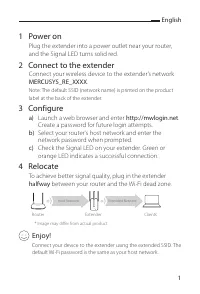
English 1 1 Power on Plug the extender into a power outlet near your router, and the Signal LED turns solid red. 2 Connect to the extender Connect your wireless device to the extender’s network MERCUSYS_RE_XXXX . Note: The default SSID (network name) is printed on the product label at the back of th...
Page 4 - LED Explanation; The extender is not connected to the host network.; Q1 How do I configure the extender using WPS?
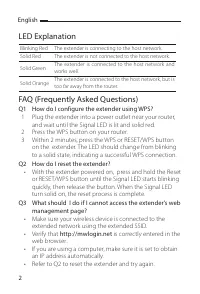
English 2 LED Explanation Blinking Red The extender is connecting to the host network.Solid Red The extender is not connected to the host network. Solid Green The extender is connected to the host network and works well. Solid Orange The extender is connected to the host network, but is too far away...
Page 5 - Bahasa Indonesia; Hidupkan; Luncurkan web browser dan masukkan; Relokasi
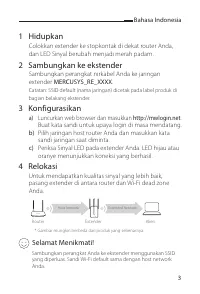
Bahasa Indonesia 3 1 Hidupkan Colokkan extender ke stopkontak di dekat router Anda, dan LED Sinyal berubah menjadi merah padam. 2 Sambungkan ke ekstender Sambungkan perangkat nirkabel Anda ke jaringan extender MERCUSYS_RE_XXXX . Catatan: SSID default (nama jaringan) dicetak pada label produk di bagi...
Page 6 - Penjelasan LED; Q1 Bagaimana cara mengkonfigurasi extender
Bahasa Indonesia 4 Penjelasan LED Merah Kedip Extender terhubung ke host network.Merah Extender tidak terhubung ke host network. Hijau Extender terhubung ke host network dan bekerja dengan baik. Oranye Extender terhubung ke host network, tetapi terlalu jauh dari router. FAQ (Pertanyaan yang Sering D...
Page 7 - Български; Включване; по средата
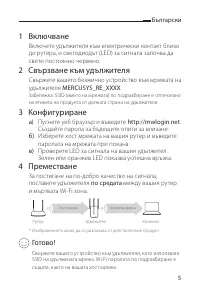
Български 5 1 Включване Включете удължителя към електрически контакт близо до рутера, и светодиодът (LED) за сигнала започва да свети постоянно червено. 2 Свързване към удължителя Свържете вашето безжично устройство към мрежата на удължителя MERCUSYS_RE_XXXX . Забележка: SSID (името на мрежата) по п...
Page 8 - Обяснение на LED; В1 Как да конфигурирам удължителя като използвам WPS?
Български 6 Обяснение на LED Мигащо червено Удължителят се свързва към хост мрежата. Постоянно червено Удължителят не е свързан към хост мрежата. Постоянно зелено Удължителят е свързан към хост мрежата и работи добре. Постоянно оранжево Удължителят е свързан към хост мрежата, но е твърде далече от р...
Page 9 - Čeština; Zapněte zařízení; Připojte bezdrátové zařízení k síti extenderu; Nakonfigurujte zařízení; . Vytvořte heslo pro budoucí; Přemístěte zařízení
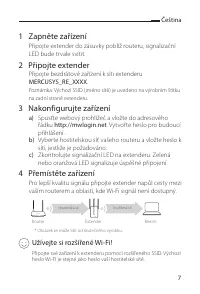
Čeština 7 1 Zapněte zařízení Připojte extender do zásuvky poblíž routeru, signalizační LED bude trvale svítit. 2 Připojte extender Připojte bezdrátové zařízení k síti extenderu MERCUSYS_RE_XXXX . Poznámka: Výchozí SSID ( jméno sítě) je uvedeno na výrobním štítku na zadní straně extenderu. 3 Nakonfig...
Page 10 - Vysvětlení LED; Q1 Jak nakonfiguruji extender pomocí WPS?
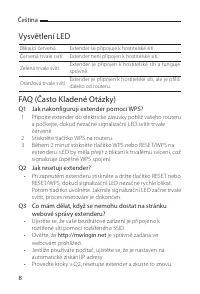
Čeština 8 Vysvětlení LED Blikající červená Extender se připojuje k hostitelské síti. Červená trvale svítí Extender není připojen k hostitelské síti. Zelená trvale svítí Extender je připojen k hostitelské síti a funguje správně. Oranžová trvale svítí Extender je připojen k hostitelské síti, ale je př...
Page 11 - Eesti; Toide sisse lülitatud; Ühendage juhtmevaba seade leviala laiendaja võrku; Seadistage; Käivitage veebibrauser ja sisestage; Muutke asukohta; poolel teel
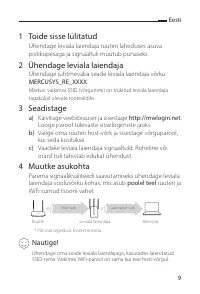
Eesti 9 1 Toide sisse lülitatud Ühendage leviala laiendaja ruuteri läheduses asuva pistikupesaga ja signaaltuli muutub punaseks. 2 Ühendage leviala laiendaja Ühendage juhtmevaba seade leviala laiendaja võrku MERCUSYS_RE_XXXX . Märkus: vaikimisi SSID (võrgunimi) on trükitud leviala laiendaja tagakülj...
Page 12 - Signaaltulede tähendus; K1 Kuidas seadistada leviala laiendajat WPS-i abil?
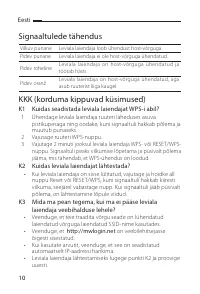
Eesti 10 Signaaltulede tähendus Vilkuv punane Leviala laiendaja loob ühendust host-võrguga. Pidev punane Leviala laiendaja ei ole host-võrguga ühendatud. Pidev roheline Leviala laiendaja on host-võrguga ühendatud ja töötab hästi. Pidev oranž Leviala laiendaja on host-võrguga ühendatud, aga asub ruut...
Page 13 - Español; Encendido; Conecte su dispositivo inalámbrico a la red del extensor; Inicie su navegador web e ingrese a; Reubicar
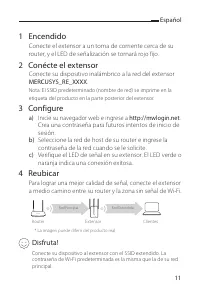
Español 11 1 Encendido Conecte el extensor a un toma de corriente cerca de su router, y el LED de señalización se tornará rojo fijo. 2 Conécte el extensor Conecte su dispositivo inalámbrico a la red del extensor MERCUSYS_RE_XXXX . Nota: El SSID predeterminado (nombre de red) se imprime en la etiquet...
Page 14 - Explicación de los LED; P1 ¿Cómo configurar el extensor con WPS?
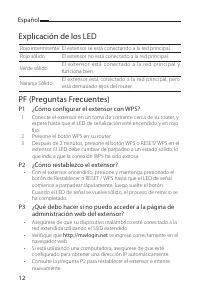
Español 12 Explicación de los LED Rojo intermitente El extensor se está conectando a la red principal.Rojo sólido El extensor no está conectado a la red principal. Verde sólido El ex tensor está conec tado a la red principal y funciona bien. Naranja Sólido El extensor está conectado a la red princip...
Page 15 - Hrvatski; Uključite; Povežite bežični uređaj s mrežom pojačivača; Podesite; Pokrenite web preglednik i unesite; Premjestite
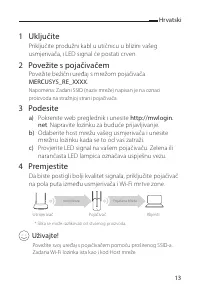
Hrvatski 13 1 Uključite Priključite produžni kabl u utičnicu u blizini vašeg usmjerivača, i LED signal će postati crven. 2 Povežite s pojačivačem Povežite bežični uređaj s mrežom pojačivača MERCUSYS_RE_XXXX . Napomena: Zadani SSID (naziv mreže) napisan je na oznaci proizvoda na stražnjoj strani poja...
Page 16 - LED Objašnjenje; Pojačivač nije povezan s Host mrežom.; P1 Kako konfigurirati pojačivač pomoću WPS-a?
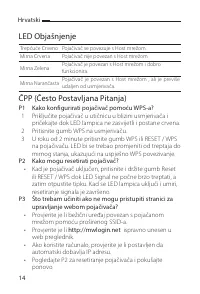
Hrvatski 14 LED Objašnjenje Trepćuće Crveno Pojačivač se povezuje s Host mrežom.Mirna Crvena Pojačivač nije povezan s Host mrežom. Mirna Zelena Pojačivač je povezan s Host mrežom i dobro funkcionira. Mirna Narančasta Pojačivač je povezan s Host mrežom , ali je previše udaljen od usmjerivača. ČPP (Če...
Page 17 - Latviešu; Ieslēgšana; Pievienojiet savu bezvada ierīci pastiprinātāja tīklam; Konfigurēšana; Palaidiet tīmekļa pārlūkprogrammu un atveriet vietni; Pārvietošana; pusceļā
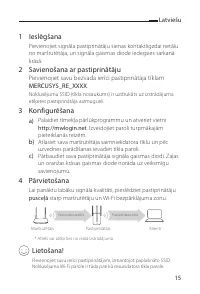
Latviešu 15 1 Ieslēgšana Pievienojiet signāla pastiprinātāju sienas kontaktligzdai netālu no maršrutētāja, un signāla gaismas diode iedegsies sarkanā krāsā. 2 Savienošana ar pastiprinātāju Pievienojiet savu bezvada ierīci pastiprinātāja tīklam MERCUSYS_RE_XXXX . Noklusējuma SSID (tīkla nosaukums) ir...
Page 18 - Deg zaļā krāsā; jautājums. Kas jādara, ja nevar atvērt pastiprinātāja tīmekļa
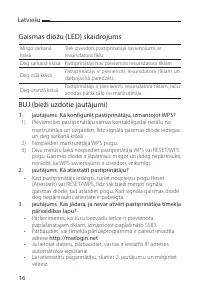
Latviešu 16 Gaismas diožu (LED) skaidrojums Mirgo sarkanā krāsā Tiek izveidots pastiprinātāja savienojums ar resursdatora tīklu. Deg sarkanā krāsā Pastiprinātājs nav pievienots resursdatora tīklam. Deg zaļā krāsā Pastiprinātājs ir pievienots resursdatora tīklam un darbojas kā paredzēts. Deg oranžā k...
Page 19 - Lietuvių; Įjungti; Prijunkite belaidį įrenginį prie stiprintuvo tinklo vadinamo; Sukonfigūruokite; Atidarykite savo naršyklę ir įveskite; Perkelkite; pusiaukelėje
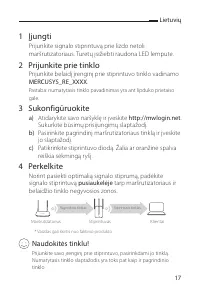
Lietuvių 17 1 Įjungti Prijunkite signalo stiprintuvą prie lizdo netoli maršrutizatoriaus. Turėtų įsižiebti raudona LED lemputė. 2 Prijunkite prie tinklo Prijunkite belaidį įrenginį prie stiprintuvo tinklo vadinamo MERCUSYS_RE_XXXX . Pastaba: numatytasis tinklo pavadinimas yra ant lipduko prietaiso g...
Page 20 - LED aprašymas; K1 Kaip aš galiu sukonfigūruoti stiprintuvą naudodamas
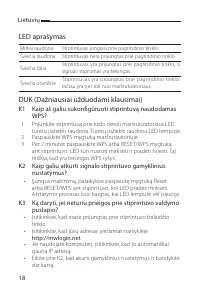
Lietuvių 18 LED aprašymas Mirksi raudona Stiprintuvas jungiasi prie pagrindinio tinklo. Šviečia raudona Stiprintuvas nėra prijungtas prie pagrindinio tinklo. Šviečia žalia Stiprintuvas yra prijungtas prie pagrindinio tinklo, o signalo stiprumas yra teisingas. Šviečia oranžinė Stiprintuvas yra prijun...
Page 21 - Magyar; Bekapcsolás; Nyisson meg egy web böngészőt és írja be a címsorba; Helyezze át
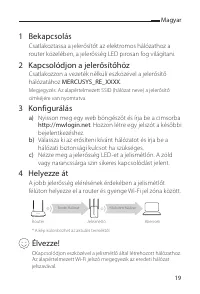
Magyar 19 1 Bekapcsolás Csatlakoztassa a jelerősítőt az elektromos hálózathoz a router közelében, a jelerősség LED pirosan fog világítani. 2 Kapcsolódjon a jelerősítőhöz Csatlakozzon a vezeték nélküli eszközével a jelerősítő hálózatához MERCUSYS_RE_XXXX . Megjegyzés: Az alapértelmezett SSID (hálózat...
Page 22 - LED Magyarázat; Villogó Piros; Q1 Hogyan állíthatom be a jelismétlőt WPS használatával?; Hogyan állítom vissza az alapértelmezett beállításokba a
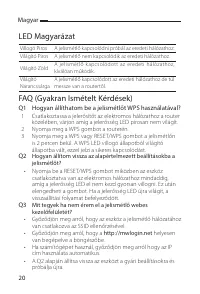
Magyar 20 LED Magyarázat Villogó Piros A jelismétlő kapcsolódni próbál az eredeti hálózathoz. Világító Piros A jelismétlő nem kapcsolódik az eredeti hálózathoz. Világító Zöld A jelismétlő k apcsolódott az eredeti hálózathoz, kíválóan működik. Világító Narancssárga A jelismétlő kapcsolódott az eredet...
Page 23 - Polski; Włącz; Uruchom przeglądarkę internetową i wpisz; Przestaw; połowie
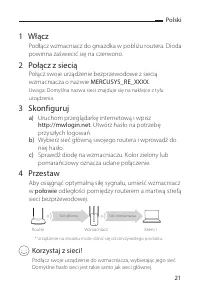
Polski 21 1 Włącz Podłącz wzmacniacz do gniazdka w pobliżu routera. Dioda powinna zaświecić się na czerwono. 2 Połącz z siecią Połącz swoje urządzenie bezprzewodowe z siecią wzmacniacza o nazwie MERCUSYS_RE_XXXX . Uwaga: Domyślna nazwa sieci znajduje się na naklejce z tyłu urządzenia. 3 Skonfiguruj ...
Page 24 - Opis diody; Świeci na zielono; Q1 W jaki sposób mogę skonfigurować wzmacniacz
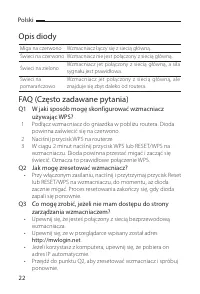
Polski 22 Opis diody Miga na czerwono Wzmacniacz łączy się z siecią główną.Świeci na czerwono Wzmacniacz nie jest połączony z siecią główną. Świeci na zielono Wzmacniacz jet połączony z siecią główną, a siła sygnału jest prawidłowa. Świeci na pomarańczowo Wzmacniacz jet połączony z siecią główną, al...
Page 25 - Português; Ligando; Conecte seu dispositivo wireless à rede do repetidor; Configurando; Inicie um navegador web e digite; Reposicionando; no meio do caminho
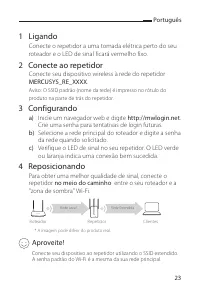
Português 23 1 Ligando Conecte o repetidor a uma tomada elétrica perto do seu roteador e o LED de sinal ficará vermelho fixo. 2 Conecte ao repetidor Conecte seu dispositivo wireless à rede do repetidor MERCUSYS_RE_XXXX . Aviso: O SSID padrão (nome da rede) é impresso no rótulo do produto na parte de...
Page 26 - Explicações sobre LEDs; P1 Como configurar o repetidor utilizando WPS?
Português 24 Explicações sobre LEDs Vermelho Piscante O repetidor está conectado à rede principal.Vermelho Fixo O repetidor não está conectado à rede principal. Verde Fixo O repetidor está conectado à rede principal e opera normalmente. Laranja Fixo O repetidor está conectado à rede principal, porém...
Page 27 - Русский язык; Включение; между; Подключите ваше устройство к усилителю Wi-Fi сигнала,
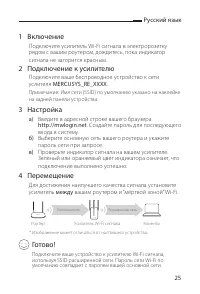
Русский язык 25 1 Включение Подключите усилитель Wi-Fi сигнала в электророзетку рядом с вашим роутером, дождитесь, пока индикатор cигнала не загорится красным. 2 Подключение к усилителю Подключите ваше беспроводное устройство к сети услителя MERCUSYS_RE_XXXX . Примечание: Имя сети (SSID) по умолчани...
Page 28 - Индикаторы; В1 Как настроить усилитель Wi-Fi сигнала с помощью WPS?
Русский язык 26 Индикаторы Мигает красным Усилитель подключается к основной сети. Горит красным Усилитель не подключён к основной сети. Горит зелёным Ус и л и те л ь п о д к л ю ч ё н к о с н о в н о й с е т и и работает в нормальном режиме. Горит оранжевым Усилитель подк лючён к основной сети, но р...
Page 29 - Română; Pornirea; Conectează dispozitivul tău wireless la rețeaua; Configurarea; Deschide un browser web și tastează; Relocarea; jumătatea distanței; Distracție plăcută pe Internet!
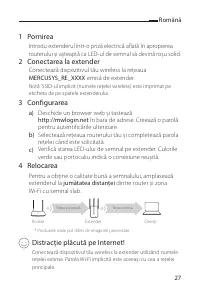
Română 27 1 Pornirea Introdu extenderul într-o priză electrică aflată în apropierea routerului și așteaptă ca LED-ul de semnal să devină roșu solid. 2 Conectarea la extender Conectează dispozitivul tău wireless la rețeaua MERCUSYS_RE_XXXX emisă de extender. Notă: SSID-ul implicit (numele rețelei wir...
Page 30 - Semnificații LED; Extenderul nu este conectat la rețeaua principală.; Cum configurez extenderul utilizând WPS?
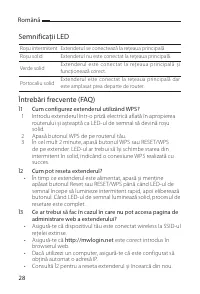
Română 28 Semnificații LED Roșu intermitent Extenderul se conectează la rețeaua principală.Roșu solid Extenderul nu este conectat la rețeaua principală. Verde solid Extenderul este conectat la rețeaua principală și funcționează corect. Portocaliu solid Extenderul este conectat la rețeaua principală ...
Page 31 - Slovenčina; Zapnutie; Spustite webový prehliadač a zadajte; Premiestnenie; doprostred
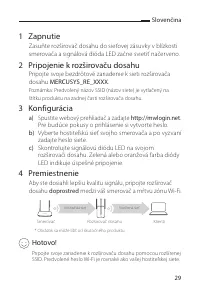
Slovenčina 29 1 Zapnutie Zasuňte rozširovač dosahu do sieťovej zásuvky v blízkosti smerovača a signálová dióda LED začne svietiť načerveno. 2 Pripojenie k rozširovaču dosahu Pripojte svoje bezdrôtové zariadenie k sieti rozširovača dosahu MERCUSYS_RE_XXXX . Poznámka: Predvolený názov SSID (názov siet...
Page 32 - Vysvetlenie LED indikátorov; Zelená svieti; Najčastejšie otázky; Ako sa konfiguruje rozširovač dosahu pomocou WPS?
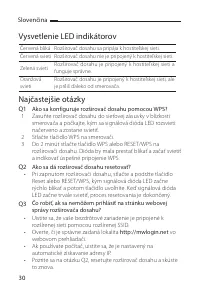
Slovenčina 30 Vysvetlenie LED indikátorov Červená bliká Rozširovač dosahu sa pripája k hostiteľskej sieti.Červená svieti Rozširovač dosahu nie je pripojený k hostiteľskej sieti. Zelená svieti Rozširovač dosahu je pripojený k hostiteľskej sieti a funguje správne. Oranžová svieti Rozširovač dosahu je ...
Page 33 - Srpski jezik/Српски језик; Напајање укључено; Повежите свој уређај са екстендером помоћу проширеног
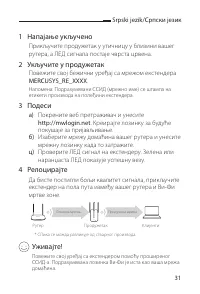
Srpski jezik/Српски језик 31 1 Напајање укључено Прикључите продужетак у утичницу у близини вашег рутера, а ЛЕД сигнала постаје чврста црвена. 2 Укључите у продужетак Повежите свој бежични уређај са мрежом екстендера MERCUSYS_RE_XXXX . Напомена: Подразумевани ССИД (мрежно име) се штампа на етикети п...
Page 34 - ЛЕД Објашњење; Стално зелено; Често постављана питања; П1 Како да конфигуришем продужетак користећи ВПС?
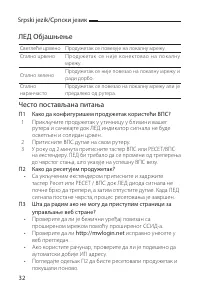
Srpski jezik/Српски језик 32 ЛЕД Објашњење Светлеће црвено Продужетак се повезује на локалну мрежу.Стално црвено Проду жетак се није конек товао на лок а лну мрежу. Стално зелено Продужетак се није повезао на локалну мрежу и ради дорбо. Стално наранчасто Продужетак се повезао на локалну мрежу али је...
Page 35 - Tiếng Việt; Mở nguồn; Cấu hình; Kết nối thiết bị của bạn đến bộ mở rộng sóng bằng cách sử
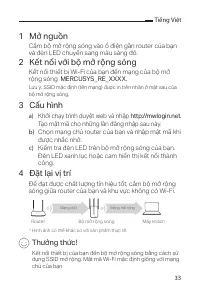
Tiếng Việt 33 1 Mở nguồn Cắm bộ mở rộng sóng vào ổ điện gần router của bạn và đèn LED chuyển sang màu sáng đỏ. 2 Kết nối với bộ mở rộng sóng Kết nối thiết bị Wi-Fi của bạn đến mạng của bộ mở rộng sóng MERCUSYS_RE_XXXX. Lưu ý: SSID mặc định (tên mạng) được in trên nhãn ở mặt sau của bộ mở rộng sóng. ...
Page 36 - Giải thích đèn LED; Q1 Tôi phải làm gì để cấu hình bộ mở rộng sóng sử
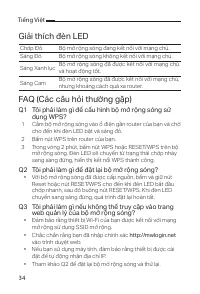
Tiếng Việt 34 Giải thích đèn LED Chớp Đỏ Bộ mở rộng sóng đang kết nối với mạng chủ. Sáng Đỏ Bộ mở rộng sóng không kết nối với mạng chủ. Sáng Xanh lục Bộ mở rộng sóng đã được kết nối với mạng chủ và hoạt động tốt. Sáng Cam Bộ mở rộng sóng đã được kết nối với mạng chủ, nhưng khoảng cách quá xa router....
Page 37 - Українська мова; Увімкнути живлення; посередині; Підключіть свій пристрій до розширювача за допомогою
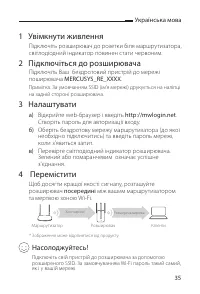
Українська мова 35 1 Увімкнути живлення Підключіть розширювач до розетки біля маршрутизатора, світлодіодний індикатор повинен стати червоним. 2 Підключіться до розширювача Підключіть Ваш бездротовий пристрій до мережі поширювача MERCUSYS_RE_XXXX . Примітка. За умовчанням SSID (ім'я мережі) друкуєтьс...
Page 38 - Пояснення світлодіодних індикаторів; Q1 Як налаштувати розширювач за допомогою WPS?
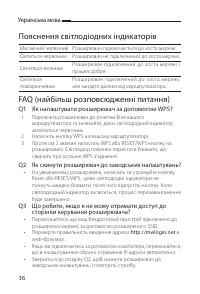
Українська мова 36 Пояснення світлодіодних індикаторів Мигаючий червоний Розширювач підключається до хоста мережі.Світиться червоним Розширювач не підключений до хоста мережі. Світиться зеленим Розширювач підключений до хоста мережі і працює добре. Світиться помаранчевим Розширювач підключений до хо...
Page 39 - MERCUSYS ovime izjavljuje da je uređaj u skladu sa bitnim
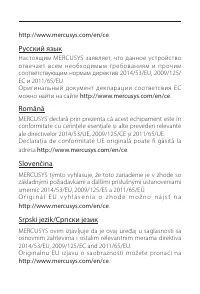
English MERCUSYS hereby declares that the device is in compliance with the essential requirements and other relevant provisions of directives 2014/53/EU, 2009/125/EC and 2011/65/EU.The original EU declaration of conformity may be found at http://www.mercusys.com/en/ce . Български MERCUSYS декларира,...
Page 40 - Originali EU atitikties deklaracija yra
z a h t j e v i m a i d r u gi m re l e v a n t n i m o d re d b a m a d i re k t i v a 2014/53/EU, 2009/125/EC i 2011/65/EU. Originalna EU dek laracija o suk ladnosti može se naći na http://www.mercusys.com/en/ce . Latviešu MERCUSYS ar šo paziņo, ka šī ierīce atbilst direktīvu 2014/53/ES, 2009/125/...
Page 43 - Safety Information; Мерки за безопасност
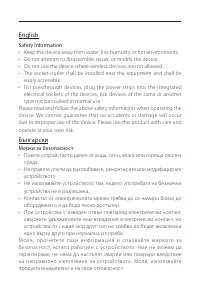
English Safety Information • Keep the device away from water, fire, humidity or hot environments.• Do not attempt to disassemble, repair, or modify the device.• Do not use the device where wireless devices are not allowed.• The socket-outlet shall be installed near the equipment and shall be easily ...
Page 44 - Bezpečnostní informace; Ohutusalane teave; Sigurnosne napomene
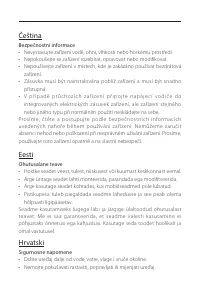
Čeština Bezpečnostní informace • Nevystavujte zařízení vodě, ohni, vlhkosti nebo horkému prostředí.• Nepokoušejte se zařízení rozebírat, opravovat nebo modifikovat.• Nepoužívejte zařízení v místech, kde je zakázáno používat bezdrátová zařízení. • Zásuvka musí být nainstalována poblíž zařízení a musí...
Page 45 - Drošības informācija; Atsargumo priemonės
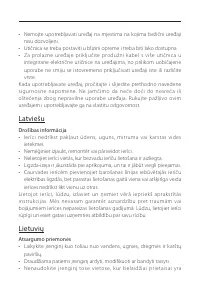
• Nemojte upotrebljavati uređaj na mjestima na kojima bežični uređaji nisu dozvoljeni. • Utičnica se treba postaviti u blizini opreme i treba biti lako dostupna.• Za prolazne uređaje prik ljučite produžni k abel s više utičnica u integrirane električne utičnice na uređajima, no prilikom uobičajene u...
Page 46 - būti tiesiogiai prijungti vienas prie kito.; Biztonsági Információk; Środki ostrożności
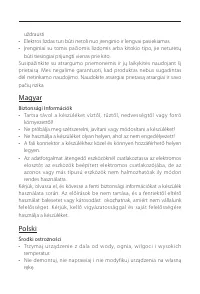
uždrausti. • Elektros lizdas turi būti netoli nuo įrenginio ir lengvai pasiekiamas.• Įrenginiai su tomis pačiomis lizdomis arba kitokio tipo, jie neturėtų būti tiesiogiai prijungti vienas prie kito. Susipažinkite su atsargumo priemonėmis ir jų laikykitės naudojant šį prietaisą. Mes negalime garantuo...
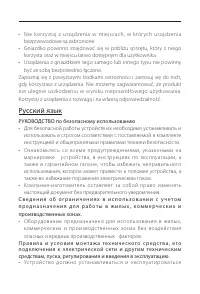
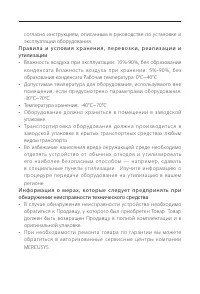
Page 47 - РУКОВОДСТВО по безопасному использованию
• N ie k or z ystaj z ur ządzenia w miejscach, w któr ych ur ządzenia bezprzewodowe są zabronione. • Gniazdko powinno znajdować się w pobliżu sprzętu, który z niego korzysta oraz w miejscu łatwo dostępnym dla użytkownika. • Urządzenia z gniazdkiem tego samego lub innego typu nie powinny być ze sobą ...
Page 49 - Informații de siguranță; Bezpečnostné informácie
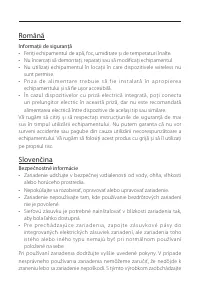
Română Informații de siguranță • Feriți echipamentul de apă, foc, umiditate și de temperaturi înalte.• Nu încercați să demontați, reparați sau să modificați echipamentul.• Nu utilizați echipamentul în locații în care dispozitivele wireless nu sunt permise. • P r i z a d e a l i m e n t a r e t r e b...
Page 50 - Bezbednosne informacije; Інформація щодо безпеки
opatrne a používate ho na svoje vlastné nebezpečie. Srpski jezik/Српски језик Bezbednosne informacije • Nemojte držati uređaj u blizini vode, vatre, vlažnog ili vrućeg prostora.• Nemojte pokušavati da rasklopite, popravite ili izmenite uređaj.• Nemojte koristiti uređaj na mestima gde nije dozvoljena...



 Mercusys AC1200G
User Manual
Mercusys AC1200G
User Manual
 Mercusys AC12G
User Manual
Mercusys AC12G
User Manual
 Mercusys Halo H30
User Manual
Mercusys Halo H30
User Manual
 Mercusys Halo H30G
User Manual
Mercusys Halo H30G
User Manual
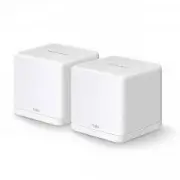 Mercusys Halo H30G AC1200 10/100/1000BASE-TX (2-Pack)
User Manual
Mercusys Halo H30G AC1200 10/100/1000BASE-TX (2-Pack)
User Manual
 Mercusys Halo H30G AC1300 10/100/1000BASE-TX (3-Pack)
User Manual
Mercusys Halo H30G AC1300 10/100/1000BASE-TX (3-Pack)
User Manual
 Mercusys HALO H50 2PK AC1900 3xGE LAN/WAN
User Manual
Mercusys HALO H50 2PK AC1900 3xGE LAN/WAN
User Manual
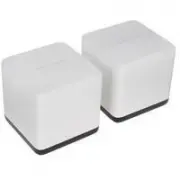 Mercusys Halo H50G
User Manual
Mercusys Halo H50G
User Manual
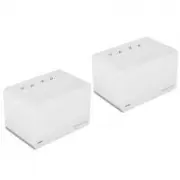 Mercusys Halo H70X
User Manual
Mercusys Halo H70X
User Manual
 Mercusys Halo H80X
User Manual
Mercusys Halo H80X
User Manual
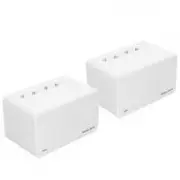 Mercusys Halo H90X
User Manual
Mercusys Halo H90X
User Manual
 Mercusys HALO S12
User Manual
Mercusys HALO S12
User Manual
 Mercusys MR50G
User Manual
Mercusys MR50G
User Manual
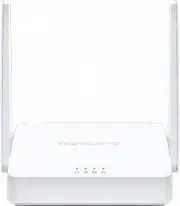 Mercusys MW301R
User Manual
Mercusys MW301R
User Manual
 Mercusys MW302R N300 10/100BASE-TX
User Manual
Mercusys MW302R N300 10/100BASE-TX
User Manual
 Mercusys MW306R N300 3xFE LAN 1xFE WAN
User Manual
Mercusys MW306R N300 3xFE LAN 1xFE WAN
User Manual