Page 2 - Contents; Specifications and Features
Contents Safety Precautions ................................................................................................................................1 Precautions When Using the Product .......................................................................................3 HD Speaker ..........
Page 3 - Bluetooth; Safety Precautions; The safety precautions are classified into “WARNING” and “CAUTION”.; WARNING
1 ENGLISH The LG TONE Free (TONE-FP5) is a lightweight wireless headset that uses Bluetooth technology. This product can be used as an audio accessory for devices supporting either the A2DP or Hands-Free Bluetooth Profile. Safety Precautions The following safety precautions are provided to prevent a...
Page 4 - CAUTION; may result in fire or electric shock.
2 ENGLISH ! CAUTION Do not disassemble, adjust, or repair the product. Do not place the product near excessive heat or flammable material. The product may be damaged if an incompatible charger is used.Keep small components of the product away from infants or children.Make sure that foreign objects d...
Page 5 - Replacement of a battery with an incorrect type that can defeat a; Precautions When Using the Product
3 ENGLISH Replacement of a battery with an incorrect type that can defeat a safeguard (for example, in the case of some lithium battery types). Disposal of a battery into fire or a hot oven, or mechanically crushing or cutting of a battery, may result in an explosion.Leaving a battery in an extremel...
Page 6 - Product Components
4 ENGLISH Product Components LG TONE Free® Earbuds (medium eargels installed) Charging Case Extra Ear Gels (small & large) USB Type C™ Charging Cable Owner's Manual Warranty Card NOTE: Actual product design may differ from images shown in manual. Make sure authentic LG Electronics components are...
Page 7 - Overview; Charging Case
5 ENGLISH Overview Charging Case Earbuds *Make sure that the charging terminal is not soiled with foreign substance. *The appearance and specifications of the actual product may differ depending on the model. Charging port Charging terminals Battery Status Indicator Speaker mesh (Microphone) Microph...
Page 8 - Pairing and Connecting; Fast Pair
6 ENGLISH Pairing and Connecting Fast Pair ~39 inch, ~1m -( -( #MVFUPPUI 0/ 1 Turn on the Bluetooth function on the mobile phone or the device to be connected. 2 Open the cover of the charging case with the earbuds mounted on the case. Press and hold the touchpad of the left or right earbud for 3 to...
Page 9 - Automatic Reconnection; Wearing Earbuds; they fit comfortably in your ears.; Choose the ear gels that best fit your ears to
7 ENGLISH ! CAUTION: In the list of Bluetooth connected devices, LG-TONE-FP5_LE is not the correct model name for connection. Check the model name in use and connect with the model name without “LE”. If the earbud model name is abnormally displayed on the Android device, change the model name in the...
Page 10 - You will hear an audio confirmation when wearing the earbuds.; Playing Music; Touch the left or right earbud
8 ENGLISH 2 You will hear an audio confirmation when wearing the earbuds. Playing Music -( Function Description Play / Pause : Touch the left or right earbud once. Adjusting the Volume : Touch the left(Decrease volume) or right(Increase volume) earbud twice. Play Next : Touch the left or right earbu...
Page 11 - Mobile Calling Functions
9 ENGLISH Mobile Calling Functions Function Status Description Answering Calls Ringing Touch the left or right earbud once. Ending Calls Talking Touch the left or right earbud twice. Making Calls Idle If you make a call using a mobile phone, the call is automatically connected to the headset. Receiv...
Page 12 - Touch and hold the left or right
10 ENGLISH Listen to the Ambient Sound (LAS) / Active Noise Cancellation (ANC) Listen to the Ambient Sound (LAS) The Listen to the Ambient Sound (LAS) function allows you to listen to the ambient sound so that you can recognize the surrounding situation and any potential risks. Active Noise Cancella...
Page 13 - Charging; Wired Charging; The earbuds and the charging case are charged at the same time.
11 ENGLISH Charging Wired Charging When the charging cable is connected, the charging status is displayed in the charging case. NOTE: The earbuds and the charging case are charged at the same time. The charging port on the charging case cannot be used to supply power to mobile phones, etc.
Page 14 - Checking the Battery Status
12 ENGLISH Checking the Battery Status If earbuds are mounted in the charging case, the earbuds’ battery status is displayed. Otherwise, the charging case’s battery status is displayed. Battery Status Indicator Remaining Battery (charger not connected) Charging State (charger connected) Red 20% or l...
Page 15 - Battery Status Indicator
13 ENGLISH Battery Status Indicator Status Description Bluetooth Search Mode The battery status indicator flashes in blue. Battery below 20% The battery status indicator turns on and off in red. Battery 20% - 80% The battery status indicator turns on and off in yellow. Battery 80% or more The batter...
Page 16 - Out of Range; touch the left or right earbud; LG TONE Free App; If you install the “LG TONE Free” app, you can use Check Earbud Battery,
14 ENGLISH Out of Range If the device connected to the product is out of effective communication range, the communication signal becomes weak and the communication is lost. The effective communication range may vary depending on surrounding and other conditions.If the device comes back within effect...
Page 17 - Troubleshooting; flashes red and the initialization to the factory
15 ENGLISH Troubleshooting If you see any of the following symptoms while using the product, make sure to recheck it. It may not be a malfunction. Symptom Cause and Solution The power does not turn on Check the battery level and charge it. If unable to make a call with earbuds If the mobile phone do...
Page 18 - Cleaning Guide; Cleaning Earbud; Then, clean the hole with a soft brush or cotton swab.
16 ENGLISH Cleaning Guide Cleaning Earbud Clean the speaker hole and air ventilation hole regularly so that they are not blocked by foreign substances (sebum, earwax, etc.).*If the speaker hole and air ventilation hole are blocked, volume may be low, noise may occur, and the noise canceling performa...
Page 20 - Declaration of Confirmation; that may cause undesired operation.
18 ENGLISH Declaration of Confirmation FCC NOTICE TO USERS: This device complies with part 15 of the FCC Rules.Operation is subject to the following two conditions: (1) This device may not cause harmful interference, and(2) This device must accept any interference received, including interference th...
Page 22 - Additional Information; Radio frequency exposure; fields (microwaves) in the frequency range 2402 to 2480 MHz.; Bluetooth connection precautions; phone, the sound quality may be affected by the specifications and
20 ENGLISH Additional Information 1. Radio frequency exposure This Bluetooth LG Stereo Headset is a radio transmitter and receiver. When in operation, it communicates with a Bluetooth -equipped mobile device by receiving and transmitting radio frequency (RF) electromagnetic fields (microwaves) in th...
Page 23 - Potentially explosive atmosphere; explosive atmosphere are often but not always clearly marked.; Battery information; battery or one that has not been used for a long period of time could
21 ENGLISH 3. Potentially explosive atmosphere Turn off your electronic device when in any area with a potentially explosive atmosphere. Although this is uncommon, your electronic device could generate sparks. Sparks in such areas could cause an explosion or fire resulting in bodily injury or even d...
Page 24 - at room temperature. If the battery is used in low temperatures, the; Recycling the battery in your; The battery in your
22 ENGLISH below +14°F (-10°C). For maximum battery capacity, use the battery at room temperature. If the battery is used in low temperatures, the battery capacity will be reduced. The battery can only be charged in temperatures between +32°F (0°C) and +113°F (+45°C). 6. Recycling the battery in you...
Page 25 - Important Safety Information; Avoiding hearing damage; Limit the amount of time you use the headset at a high volume.; Using headsets safely
23 ENGLISH Important Safety Information Avoiding hearing damage Permanent hearing loss may occur if you use your headset at a high volume.Set the volume to a safe level. Over time you can become accustomed to a higher volume that may sound normal but can be damaging to your hearing. If you experienc...
Page 26 - OSS Notice Information; To obtain the source code under GPL, LGPL, MPL, and other open source; Symbols; Refers to dangerous voltage.
24 ENGLISH OSS Notice Information To obtain the source code under GPL, LGPL, MPL, and other open source licenses, that is contained in this product, please visit https://opensource.lge.com. In addition to the source code, all referred license terms, warranty disclaimers and copyright notices are ava...
Page 27 - For customer assistance, please contact
25 ENGLISH LIMITED WARRANTY- U.S.A. ONLY TONE-FP5/ TONE-FP5W ARBITRATION NOTICE: THIS LIMITED WARRANTY CONTAINS AN ARBITRATION PROVISION THAT REQUIRES YOU AND LG TO RESOLVE DISPUTES BY BINDING ARBITRATION INSTEAD OF IN COURT, UNLESS YOU CHOOSE TO OPT OUT. IN ARBITRATION, CLASS ACTIONS AND JURY TRIAL...
Page 29 - THIS LIMITED WARRANTY DOES NOT COVER:; adjustment on consumer controls.
27 ENGLISH THIS LIMITED WARRANTY DOES NOT COVER: -Damage or loss to programs, data, or removable storage media. -Damage or failure of the Product caused by improper set-up or adjustment on consumer controls. -Damage or failure of the Product caused by transportation and/or handling, including scratc...
Page 30 - For the purposes of this section, references to “LG”
28 ENGLISH -Products with original serial numbers that have been removed, altered, or cannot be readily determined. -Replacement of any consumable parts including batteries. -Minor imperfections that do not materially alter or affect functionality. The cost of repair or replacement under the above e...
Page 31 - In the event you intend to commence an arbitration
29 ENGLISH Notice of Dispute. In the event you intend to commence an arbitration proceeding, you must first notify LG in writing at least 30 days in advance of initiating the arbitration by sending a letter to LG at LG Electronics, USA, Inc. Attn: Legal Department- Arbitration 111 Sylvan Avenue, Eng...
Page 32 - may be entered on the arbitrator’s award in any court of competent
30 ENGLISH section. The AAA Rules are available online at www.adr.org/consumer. Send a copy of your written demand for arbitration, as well as a copy of this provision, to the AAA in the manner described in the AAA Rules. You must also send a copy of your written demand to LG at LG Electronics, USA,...
Page 33 - Hearings and Location.
31 ENGLISH expenses, an arbitrator can award them to the same extent that a court would. If the arbitrator finds either the substance of your claim or the relief sought in the demand is frivolous or brought for an improper purpose (as measured by the standards set forth in Federal Rule of Civil Proc...
Page 35 - MANUAL DEL PROPIETARIO
ESPAÑOL Lea la Información Importante de Seguridad para poder utilizar este producto correctamente. Después de leerla, guarde este Manual del propietario en un lugar al que todos los usuarios puedan acceder fácilmente. NOTA: Lea toda la información detenidamente antes de utilizar los auriculares par...
Page 36 - Contenido; so del
Contenido Precauciones de Seguridad .....................................................................................................................1Precauciones de U so del P roducto ....................................................................................................3 Altavoz H...
Page 37 - Precauciones de Seguridad; ADVERTENCIA
1 ESPAÑOL El LG TONE Free (TONE-FP5) es un auricular inalámbrico liviano que utiliza tecnología Bluetooth . Este producto se puede utilizar como un accesorio de audio para dispositivos que admiten perfiles A2DP o manos libres Bluetooth . Precauciones de Seguridad Se ofrecen las precauciones de segur...
Page 38 - PRECAUCIÓN
2 ESPAÑOL ! PRECAUCIÓN No desmonte, modifique ni repare el producto. No ubique el producto cerca de calor excesivo o materiales inflamables. El producto podría sufrir daños si se utiliza un cargador incompatible. Mantenga los componentes pequeños del producto alejados de infantes o niños. Asegúrese ...
Page 39 - Precauciones de
3 ESPAÑOL No almacene ni transporte a presiones inferiores a 0,116 bar (11,6 kPa) y a más de 9,32 millas (15 000 m) de altitud. No reemplace tu batería por otra de diferente modelo, al hacerlo pones en riesgo la seguridad de tu equipo (esto se presenta con el uso de la mayoría de las baterías de lit...
Page 40 - Componentes del Producto
4 ESPAÑOL Componentes del Producto LG TONE Free® Audífono (puntas medianas de silicona instaladas) Estuche de carga Adaptadores para oído adicionales (pequeño y grandes) Cable de Carga USB Type C™ Manual del propietario Documento de Garantía NOTA: El diseño real del producto puede ser distinto de la...
Page 41 - Descripción general; Estuche de carga
5 ESPAÑOL Descripción general Estuche de carga Audífono *Asegúrese de que el terminal de carga no está manchado de sustancia extraña. *La apariencia y las especificaciones del producto real pueden variar dependiendo del modelo. Puerto de carga Terminales de carga Indicador del estado de la batería M...
Page 42 - Emparejamiento y Conexión; Conexión Rápida; Encienda la función
6 ESPAÑOL Emparejamiento y Conexión Conexión Rápida -( -( #MVFUPPUI 0/ 1 Encienda la función Bluetooth en el teléfono móvil o el dispositivo que va a ser conectado. 2 Abra la cubierta del estuche de carga con los audífonos montados en el estuche. Mantenga presionadoel panel táctil del audífono izqui...
Page 43 - Reconexión Automática
7 ESPAÑOL 4 Si el emergente no aparece, seleccione [LG-TONE-FP5] desde el menú Bluetooth del teléfono móvil y conéctelo (para usuarios de iOS o Android 5.0 o versiones inferiores). ! PRECAUCIÓN: En la lista de dispositivos Bluetooth conectados, LG-TONE-FP5_LE no es el nombre de modelo correcto para ...
Page 44 - Llevar los audífonos; seajusten cómodamente en sus orejas.; Puede usar los adaptadores de oreja que mejor
8 ESPAÑOL Llevar los audífonos 1 Saque los audífonos del estuche de carga y colóquelos de manera que seajusten cómodamente en sus orejas. NOTA: Puede usar los adaptadores de oreja que mejor se ajustan a sus orejas para mejorar el desempeño de la Cancelación de ruido activa (ANC) y disfrutar de sonid...
Page 45 - Reproducir Música; Toque el audífono izquierdo o derecho
9 ESPAÑOL Reproducir Música -( Función Descripción Reproducir / Pausar : Toque el audífono izquierdo o derecho una vez. Ajustar el volumen : Toque el audífono izquierdo(Bajar volumen) o derecho(Subir volumen) dos veces. Reproducir siguiente : Toque el audífono izquierdo o derecho tres veces. NOTA: P...
Page 46 - Funciones de Llamada con Dispositivo Móvil
10 ESPAÑOL Funciones de Llamada con Dispositivo Móvil Función Estado Descripción Responder una Llamada Suena Toque el audífono izquierdo o derecho una vez. Finalizar una llamada Conversación Toque el audífono izquierdo o derecho dos veces. Hacer una Llamada Inactivo Si realiza una llamada con un tel...
Page 48 - Carga; Carga con Cable; Los audífonos y el estuche de carga son cargados al mismo
12 ESPAÑOL Carga Carga con Cable Cuando el cable de carga es conectado, el estado de carga se visualiza en el estuche de carga. NOTA: Los audífonos y el estuche de carga son cargados al mismo tiempo. El puerto de carga del estuche de carga no puede ser usado para suministrar electricidad a teléfonos...
Page 49 - Comprobar el estado de la Batería; Verde
13 ESPAÑOL Comprobar el estado de la Batería Si los audífonos están montados en el estuche de carga, se visualiza el estado de la batería de los audífonos. De lo contrario, se visualiza el estado de la batería del estuche de carga. Indicador del estado de la batería Batería restante (cargador no con...
Page 50 - Indicador del estado de la Batería
14 ESPAÑOL Indicador del estado de la Batería Estado Descripción Modo de búsqueda Bluetooth El indicador del estado de la batería parpadea en azul. Menos del 20% de batería El indicador del estado de la batería se enciende y apaga en rojo. Batería entre el 20% y el 80% El indicador del estado de la ...
Page 51 - Fuera de Alcance; toque el audífono izquierdo o derecho; Aplicación LG TONE Free; Verifique la aplicación para más detalles.
15 ESPAÑOL Fuera de Alcance Si el dispositivo conectado al producto está fuera del alcance efectivo de comunicación, disminuirá la calidad de la señal y se perderá la comunicación. El alcance de comunicación efectivo puede variar dependiendo del entorno y otras condiciones.Si el dispositivo vuelve a...
Page 52 - Solución de Problemas; configuración de
16 ESPAÑOL Solución de Problemas Si ve alguno de los síntomas siguientes mientras usa el producto, asegúrese de verificarlos nuevamente. Puede que no sea una falla de funcionamiento. Síntoma Causa y solución El dispositivo no enciende Compruebe el nivel de carga de la batería y cárguela. Si no puede...
Page 53 - Manual de limpieza; Limpieza del adífono; el volumen puede ser bajo y pueden producirse ruidos. Además, el
17 ESPAÑOL Manual de limpieza Limpieza del adífono Limpie el orificio de la bocina y el orificio de ventilación de aire con regularidad para que no sean bloqueados por sustancias externas (grasa, cera de oído, etc.). * Si el orificio de la bocina y el orificio de ventilación de aire se bloquean, el ...
Page 54 - Especificaciones y Funciones; Especificaciones de la
18 ESPAÑOL Especificaciones y Funciones Ítem Descripción Especificaciones de la Tecnología Bluetooth V 5.2 (Auricular/Manos Libres/A2DP/AVRCP) Batería Audífono : Batería de iones de litio de 3,7 V / 55 mAhEstuche de carga : Batería de iones de litio de 3,7 V / 390 mAh Tiempo de reproducción de músic...
Page 55 - Gama de frecuencias
19 ESPAÑOL Dimensiones (pulgadas)/ Peso (oz) Audífono : 0,84" (ancho) X 1,12" (largo) X 0,92" (alto) / 0,18 oz (Un audífono)Estuche de carga : 2,15" (ancho) X 2,15" (largo) X 1,18" (alto) / 1,25 oz Gama de frecuencias De 2402 MHz a 2480 MHz *El tiempo de uso puede variar depe...
Page 56 - Aviso de Conformidad; AVISO DE LA FCC PARA LOS USUARIOS; incluso la que provoque un funcionamiento no deseado.
20 ESPAÑOL Aviso de Conformidad AVISO DE LA FCC PARA LOS USUARIOS Este dispositivo cumple con el artículo 15 de las Reglas de la FCC.El funcionamiento está sujeto a las dos condiciones siguientes:(1) Este dispositivo no puede causar interferencia nociva,(2) Este dispositivo debe aceptar cualquier in...
Page 58 - Exposición a la radiofrecuencia; especificaciones y el desempeño del dispositivo.
22 ESPAÑOL Información A dicional 1. Exposición a la radiofrecuencia Este auricular estéreo Bluetooth LG es un transmisor y receptor de radio. Cuando está en funcionamiento, se comunica con un dispositivo móvil compatible con Bluetooth mediante la recepción y la transmisión de campos electromagnétic...
Page 59 - Información sobre la batería
23 ESPAÑOL 3. Atmósferas potencialmente explosivas Cuando se encuentre en una atmósfera potencialmente explosiva, apague el dispositivo electrónico. Aunque es poco frecuente, este dispositivo electrónico podría generar chispas. Las chispas en dichas áreas pueden causar una explosión o un incendio y ...
Page 60 - ambiente. Si se utiliza la batería en condiciones de temperaturas; Reciclado de la batería del auricular; La batería del auricular; Información; Reducción de la capacidad auditiva; dañar su capacidad auditiva.
24 ESPAÑOL utilizado por mucho tiempo podrían tener una capacidad reducida las primeras veces que se utilizan. No exponga la batería a temperaturas extremas, superiores a +122 °F (+50 °C) o inferiores a +14 °F (-10 °C). Para obtener la máxima capacidad de la batería, úsela a temperatura ambiente. Si...
Page 61 - Uso seguro de los auriculares; que requiera toda su atención.
25 ESPAÑOL Si le zumban los oídos o siente que los sonidos le llegan medio apagados, no utilice el dispositivo y consulte a un otorrinolaringólogo. Cuanto más alto sea el volumen, más rápido podría verse afectada su audición.Algunos expertos en audición sugieren que, para proteger la audición, se de...
Page 62 - Símbolos; forma automática a un nivel de salida que no exceda RS1.
26 ESPAÑOL Símbolos ~ Significa corriente alterna (CA). 0 Significa corriente directa (CD).Significa equipo Clase II. 1 Significa espera. ! Significa “ON” (encendido).Significa alto voltaje. Cuando la potencia sea desconectada, el nivel de salida deberá regresar en forma automática a un nivel de sal...


 LG HBS-FN7
User Manual
LG HBS-FN7
User Manual
 LG TONE Free FN4
User Manual
LG TONE Free FN4
User Manual
 LG TONE Free FP5
User Manual
LG TONE Free FP5
User Manual
 LG HBS-700
User Manual
LG HBS-700
User Manual
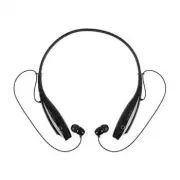 LG HBS-730
User Manual
LG HBS-730
User Manual
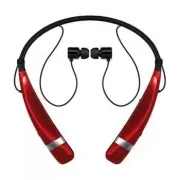 LG HBS-760
User Manual
LG HBS-760
User Manual
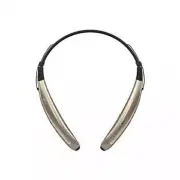 LG HBS-770
User Manual
LG HBS-770
User Manual
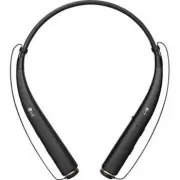 LG HBS-780
User Manual
LG HBS-780
User Manual
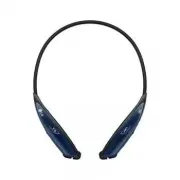 LG HBS-810
User Manual
LG HBS-810
User Manual
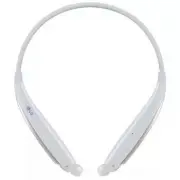 LG HBS-830
User Manual
LG HBS-830
User Manual
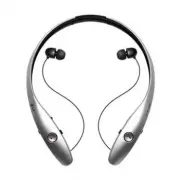 LG HBS-900
User Manual
LG HBS-900
User Manual
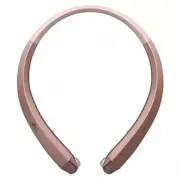 LG HBS-910
User Manual
LG HBS-910
User Manual
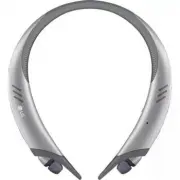 LG HBS-A100
User Manual
LG HBS-A100
User Manual
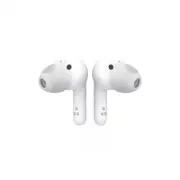 LG HBS-FN4
User Manual
LG HBS-FN4
User Manual
 LG HBS-FN5W
User Manual
LG HBS-FN5W
User Manual
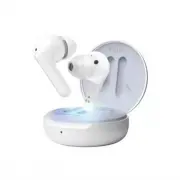 LG HBS-FN6
User Manual
LG HBS-FN6
User Manual
 LG HBS-SL6S
User Manual
LG HBS-SL6S
User Manual
 LG HBS-XL7
User Manual
LG HBS-XL7
User Manual