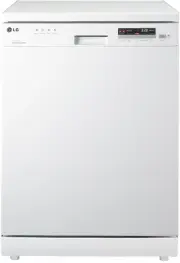
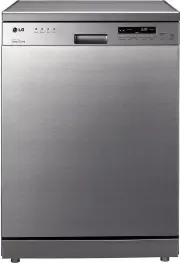
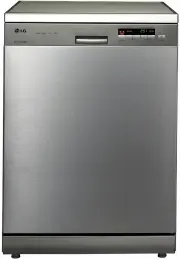
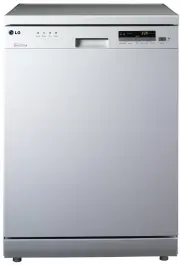
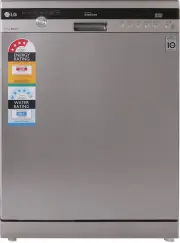
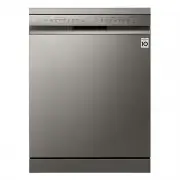
Page 2 - CONTENTS; Thank you for buying an LG Dishwasher.
CONTENTS ................................2 IMPORTANT SAFETY INSTRUCTIONS Important safety instructions .............. 3 Read all instructions before use ........ 4 Save these instructions ...................... 5 INSTALLATION INSTRUCTIONS Prepare the installation opening ....... 7 Preparation for el...
Page 3 - Your safety and the safety of others are very important.; Always read and obey all safety messages.; WARNING; IMPORTANT SAFETY INSTRUCTIONS
For your safety, the information in this manual must be followed to minimize the risk of fire or explosion, electric shock, or to prevent property damage, injury to persons, or death. READ ALL INSTRUCTIONS AND EXPLANATION OF THE INSTALLATION BEFORE USE WARNING Death or serious injury can occur if th...
Page 4 - Read all instructions before use; During installation
4 • Please read this manual carefully before using the dishwasher for the first time. • This manual contains very important notes regarding the installation, use and maintenance of your dishwasher. • The manufacturer can not be responsible for problems caused by ignoring these safety and caution ins...
Page 5 - Child Safety; GROUNDING INSTRUCTIONS; Save these instructions
5 IMPORTANT SAFETY INSTRUCTIONS Read all instructions before use WARNING To reduce the risk of fire, electric shock, or injury to persons when using the dishwasher, follow basic precautions, including the following: • Do not use any kinds of solvent in your dishwasher. They may cause an explosion or...
Page 6 - The instructions shall state the substance of the following :; responsible for their safety.; CAUTION; CAUTION concerning the Power cord
6 IMPORTANT SAFETY INSTRUCTIONS CAUTION The instructions shall state the substance of the following : This appliance is not intended for use by persons (including children) with reduced physical, sensory or mental capabilities, or lack of experience and knowledge, unless they have been given supervi...
Page 7 - Dangerous voltage; INSTALLATION INSTRUCTIONS; Prepare the installation opening
• A qualified electrician/plumber or competent person should carry out any electrical/ plumbing work required to install this appliance. WARNING 1. This appliance must be supplied with the correct and same voltage shown on instruction manual, and connected to an individual, properly earthed branch c...
Page 8 - Adjust leg; Preparing the dishwasher for
• If the height of the opening is below 850mm, you can remove the top table by unscrewing the 2 screws. (Two from rear) CAUTION 1. Lay the dishwasher on its back. 2. Adjust the legs to the required height as shown in below figure. 1. Before sliding the dishwasher into the installation opening, all n...
Page 9 - Installation of drain hose; make sure that the drain hose is not; Use the drain hose extension kit appropriately.
9 1. If the end of drain hose does not fit to the drain line, use a rubber coupling (not supplied) that is resistant to heat and detergent. 2. This should be available from a plumbing shop or a hardware store. 3. There are two typical connections as shown in Figure A, B. The S trap spigot must be dr...
Page 10 - Final check and assembling; Quick; Case 1. In case the door is slanted to the right; Installation of water inlet hose
10 • This dishwasher may be fed with either hot or cold water. If the water can not be maintained below 65ºC, the dishwasher must be connected to cold water. • When connecting, you may use sealant tape or sealing compound to avoid water leaks. • Make sure that the line is not kinked or sharply bent....
Page 11 - PARTS IDENTIFICATION; The appearance and specifications may vary without notice.; Funnel; Accessory
PARTS IDENTIFICATION 11 1. Control panel2. Door handle 3. Front cover4. Lower cover5. Display window6. Power button7. Drain hose8. Inlet hose9. Power cord10. Adjustable leg 11. Upper rack12. Cutlery basket13. Detergent and rinse aid dispenser14. Vapor vent cover15. Upper spray arm16. Lower spray arm...
Page 12 - FUNCTION OF CONTROL BUTTONS; NOTE
12 12 FUNCTION OF CONTROL BUTTONS ① NOTE The Dishwasher can be used without salt if not required, however, the hardness level will need to be set to H0 so that the indicator does not remain lit. (See page 14.) ① Process Indicator • Indicates current program phase. • The Wash , Rinse and Dry lamps wi...
Page 14 - Step 1. Checking your water hardness level; BEFORE USING FOR THE FIRST TIME; This model has a water softener to soften hard water.; Before test
■ Method 1 - Check the water hardness in your area. (Your water supply management agency can help you with this.) ■ Method 2 - You can check water harness by using test kit included in the product. ① Immerse the test strip for 30 seconds (Not in running water!) ② Shake off liquid from the test kit, ...
Page 15 - in the following manner:
Step 2. Setting up the softening system level (hardness level) of your dishwasher 15 BEFORE USING FOR THE FIRST TIME For effective washing performance, adjust the setting corresponding to the hardness level of water used in water supply. The water softener has 8 adjustment levels, and the dishwasher...
Page 16 - Salt; - Note for Fastening the Cap of the water softener.
16 BEFORE USING FOR THE FIRST TIME • Do not pour any detergent in the water softener. It may cause a malfunction. WARNING Step 3. Salt Filling (Hard water requires salt filling) Salt W ate r Salt filling must be made before starting the washing program. In case of insufficient salt, the ‘Salt Fillin...
Page 17 - Step 4. Adding rinse aid; Rinse level setting
17 BEFORE USING FOR THE FIRST TIME • If the rinse aid compartment flap is not closed properly, a large amount of rinse aid will release into the tub and cause washability problems. CAUTION • If, after washing, you notice cloudy spots, streaks or water marks on your glassware, you need to increase th...
Page 18 - INFORMATION FOR ENERGY TEST
18 ■ Appliance loaded in accordance with standard specifications. • Capacity : 14 place settings • Comparability course : Eco and Soft Spray • Rinse Aid setting : 4 • Reference cleaner : 25g of detergent onto the inside surface of the door. • Door is opened at the end of the drying cycle for the dry...
Page 19 - Daily use load; HOW TO USE AND OPERATE
19 • Do not place pots or pans with plastic handles in the washer as the handles may deteriorate due to the heat and detergent. • Water proof or long lasting lipstick smudges on glasses may not be removed during the wash. CAUTION Daily use load HOW TO USE AND OPERATE 1. Cutlery Basket 2. Upper Rack ...
Page 20 - Non dishwasher safe items; For effective washing performance, always
NOTE Non dishwasher safe items The combination of high water temperatures and dishwasher detergent may damage particular items, therefore we do not recommend using the dishwasher to wash the following: • Copper or anodised aluminium • Hand painted silver or gold leaf crockery • Wood or bone handled ...
Page 21 - How to fold down; folded down
21 HOW TO USE AND OPERATE 2. Lower Rack The lower rack is suitable for dinner plates, soup bowls, dishes, pots, pans, lids and even a grill tray. Plates should be positioned upright and facing the centre of the rack and pots, pans and large dishes must be turned upside down. ■ How to fold down Take ...
Page 22 - • Move the upper rack to the lower position
22 HOW TO USE AND OPERATE 4. Adding Detergent • Before adjusting, ensure the rack is empty of all crockery. Otherwise crockery may get damaged or you may get injured. With the lower position of the upper rack, check if the bottom part of upper rack including spray arm is not disturbing items on the ...
Page 24 - Checking the remaining rinse aid; ) Check the rinse aid indicator
24 HOW TO USE AND OPERATE 5. Refilling Rinse-aid indicator Rinse aid level adjustment For maintaining the effective wash performance of the dishwasher, checking and refilling of rinse aid and salt should be made on a regular basis. • Do not add detergent or any other solution into the water softener...
Page 25 - Select the Programme; Running time doesn’t include Cool Dry - 60min.; Auto Restart; Power; Dual Intensity
6. Select the Programme 25 25 HOW TO USE AND OPERATE ▶ Running time may vary according to the water temperature, water pressure and voltage. ▶ Running time doesn’t include Cool Dry - 60min. ■ Auto Restart If the dishwasher is turned off by a power failure, it will restart from the position it stoppe...
Page 28 - USER MAINTENANCE & CLEANING INSTRUCTIONS; dishwasher, including filters and nozzles, at regular intervals.; Not used for a long time
28 28 USER MAINTENANCE & CLEANING INSTRUCTIONS To maintain performance and prevent trouble, it is important to check the inside of the dishwasher, including filters and nozzles, at regular intervals. Not used for a long time Clean using white vinegar Cleaning the inside If you have not used the ...
Page 29 - Filters; Before cleaning the filters, remove the lower rack; mesh filter and STS filter.
29 29 USER MAINTENANCE & CLEANING INSTRUCTIONS To maintain performance and prevent malfunctions, it is important to check the inside of the dishwasher, including filters and nozzles, at regular intervals. Filters Before cleaning the filters, remove the lower rack from the dishwasher first. 1. Tu...
Page 30 - Upper Spray Arm; Pull the upper rack forwards to remove the upper; spray arms
30 30 To maintain performance and prevent malfunction, it is important to check the inside of the dishwasher, including filters and spray arms, at regular intervals. Upper Spray Arm USER MAINTENANCE & CLEANING INSTRUCTIONS Pull the upper rack forwards to remove the upper nozzle. 1. Pull the uppe...
Page 31 - Before cleaning the spray arms, remove the lower
Lower Spray Arm Water Inlet Hose 31 31 USER MAINTENANCE & CLEANING INSTRUCTIONS To maintain performance and prevent malfunctions, it is important to check the inside of the dishwasher, including filters and nozzles, at regular intervals. Before cleaning the spray arms, remove the lower rack from...
Page 32 - TROUBLE SHOOTING GUIDE; What to do when you see Condition code.; Symptom
32 32 TROUBLE SHOOTING GUIDE What to do when you see Condition code. Display code (Condition code) Symptom Possible Causes Solution The display shows PF code. This indicates there was a power failure during operation. Press the Power button.Restart the program which was previously run. The display s...
Page 33 - What to do when you see condition & error code.
33 TROUBLE SHOOTING GUIDE Symptom Possible Causes Solution The display shows IE code. Water is not properly supplied. • Bent water supply hose. • Less than 50kpa of water pressure • The filter of the water supply hose is clogged • Frozen water in the water supply part in winter. Check water outage o...
Page 34 - What to do when you see Error message.
34 TROUBLE SHOOTING GUIDE Symptom Possible Causes Solution The display shows E1 or AE code. (Drain pump is automatically operated.) Is the dishwasher installed on even ground? If the dishwasher is tilted or has been damaged during installation, a water leak may have occurred. Install the dishwasher ...
Page 35 - Washing problems
35 TROUBLE SHOOTING GUIDE Symptom Possible Causes Solution Improper wash (Food residue) Wrong arrangement of dishes may prevent rotation of the spray arms. Improper water spray due to clogged holes of the spray arms may cause improper wash. Filters clogged with food debris may reduce wash performanc...
Page 37 - Noise Problems
37 TROUBLE SHOOTING GUIDE Symptom Possible Causes Solution Knocking sound is heard during operation of the dishwasher. When the spray arms hit the dishes, or the dishes move due to the water current, noise may generate. Correctly arrange the dishes. A grinding type noise during drainage or water fil...
Page 38 - instructions. So, often they can be solved with a simple check.; General Problems
38 TROUBLE SHOOTING GUIDE Symptom Possible Causes Solution Bad smell inside the dishwasher • A burning-like smell, which is unique to any electric appliance, may be generated at the initial use of the dishwasher, but this smell will decrease when you use the dishwasher 5 ~ 10 times. • Not using or c...
Page 40 - Using SMARTDIAGNOSIS
40 TROUBLE SHOOTING GUIDE Only use this feature when instructed to do so by the call centre. The transmission sounds similar to a fax machine, and so has no meaning except to the call centre. SMARTDIAGNOSIS™ can not be activated if the dishwasher does not power up. If this happens, then troubleshoot...
Page 41 - SPECIFICATION; Minimum and maximum permissible water feed
41 SPECIFICATION CapacityWeightPower SupplyPower ConsumptionWater Feed Pressure 14 Place settingsSee rating labelSee rating labelSee rating label0.05 ~ 0.6 MPa Minimum and maximum permissible water feed pressures are necessary for the correct operation of the appliance.
Page 42 - MEMO