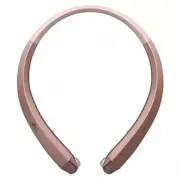
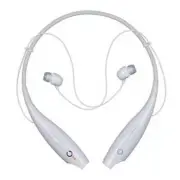
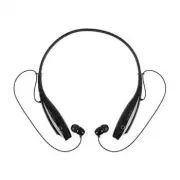
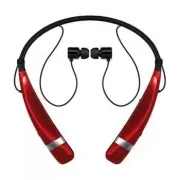
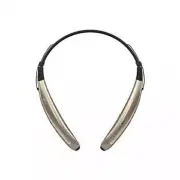
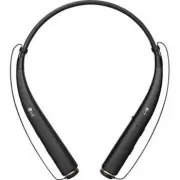
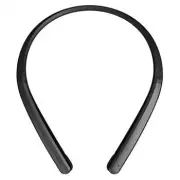
Page 2 - Contents; Specifications and Features
ENGLISH ENGLISH Contents Safety Cautions 1 HD Speaker 1 Qualcomm® aptX TM audio 1 Product Components 2 Product Description 3 Battery Charging and Alerts 3 HBS-910 Pairing and Connecting 4 Indicator Lamp 5 Mobile Calling Functions 6 Playing Music 7 Vibration Alert Settings 7 Out of Range 8 Find Me 8 ...
Page 3 - Bluetooth; Safety Cautions; CAUTION; HD Speaker; audio; LG HBS-910 is powered by Qualcomm aptX audio. Qualcomm aptX audio is
1 ENGLISHENGLISH ENGLISH The LG TONE INFINIM (HBS-910) is a lightweight wireless headset that uses Bluetooth technology. This product can be used as an audio accessory for devices supporting either the A2DP or Hands-Free Bluetooth Profile. Safety Cautions ! CAUTION ! WARNING HD Speaker If the commun...
Page 4 - ENGLISH; Product Components; NOTE: Actual product design may differ from images shown in manual.
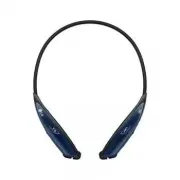
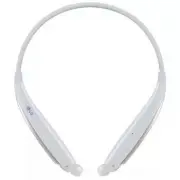
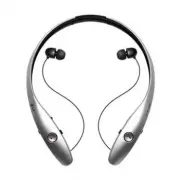
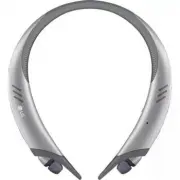
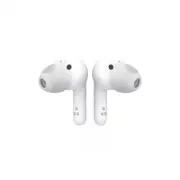
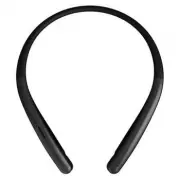
2 ENGLISH Product Components TONE INFINIM HBS-910 (Medium ear gels installed) Extra Ear Gels(small & large) Micro USB Charging Cable User’s Guide Warranty Card Quick Start Guide NOTE: Actual product design may differ from images shown in manual. Make sure authentic LG Electronics components are ...
Page 5 - Product Description; sound from volume level 6 and higher.; Battery Charging and Alerts; Slide and hold the
3 ENGLISH Product Description ON OFF NOTE: When you control the volume (level 16), you will hear a control sound two times or as a long sound from volume level 6 and higher. Battery Charging and Alerts Open the Charging port cover and connect the charger to the Charging port. Indicator Lamp Red Purp...
Page 6 - HBS-910 Pairing and Connecting; Connecting Quickly; Power switch; Connecting Manually; Call button
4 ENGLISH HBS-910 Pairing and Connecting If you start the process after putting in your earbuds, you can easily pair and connect following the voice prompts.NOTE: If you are prompted for the authorization code (PIN Code), type 0000 . If you hear that the battery is insufficient, recharge the battery...
Page 7 - Automatic Reconnection; Indicator Lamp
5 ENGLISH Multiple Connections The HBS-910 can be connected to a mobile phone and a PC simultaneously.NOTE: If simultaneously connected to two devices, the main functions work based on the “Main Connected Device.” 1 Press and hold the Call button and slide the Power switch to the ON position to turn...
Page 8 - Mobile Calling Functions; depending on the mobile phone being used.)
6 ENGLISH Mobile Calling Functions Functions Description Receiving a Call/ Hanging Up Briefly press the Call button . If you want to turn off the Vibration function of the product, briefly slide the Volume jog switch in the volume down (-) direction. Making a Call If you make a call using a mobile p...
Page 9 - Playing Music; Switching Music Players; HBS-910’s music playback and control changes to that device.; Vibration Alert Settings
7 ENGLISH Playing Music Functions Description Play Briefly press the Play/Pause/Stop button . Music will play from the activated player of the connected device. Pause Briefly press the Play/Pause/Stop button . Stop Press and hold the Play/Pause/Stop button for 1 second. Play Previous/Next Song Brief...
Page 10 - Out of Range; To find handset, simultaneously slide and hold the
8 ENGLISH Out of Range If the device connected to the product is out of effective communication range (33 feet / 10 meters), the communication signal becomes weak and the communication is lost.If the device comes back within effective communication range, the product automatically reconnects to the ...
Page 12 - Summary of HBS-910 Functions
10 ENGLISH Summary of HBS-910 Functions Function HBS-910 Status Action Power On Power off Slide the Power switch to the ON position. Power Off Power on Slide the Power switch to the OFF position. Volume Up Talking/ Music on Slide the Volume jog switch to the volume up (+) position. Volume Down Talki...
Page 13 - Troubleshooting
11 ENGLISH Play Power on Briefly press the Play/Pause/Stop button . Pause Music on Briefly press the Play/Pause/Stop button . Stop Music on Press and hold the Play/Pause/Stop button for 1 second. Next Song Music on Briefly slide the Previous/Next jog switch to the position. Previous Song Music on Br...
Page 14 - *Certain features may use more power and cause actual time to vary.
12 ENGLISH Specifications and Features Item Comments Bluetooth Specifications V 4.1 (Headset/Hands-Free/A2DP Profile/AVRCP Profile) Battery Battery 3.7 V / 210 mAh, Li-Polymer Standby Time Up to 22.5 days* Talk Time Up to 16 hours* Music Play Time Up to 10.5 hours* Charging Time Less than 2 hours Ra...
Page 15 - Declaration of Confirmation; undesired operation.; audio is a product of Qualcomm Technologies International, Ltd.
13 ENGLISH Declaration of Confirmation FCC NOTICE TO USERS: This device complies with part 15 of the FCC rules.Operation is subject to the following two conditions: (1) This device may not cause harmful interference, and (2) This device must accept any interference received, including interference t...
Page 16 - Additional Information; Radio frequency exposure; Potentially explosive atmosphere; Battery information
14 ENGLISH Additional Information 1. Radio frequency exposure This Bluetooth Wireless Stereo Headset HBS-910 is a radio transmitter and receiver. When in operation it communicates with a Bluetooth equipped mobile device by receiving and transmitting radio frequency (RF) electromagnetic fields (micro...
Page 18 - Limited Warranty; get further information.; Important Safety Information; Avoiding hearing damage; sound normal but can be damaging to your hearing.; Using headsets safely
ENGLISH ENGLISH 16 ENGLISH Limited Warranty Subject to the conditions of this Limited Warranty, LG Electronics warrants this product to be free from defects in design, material and workmanship at the time of its original purchase by a consumer, and for a subsequent period of one (1) year. Should you...
Page 19 - MEMO
Page 21 - Todos los derechos reservados.; Guía del usuario; Auriculares estéreo inalámbricos con Bluetooth; LG TONE INFINIM
ESPAÑOL ENGLISH Lea las Información importante de seguridad para poder utilizar este producto correctamente.Después de leerla, guarde esta Guía del usuario en un lugar al que todos los usuarios puedan acceder fácilmente. NOTA: Lea toda la información detenidamente antes de utilizar los HBS-910 para ...
Page 22 - Contenido; Altavoz en alta definición; Especificaciones y funciones
ESPAÑOL ESPAÑOL Contenido Precauciones de seguridad 1 Altavoz en alta definición 1 Qualcomm® aptX TM audio 2 Componentes del producto 2 Descripción del producto 3 Carga de la batería y alertas 3 Vinculación y conexión de los HBS-910 4 Luz indicadora 5 Funciones de llamada a través del celular 6 Repr...
Page 23 - Precauciones de seguridad; PRECAUCIÓN
1 ESPAÑOL ESPAÑOL ESPAÑOL Los auriculares LG TONE INFINIM (HBS-910) son unos auriculares inalámbricos ligeros que utilizan la tecnología Bluetooth . Este producto puede utilizarse como accesorio de audio en dispositivos compatibles con el perfil A2DP o Bluetooth manos libres. Precauciones de segurid...
Page 24 - Qualcomm® aptX; una tecnología inalámbrica; Componentes del producto
2 ESPAÑOL Qualcomm® aptX TM audio El LG HBS-910 cuenta con tecnología de audio Qualcomm aptX. El audio Qualcomm aptX es una tecnología inalámbrica Bluetooth que ofrece mayor nitidez de audio para escuchar música y ver películas. El audio Qualcomm aptX se activa automáticamente con los teléfonos móvi...
Page 25 - Descripción del producto; sonido largo a partir del nivel de volumen 6 o superior.; Carga de la batería y alertas; Deslice el
3 ESPAÑOL Descripción del producto ON OFF NOTA: Cuando controle el volumen (nivel 16), oirá un sonido de control dos veces o como un sonido largo a partir del nivel de volumen 6 o superior. Carga de la batería y alertas Abra la cubierta del Puerto de carga y conecte el cargador al Puerto de carga. L...
Page 26 - Vinculación y conexión de los HBS-910; Conexión rápida; Interruptor principal; Conexión manual; Botón llamar
4 ESPAÑOL Vinculación y conexión de los HBS-910 Si inicia el proceso después de colocarse los auriculares, podrá vincular y conectarlos fácilmente siguiendo las instrucciones de voz.NOTA: Si se le solicita el código de autorización (Código PIN), indique 0000 . Si oye que el nivel de batería es insuf...
Page 27 - Varias conexiones; Reconexión automática; Luz indicadora
5 ESPAÑOL Varias conexiones Los HBS-910 pueden conectarse a un celular y a una PC al mismo tiempo.NOTA: Si se conectan al mismo tiempo a dos dispositivos, las funciones principales funcionarán según el “Dispositivo conectado principal“. 1 Mantenga presionado el Botón llamar y deslice el Interruptor ...
Page 28 - Funciones de llamada a través del celular
6 ESPAÑOL Funciones de llamada a través del celular Funciones Descripción Recibir una llamada/ Colgar Presione brevemente el Botón llamar . Si desea desactivar la función de Vibración del producto, deslice brevemente el Selector giratorio volumen hacia la dirección “-”. Realizar una llamada Si reali...
Page 29 - Reproducción de música; Cambio de reproductor de música; Ajustes de las alertas de vibración
7 ESPAÑOL Reproducción de música Funciones Descripción Reproducir Presione brevemente el Botón reproducir/pausar/detener . Se reproducirá la música desde el reproductor activado del dispositivo conectado. Pausar Presione brevemente el Botón reproducir/pausar/detener . Detener Mantenga presionado el ...
Page 30 - Fuera de rango; Encuéntrame; giratorio anterior/siguiente
8 ESPAÑOL Fuera de rango Si el dispositivo conectado al producto está fuera del rango de comunicación efectiva (10 metros), la señal de comunicación será más débil y se perderá la comunicación.Si el dispositivo vuelve a estar dentro del rango de comunicación efectiva, el producto volverá a conectars...
Page 32 - Resumen de las funciones de los HBS-910
10 ESPAÑOL Resumen de las funciones de los HBS-910 Función Estado de los HBS-910 Acción Encendido Apagado Deslice el Interruptor principal hacia la posición ON. Apagado Encendido Deslice el Interruptor principal hacia la posición OFF. Subir volumen En conversación/ Escuchando música Deslice el Selec...
Page 34 - Solución de problemas
12 ESPAÑOL Solución de problemas Problemas Soluciones El producto no se enciende Compruebe el nivel de batería y cárguela. No se puede realizar una llamada con los HBS-910 Si el celular no admite las funciones manos libres y de los auriculares, no podrá utilizar las funciones de llamada.Compruebe el...
Page 35 - Aviso de conformidad; AVISO DE LA FCC PARA LOS USUARIOS; Información adicional; Exposición a la radiofrecuencia; Este auricular estéreo inalámbrico
13 ESPAÑOL Aviso de conformidad AVISO DE LA FCC PARA LOS USUARIOS Este dispositivo cumple con la sección 15 de la normativa de la FCC.El funcionamiento está sujeto a las dos condiciones siguientes: (1) Este dispositivo no puede causar interferencia nociva, (2) Este dispositivo debe aceptar cualquier...
Page 36 - Información sobre la batería; La batería del auricular
14 ESPAÑOL 2. Atmósferas potencialmente explosivas Cuando se encuentre en una atmósfera potencialmente explosiva, apague el dispositivo electrónico. Aunque es poco frecuente, este dispositivo electrónico podría generar chispas. Las chispas en dichas áreas pueden causar una explosión o un incendio y ...
Page 37 - Garantía limitada
15 ESPAÑOL - Si LG Electronics repara o reemplaza el producto, el plazo de garantía del producto reemplazado o reparado equivaldrá al tiempo restante del plazo de la garantía original o noventa (90) días a partir de la fecha de reparación, el período que sea mayor. La reparación o el reemplazo podrí...
Page 38 - Información importante de seguridad; Reducción de la capacidad auditiva:; • Limitar el tiempo de uso del auricular a volumen alto.; Uso seguro de los auriculares; requiera toda su atención.
ESPAÑOL ESPAÑOL 16 ESPAÑOL Información importante de seguridad Reducción de la capacidad auditiva: Si utiliza el auricular con un nivel de volumen alto, podría sufrir hipoacusia permanente. Configure el volumen en un nivel inocuo. Con el tiempo, podría acostumbrarse a un volumen de sonido más alto q...
Page 39 - NOTA
Page 40 - information shall only be made by LG Electronics Inc.
Any modifications or changes to this manual due to typographical errors or inaccuracies of stated information shall only be made by LG Electronics Inc. www.lg.com