Page 2 - Revision 1, Issue 3; Content
OELD User Manual (3018M5000_1-3) Revision 1, Issue 3 Content 1 Safety....................................................................................................................................................... 2 1.1 Safety Warnings and Information ............................................
Page 4 - Safety; Safety Warnings and Information; Special Conditions for Safe Use – Terminals; WARNING
OELD User Manual (3018M5000_1-3) Revision 1, Issue 3 1 Safety 1.1 Safety Warnings and Information Special Conditions for Safe Use – Terminals In order to comply with the ATEX Certification, the following special conditions of use must be ad-hered to: - 1. Not more than one single or multiple strand ...
Page 5 - Waste Electrical and Electronic Equipment (WEEE) Directive
OELD User Manual (3018M5000_1-3) Revision 1, Issue 3 1.3 Waste Electrical and Electronic Equipment (WEEE) Directive This symbol indicates that this product and/or parts of the product may not be treated as household or municipal waste. W aste electrical products (end of life) should be recov-ered/re...
Page 7 - Overview; Green – Normal operation or Warning
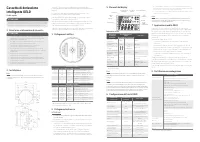
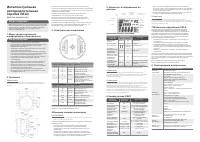
OELD User Manual (3018M5000_1-3) Revision 1, Issue 3 2 Overview 2.1 Introduction OELD is an ATEX certified Ex d junction box for use with sensors that feature a 4-20mA output. The sensor is Searchpoint Optima Plus or Searchline Excel. It provides a local visual status indication, and a Bluetooth low...
Page 9 - Optional Accessories
OELD User Manual (3018M5000_1-3) Revision 1, Issue 3 2.2 Optional Accessories 2.2.1 Pipe Mount Kit (1226A0358) The Pipe Mount kit (1226A0358) allows the OELD to be mounted to pipe from 2”-6” (50-150mm) in diameter. The kit includes the pipe mount bracket, two carriage bolts, nuts, and lock washers. ...
Page 10 - Installation; experts having specialist knowledge of gas dispersion; Mechanical Installation
OELD User Manual (3018M5000_1-3) Revision 1, Issue 3 3 Installation 3.1 Siting The placement of gas detectors should be determined following the advice of: • experts having specialist knowledge of gas dispersion • experts having knowledge of the process plant system and equipment involved • safety p...
Page 11 - Optional pipe and celling mount installation
OELD User Manual (3018M5000_1-3) Revision 1, Issue 3 3.2.2 Optional pipe and celling mount installation OELD may be fixed to a vertical pipe of 50 to 150 mm (2 to 6 inches) in diameter using the optional Pipe Mounting Bracket. The pipe mounting bracket kit (1226A0358) consists of one bracket, two se...
Page 12 - Electrical Installation; Fit approved Ex d blanking plugs to all unused cable entries.
OELD User Manual (3018M5000_1-3) Revision 1, Issue 3 3.3 Electrical Installation 1. Remove the lid. 2. Lift the handle and take out the internal display module. 3. Fit a suitable approved Ex d cable gland to the required cable entry for the field cable. 4. Fit a sensor (the Optima Plus or Excel) to ...
Page 13 - Electrical Connections; Terminal Block 1
OELD User Manual (3018M5000_1-3) Revision 1, Issue 3 4 Electrical Connections Terminal Block 1 Number Marking Color Description 1 V+ Red V+ Field Power 2 V- Black V- Field Power 3 mA White mA Signal to Field W iring 4 V+ Red Reserved for Excel Cross-duct Heater 5 V- Black Reserved for Excel Cross-du...
Page 14 - Note: Make allowance for the insertion loss resistance.; Example – OELD with Searchpoint Optima Plus:; Cabling Recommendation
OELD User Manual (3018M5000_1-3) Revision 1, Issue 3 4.1 Power Supply OELD requires an isolated voltage supply of 18 - 32 Vdc (nominal 24 Vdc), which is suitably approved for the region (for example, UL approved). Power consumption is 2 W maximum. Refer to individual sensor manuals for sensor specif...
Page 15 - Caution: Any earthing regime employed must avoid earth loops.
OELD User Manual (3018M5000_1-3) Revision 1, Issue 3 For example, three-core copper cable with screen (minimum 90% coverage) and suitable mechanical protection (e.g. steel wire armor) to suit M20 gland entry. The conductor size for the terminals is 0.2 – 2.5 mm 2 (24 - 12 AWG). The OELD terminals wi...
Page 16 - Configuration; Threshold for local alarm indication; Sensor Status; Confidence signal of the green light
OELD User Manual (3018M5000_1-3) Revision 1, Issue 3 5 Configuration 5.1 General OELD has several configurable parameters, which are set using mobile device only. These are the threshold for local alarm indication, mA input level settings, RS485 communication settings, confi-dence signal of the gree...
Page 17 - Configuration Process
OELD User Manual (3018M5000_1-3) Revision 1, Issue 3 5.2 Configuration Process Note: Configuration is done by using mobile device only. There is no local interface to configure OELD. To configure OELD, it should be connected to mobile device over Bluetooth Low Energy first. The blue backlit of OELD ...
Page 22 - Install mobile App; Installation procedure is as below.; Run OELD Mobile App; well
OELD User Manual (3018M5000_1-3) Revision 1, Issue 3 7. OELD Mobile App 7.1 Install mobile App Mobile App on the mobile device is used to configure OELD and sensor connected to an OELD. The OELD configuration is done as part of sensor configuration by mobile app. The sensor considers an OELD as loca...
Page 24 - Configure OELD device
OELD User Manual (3018M5000_1-3) Revision 1, Issue 3 7.3 Configure OELD device OELD has several configurable parameters, which are set using mobile device only. The configurable parameters are as shown in the table below. Configuration Parameters Min Value Max Value Step Size Device type Generic 4to...
Page 25 - Calibrate Optima Plus
OELD User Manual (3018M5000_1-3) Revision 1, Issue 3 7.5 Calibrate Optima Plus OELD mobile app allows a user to calibrate the Optima Plus same as SHC1 handheld device. 1. After connecting to OELD device, go to Calibrate menu on the mobile app 2. Click on “Zero” button to start zeroing 3. Mobile app ...
Page 26 - Display Module Replacement; Lift the handle and take out the internal display module
OELD User Manual (3018M5000_1-3) Revision 1, Issue 3 8. Maintenance 8.1 General Periodically inspect OELD and cabling for signs of physical damage. Clean the glass window with a damp cloth. Do not use solvents or abrasive cleaners. OELD has no user serviceable parts. Honeywell Analytics recommend th...
Page 27 - Faults and Warning; Message
OELD User Manual (3018M5000_1-3) Revision 1, Issue 3 9. Faults and Warning Message Code Description Remedial Action Over Rang W-01 Over-range warning Check the sensor by referring to sensor manual bEAm Bloc W-02* Beam block signal detected Check the sensor by referring to sensor manual Curr Warn W-0...
Page 28 - 0 Specifications; OELD Specification
OELD User Manual (3018M5000_1-3) Revision 1, Issue 3 10 Specifications OELD Specification Material Marine-grade aluminium alloy or 316 stainless steel with 5-coat painted finish Weight Aluminium version 2.3 kg (5 lb), stainless steel version 5.0 kg (11 lb) Dimensions 159 x 197 x 114 mm (6 ¼ x 7 ¾ x ...
Page 29 - Type approved to DNV, BV
OELD User Manual (3018M5000_1-3) Revision 1, Issue 3 Maritime Approvals* Type approved to DNV, BV + , Lloyds + , ABS EN 60945 (EMC) IEC 60092-504 Other Approvals BT SIG (Bluetooth), RED, FCC + , country-specific wireless approvals Bluetooth com-munication se-curity Certificate-based mutual authentic...
Page 30 - Ordering Information; Part Number
OELD User Manual (3018M5000_1-3) Revision 1, Issue 3 11. Ordering Information Part Number Description OELDBXXXXXADMAX OELD Smart Junction Box, Display, Ex d, Aluminum, 5 x M25 Cable Entries, Bluetooth, ATEX/IECEx OELDBXXXXXSDMAX OELD Smart Junction Box, Display, Ex d, Painted 316SST, 5 x M25 Cable E...