Page 2 - CUSTOMER CARE AND SERVICE; SAFETY INFORMATION; Before the installation and use of the appliance, carefully
CONTENTS 1. SAFETY INFORMATION....................................................................................2 2. CONDITIONS OF USE....................................................................................... 4 3. SAFETY INSTRUCTIONS.......................................................
Page 3 - Children and vulnerable people safety
result of incorrect installation or usage. Always keep the instructions in a safe and accessible location for future reference. 1.1 Children and vulnerable people safety • This appliance can be used by children aged 8 years and above and by persons with reduced capabilities provided that they have b...
Page 4 - SAFETY INSTRUCTIONS
• CAUTION: The cooking process has to be supervised. A short term cooking process has to be supervised continuously. • WARNING: Danger of fire: Do not store items on the cooking surfaces. • Metallic objects such as knives, forks, spoons and lids should not be placed on the hob surface since they can...
Page 5 - Electrical Connection
• Protect the bottom of the appliance from steam and moisture. • Do not install the appliance adjacent to a door or under a window. This prevents hot cookware to fall from the appliance when the door or the window is opened. • If the appliance is installed above drawers make sure that the space, bet...
Page 6 - Care and cleaning
• Do not put cutlery or saucepan lids on the cooking zones. They can become hot. • Do not operate the appliance with wet hands or when it has contact with water. • Do not use the appliance as a work surface or as a storage surface. • If the surface of the appliance is cracked, disconnect immediately...
Page 7 - PRODUCT DESCRIPTION; Cooking surface layout
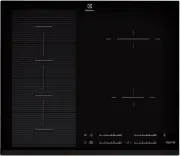
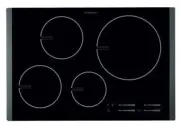
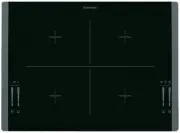
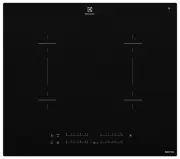
4. PRODUCT DESCRIPTION 4.1 Cooking surface layout 3 2 1 1 1 Induction cooking zone 2 Control panel 3 Flexible induction cooking area consisting of four sections 4.2 Control panel layout 1 2 3 6 7 5 12 11 13 10 9 8 4 Use the sensor fields to operate the appliance. The displays, indicators and sounds ...
Page 8 - Heat setting displays; Residual heat indicator)
Sen‐ sor field Function Comment 9 Power function To activate and deactivate the function. 10 - Control bar To set a heat setting. 11 - To select the cooking zone. 12 / - To increase or decrease the time. 13 - Control bar To set the heat setting for flexible induc‐ tion cooking area. 4.3 Heat setting...
Page 11 - The Child Safety Device; OffSound Control; (Deactivating and activating the; Power management; function
When you deactivate the hob, you also deactivate this function. 5.9 The Child Safety Device This function prevents an accidental operation of the hob.To activate the function: activate thehob with . Do not set the heat setting.Touch for 4 seconds. comes on.Deactivate the hob with .To deactivate the ...
Page 12 - FLEXIBLE INDUCTION COOKING AREA
whenever you operate the hob. The hob recognizes temperature of the cookware automatically and adjusts the speed of the fan.Automatic modes Auto‐ matic light Boil‐ing 1) Frying 2) Mode H0 Off Off Off Mode H1 On Off Off ModeH2 3) On Fan speed 1 Fan speed 1 Mode H3 On Off Fan speed 1 Mode H4 On Fan sp...
Page 13 - FlexiBridge function; FlexiBridge Standard mode
6.1 FlexiBridge function The flexible induction cooking area consists of four sections. The sections can be combined into two cooking zones with different size, or into one large cooking area. You choose the combination of the sections by choosing the mode applicable to the size of the cookware you ...
Page 14 - FlexiBridge Big Bridge; mode; FlexiBridge Max Bridge; mode
Incorrect cookware position: 6.3 FlexiBridge Big Bridge mode To activate the mode press until you see the correct mode indicator. This mode connects three rear sections into one cooking zone. The one front section is not connected and operates as a separate cooking zone. You can set the heat setting...
Page 15 - PowerSlide function
Incorrect cookware position: 6.5 PowerSlide function This function allows you to adjust the temperature by moving the cookware to a different position on the induction cooking area.The function divides the induction cooking area into three areas with different heat settings. The hob senses the posit...
Page 16 - The noises during operation
Activating the functionTo activate the function place the cookware in the correct position on thecooking area. Touch . The indicator above the symbol comes on. If you do not place the cookware on the cookingarea comes on and after 2 minutes the flexible induction cooking area is setto . Deactivating...
Page 17 - Examples of cooking; applications; Hints and Tips for; Hob2Hood function
7.4 Examples of cooking applications The relation between the heat setting and the cooking zone consumption of power is not linear. When you increase the heat setting, it is not proportional to the increase of the cooking zone consumption of power. It means that the cooking zone with the medium heat...
Page 18 - General information
It may happen that other remote controlled appliances may block the signal. To avoid it do not operate the remote of the appliance and the hob at the same time. Cooker hoods with the Hob²Hood functionTo find the full range of cooker hoods which work with this function refer to our consumer website. ...
Page 21 - If you cannot find a
Problem Possible cause Remedy and a number come on. There is an error in the hob. Disconnect the hob from the electrical supply for some time. Disconnect the fuse from the electrical system of the house. Con‐nect it again. If comes on again, speak to an Au‐ thorised Service Centre. comes on. There i...
Page 24 - Cooking zones specification; ENERGY EFFICIENCY
11.2 Cooking zones specification Cooking zone Nominal pow‐ er (maximum heat setting) [W] Power func‐ tion [W] Power func‐ tion maximum duration [min] Cookware di‐ ameter [mm] Right front 1400 2500 4 125 - 145 Right rear 1800 2800 10 145 - 180 Flexible induc‐ tion cooking area 2300 3200 10 minimum 10...
Page 27 - ENVIRONMENT CONCERNS
b) have the model and serial number of the Appliance available; c) have the proof of purchase (e.g. an invoice) available; d) telephone the numbers shown below. 14. You accept that if you make a warranty claim, Electrolux and its ASC may exchange information in relation to you to enable Electrolux t...