Page 2 - Table of Contents; Maintenance and Cleaning Safety
EN / 2 Table of Contents 1 Safety Instructions........................ 4 1.1 Intended Use .................................. 4 1.2 Safety of Children, VulnerablePersons and Pets .......................... 4 1.3 Electrical Safety ............................. 5 1.4 Handling Safety ......................
Page 3 - Please read this user manual first!; Symbols and Definitions
EN / 3 Please read this user manual first! Dear Customer,Thank you for choosing Beko product. We hope that you get the best results from yourproduct which has been manufactured with high quality and state-of-the-art technology.Therefore, please read this entire user manual and all other accompanying...
Page 6 - Installation Safety
EN / 6 move the product. The uppertray should be tightly fixed formoving. • Your product is heavy; it should be carried carefully bytwo people if a staircase is in-volved. It may cause injuries ifyour product falls on you. Donot hit and drop the productwhile carrying. • Carry the product in an uprig...
Page 7 - Operational Safety
EN / 7 come out their seats or sock-ets with a risk of water con-tact. • Use the new hose set provided with the product. Do not re-useold hose sets. Do not make ad-ditions to the hoses. • Connect the water inlet hose directly to the water tap. Thepressure from the tap shouldbe minimum 0.1 MPa (1 bar...
Page 9 - Important Instructions for Environment; Compliance with WEEE Directive; Compliance with RoHS Directive:; Package Information
EN / 9 1.7 Maintenance and Cleaning Safety • Do not wash the product with pressure washers, by sprayingvapour, water or pouring water. • Do not use sharp or abrasive tools to clean the product. Donot use household cleaners,soap, detergent, gas, gasoline,thinner, alcohol, varnish, etc.while cleaning....
Page 10 - Technical Specifications
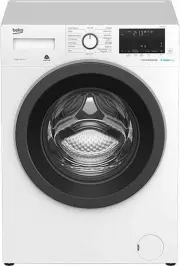
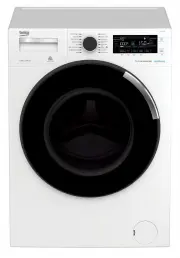
EN / 10 3 Technical Specifications Supplier’s name or commercial brand Beko Model name BFLB8020W - Nominal Capacity (kg) 8 Maximum spin speed (cycle/min) 1400 Built-In No Height (cm) 84 Width (cm) 60 Depth (cm) 55 Single Water inlet / Double Water inlet + / - Electrical connection (V/Hz) 220-240 V / ...
Page 11 - Installation; Appropriate Installation Location; Cover A
EN / 11 4 Installation Please read the “Safety Instruc-tions” section first! Your washing machine automatic-ally detects the amount of laundryplaced inside when selecting a pro-gram.While installing the product, beforethe first use, calibration should bedone to ensure that the laundryamount is detec...
Page 12 - Removing Transportation Safety; Connecting to Water Supply; NOTICE
EN / 12 Cover B Rest the tabs of Cover B against the lowerpanel. Complete the assembly by rotatingthe cover. Cap Insert the cap by pushing it with your finger. 4.3 Removing Transportation Safety Bolts 1. Loosen all transportation safety bolts with an appropriate wrench until theyturn freely. 2. Bend...
Page 13 - Electrical Connection
EN / 13 4.5 Connecting the Drain Hose to the Drain 1. Attach the end of the drain hose directly to waste water drain, washbasin orbathtub. Your house will be flooded if thewater draining hose is dislocatedduring water draining. There is alsoa risk of burning due to the highwashing temperatures. In o...
Page 14 - Preparation; Sorting the Laundry
EN / 14 • If the current supply to the fuse or breaker in the house is less than 16Amps, have a qualified electrician installa 16 amp supply. • The voltage specified in the "Technical specifications" section must be equal toyour mains voltage. • Do not make connections via extension cables o...
Page 15 - WARNING
EN / 15 powders on the laundry may build up onthe inner parts of the product in time andcan cause damage. 5.3 Tips for Energy and Water Saving Following information will help you use theproduct in an ecological and energy/water-efficient manner.• Operate the product in the highest load capacity allo...
Page 17 - Tips for Efficient Washing
EN / 17 Use of Gel and Tablet Detergents • If the detergent is fluid and there is no li- quid detergent compartment in yourproduct, place the gel detergent in themain washing detergent compartment infirst water intake. If your product has a li-quid detergent compartment, fill the com-partment with d...
Page 18 - Displayed Programme Duration; Operating the Product
EN / 18 Soiling Level Heavily Soiled (difficult stainssuch as grass,coffee, fruitsand blood.) It may be necessary topre-treat the stains or per-form prewash. Powder and liquid deter-gents recommended forwhites can be used atdosages recommendedfor heavily soiled clothes.It is recommended to usepowder...
Page 20 - Symbols on the Display
EN / 20 6.2 Symbols on the Display 1 2 3 4 5 6 7 8 9 10 11 12 13 14 15 16 17 1 Temperature Indicator 2 Spin Speed Indicator 3 Duration information 4 Door lock is engaged symbol 5 Programme follow-up indicator 6 No Water indicator 7 Add Garment Indicator 8 Bluetooth Connection Indicator 9 Remote Cont...
Page 21 - Programme and Consumption Table; Note for test institutions:
EN / 21 6.3 Programme and Consumption Table Auxiliary Functions Programme Temperature °C Max. Load (kg) Water Con- sumption (l) Energy Con- sumption (kWh) Max. Speed Anti-Crease+ Extra Rinse Steam Night Mode Fast+ Temperature °C Cottons 90 8 96 2,40 1400 • • • • • Cold - 90 60 8 96 1,80 1400 • • • •...
Page 22 - Programme Selection; Determine the programme suitable for
EN / 22 Please read Installation section ofthe manual before first use.The auxiliary functions in the tablemay vary according to the model ofyour machine.Water and energy consumptionmay vary subject to the changes inwater pressure, water hardness andtemperature, ambient temperature,type and amount o...
Page 25 - Temperature Selection
EN / 25 When the “Quick Wash” button ispressed twice; Tea, coffee, juice, ketchup, red wine, cola,jam, coal 1. Select the stain programme. 2. Select the stain you want to clean by locating it in the groups above and se-lecting the related group with the quickauxiliary function button. 3. Read the ga...
Page 26 - Soaking; Auxiliary Function Selection
EN / 26 Whenever a new programme is selected,the recommended spin speed of the selec-ted programme is displayed on the SpinSpeed indicator. It is possible that the re-commended spin speed value is not themaximum spin speed that can be selectedfor the current programme.Press the Spin Speed Adjustment...
Page 31 - Adding laundry after the programme has; Cancelling the Programme
EN / 31 6.12 Changing the Selections After Programme has Started Adding laundry after the programme has started : If the water level in the machine is suitablewhen you press Start/Pause button, thedoor lock will be deactivated and the doorwill open, allowing you to add garments.The door lock symbol ...
Page 32 - to
EN / 32 If you turn the programme selectionknob when the Child Lock is en-abled, the programme will not becancelled. You should cancel theChild Lock first.If you want to open the loadingdoor after you have cancelled theprogramme but if it is not possibleto open the loading door since thewater level ...
Page 34 - Using It; For safety reasons, the
EN / 34 HomeWhiz Application may requireyou to type the product numbershown on the product label. Youcan find the product label inside ofthe appliance door. The productnumber is located on this label. 6.15.2 Setting up a Washing Machine Connected to Someone Else'sAccount If the washing machine that ...
Page 35 - Maintenance and Cleaning; Cleaning the Detergent Drawer
EN / 35 ing the front door. Once access is estab-lished to the product, you will see a screensimilar to the one below. When the Remote Control is on, you canonly manage, turn-off and status follow-upoperations through your washing machine.And all functions except child lock can bemanaged through the...
Page 37 - Troubleshooting
EN / 37 draining of washing water. Thus, the waterwill be drained without any problem and theservice life of the pump will extend.If the product fails to drain water inside it,the pump filter is clogged. Filter must becleaned whenever it is clogged or in every 3months. Water must be drained off firs...