Page 2 - Table of Contents; Maintenance and Cleaning Safety .
EN / 2 Table of Contents 1 Safety Instructions ........................ 4 1.1 Intended Use ................................ 4 1.2 Safety of Children, Vulnerable Per-sons and Pets .............................. 4 1.3 Electrical Safety ............................ 5 1.4 Handling Safety ..................
Page 3 - Please read this user manual first!; Symbols and Definitions
EN / 3 Please read this user manual first! Dear Customer,Thank you for choosing Beko product. We hope that you get the best results from yourproduct which has been manufactured with high quality and state-of-the-art technology.Therefore, please read this entire user manual and all other accompanying...
Page 5 - Electrical Safety
EN / 5 with, climb on top or inside theproduct. Check inside theproduct before use. • Use child lock to prevent chil- dren from intervening with theproduct. • Do not forget to close the loading door when leaving theroom where the product islocated. Children and petsmay get locked inside anddrown. • ...
Page 8 - Operational Safety
EN / 8 1.6 Operational Safety • When you are using the appli- ances, use only detergents,softeners and supplementssuitable for washing machines. • Do not use chemical solvents on the product. These materi-als contain an explosion risk. • Do not operate defective or damaged products. Unplugthe produc...
Page 9 - Important Instructions for Environment; Package Information
EN / 9 charge hose is connected tothe tap. Do not touch the dis-charge water. • Take the following precautions to prevent formation of biofilmand malodours:– Make sure the room where the washing machine isplaced is well ventilated. – Wipe the door gasket and loading door glass with a dryand clean cl...
Page 10 - Technical Specifications
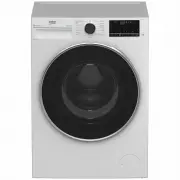
EN / 10 3 Technical Specifications Supplier’s name or commercial brand Beko Model name BFLB902ADW 7178544400 Nominal Capacity (kg) 9 Maximum spin speed (cycle/min) 1400 Built-In No Height (cm) 84 Width (cm) 60 Depth (cm) 58 Single Water inlet / Double Water inlet + / - Electrical input (V/Hz) 220-240...
Page 11 - Installation; tion; Cover A
EN / 11 4 Installation Please read the “Safety Instructions”section first! Your washing machine automaticallydetects the amount of laundryplaced inside when selecting a pro-gram.While installing the product, beforethe first use, calibration should bedone to ensure that the laundryamount is detected ...
Page 12 - Removing Transportation; Connecting to Water Supply; NOTICE
EN / 12 Cover B Rest the tabs of Cover B against the lowerpanel. Complete the assembly by rotatingthe cover. Cap Insert the cap by pushing it with your finger. 4.3 Removing Transportation Safety Bolts a. Loosen all transportation safety bolts with an appropriate wrench until they turnfreely. b. Bend...
Page 13 - Electrical Connection
EN / 13 4.5 Connecting the Drain Hose to the Drain a. Attach the end of the drain hose directly to waste water drain, washbasin orbathtub. Your house will be flooded if the wa-ter draining hose is dislocated duringwater draining. There is also a risk ofburning due to the high washingtemperatures. In...
Page 14 - Preliminary Preparation; Sorting the Laundry
EN / 14 • The voltage specified in the "Technical specifications" section must be equal toyour mains voltage. • Do not make connections via extension cables or multi-plugs. Overheating andburning may occur due to the connectingcable. Damaged power cables should bereplaced by the authorised s...
Page 15 - WARNING
EN / 15 5.3 Tips for Energy and Water Sav- ing Following information will help you use theproduct in an ecological and energy/water-efficient manner.• Operate the product in the highest load capacity allowed for the programme youhave selected, but do not overload. See"Programme and consumption t...
Page 16 - Automatic Dosing; Initial Installation
EN / 16 • Use different detergents for coloured and white laundry. • Wash your delicate clothes only with spe- cial detergents (liquid detergent, woolshampoo, etc.) intended solely for delicateclothes and at suggested programmes. • When washing dark coloured clothes and quilts, it is recommended to ...
Page 18 - Tips for Efficient Washing
EN / 18 Liquid detergent and softener dosing symbols becomeactive or inactive according to the program selected onthe screen. First position on the display means liquid deter-gent is active, softener is on. If the liquid deter-gent and softener symbol is lit, it means that li-quid detergent and soft...
Page 19 - Displayed Programme Duration; Operating the Product
EN / 19 Soiling Level Heavily Soiled (difficult stainssuch as grass,coffee, fruitsand blood.) It may be necessary topre-treat the stains or per-form prewash. Powder and liquid deter-gents recommended forwhites can be used atdosages recommended forheavily soiled clothes. It isrecommended to usepowder...
Page 21 - Symbols on the Display
EN / 21 6.2 Symbols on the Display 1 2 3 4 5 6 7 8 9 10 11 12 13 14 15 16 17 1 Temperature Indicator 2 Spin Speed Indicator 3 Duration information 4 Door lock is engaged symbol 5 Programme follow-up indicator 6 No Water indicator 7 Add Garment Indicator 8 Bluetooth Connection Indicator 9 Remote Cont...
Page 22 - Programme and Consumption Table
EN / 22 6.3 Programme and Consumption Table Auxiliary Functions Programme Temperature °C Max. Load (kg) Water Con- sumption (l) Energy Con- sumption (kWh) Max. Speed Fast+ Extra Rinse Anti-Crease+ AutoDose Temperature °C Cottons 90 9 98 2,75 1400 • • • • Cold - 90 60 9 98 2,00 1400 • • • • Cold - 90...
Page 23 - Note for test institutions:
EN / 23 Note for test institutions: Data required for performance testsshall be provided upon request. Re-quests can be e-mailed to the fol-lowing address: info.australialaun- [email protected] Do not forget to provide the code,stock and serial numbers of theproduct to be tested in your requeste-mai...
Page 24 - Programme Selection; a. Determine the programme suitable for the
EN / 24 6.4 Programme Selection a. Determine the programme suitable for the type, quantity and soiling level of thelaundry in accordance with "Programmeand consumption table". Programmes are limited with thehighest spin speed appropriate forthat particular type of fabric.When selecting a pro...
Page 27 - Soaking
EN / 27 6.6 Temperature Selection Whenever a new programme is selected, therecommended temperature for the pro-gramme appears on the temperature indic-ator. It is possible that the recommendedtemperature value is not the maximum tem-perature that can be selected for the currentprogramme.Press the Te...
Page 28 - • Extra Rinse
EN / 28 6.8 Auxiliary Function Selection Select the desired auxiliary functions beforestarting the programme. Whenever a pro-gramme is selected, icons of the auxiliaryfunction symbol that is selected togetherwith it lights. When an auxiliary function buttonthat cannot be selected with the cur-rent p...
Page 32 - Adding laundry after the programme has; Cancelling the Programme
EN / 32 6.12 Changing the Selections After Programme has Started Adding laundry after the programme has started : If the water level in the machine is suitablewhen you press Start/Pause button, thedoor lock will be deactivated and the doorwill open, allowing you to add garments. Thedoor lock symbol ...
Page 33 - to see
EN / 33 If you turn the programme selectionknob when the Child Lock is en-abled, the programme will not becancelled. You should cancel theChild Lock first.If you want to open the loading doorafter you have cancelled the pro-gramme but if it is not possible toopen the loading door since the wa-ter le...
Page 35 - and Using It
EN / 35 HomeWhiz Application may requireyou to type the product numbershown on the product label. You canfind the product label inside of theappliance door. The product numberis located on this label. 6.15.2 Setting up a Washing Ma- chine Connected toSomeone Else's Account If the washing machine tha...
Page 36 - Maintenance and Cleaning; Cleaning the Detergent Drawer; When to clean
EN / 36 door. Once access is established to theproduct, you will see a screen similar to theone below. When the Remote Control is on, you canonly manage, turn-off and status follow-upoperations through your washing machine.And all functions except child lock can bemanaged through the application.You...
Page 39 - Troubleshooting
EN / 39 If the product fails to drain water inside it, thepump filter is clogged. Filter must be cleanedwhenever it is clogged or in every 3 months.Water must be drained off first to clean thepump filter.In addition, prior to transporting the product(e.g., when moving to another house) watershould b...
Page 42 - Washing machine does not rinse well.
EN / 42 Washing performance is poor: Stainspersist or the laundry is not whitened.(**) • Insufficient amount of detergent is used. >>> Use the recommended amount of de-tergent appropriate for water hardnessand the laundry. • Excessive laundry is loaded in. >>> Do not load the produ...







 Beko BFL103ADW User Manual
 Beko BFL1010W User Manual
 Beko BFL8510W User Manual
 Beko BFLB904ADW User Manual
 Beko BFLB8020W User Manual
 Beko BWD7541IG User Manual
 Beko BWD7541W User Manual
 Beko EV 5100 User Manual
 Beko EV 5800 User Manual
 Beko EV 6100 User Manual
 Beko EV 6800 User Manual
 Beko RGE785P2XSWI Manual