Page 2 - spend a few minutes reading to get the very best from it.; CUSTOMER CARE AND SERVICE; Always use original spare parts.
CONTENTS 1. SAFETY INFORMATION............................................................................................. 3 2. SAFETY INSTRUCTIONS.............................................................................................4 3. PRODUCT DESCRIPTION......................................
Page 4 - SAFETY INSTRUCTIONS; Installation
• Always use oven gloves to remove or put in accessories or ovenware. • Before carrying out any maintenance, disconnect the appliance from the power supply. • Ensure that the appliance is switched off before replacing the lamp to avoid the possibility of electric shock. • Do not use a steam cleaner ...
Page 5 - Use
• Always use a correctly installed shockproof socket. • Do not use multi-plug adapters and extension cables. • Make sure not to cause damage to the mains plug and to the mains cable. Should the mains cable need to be replaced, this must be carried out by our Authorised Service Centre. • Do not let m...
Page 7 - PRODUCT DESCRIPTION; General overview
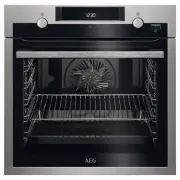
3. PRODUCT DESCRIPTION 3.1 General overview 2 7 1 8 4 3 5 6 5 4 3 2 1 1 Control panel 2 Electronic programmer 3 Socket for the core temperature sensor 4 Heating element 5 Lamp 6 Fan 7 Shelf support, removable 8 Shelf positions 3.2 Accessories Wire shelf For cookware, cake tins, roasts. Baking tray F...
Page 8 - CONTROL PANEL; Electronic programmer
4. CONTROL PANEL 4.1 Electronic programmer 2 1 3 4 5 8 9 10 11 7 6 Use the sensor fields to operate the appliance. Sensorfield Function Comment 1 - Display Shows the current settings of the appliance. 2 ON / OFF To turn on and off the appliance. 3 Heating Functionsor Assisted Cook-ing Press the sens...
Page 9 - Display
Sensorfield Function Comment 10 Time and addi-tional functions To set different functions. When a heating func-tion operates, press the sensor field to set the tim-er or the functions: Function Lock, Favourites,Heat + Hold, Set + Go. You can also change thesettings of the core temperature sensor. 11...
Page 10 - BEFORE FIRST USE; Initial Cleaning; DAILY USE; Navigating the menus
Symbol Function Weight Automatic The display shows that the automaticweight system is active or that weightcan be changed. Heat + Hold The function is active. 5. BEFORE FIRST USE WARNING! Refer to Safety chapters. 5.1 Initial Cleaning Remove all accessories and removable shelf supports from the oven...
Page 12 - Heating Functions; Specials
6.3 Heating Functions Heating function Application True Fan Cooking To bake on up to three shelf positions at the sametime and to dry food. Set the temperature 20 - 40°C lower than for the function: ConventionalCooking. Pizza Setting To bake food on one shelf position for a more in-tensive browning ...
Page 13 - Activating a heating
Heating function Application Plate Warming To preheat plates for serving. Preserving To make vegetable preserves such as pickles. Drying To dry sliced fruit (e.g. apples, plums, peaches)and vegetables (e.g. tomatoes, zucchini, mush-rooms). Dough Proving For controlled rising of yeast dough before ba...
Page 14 - CLOCK FUNCTIONS; Clock functions table; Setting the clock functions
7. CLOCK FUNCTIONS 7.1 Clock functions table Clock function Application Minute Minder To set a countdown (max. 2 h 30 min). Thisfunction has no effect on the operation of theappliance. You can also activate it when theappliance is deactivated.Use to activate the function. Press or to set the minutes...
Page 15 - AUTOMATIC PROGRAMMES
The function stays on if you change the heating functions. 7.4 Time Extension The function: Time Extension makes the heating function continue after the end of Duration. Applicable to all heating functions with Duration or Weight Automatic. Not applicable to heating functions with the core temperatu...
Page 16 - USING THE ACCESSORIES; Food sensor
9. USING THE ACCESSORIES WARNING! Refer to Safety chapters. 9.1 Food sensor The food sensor measures temperature inside the food. When the food is at the set temperature, the appliance deactivates.There are two temperatures to be set:• the oven temperature (minimum 120 °C), • the food core temperatu...
Page 17 - Inserting the accessories
2. Place half of the ingredients in a baking dish. 3. Insert the tip of the food sensor exactly in the centre of the casserole. The food sensor should be stabilized in one place during baking. Use a solid ingredient to achieve that. Use the rim of the baking dish to support the silicone handle of th...
Page 18 - inserting the accessories; ADDITIONAL FUNCTIONS; Favourites
Small indentation at the top increase safety. The indentations are also anti-tip devices. The high rim around the shelf prevents cookware from slipping of the shelf. 9.3 Telescopic runners - inserting the accessories With the telescopic runners you can put in and remove the shelves more easily. CAUT...
Page 20 - HINTS AND TIPS; Inner side of the door; Advice for special heating
function operates and you do not change any settings. Temperature (°C) Switch-off time (h) 30 - 115 12.5 120 - 195 8.5 200 - 245 5.5 250 - maximum 1.5 The Automatic switch-off does not work with the functions: Light, Food Sensor, Duration, End Time. 10.6 Brightness of the display There are two modes...
Page 24 - Bakes and gratins
Food Function Temperature(°C) Time (min) Shelf position Short bread /Short bread /Pastry stripes True Fan Cook-ing 140 20 - 35 3 Short bread /Short bread /Pastry stripes ConventionalCooking 160 1) 20 - 30 3 Biscuits madewith spongemixture True Fan Cook-ing 150 - 160 15 - 20 3 Pastries madewith egg w...
Page 25 - Moist Fan Baking; Multilevel Baking
Food Function Temperature(°C) Time (min) Shelf position Vegetables augratin 1) Turbo Grilling 160 - 170 15 - 30 1 Baguettes top-ped with meltedcheese True Fan Cook-ing 160 - 170 15 - 30 1 Sweet bakes ConventionalCooking 180 - 200 40 - 60 1 Fish bakes ConventionalCooking 180 - 200 30 - 60 1 Stuffed v...
Page 26 - Pizza Setting
Cakes / pastries / breads on baking trays Food Temperature(°C) Time (min) Shelf position 2 positions 3 positions Cream puffs /Eclairs 160 - 180 1) 25 - 45 1 / 4 - Dry streuselcake 150 - 160 30 - 45 1 / 4 - 1) Preheat the oven. Biscuits / small cakes / small cakes / pastries / rolls Food Temperature(...
Page 27 - Roasting
Food Temperature (°C) Time (min) Shelf position Tarts 180 - 200 40 - 55 1 Spinach flan 160 - 180 45 - 60 1 Quiche Lorraine 170 - 190 45 - 55 1 Swiss Flan 170 - 190 45 - 55 1 Apple cake, covered 150 - 170 50 - 60 1 Vegetable pie 160 - 180 50 - 60 1 Unleavened bread 230 - 250 1) 10 - 20 2 Puff pastry ...
Page 29 - Grilling
Food Quantity Function Temperature(°C) Time (min) Shelf posi-tion Saddle ofvenison 1.5 - 2 kg ConventionalCooking 210 - 220 35 - 40 1 Haunch ofvenison 1.5 - 2 kg ConventionalCooking 180 - 200 60 - 90 1 1) Preheat the oven. Poultry Food Quantity Function Temperature(°C) Time (min) Shelf posi-tion Pou...
Page 30 - Frozen Foods
Grilling Food Temperature(°C) Time (min) Shelf position 1st side 2nd side Roast beef 210 - 230 30 - 40 30 - 40 2 Filet of beef 230 20 - 30 20 - 30 3 Back of pork 210 - 230 30 - 40 30 - 40 2 Back of veal 210 - 230 30 - 40 30 - 40 2 Back of lamb 210 - 230 25 - 35 20 - 25 3 Whole Fish, 500- 1000 g 210 ...
Page 31 - Slow Cooking
Food Temperature (°C) Time (min) Shelf position Lasagne / Cannello-ni, frozen 160 - 180 40 - 60 2 Oven baked cheese 170 - 190 20 - 30 3 Chicken Wings 190 - 210 20 - 30 2 Frozen ready meals Food Function Temperature(°C) Time (min) Shelf position Frozen pizza ConventionalCooking as per manufac-turer’s...
Page 32 - Defrost; Preserving
Food Quantity (kg) Temperature(°C) Time (min) Shelf position Fillet of beef 1 - 1.5 120 90 - 150 3 Roast veal 1 - 1.5 120 120 - 150 1 Steaks 0.2 - 0.3 120 20 - 40 3 11.15 Defrost • Remove the food packaging and put the food on a plate. • Use the first shelf position from the bottom. • Do not cover t...
Page 33 - Drying
Soft fruit Food Temperature (°C) Cooking time untilsimmering (min) Continue to cook at100 °C (min) Strawberries / Blue-berries / Raspber-ries / Ripe gooseber-ries 160 - 170 35 - 45 - Stone fruit Food Temperature (°C) Cooking time untilsimmering (min) Continue to cook at100 °C (min) Pears / Quinces /...
Page 34 - Bread Baking; Food Sensor table
Fruit Food Temperature(°C) Time (h) Shelf position 1 position 2 positions Plums 60 - 70 8 - 10 3 1 / 4 Apricots 60 - 70 8 - 10 3 1 / 4 Apple slices 60 - 70 6 - 8 3 1 / 4 Pears 60 - 70 6 - 9 3 1 / 4 11.18 Bread Baking Preheating is not recommended. Food Temperature (°C) Time (min) Shelf position Whit...
Page 36 - CARE AND CLEANING; Notes on cleaning
Casseroles - Precooked vegeta-bles Food core temperature (°C) Less Medium More Zucchini Casserole,Broccoli Casserole,Fennel Casserole 85 88 91 Casseroles - Savoury Food core temperature (°C) Less Medium More Cannelloni,Lasagne,Pasta bake 85 88 91 Casseroles - Sweet Food core temperature (°C) Less Me...
Page 39 - The side lamp; TROUBLESHOOTING
2. Clean the glass cover. 3. Replace the lamp with a suitable 300 °C heat-resistant lamp. 4. Install the glass cover. The side lamp 1. Remove the left shelf support to get access to the lamp. 2. Use a narrow, blunt object (e.g. a teaspoon) to remove the glass cover. 3. Clean the glass cover. 4. Repl...
Page 40 - Service data
Problem Possible cause Remedy The oven does not heat up. The fuse is blown. Make sure that the fuse isthe cause of the malfunction.If the fuse is blown againand again, contact a quali-fied electrician. The lamp does not operate. The lamp is defective. Replace the lamp. The display shows F111. The pl...
Page 41 - TECHNICAL DATA; Technical data; ENERGY EFFICIENCY; Energy saving; ENVIRONMENTAL CONCERNS
14. TECHNICAL DATA 14.1 Technical data Voltage 230 V Frequency 50 Hz 15. ENERGY EFFICIENCY 15.1 Energy saving The oven contains features which help you save energy during everyday cooking. General hints Make sure that the oven door is closed properly when the appliance operates. Do not open the door...