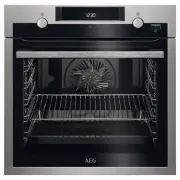
Page 2 - spend a few minutes reading to get the very best from it.; CUSTOMER CARE AND SERVICE; Always use original spare parts.; SAFETY INFORMATION; Before the installation and use of the appliance,
CONTENTS 1. SAFETY INFORMATION............................................................................................. 2 2. SAFETY INSTRUCTIONS.............................................................................................4 3. PRODUCT DESCRIPTION......................................
Page 4 - SAFETY INSTRUCTIONS; Installation
• Ensure that the appliance is switched off before replacing the lamp to avoid the possibility of electric shock. • Do not use a steam cleaner to clean the appliance. • Do not use harsh abrasive cleaners or sharp metal scrapers to clean the glass door since they can scratch the surface, which may re...
Page 6 - PRODUCT DESCRIPTION; General overview
• Be careful when you remove the door from the appliance. The door is heavy! • Clean regularly the appliance to prevent the deterioration of the surface material. • Clean the appliance with a moist soft cloth. Only use neutral detergents. Do not use any abrasive products, abrasive cleaning pads, sol...
Page 7 - Accessories; BEFORE FIRST USE; Initial Cleaning; DAILY USE; Retractable knobs
3.2 Accessories Wire shelf For cookware, cake tins, roasts. Baking tray For cakes and biscuits. Grill- / Roasting pan To bake and roast or as a pan to collect fat. Telescopic runners For shelves and trays. 4. BEFORE FIRST USE WARNING! Refer to Safety chapters. To set the Time of day refer to "Cl...
Page 8 - Heating functions; Setting the function:True
5.3 Heating functions Oven function Application Off position The oven is off. Light To turn on the lamp with-out a cooking function. True Fan Cooking PLUS / Aqua Cleaning To add humidity duringthe cooking. To get theright colour and crispycrust during baking. Togive more juiciness dur-ing reheating....
Page 10 - CLOCK FUNCTIONS
6. CLOCK FUNCTIONS 6.1 Clock functions table Clock function Application TIME OF DAY To set, change or check the time of day. DURATION To set how long the appliance operates. END To set when the appliance deactivates. TIME DELAY To combine DURATION and END function. MINUTE MINDER To set countdown tim...
Page 11 - USING THE ACCESSORIES; Inserting the accessories
Appliance turns on automatically later on, works for the set DURATION time and stops at the set END time. At the set time an acoustic signal sounds. 7. The appliance deactivates automatically. Press any button to stop the signal. 8. Turn the knob for the oven functions and the knob for the temperatu...
Page 12 - inserting the accessories; ADDITIONAL FUNCTIONS; Cooling fan
Small indentation at the top increase safety. The indentations are also anti-tip devices. The high rim around the shelf prevents cookware from slipping of the shelf. 7.2 Telescopic runners - inserting the accessories With the telescopic runners you can put in and remove the shelves more easily. CAUT...
Page 13 - HINTS AND TIPS; Cooking recommendations; True Fan Cooking PLUS
9. HINTS AND TIPS WARNING! Refer to Safety chapters. The temperature and baking times in the tables are guidelines only. They depend on the recipes and the quality and quantity of the ingredients used. 9.1 Cooking recommendations Your oven may bake or roast differently to the oven you had before. Th...
Page 18 - Multilevel Baking
Food Temperature(°C) Time (min) Shelf position Whole fish (300 - 500 g) in parch-ment 190 - 200 50 - 60 3 Amaretti (20; 500 g in total) 170 - 180 40 - 50 3 Apple crumble 190 - 200 50 - 60 4 Chocolate muffins (20; 500 g in to-tal) 160 - 170 35 - 45 3 9.9 Multilevel Baking Use the function:True Fan Co...
Page 19 - Pizza Setting; Roasting
9.10 Pizza Setting Food Temperature (°C) Time (min) Shelf position Pizza (thin crust) 200 - 230 1)2) 15 - 20 2 Pizza (with a lot oftopping) 180 - 200 20 - 30 2 Tarts 180 - 200 40 - 55 1 Spinach flan 160 - 180 45 - 60 1 Quiche Lorraine 170 - 190 45 - 55 1 Swiss Flan 170 - 190 45 - 55 1 Cheesecake 140...
Page 20 - Roasting tables
9.12 Roasting tables Beef Food Quantity Function Tempera-ture (°C) Time (min) Shelf posi-tion Pot roast 1 - 1.5 kg Top / Bot-tom Heat 230 120 - 150 1 Roast beef or fil-let: rare per cm ofthickness Turbo Grill-ing 190 - 200 1) 5 - 6 1 Roast beef or fil-let: medium per cm ofthickness Turbo Grill-ing 1...
Page 23 - Defrost; Preserving - Bottom Heat
Food Temperature (°C) Time (min) Shelf position Chicken Wings 190 - 210 20 - 30 2 9.15 Defrost • Remove the food packaging and put the food on a plate. • Use the first shelf position from the bottom. • Do not cover the food with a bowl or a plate, as this can extend the defrost time. • For large por...
Page 24 - Cooking
Soft fruit Food Temperature (°C) Cooking time untilsimmering (min) Continue to cook at100 °C (min) Strawberries / Blue-berries / Raspber-ries / Ripe gooseber-ries 160 - 170 35 - 45 - Stone fruit Food Temperature (°C) Cooking time untilsimmering (min) Continue to cook at100 °C (min) Pears / Quinces /...
Page 25 - Information for test
Fruit Food Temperature(°C) Time (h) Shelf position 1 position 2 positions Plums 60 - 70 8 - 10 3 1 / 4 Apricots 60 - 70 8 - 10 3 1 / 4 Apple slices 60 - 70 6 - 8 3 1 / 4 Pears 60 - 70 6 - 9 3 1 / 4 9.18 Information for test institutes Tests according to EN 60350-1:2013 and IEC 60350-1:2011. Baking o...
Page 26 - CARE AND CLEANING; Notes on cleaning
Multilevel Baking. Biscuits Food Function Temperature(°C) Time(min) Shelf position 2 po-sitions 3 po-si-tions Short bread / PastryStripes True Fan Cooking 140 25 - 45 1 / 4 1 / 3 /5 Small cakes (20 pertray) True Fan Cooking 150 1) 23 - 40 1 / 4 - 1) Preheat the oven. Grilling Preheat the empty oven ...
Page 29 - TROUBLESHOOTING
11. TROUBLESHOOTING WARNING! Refer to Safety chapters. 11.1 What to do if... Problem Possible cause Remedy You cannot activate or oper-ate the oven. The displayshows “400” and an acousticsignal sounds. The oven is incorrectly con-nected to an electrical sup-ply. Check if the oven is correctlyconnect...
Page 30 - Service data; TECHNICAL DATA; Technical data; ENERGY EFFICIENCY; Energy saving
Problem Possible cause Remedy The water in the cavity em-bossment does not boil. The temperature is too low. Set the temperature at leastto 110 °C.Refer to “Hints and tips”chapter. The water comes out of thecavity embossment. There is too much water inthe cavity embossment. Deactivate the oven andma...
Page 31 - ENVIRONMENTAL CONCERNS
before the end of the cooking time, depending on the duration of the cooking. The residual heat inside the oven will continue to cook.Use the residual heat to warm up other dishes.Keep breaks between baking as short as possible when you prepare few dishes at one time. Cooking with fan When possible,...