Page 2 - The following symbols are used in the text:; Safety instructions
2 Dear customer, Please read this User Information carefully and keep it to refer to at a later date.Pass this User Information on to any subsequent owner of the appli-ance. The following symbols are used in the text: 1 Safety instructions Warning: Notes that concern your personal safety. Attention:...
Page 3 - Contents; Operating Instructions
3 Contents Operating Instructions . . . . . . . . . . . . . . . . . . . . . . . . . . . . . . . . . . . . . 6 Safety . . . . . . . . . . . . . . . . . . . . . . . . . . . . . . . . . . . . . . . . . . . . . . . . . . . . . . . . . 6 Disposal . . . . . . . . . . . . . . . . . . . . . . . . . . . . . ...
Page 4 - Installation and connection instructions
4 Performing a wash cycle . . . . . . . . . . . . . . . . . . . . . . . . . . . . . . . . . . . . . . . . . 28 Opening and closing the door . . . . . . . . . . . . . . . . . . . . . . . . . . . . . . . . . . . . . 28Loading the washing . . . . . . . . . . . . . . . . . . . . . . . . . . . . . . . . ...
Page 5 - Guarantee/Customer Service
5 Electrical connection . . . . . . . . . . . . . . . . . . . . . . . . . . . . . . . . . . . . . . . . . . . . 58 Connecting to the water supply . . . . . . . . . . . . . . . . . . . . . . . . . . . . . . . . . . 58 Water inflow. . . . . . . . . . . . . . . . . . . . . . . . . . . . . . . . . . . ....
Page 6 - Before Using for the First Time; Installation and Connection Instructions; in this user information.; Correct Use; Do not use the washing machine for dry-cleaning.
6 Operating Instructions 1 Safety The safety aspects of AEG electrical appliances comply with accepted technical standards and the German Appliance Safety Law. However, as manufacturers we regard it as our responsibility to inform you about the following safety instructions. Before Using for the Fir...
Page 7 - There is a danger of
7 Safety of Children and Infirm Persons • Packaging materials (e.g. films, polystyrene) can be dangerous for chil-dren. Risk of suffocation! Keep packaging away from children. • The appliance is not intendet for use by young children or infirm per-sons without supervision. • Children frequently cann...
Page 8 - Disposal; Packaging material; The symbol; Environmental Tips
8 Disposal 2 Packaging material The packaging materials are environmentally friendly and can be recy-cled. The plastic components are identified by markings, e.g. >PE<, >PS<, etc. Please dispose of the packaging materials in the appropriate container at the community waste disposal facil...
Page 9 - If the display is not showing any languages, the appliance
9 Switching on the appliance for the first time – setting the language When switching on the appliance for the first time you must set the language in which you want the indicators in the display to appear. 1. Turn the appliance on by pressing the control knob so that it is no longer flush in the co...
Page 10 - Description of appliance; Front view
10 Description of appliance Front view Drawer for detergent and conditioner Drawer for detergent and conditioner Door Screw feet (height adjustable);rear left: automatic adjustment foot Control panel with display Drain pump cover Rating plate(behind door) Pre-wash detergentor water softener Detergen...
Page 12 - Main control features; Switching the appliance on and off
12 Main control features This chapter describes how to set a large number of functions and com-bine them with each other using only a few control elements (1 control knob and 4 buttons). This simple control method is made easy thanks to the interactive display. Interactive means that the washing mac...
Page 14 - Buttons and levels; Using the buttons you can:
14 Buttons and levels Using the buttons you can: – select the option that is next to the button on the right, e. g. START; – change settings, e.g. tem-perature; – change to another display level, e.g. using the OP-TIONS button. 1. Level: Programmes î (1st level, page 1 of 3) On this level you can: –...
Page 15 - Setting a programme: an example
15 3. Level: EXTRAS ì (3rd level, page 1 of 2) On this level you can set var-ious basic settings. These ba-sic settings will not be cancelled when you switch off the washing machine. These basic settings will re-main active until they are cancelled.You will find more details about this in the “Extra...
Page 17 - Overview of functions; Wash programmes; ENERGY SAVING; Wash programme for delicates which washes at 30 °C or 40 °C.; WOOLLENS
17 Overview of functions Programmes (Level 1) Wash programmes LINEN/EASY-CARE Wash programme (20 °C to 60 °C) for cottons/coloureds (cotton/linen), easy-care (mixed fab-rics, e.g. cotton/polyester) and synthetics. The ap-pliance adjusts the programme according to the different fabric types and load ...
Page 18 - Place padded lingerie in a washing net or bag.; Special programmes
18 LINGERIE Gentle wash programme which washes at 40 °C for fine and delicate fabrics. Important: Place padded lingerie in a washing net or bag. 40°-60° MIX Programme for coloureds when various wash temperatures are indicat-ed for the items to be washed. Various items which according to the care lab...
Page 19 - If TIME SAVING has been set,
19 STARCH Separate starching, separate conditioning, separate impregnating of damp washing (1 rinse cycle, liquid conditioner is rinsed in from the w additive compartment, spin).This programme setting can also be used to carry out a separate rinse cycle. In this case, you do not need to add anything...
Page 20 - STAIN; is displayed in the symbol row; PRE WASH; is displyed in the symbol row; MEMORY
20 DELAY START The DELAY START option allows the start of a wash programme to be delayed. The DELAY START option can be set at 30-minute intervals. The current time and the programme end time will be shown in the display (e.g. 14:23 - 20:28). SENSITIVE S A special additional function with considerab...
Page 21 - WATER COOLING
21 RINSE + P The washing machine is set such that its water con-sumption is extremely eco-nomical. For people with allergies and in areas where the water is very soft, it can however be helpful to use more water when rinsing. When you select RINSE + an additional rinse cycle will be carried out, exc...
Page 22 - Preparing a Wash Load; Sorting and preparing a wash load; Shake out washing before placing into the washing machine.
22 Preparing a Wash Load Sorting and preparing a wash load • Sort the washing according to care symbol (see “Washing Types and Care Symbols”). • Empty all pockets. • Remove metal objects (paper clips, safety pins etc.). • In order to prevent the washing tangling and being damaged: close zippers, but...
Page 23 - Types of washing and care symbols; M J
23 Types of washing and care symbols Care symbols help you to choose the correct wash programme. Washing should be sorted by type and according to care symbols. The tempera-tures indicated on the care symbols are the maximum wash tempera-tures. Cottons O Cotton and linen items with this care symbol ...
Page 24 - Only LOW-SUDSING detergent suitable for a front-loading; How much washing detergent and care agent ?; The amount to be used depends on:
24 Washing Detergents and Care Agents Which washing detergent and care agent ? Use only washing detergents and care agents which are suitable for use in washing machines. Always follow the manufacturer's instructions. 1 For USA and Canada only! Important! Only LOW-SUDSING detergent suitable for a fr...
Page 25 - Water softener; Water hardness details
25 Water softener For medium to high water hardness (hardness class II upwards), you should use softener. Refer to the manufacturer's instructions. Then al-ways add the appropriate amount of detergent for hardness class I (= soft). The responisable water works will provide information on the local w...
Page 26 - Before the first wash; Setting the time; Press the OPTIONS button.
26 Before the first wash Setting the time You should set the time prior to the first wash and when changing to and from daylight savings time. 1. Press the control knob. The appliance is switched on. 2. Press the OPTIONS button. 3. Press the EXTRAS button. 4. Turn the knob to TIMER. 5. Press the SEL...
Page 27 - Carrying out a wash programme prior to first use
27 Carrying out a wash programme prior to first use Prior to washing your first load, carry out a wash cycle without wash-ing (LINEN/EASY-C. 60°, with half the amount of detergent).This will remove residues remaining as a result of the production proc-ess from the drum and water container. 1. Press ...
Page 28 - Performing a wash cycle; Opening and closing the door
28 Performing a wash cycle Opening and closing the door • To open: pull the handle on the door. • To close: firmly push the door shut 3 If the O symbol is showing in the display, the door can be opened. If the N symbol is showing in the display, the door is blocked. If the error message PLEASE CLOSE...
Page 30 - Setting a wash programme
30 Setting a wash programme 1. Press the control knob.The appliance is now switched on. 2. Use the control knob to highlight the desired wash programme, e.g. DELICATES. 3. Press the button for the wash temperature and con-tinue pressing it until the desired temperature appears (e.g. 30°). 4. Press t...
Page 31 - Cancelling DELAY START:; Press the START button.
31 Set the options, e.g. DELAY START This option allows the start time for a wash programme to be delayed from 30 minutes to a maximum of 23.5 hours. 1. Press the OPTIONS button. 2. Use the control knob to highlight the DELAY START option. 3. Press the SELECT button. 4. Use the control knob to set t...
Page 32 - Starting a wash programme; Check that the water tap is open.; If a delayed start has been set:; symbol will
32 Starting a wash programme 1. Check that the water tap is open. 2. After you have set the wash programme and any options, press the START button.The wash programme will start. 3 Approx. 30 seconds after the washing machine is switched on or after a button or the control knob was last actuated, the...
Page 33 - Wash programme progress; symbol is displayed as; Changing the spin speed
33 Wash programme progress Each current stage of the programme is shown in the display during the wash pro-gramme, e.g. main wash, and a bar showing the pro-gramme progress. The N symbol is displayed as the programme progresses: the loading door is locked. Moisture / Loading During the wash programm...
Page 34 - Short spin or drain:
34 When the wash programme is complete When a wash programme is complete, PLEASE TAKE OUT THE CLOTHES will appear in the display. 3 If you do not press any buttons or press the control knob within three minutes of the programme finishing, the washing machine will switch into standby mode. The stand-...
Page 35 - Unloading the washing; If the; OVERDOSING indicator
35 3. Press the START button. – If short spin is selected the water will be drained and the washing gently spun. – If drain is selected the water will be drained (without being spun). Unloading the washing If the O § symbol is shown in the display, the door can be opened. 1. Open the door using the ...
Page 36 - Saving a programme setting; Example
36 MEMORY Saving a programme setting The MEMORY basic setting can be used to save frequently-used pro-gramme combinations (wash programme, temperature, spin speed and option/s). There are four memory cells available for this purpose. The saved programme can then be selected in the same way as any ot...
Page 38 - Cancelling a saved programme setting
38 Cancelling a saved programme setting 1. Press the OPTIONS button. 2. Press the EXTRAS button. If MEMORY is highlighted: 3. Press the SELECT button. 4. Use the control knob to highlight MEMORY 1. 5. Press the CLEAR button.The saved programme has now been cancelled.Then press the BACK button three ...
Page 39 - Changing the language
39 Changing the language You can change the language setting if you would like the indicators in the display to appear in a different language. 1. Press the control knob. The appliance is switched on. 2. Press the OPTIONS button. 3. Press the EXTRAS button. 4. Use the control knob to highlight LANGU...
Page 41 - Cleaning and maintenance; Cleaning procedure
41 Cleaning and maintenance Important! Do not use furniture care products or aggressive cleaners to clean the appliance. Wipe control panel and body with a damp cloth. Cleaning procedure If you plan to wash mainly at low temperature, you should run a hot programme from time to time. This will reduce...
Page 42 - ATTENTION / PLEASE CLOSE THE DOOR
42 Door and rubber collar Regularly check whether deposits or foreign bodies are present in the folds of the rubber collar or on the inside of the glass door. Clean the glass in the door and the rubber collar regularly. What to do if... Remedying a malfunction In the event of a malfunction, try to r...
Page 47 - If the wash results are not satisfactory; Washing is grey and scale is being deposited in the drum; Too little detergent is being used.; There are grey stains on the washing.; It was washed at too low a temperature.; After the last rinse foam can still be seen.
47 If the wash results are not satisfactory Washing is grey and scale is being deposited in the drum • Too little detergent is being used. • The right detergent was not used. • Special soiling was not pre-treated. • Programme or temperature was not correctly set. There are grey stains on the washing...
Page 48 - Carrying out emergency drainage; Switch off the washing machine before performing emer-
48 Carrying out emergency drainage • If the washing machine no longer pumps off the washing solution, emergency drainage must be performed. • If the washing machine is in a room where there is a risk of frost, emergency drainage must be performed if there is a possibility of frost. In addition: unsc...
Page 49 - When the water is completely drained:; Replace the emergency drainage hose in its holder.; Drain pump; Switch off the washing machine and remove the mains plug
49 When the water is completely drained: 6. Push the plug securely into the emergency drainage hose and turn it clockwise to secure it. 7. Replace the emergency drainage hose in its holder. 8. Put on the flap and close. Drain pump The drain pump is maintenance free. The cover of the drain pump must ...
Page 50 - What does “UPDATE” mean?
50 5. Replace the pump cover. Laterally insert the webs on the cover into the guide slots and screw on the cover in a clockwise direction. 6. Close the emergency emptying hose and place it in the holder. 7. Close the flap. Anti-flood system Aqua Control + Aqua Alarm In the event of damage to the sup...
Page 51 - Child Safety Feature; Setting the child safety feature; The rotary knob must
51 Child Safety Feature If the child safety feature is set, the filling door can no longer be closed and no washing program can be started Setting the child safety feature Use a coin to turn the rotary knob on the inside of the filling door clockwise as far as it will go. 1 Warning! The rotary knob ...
Page 52 - Consumption values and load sizes; Consumption values
52 Consumption values and load sizes Consumption values The values for selected programmes provided in the following table were determined under normal conditions. As well as being dependent on the settings selected (additional functions), the consumption values are also dependent on external factor...
Page 53 - Load sizes
53 Load sizes Wash programme Type of fabric Load size in kg 1) 1) The load size is determined in accordance with EN 60 456 standard load. LINEN/EASY-C. Cotton 6 LINEN/EASY-C. Synthetics 3 ENERGY SAVING Cotton 6 COTTONS Cotton 6 DELICATES Synthetics 3 WOOLLENS H Wool 2 SILK H Silk 1 LINGERIE Syntheti...
Page 54 - This washing machine
54 Installation and connection instructions 1 Safety information for the installation • This washing machine cannot be built-in . • Before using for the first time, check the appliance for damage sus-tained while it was being transported. Do not under any circumstanc-es connect an appliance that is ...
Page 55 - Installing the appliance; Transporting the appliance; The washing machine is very heavy. Risk of injury. Be careful; When moving using a sack trolley:; Removing the transit packaging; Before using the appli-
55 Installing the appliance Transporting the appliance 1 Warning! The washing machine is very heavy. Risk of injury. Be careful when lifting. • Do not lay the appliance on its front nor on its right side (as seen from the front). Electrical components may get wet. • Never transport the appliance wit...
Page 57 - Where to install; The appliance must not be used in a room where there is a; Making the appliance level; The rear foot on the left-hand side of your washing
57 Where to install Important! The appliance must not be used in a room where there is a danger of frost. Frost damage or impaired operation! Frost damage is not covered by the warranty. • The surface on which the appliance is to be installed must be firm and level. Do not install the appliance on c...
Page 58 - must not; Permitted water pressure
58 The four feet of the appliance are pre-adjusted. Large degrees of unevenness can be compensated for by individually ad-justing the height adjustable screw feet. Use the special spanner supplied to do this. Important! Do not use pieces of wood, cardboard or such like to lev-el out unevenness in th...
Page 59 - Water inflow; All threaded hose fit-; Important; ! To tighten or loosen the
59 Water inflow A 1.50 m long pressure hose is supplied with the appliance. If a longer water inlet hose is required, only original hoses are to be used. The Customer Care Department stocks hose kits of different lengths. 3 Sealing rings are either inserted in the nuts of the threaded hose fitting o...
Page 60 - Water drainage; Draining water into a sink outlet; Pumping heights over 1 m; If pumping height is over 1 metre, malfunctions and damage
60 Water drainage The maximum permitted difference between the height of the surface on which the appliance is installed and the water outlet is 1 metre.Only original hoses may be used to extend hoses. (A maximum of 3 m laid on the floor and then 80 cm vertically). The Customer Care Depart-ment stoc...
Page 61 - Height Adjustment
61 Technical data Dimensions (dimensions in mm) Height Adjustment approx. +10 / -5 mm Load (depending on the programme) max. 6 kgArea of use Domestic Drum speed, spinning see rating plate Water pressure 1-10 bar (=10-100 N /cm 2 = 0.1-1.0 Mpa)
Page 62 - Weitere Kundendienststellen im Ausland; További vevöszolgálati irodák külföldön
62 Guarantee/Customer Service Weitere Kundendienststellen im Ausland In diesen Ländern gelten die Garantiebedingungen der örtlichen Part-ner. Diese können dort eingesehen werden. Further after-sales service agencies overseas In these countries our AEG-Electrolux agents’ own guarantee conditi-ons are...
Page 67 - Service; Model description
67 Service In the event of technical faults, please first check whether you can remedy the problem yourself with the help of the operating instruc-tions (section “What to do if…”). If you were not able to remedy the problem yourself, please contact the Customer Care Department or one of our service ...
Page 68 - © Copyright by AEG
From the Electrolux Group . The world´s No.1 choice. The Electrolux Group is the world´s largest producer of powered appliances for kitchen, cleaning and outdooruse. More than 55 million Electrolux Group products (such as refrigerators, cookers, washing machines,vacuum cleaners, chain saws and lawn ...


 AEG FFB72746PM
User Manual
AEG FFB72746PM
User Manual
 AEG PS254DB
User Manual
AEG PS254DB
User Manual
 AEG NIK85M00AZ
User Manual
AEG NIK85M00AZ
User Manual
 AEG HVB95450IB
User Manual
AEG HVB95450IB
User Manual
 AEG PL700
User Manual
AEG PL700
User Manual
 AEG IKE95771FB
User Manual
AEG IKE95771FB
User Manual
 AEG LF8594O8O
User Manual
AEG LF8594O8O
User Manual
 AEG LF9516O8Q
User Manual
AEG LF9516O8Q
User Manual
 AEG FFB53600PM
User Manual
AEG FFB53600PM
User Manual
 AEG LF8C1612A
User Manual
AEG LF8C1612A
User Manual
 AEG HK654070XB
User Manual
AEG HK654070XB
User Manual
 AEG BEE455010M
User Manual
AEG BEE455010M
User Manual
 AEG KMK76208PT
User Manual
AEG KMK76208PT
User Manual
 AEG KMK761000M
User Manual
AEG KMK761000M
User Manual
 AEG BPK535060B
User Manual
AEG BPK535060B
User Manual
 AEG CCE84751FB
Manual
AEG CCE84751FB
Manual
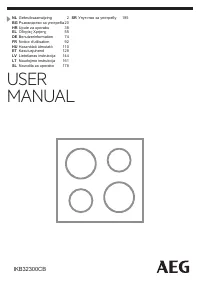 AEG IKB32300CB
User Manual
AEG IKB32300CB
User Manual
 AEG DGE7670HB
User Manual
AEG DGE7670HB
User Manual