Asko CC4927S - User Manual
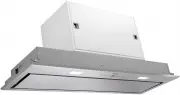
Asko CC4927S Range Hood – User Manual, read for free online in PDF format. We hope this helps you resolve any issues you may have. If you have further questions, please contact us through the contact form.


Table of Contents:
- Page 2 – EN; Manual
- Page 3 – CONTENT; Use
- Page 4 – Read the separate safety instructions before
- Page 5 – USE; Controls; Switching the fan on and off; • Switch the fan on with the on/off button (A) and select the desired; Switching the lighting on and off; • Use the ‘G’ button to switch the lighting on and off.; Dimming the lighting; • Dim the lighting with button ‘H’.
- Page 6 – Switching on the timer; After 100 hours of use the “FF” indicator is shown in the display.; Carbon filter indicator; button ‘E’ for 3 seconds until the filter indicator disappears.
- Page 7 – Cleaning; Before performing any maintenance operation, isolate the; Do not use; Failure to carry out the basic cleaning recommendations of; Built in unit; MAINTENANCE
- Page 8 – Grease filters; Removing the grease filters; • DO NOT wash or reuse the carbon filter. Saturated carbon is not; Lighting; Changing the light bulbs
- Page 9 – INSTALLATION; General; Important that you know:
- Page 10 – Electrical connection
- Page 11 – Installation; • First remove the 6 screws (2 on the left, 2 on the right, 2 on the
- Page 12 – TECHNICAL SPECIFICATIONS
- Page 13 – APPENDIX; Disposal; Disposal of appliance and packaging
Instructions for use
Built-in unit
CC4727S / 4000
CC4927S / 4000
CC41227S / 4000
"Loading the manual" means you need to wait until the file loads and becomes available for online reading. Some manuals are very large, and the time they take to appear depends on your internet speed.
Summary
EN Manual EN 3 - EN 13 Pictograms used: Important information Tip
EN 3 CONTENT Built-in unit Description 4 Introduction 4 Use Controls 5 Maintenance Cleaning 7 Removing the grease filters 8 Replacing the carbon filter 8 Changing the light bulbs 8 Installation General 9 Electrical connection 10 Mounting the built-in unit 11 Technical specification 12 Appendix Dispo...
EN 4 Description A Switch fan on/off B Reduce extractor capacity C Increase extractor capacity D Engage intensive mode E Clean air function/filter indication F Timer function G Switch lighting on/off H Dim lighting I Display Introduction This user manual gives you a quick overview of all the possibi...


