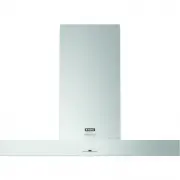
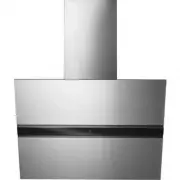
Page 2 - EN; Manual
EN Manual EN 3 - EN 16 Pictograms used : Important information Tip
Page 3 - CONTENT
EN 3 CONTENT Your telescopic cooker hood Description 4 Introduction 4 Use Controls 5 Maintenance Cleaning 7 Cleaning the glass panel 8 Metal grease filters 8 Resetting the alarm signal 8 Cleaning the filters 9 Charcoal filter (recirculation version) 9 Changing the charcoal filter 10 Lighting unit 10...
Page 4 - Read the separate safety instructions before; YOUR TELESCOPIC COOKER HOOD
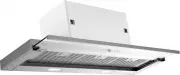
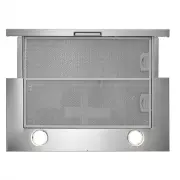
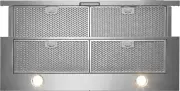
EN 4 Description A Switch fan on/off B Reduce extractor capacity C Increase extractor capacity D Engage intensive mode E Clean air function/filter indication F Timer function G Switch lighting on/off H Dim lighting I Display Introduction This user manual gives you a quick overview of all the possibi...
Page 5 - USE; Controls; Switching the fan on and off; extractor setting with buttons ‘B’ and ‘C’.; Switching the lighting on and off; • Use the ‘G’ button to switch the lighting on and off.; Dimming the lighting; • Dim the lighting with button ‘H’.
EN 5 USE Controls Switching the fan on and off The cooker hood works only with the glass plate fully extended. If the glass plate is extended (in the Off position), the cooker hood automatically starts in position 1.• Switch the fan on with the on/off button (A) and select the desired extractor sett...
Page 6 - Switching on the timer; • Switch the fan on with the on/off button (A) and select the desired; Grease filter indicator; After 100 hours of use the “FF” indicator is shown in the display.; Carbon filter indicator
EN 6 USE Switching on the timer • Switch the fan on with the on/off button (A) and select the desired extractor setting with buttons ‘B’ and ‘C’. • Press the Timer button ‘F’. The cooker hood switches off automatically after 30 minutes. Switch off the Timer function by pressing button ‘F’ again, or ...
Page 7 - Cleaning; Before performing any maintenance operation, isolate the; Do not use; Failure to carry out the basic cleaning recommendations of; Cooker hood; MAINTENANCE
EN 7 Cleaning Attention! Before performing any maintenance operation, isolate the hood from the electrical supply by switching off at the connector and removing the connector fuse. Or if the appliance has been connected through a plug and socket, then the plug must be removed from the socket. The co...
Page 8 - Cleaning the glass panel; cloth to clean the glass.; Metal grease filters; sign appears on the display or at least once every; Resetting the alarm signal; • Turn the Lights and the motor off, then disable the 24h function,
EN 8 Cleaning the glass panel • Open the glass panel by pulling it out.• Pull the 2 hooks to unlock the glass panel for a further external movement. • Now the full glass surface can be cleaned.• It is recommended to use a neutral detergent liquid and a damp cloth to clean the glass. • Close the glas...
Page 9 - Cleaning the Filters
EN 9 MAINTENANCE Cleaning the Filters • Open the glass panel• Remove the filters one at a time, pushing them towards the back of the unit and at the same time pulling downward. • Wash the filters without bending them, and leave them to dry completely before replacing. (Due to intensive dishwasher cl...
Page 10 - • Turn the lights and the motor off, then disable the 24h function,; Changing the Filter; Lighting unit; This appliance is fitted with a white LED lamp classed as
EN 10 MAINTENANCE Resetting the alarm signal • Turn the lights and the motor off, then disable the 24h function, if enabled. • Press button E . Changing the Filter • Open the glass panel.• Remove the metal grease filters.• Remove the saturated charcoal filter by releasing the fixing hook.• Fit the n...
Page 11 - INSTALLATION; General
EN 11 INSTALLATION General This appliance should be connected to the power supply by a recognized fitter who is familiar with, and works according to the correct safety regulations. This appliance meets the European requirements. Important that you know: • The minimum distance between the supporting...
Page 12 - Electrical connection
EN 12 Electrical connection This appliance is manufactured in class I, it must therefore beconnected to the earth system. Make sure the supply voltage ratings correspond with those stated on the appliance data plate. The connection to the mains is carried out as follows: BROWN = phase LBLUE = phase ...
Page 13 - Montage; Drilling the support surface and fitting the Hood; • Make an opening on the lower surface of the wall unit, as indicated.; from underneath the; Vf
EN 13 Montage Drilling the support surface and fitting the Hood • The hood can be fitted directly on the lower surface of the wall units using the snap-on Side Supports. • Make an opening on the lower surface of the wall unit, as indicated. • Screw the closing profile 20 onto the rear part of the ho...
Page 14 - Vr; and close the glass panel
EN 14 If necessary, adjust the whole filter holder unit and proceed as follows:• Loosen the four adjustment screws Vr and close the glass panel again. • Move the entire filter holder unit until it is properly aligned with the shelf. • Keeping the hood casing still, remove the glass panel and lock th...
Page 15 - TECHNICAL SPECIFICATIONS; button
EN 15 TECHNICAL SPECIFICATIONS Hood type CO4627S CO4927S Type / Approval Telescopic cooker hood 4000 4000 Telescopic cooker hood Control type Electronic push button s Electronic push buttons Width 0 9 0 6 Supply (Voltage, frequency) 220~240 V / 50 Hz 220~240 V / 50 Hz Power 0 8 2 0 8 2 Power motor 0...
Page 16 - APPENDICE; Disposal; Disposal of appliance and packaging
EN 16 APPENDICE Disposal Disposal of appliance and packaging By ensuring this product is disposed of correctly, you will help prevent potential negative consequences for the environment and human health, which could otherwise be caused by inappropriate waste handling of this product. The local autho...