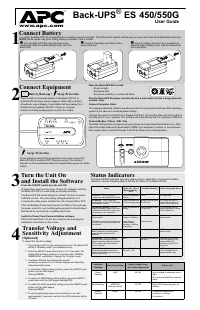
APC BE600M1 - User Manual

A user manual for Schneider Electric’s UPS systems outlines essential operational and maintenance topics to ensure safe and reliable use. The guide covers key aspects like interpreting status indicators–such as LEDs–to monitor system health, troubleshooting common power-related issues, and adjusting voltage sensitivity settings. It also includes detailed safety instructions for installation, battery care, and compliance with electromagnetic compatibility (EMC) standards, alongside practical guidance on wall-mounting configurations.

Inventory
Safety and General Information
SAVE THESE INSTRUCTIONS - This section contains
important instructions that should be followed during
installation and maintenance of the UPS and batteries.
• This UPS is intended for indoor use only.
• Connect the Back-UPS power cable directly to a wall outlet. Do not use surge
protectors or extension cords.
• Replace batteries only with APC by Schneider Electric approved batteries (see
section for details)
• When grounding cannot be verified, disconnect the equipment from the utility
power outlet before installing or connecting to other equipment. Reconnect the
power cord only after all connections are made.
CAUTION
• Do not dispose of batteries in a fire. The batteries may explode.
• Do not open or mutilate batteries. Released electrolyte is harmful to the skin and
eyes. It may be toxic.
• Before replacing batteries, remove conductive jewelry such as chains, wrist
watches, and rings. High energy through conductive materials could cause severe
burns.
Specifications
Connect the Battery
The Back-UPS is shipped with one battery cable disconnected.
Connect Equipment
Battery Backup + Surge Protection Outlets
Battery backup outlets provide protection to connected equipment when the
Back-UPS is turned on and connected to AC power. Battery backup outlets receive
power from the battery for a limited period of time when a power outage, or brownout
condition occurs. Battery backup outlets provide protection from power surges or
spikes. Connect a computer, monitor and other peripheral devices to these outlets.
Surge Protection Outlets
Surge protection outlets provide protection to connected equipment when the
Back-UPS is connected to AC power, and is switched on or off. Surge protection
outlets provide protection from power surges or spikes. Connect peripheral devices
(such as printer, scanner, etc.) that do not need to remain on during power outages or
AC problems to the surge protection outlets.
USB charging port
The USB port provides a maximum of 1.5A DC power. The USB port will provide
power when the unit is on AC and on battery.
Turn On the Back-UPS
Press the POWER button located on the top of the Back-UPS. The
POWER
button
will illuminate green and a single short beep will indicate that the Back-UPS is on and
providing protection for connected equipment.
The Back-UPS battery charges fully during the first 24 hours while connected to AC
power. The Back-UPS battery will charge regardless of whether the Back-UPS is
switched on or off as long as it is connected to AC power. The UPS will have full
runtime capability after the initial 24 hour charging period.
If the red Building Wiring Fault indicator (located on the end near the power cord) is
lit, your building wiring may present a shock hazard that should be corrected by a
qualified electrician.
Turn Off the Back-UPS
To turn off the Back-UPS, press the POWER button for at least 2 seconds. At the first
beep, release the button and the UPS will turn off. A 2 second delay has been added to
mitigate unintentional contact with the POWER button.
Quick Mute
The Back-UPS is able to temporarily mute user correctable alarms such as: On
Battery, Battery disconnected and Overload.
During such alarms, a short press (less than 2 seconds) of the POWER button will
temporarily mute the alarm until the condition has been reset. A short double beep will
confirm that Quick Mute has been activated. Pressing the POWER button for more
than 2 seconds will turn off the UPS.
Other critical events such as Battery replacement and Charger notification can not be
temporarily muted. The unit in these cases must be turned off.
On Battery Indicator Modes
This Back-UPS has 3 On Battery Indicator modes provided that the UPS is turned on.
To configure an On Battery Indicator mode, hold down the POWER button and wait
for the third beep. At the third beep the POWER button will cycle red / green. Release
the POWER button and its color will indicate the mode the UPS is in. Press the
POWER button to cycle through each mode. See the table below for the mode
selection colors. Once the mode has been selected, wait 5 seconds and the setting will
be committed to the UPS.
PowerChute
™
Personal Edition Software
Overview
Use PowerChute Personal Edition software to configure the UPS settings. Protect
your computer and other equipment during a power outage. During a power outage,
PowerChute will save any open files on your computer and shut it down. When power
is restored, it will restart the computer.
Note:
PowerChute is only compatible with a Windows operating system. If you are
using Mac OSX, use the native shutdown feature to protect your system. See the
documentation provided with your computer.
Installation
Use a USB cable to connect the Data port on the rear panel of the UPS to the USB port
on your computer. On the computer, go to www.apc.com/tools/download. Select
“Software Upgrades - PowerChute Personal Edition” in the “Filter by Software/
Firmware” drop down menu. Select the appropriate operating system. Follow
directions to download the software
.
Model
BE600M1
BN650M1/
BN650M1-CA
BN675M1
Input
Voltage
120 Vac
Nominal
Frequency
50/60 Hz + 3Hz auto-sensing
Brownout Transfers
92 Vac Typical
Over-voltage Transfer
139 Vac Typical
Output
UPS Capacity
600 VA, 330 W
650 VA, 360 W
675 VA, 360 W
Total Amperage (AC
outlets)
5.0A
5.42A
5.63A
Voltage - On Battery
115 Vac ± 8%
Frequency - On Battery
50/60 Hz + 1
Transfer Time
6 ms Typical, 10 ms maximum
USB
Port
* Charging Current
1.5A
Charger compatibility
USB Battery Charging Specification 1.2
* Power output is dependent power drawn by the connected device. Check your device
manufacturer to understand the maximum charging current for a given USB spec.
Protection
and
Filtering
AC Surge Protection
Full time, 490 Joules
EMI/RFI Filter
Full time
AC Input
Resettable circuit breaker
Battery
Type
Sealed, maintenance-free, lead acid 12V
Average Life
3 - 5 years, the number of discharge cycles and environmental
temperature
Charging Time
10 hours. Using the USB ports while charging the battery will
increase the amount of time required.
Physical
Net Weight
7.7 lb (3.5 kg)
Dimensions
LxWxH
10.8 in x 4.1 in x 5.5 in
27.4 cm x 10.5 cm x 13.9 cm
Operating Temperature
32º F to 104º F (0º C to 40º C)
Storage Temperature
5º F to 113º F (–15º C to 45º C)
Operating Relative
Humidity
0 to 95% non-condensing humidity
Operating Elevation
0 to 10,000 ft (0 to 3000 m)
Remove the
“Stop! Connect the Battery”
label that covers the outlets.
Press the battery compartment cover
release tabs located on the underside of
the unit. Slide the battery cover off.
Connect the battery cable securely to the
battery terminal. It is normal for small
sparks to be seen when the battery cable is
connected to the battery terminal.
Reinstall the battery compartment
cover. Be sure that the release tabs lock
into place.
bu446a
bu447
a
bu448
a
bu449
a
bu450
a
Mode
Visual
Indicator
Audible Indicator
Mode Selection
Color
Quiet Alarm
(default)
The POWER
button is solid
green and flashes
twice every 2
seconds until
Low Battery
notification
where it will
flash green in
rapid succession.
No alarm until Low Battery
notification where the alarm beeps
twice every 30 seconds
Flashing green
No Alarm
No alarm while the UPS is On
Battery
Flashing red
Full Alarm
Alarm sounds 4 beeps every 30
seconds until Low Battery
notification where the alarm beeps
every half second. As the UPS shuts
down it sounds one beep every 4
seconds
Flashing amber
bu451a
U SB
C har ger
Bat tery Backup + Surge
Pr otect ion O ut let s
Surge Pr otect ion
Out lets
bu452a
Bu ild in g
Wir in g
F a ul t
U SB D a t a Po rt
(P ow e rC h u te )
AC Pow e r
I n let
C ircu it
Bre a ke r
User Manual Back-UPS
™
BE600M1, BN650M1/650M1-CA/675M1
"Loading the manual" means you need to wait until the file loads and becomes available for online reading. Some manuals are very large, and the time they take to appear depends on your internet speed.
Was this manual helpful?
About this manual
- Brand
- APC
- Model
- BE600M1
- Document type
- User Manual
- Category
- Surge Protector
- Language(s)
- English
- Pages
- 2
- File size
- 439.2 KB
- Format