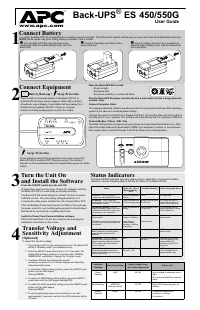
APC BE425M - User Manual

This troubleshooting guide covers essential operational and safety aspects of APC Back-UPS units, particularly models BE425M/425M-LM and BN450M/450M-CA. The manual addresses critical hazards like electric shock and explosion risks while detailing how to diagnose common issues such as power failures or alarm conditions–including LED/audible indicator patterns–to identify battery, wiring, or overload problems. It also includes foundational setup instructions for connecting equipment safely through surge-protected outlets and explains voltage sensitivity adjustments for sensitive devices.


Table of Contents:
- Page 1 – Safety and General Information for UPS Models
- Page 2 – Battery Connection and Technical Specifications
- Page 3 – Physical Specifications and Equipment Operation
- Page 4 – Unit Control Features and Indicator Modes
- Page 5 – Operational Status Indicators and Voltage Settings
- Page 6 – Troubleshooting Guide
- Page 7 – Wall Mounting and Service Procedures
- Page 8 – Battery Replacement and Compliance
- Page 9 – Safety Instructions for Servicing Equipment
- Page 10 – Electrical Safety and Battery Handling Warnings
- Page 11 – Equipment Protection Policy Details
- Page 12 – Claim Submission and Data Recovery Policies
Safety and General Information
Inspect the package contents upon receipt. Notify the carrier and
dealer if there is any damage.
SAVE THESE INSTRUCTIONS
- This section contains important
instructions that should be followed during installation and maintenance
of the UPS and batteries.
Inventory
DANGER
HAZARD OF ELECTRIC SHOCK, EXPLOSION, OR ARC FLASH
•
This UPS is intended for indoor use only.
•
Do not operate this UPS in direct sunlight, in contact with fluids, or where there is excessive
dust or humidity.
•
Connect the UPS power cable directly to a wall outlet.
•
Be sure the air vents on the UPS are not blocked. Allow adequate space for proper ventilation.
Failure to follow these instructions will result in death or serious injury.
bu46
2a
User Manual Back-UPS
™
BE425M/425M-LM, BN450M/450M-CA
"Loading the manual" means you need to wait until the file loads and becomes available for online reading. Some manuals are very large, and the time they take to appear depends on your internet speed.
Was this manual helpful?
About this manual
- Brand
- APC
- Model
- BE425M
- Document type
- User Manual
- Category
- Surge Protector
- Language(s)
- English
- Pages
- 12
- File size
- 398.9 KB
- Format
Summary
Safety warnings regarding electric shock, explosion, and arc flash hazards, along with an inventory section for the UPS unit and documentation.
Instructions for connecting batteries to the Back-UPS unit and technical specifications detailing input/output parameters, protection features, and battery characteristics for specified models.
Physical dimensions of the UPS models, methods for connecting equipment using battery backup and surge protection outlets, and instructions for powering on the unit with indicator light functions.