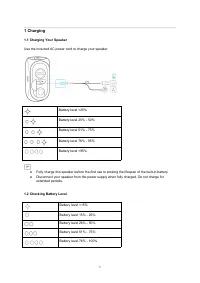
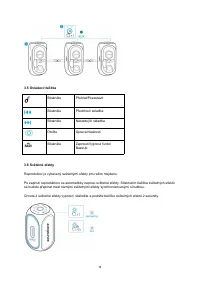
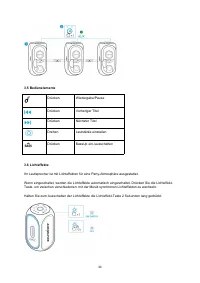
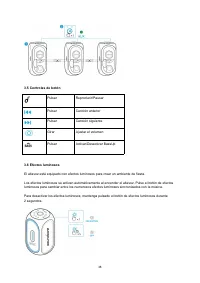
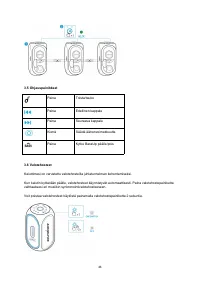
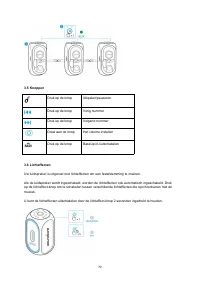
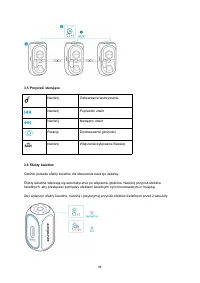
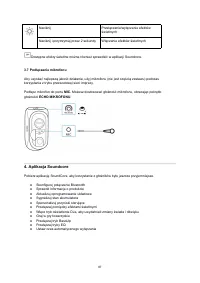
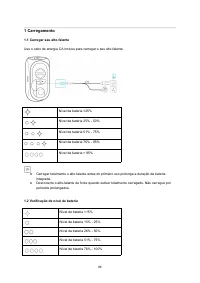
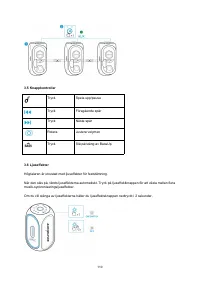
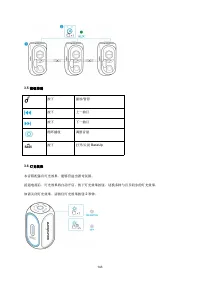
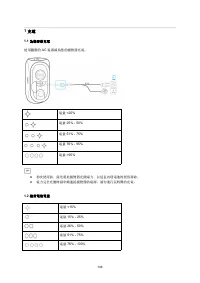
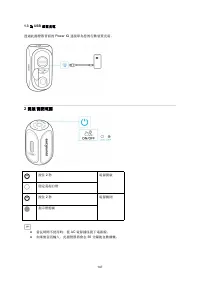
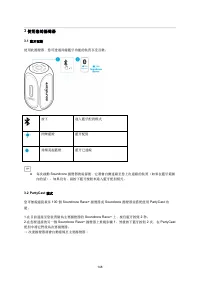
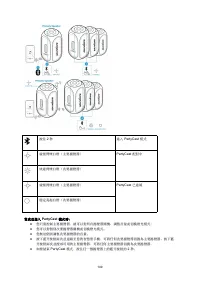
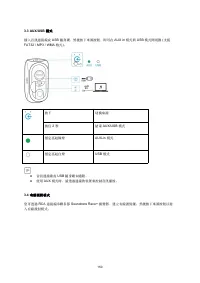
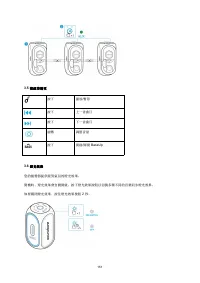
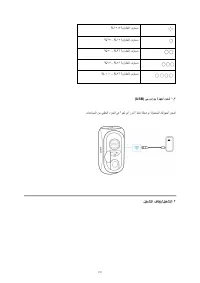
Page 3 - Charging; Charging Your Speaker; Use the included AC power cord to charge your speaker.; Checking Battery Level
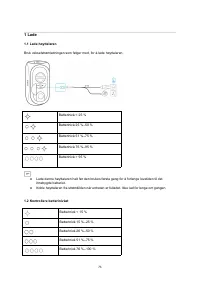
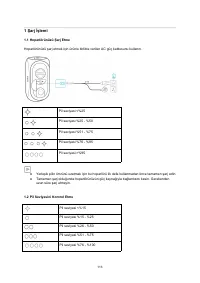
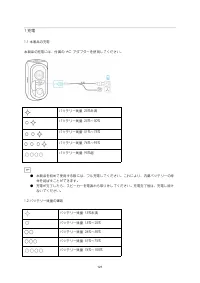
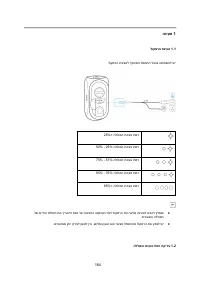
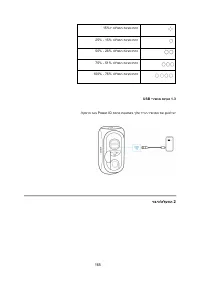
1 1 Charging 1.1 Charging Your Speaker Use the included AC power cord to charge your speaker. Battery level <25% Battery level 25% - 50% Battery level 51% - 75% Battery level 76% - 95% Battery level >95% ● Fully charge this speaker before the first use to prolong the lifespan of the built-in b...
Page 4 - Charging Your USB Devices
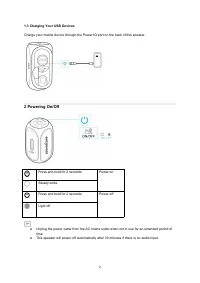
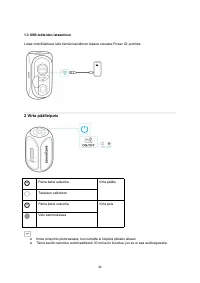
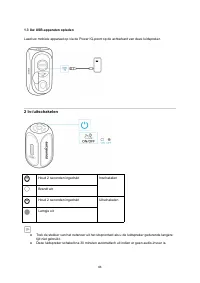
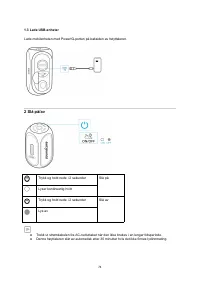
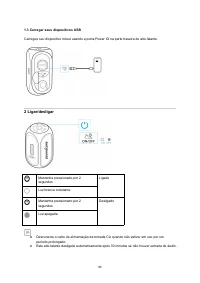
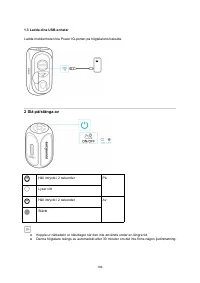
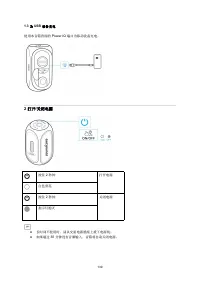
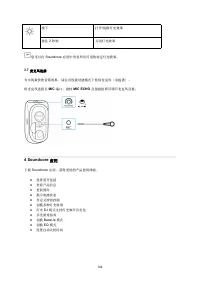
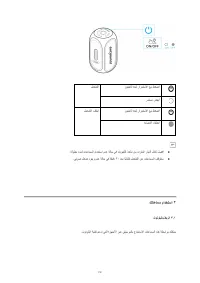
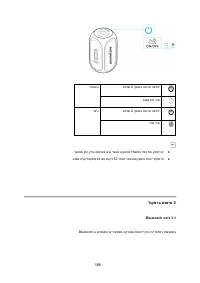
2 1.3 Charging Your USB Devices Charge your mobile device through the Power IQ port on the back of this speaker. 2 Powering On/Off Press and hold for 2 seconds Power on Steady white Press and hold for 2 seconds Power off Light off ● Unplug the power cable from the AC mains outlet when not in use for...
Page 5 - Using Your Speaker; Bluetooth Pairing
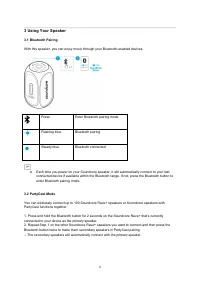
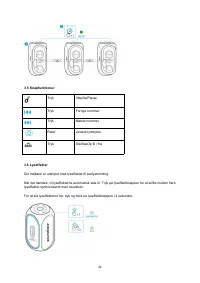
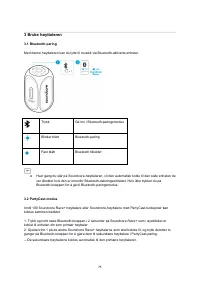
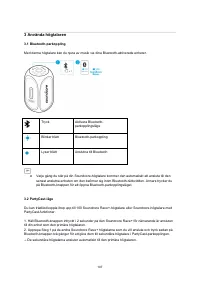
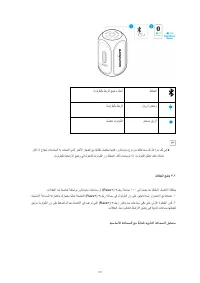
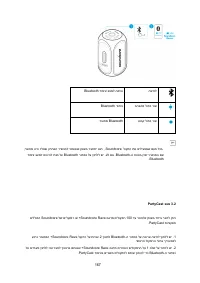
3 3 Using Your Speaker 3.1 Bluetooth Pairing With this speaker, you can enjoy music through your Bluetooth-enabled devices. Press Enter Bluetooth pairing mode Flashing blue Bluetooth pairing Steady blue Bluetooth connected ● Each time you power on your Soundcore speaker, it will automatically connec...
Page 6 - When PartyCast mode is successfully entered:
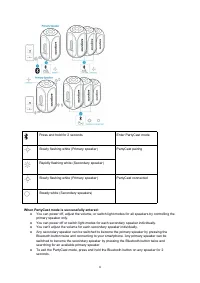
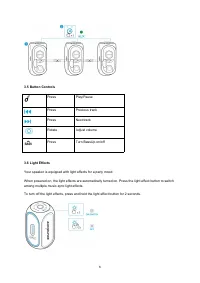
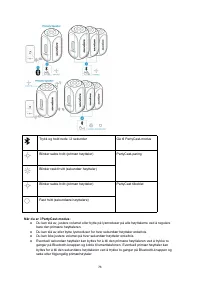
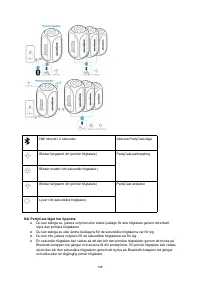
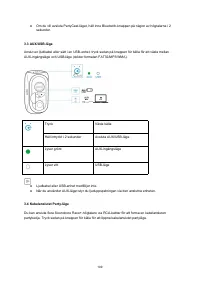
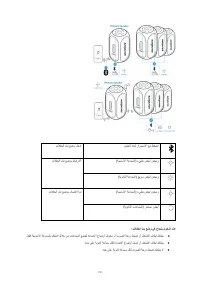
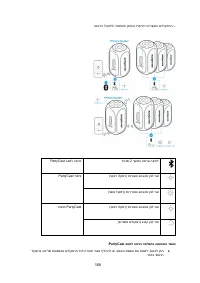
4 Press and hold for 2 seconds Enter PartyCast mode Slowly flashing white (Primary speaker) PartyCast pairing Rapidly flashing white (Secondary speaker) Slowly flashing white (Primary speaker) PartyCast connected Steady white (Secondary speakers) When PartyCast mode is successfully entered: ● You ca...
Page 9 - Soundcore App
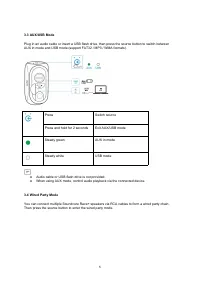
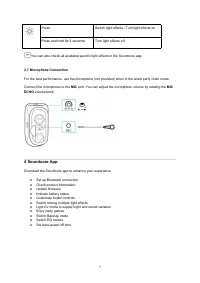
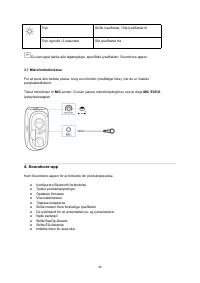
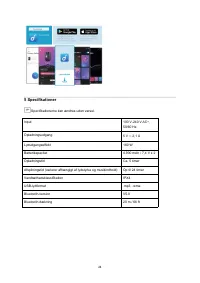
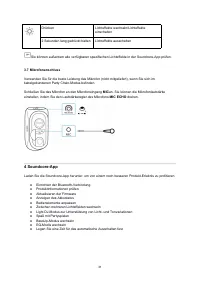
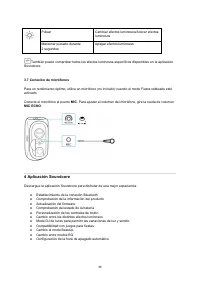
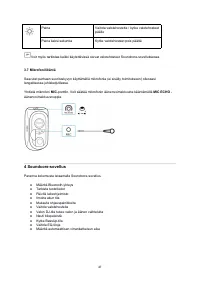
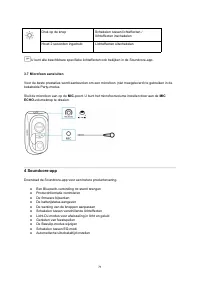
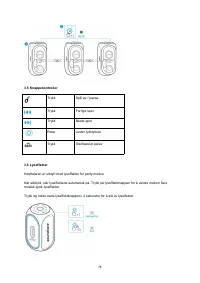
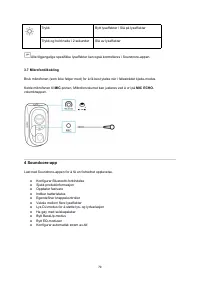
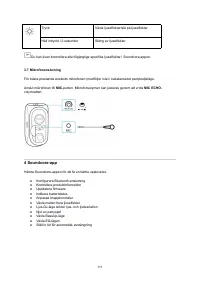
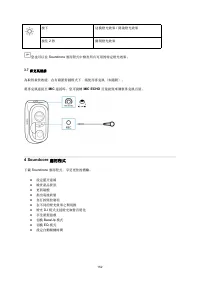
7 Press Switch light effects / Turn light effects on Press and hold for 2 seconds Turn light effects off You can also check all available specific light effects in the Soundcore app. 3.7 Microphone Connection For the best performance, use the microphone (not provided) when in the wired party chain m...
Page 10 - Specifications
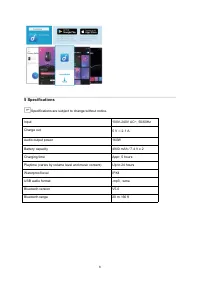
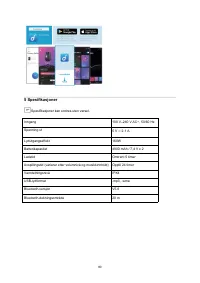
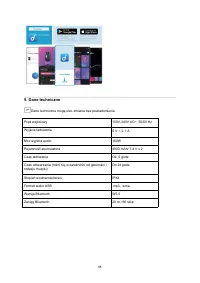
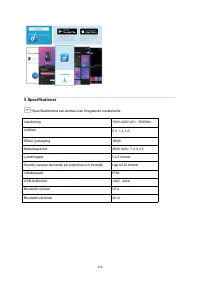
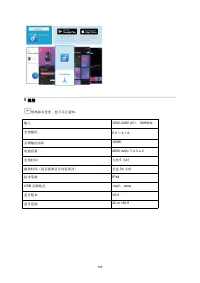
8 5 Specifications Specifications are subject to change without notice. Input 100V-240V AC~, 50/60Hz Charge out 5 V ⎓ 2.1 A Audio output power 160W Battery capacity 4900 mAh / 7.4 V x 2 Charging time Appr. 5 hours Playtime (varies by volume level and music content) Up to 24 hours Waterproof level IP...
Page 11 - Nabíjení; Nabíjení reproduktoru; K nabíjení reproduktoru používejte přiložený napájecí kabel.; Kontrola úrovně baterie; Úroveň baterie méně než 15 %
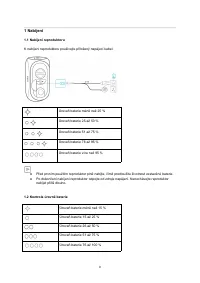
9 1 Nabíjení 1.1 Nabíjení reproduktoru K nabíjení reproduktoru používejte přiložený napájecí kabel. Úroveň baterie méně než 25 % Úroveň baterie 25 až 50 % Úroveň baterie 51 až 75 % Úroveň baterie 76 až 95 % Úroveň baterie více než 95 % ● Před prvním použitím reproduktor plně nabijte, čímž prodloužít...
Page 12 - Nabíjení zařízení USB
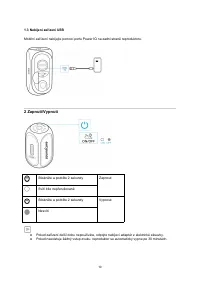
10 1.3 Nabíjení zařízení USB Mobilní zařízení nabíjejte pomocí portu Power IQ na zadní straně reproduktoru. 2 Zapnutí/Vypnutí Stiskněte a podržte 2 sekundy Zapnout Svítí bíle nepřerušovaně Stiskněte a podržte 2 sekundy Vypnout Nesvítí ● Pokud zařízení delší dobu nepoužíváte, odpojte nabíjecí adaptér...
Page 13 - Používání reproduktoru; Párování Bluetooth
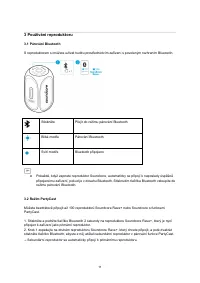
11 3 Používání reproduktoru 3.1 Párování Bluetooth S reproduktorem si můžete užívat hudbu prostřednictvím zařízení s povoleným rozhraním Bluetooth. Stiskněte Přejít do režimu párování Bluetooth Bliká modře Párování Bluetooth Svítí modře Bluetooth připojeno ● Pokaždé, když zapnete reproduktor Soundco...
Page 14 - Po úspěšném vstupu do režim PartyCast:
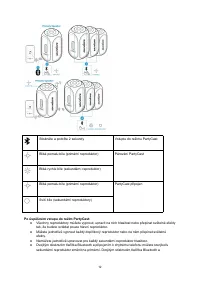
12 Stiskněte a podržte 2 sekundy Vstupte do režimu PartyCast Bliká pomalu bíle (primární reproduktor) Párování PartyCast Bliká rychle bíle (sekundární reproduktor) Bliká pomalu bíle (primární reproduktor) PartyCast připojen Svítí bíle (sekundární reproduktory) Po úspěšném vstupu do režim PartyCast: ...
Page 15 - Kabelový režim mejdanu
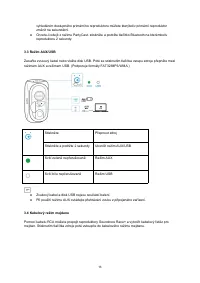
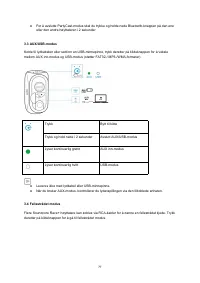
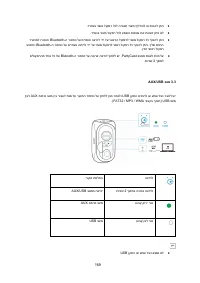
13 vyhledáním dostupného primárního reproduktoru můžete kterýkoliv primární reproduktor změnit na sekundární. ● Chcete-li odejít z režimu PartyCast, stiskněte a podržte tlačítko Bluetooth na kterémkoliv reproduktoru 2 sekundy. 3.3 Režim AUX/USB Zasuňte zvukový kabel nebo vložte disk USB. Poté se sti...
Page 16 - Ovládací tlačítka
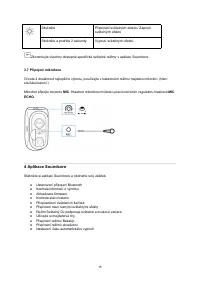
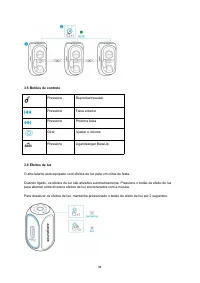
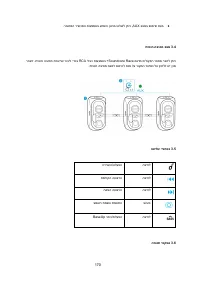
14 3.5 Ovládací tlačítka Stiskněte Přehrát/Pozastavit Stiskněte Předchozí skladba Stiskněte Následující skladba Otočte Úprava hlasitosti Stiskněte Zapnout/Vypnout funkci BassUp 3.6 Světelné efekty Reproduktor je vybavený světelnými efekty pro režim mejdanu. Po zapnutí reproduktoru se automaticky zap...
Page 17 - Aplikace Soundcore
15 Stiskněte Přepínání světelných efektů / Zapnutí světelných efektů Stiskněte a podržte 2 sekundy Vypnutí světelných efektů Zkontrolujte všechny dostupné specifické světelné režimy v aplikaci Soundcore. 3.7 Připojení mikrofonu Chcete-li dosáhnout nejlepšího výkonu, používejte v kabelovém režimu mej...
Page 18 - Specifikace
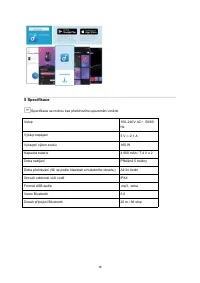
16 5 Specifikace Specifikace se mohou bez předchozího upozornění změnit. Vstup 100–240V AC~, 50/60 Hz Výstup napájení 5 V ⎓ 2,1 A Výstupní výkon zvuku 160 W Kapacita baterie 4 900 mAh / 7,4 V x 2 Doba nabíjení Přibližně 5 hodiny Doba přehrávání (liší se podle hlasitosti a hudebního obsahu) Až 24 hod...
Page 19 - Opladning; Opladning af din højttaler
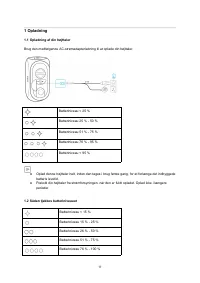
17 1 Opladning 1.1 Opladning af din højttaler Brug den medfølgende AC-strømadapterledning til at oplade din højttaler. Batteriniveau < 25 % Batteriniveau 25 % - 50 % Batteriniveau 51 % - 75 % Batteriniveau 76 % - 95 % Batteriniveau < 95 % ● Oplad denne højttaler helt, inden den tages i brug fø...
Page 21 - Sådan bruges din højttaler
19 3 Sådan bruges din højttaler 3.1 Bluetooth-parring Med denne højttaler kan du nyde musikken fra dine Bluetooth-aktiverede enheder. Tryk Gå til Bluetooth-parringstilstand Blinker blåt Bluetooth-parring Lyser blåt Bluetooth tilsluttet ● Hver gang du tænder for dine Soundcore-højttaler, vil den auto...
Page 23 - Kablet Partytilstand
21 ● For at afslutte PartyCast-tilstand, tryk og hold på Bluetooth-knappen på en af højttalerne i 2 sekunder. 3.3 AUX/USB-tilstand Indsæt et lydkabel eller indsæt et USB-flashdrev, tryk derefter på kildeknappen for at skifte mellem AUX In-tilstand og USB-tilstand (understøtter formaterne FAT32 / MP3...
Page 26 - Specifikationer
24 5 Specifikationer Specifikationerne kan ændres uden varsel. Input 100 V-240 V AC~, 50/60 Hz Opladningsudgang 5 V ⎓ 2,1 A Lydudgangseffekt 160 W Batterikapacitet 4.900 mAh / 7,4 V x 2 Opladningstid Ca. 5 timer Afspilningstid (varierer afhængigt af lydstyrke og musikindhold) Op til 24 timer Vandtæt...
Page 27 - Aufladen; Aufladen Ihres Lautsprechers; Lebensdauer des integrierten Akkus zu verlängern.; Überprüfen des Akkustands
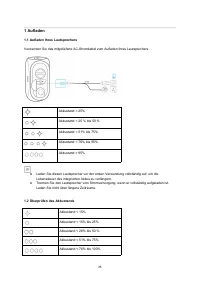
25 1 Aufladen 1.1 Aufladen Ihres Lautsprechers Verwenden Sie das mitgelieferte AC-Stromkabel zum Aufladen Ihres Lautsprechers. Akkustand < 25% Akkustand < 25 % bis 50 % Akkustand < 51% bis 75% Akkustand < 76% bis 95% Akkustand > 95% ● Laden Sie diesen Lautsprecher vor der ersten Verwe...
Page 29 - Ihren Lautsprecher verwenden
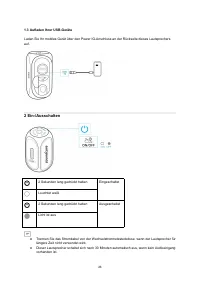
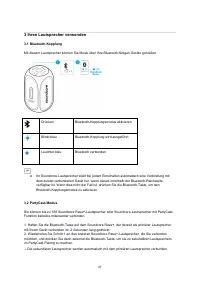
27 3 Ihren Lautsprecher verwenden 3.1 Bluetooth-Kopplung Mit diesem Lautsprecher können Sie Musik über Ihre Bluetooth-fähigen Geräte genießen. Drücken Bluetooth-Kopplungsmodus aktivieren Blinkt blau Bluetooth-Kopplung wird ausgeführt Leuchtet blau Bluetooth verbunden ● Ihr Soundcore-Lautsprecher ste...
Page 30 - Wenn der PartyCast-Modus erfolgreich aktiviert wurde:
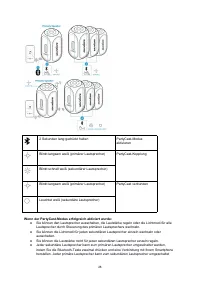
28 2 Sekunden lang gedrückt halten PartyCast-Modus aktivieren Blinkt langsam weiß (primärer Lautsprecher) PartyCast-Kopplung Blinkt schnell weiß (sekundärer Lautsprecher) Blinkt langsam weiß (primärer Lautsprecher) PartyCast verbunden Leuchtet weiß (sekundäre Lautsprecher) Wenn der PartyCast-Modus e...
Page 31 - Kabelgebundener Partymodus
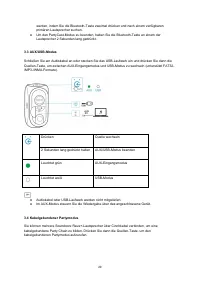
29 werden, indem Sie die Bluetooth-Taste zweimal drücken und nach einem verfügbaren primären Lautsprecher suchen. ● Um den PartyCast-Modus zu beenden, halten Sie die Bluetooth-Taste an einem der Lautsprecher 2 Sekunden lang gedrückt. 3.3 AUX/USB-Modus Schließen Sie ein Audiokabel an oder stecken Sie...
Page 34 - Technische Daten
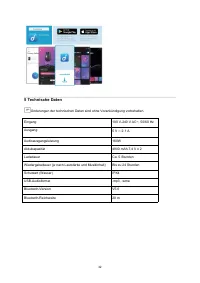
32 5 Technische Daten Änderungen der technischen Daten sind ohne Vorankündigung vorbehalten. Eingang 100 V-240 V AC~, 50/60 Hz Ausgang 5 V ⎓ 2,1 A Audioausgangsleistung 160W Akkukapazität 4900 mAh 7,4 V x 2 Ladedauer Ca. 5 Stunden Wiedergabedauer (je nach Lautstärke und Musikinhalt) Bis zu 24 Stunde...
Page 35 - Carga; Carga del altavoz; Cargue el altavoz con el cable de alimentación de CA suministrado.; Comprobación del nivel de batería; Nivel de batería entre el 76 % y el 100 %
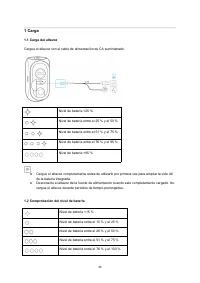
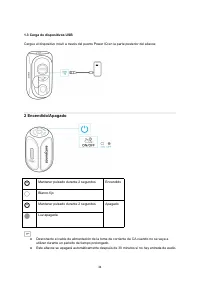
33 1 Carga 1.1 Carga del altavoz Cargue el altavoz con el cable de alimentación de CA suministrado. Nivel de batería <25 % Nivel de batería entre el 25 % y el 50 % Nivel de batería entre el 51 % y el 75 % Nivel de batería entre el 76 % y el 95 % Nivel de batería >95 % ● Cargue el altavoz compl...
Page 36 - Carga de dispositivos USB
34 1.3 Carga de dispositivos USB Cargue el dispositivo móvil a través del puerto Power IQ en la parte posterior del altavoz. 2 Encendido/Apagado Mantener pulsado durante 2 segundos Encendido Blanco fijo Mantener pulsado durante 2 segundos Apagado Luz apagada ● Desconecte el cable de alimentación de ...
Page 37 - Uso del altavoz; Emparejamiento Bluetooth
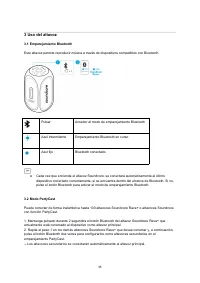
35 3 Uso del altavoz 3.1 Emparejamiento Bluetooth Este altavoz permite reproducir música a través de dispositivos compatibles con Bluetooth. Pulsar Acceder al modo de emparejamiento Bluetooth Azul intermitente Emparejamiento Bluetooth en curso Azul fijo Bluetooth conectado ● Cada vez que encienda el...
Page 38 - Cuando se ha accedido correctamente al modo PartyCast:
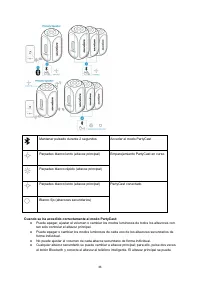
36 Mantener pulsado durante 2 segundos Acceder al modo PartyCast Parpadeo blanco lento (altavoz principal) Emparejamiento PartyCast en curso Parpadeo blanco rápido (altavoz principal) Parpadeo blanco lento (altavoz principal) PartyCast conectado Blanco fijo (altavoces secundarios) Cuando se ha acced...
Page 39 - Modo Fiesta cableado
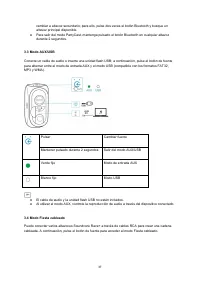
37 cambiar a altavoz secundario; para ello, pulse dos veces el botón Bluetooth y busque un altavoz principal disponible. ● Para salir del modo PartyCast, mantenga pulsado el botón Bluetooth en cualquier altavoz durante 2 segundos. 3.3 Modo AUX/USB Conecte un cable de audio o inserte una unidad flash...
Page 41 - Aplicación Soundcore
39 Pulsar Cambiar efectos luminosos/Activar efectos luminosos Mantener pulsado durante 2 segundos Apagar efectos luminosos También puede comprobar todos los efectos luminosos específicos disponibles en la aplicación Soundcore. 3.7 Conexión de micrófonos Para un rendimiento óptimo, utilice un micrófo...
Page 42 - Especificaciones
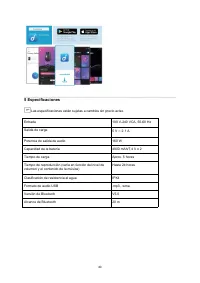
40 5 Especificaciones Las especificaciones están sujetas a cambios sin previo aviso. Entrada 100 V-240 VCA, 50-60 Hz Salida de carga 5 V ⎓ 2,1 A Potencia de salida de audio 160 W Capacidad de la batería 4900 mAh/7,4 V x 2 Tiempo de carga Aprox. 5 horas Tiempo de reproducción (varía en función del ni...
Page 43 - Lataaminen; Kaiuttimen lataaminen; Lataa kaiutin sen mukana toimitetulla virtajohdolla.; Akkutason tarkistaminen
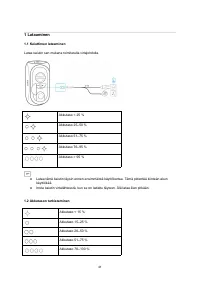
41 1 Lataaminen 1.1 Kaiuttimen lataaminen Lataa kaiutin sen mukana toimitetulla virtajohdolla. Akkutaso < 25 % Akkutaso 25–50 % Akkutaso 51–75 % Akkutaso 76–95 % Akkutaso > 95 % ● Lataa tämä kaiutin täysin ennen ensimmäistä käyttökertaa. Tämä pidentää kiinteän akun käyttöikää. ● Irrota kaiutin...
Page 45 - Kaiuttimen käyttö
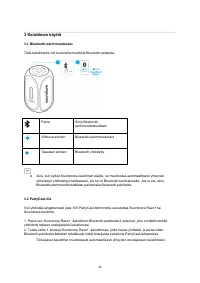
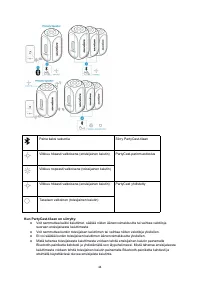
43 3 Kaiuttimen käyttö 3.1 Bluetooth-parinmuodostus Tällä kaiuttimella voit kuunnella musiikkia Bluetooth-laitteista. Paina Siirry Bluetooth- parinmuodostustilaan Vilkkuva sininen Bluetooth-parinmuodostus Tasaisen sininen Bluetooth yhdistetty ● Aina, kun kytket Soundcore-kaiuttimen päälle, se muodos...
Page 47 - Langallinen juhlatila
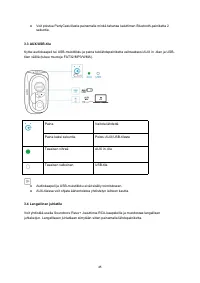
45 ● Voit poistua PartyCast-tilasta painamalla minkä tahansa kaiuttimen Bluetooth-painiketta 2 sekuntia. 3.3 AUX/USB-tila Kytke audiokaapeli tai USB-muistitikku ja paina tulolähdepainiketta vaihtaaksesi AUX in -tilan ja USB- tilan välillä (tukee muotoja FAT32/MP3/WMA). Paina Vaihda lähdettä Paina ka...
Page 50 - Tekniset tiedot
48 5 Tekniset tiedot Tekniset tiedot voivat muuttua ilman erillistä ilmoitusta. Tulo 100-240 V AC, 50/60 Hz Latauslähtö 5 V ⎓ 2,1 A Ääniteho 160 W Akun kapasiteetti 4900 mAh / 7,4 V x 2 Latausaika Noin 5 tuntia Toistoaika (riippuu äänenvoimakkuudesta ja musiikkisisällöstä) Enintään 24 tuntia Vesitii...
Page 51 - Chargement; Chargement de votre enceinte; Niveau de batterie de 25 à 50 %; Vérification du niveau de batterie
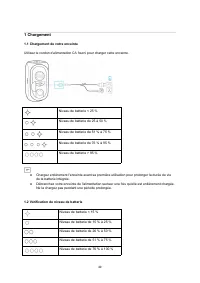
49 1 Chargement 1.1 Chargement de votre enceinte Utilisez le cordon d'alimentation CA fourni pour charger cette enceinte. Niveau de batterie < 25 % Niveau de batterie de 25 à 50 % Niveau de batterie de 51 % à 75 % Niveau de batterie de 76 % à 95 % Niveau de batterie > 95 % ● Chargez entièremen...
Page 52 - Chargement de vos appareils USB; Mise sous/hors tension
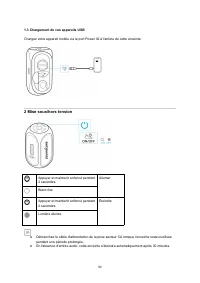
50 1.3 Chargement de vos appareils USB Chargez votre appareil mobile via le port Power IQ à l'arrière de cette enceinte. 2 Mise sous/hors tension Appuyer et maintenir enfoncé pendant 2 secondes Allumer Blanc fixe Appuyer et maintenir enfoncé pendant 2 secondes Éteindre Lumière éteinte ● Débranchez l...
Page 53 - Utilisation de votre enceinte; Couplage Bluetooth
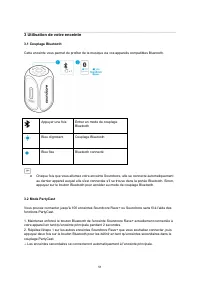
51 3 Utilisation de votre enceinte 3.1 Couplage Bluetooth Cette enceinte vous permet de profiter de la musique via vos appareils compatibles Bluetooth. Appuyer une fois Entrer en mode de couplage Bluetooth Bleu clignotant Couplage Bluetooth Bleu fixe Bluetooth connecté ● Chaque fois que vous allumez...
Page 54 - Lorsque vous êtes passé en mode PartyCast :
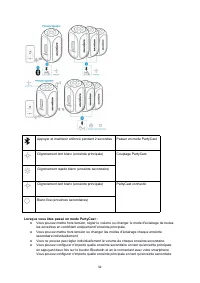
52 Appuyer et maintenir enfoncé pendant 2 secondes Passer en mode PartyCast Clignotement lent blanc (enceinte principale) Couplage PartyCast Clignotement rapide blanc (enceinte secondaire) Clignotement lent blanc (enceinte principale) PartyCast connecté Blanc fixe (enceintes secondaires) Lorsque vou...
Page 55 - Mode de chaîne câblée
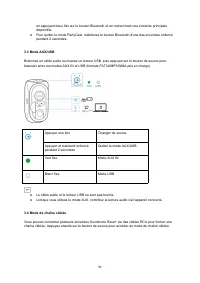
53 en appuyant deux fois sur le bouton Bluetooth et en recherchant une enceinte principale disponible. ● Pour quitter le mode PartyCast, maintenez le bouton Bluetooth d'une des enceintes enfoncé pendant 2 secondes. 3.3 Mode AUX/USB Branchez un câble audio ou insérez un lecteur USB, puis appuyez sur ...
Page 56 - Fonctions des boutons
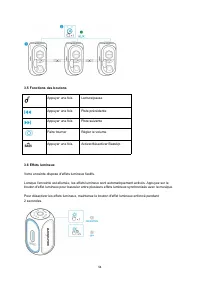
54 3.5 Fonctions des boutons Appuyer une fois Lecture/pause Appuyer une fois Piste précédente Appuyer une fois Piste suivante Faire tourner Régler le volume Appuyer une fois Activer/désactiver BassUp 3.6 Effets lumineux Votre enceinte dispose d'effets lumineux festifs. Lorsque l'enceinte est allumée...
Page 57 - Application Soundcore
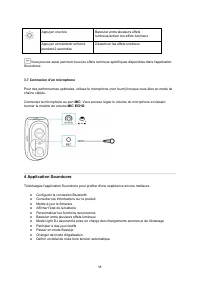
55 Appuyer une fois Basculer entre plusieurs effets lumineux/activer les effets lumineux Appuyer et maintenir enfoncé pendant 2 secondes Désactiver les effets lumineux Vous pouvez aussi parcourir tous les effets lumineux spécifiques disponibles dans l'application Soundcore. 3.7 Connexion d'un microp...
Page 58 - Spécifications
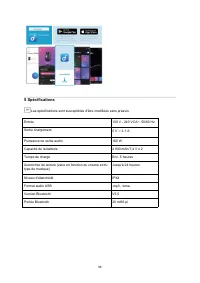
56 5 Spécifications Les spécifications sont susceptibles d'être modifiées sans préavis. Entrée 100 V - 240 VCA~, 50/60 Hz Sortie chargement 5 V ⎓ 2,1 A Puissance de sortie audio 160 W Capacité de la batterie 4 900 mAh/7,4 V x 2 Temps de charge Env. 5 heures Autonomie de lecture (varie en fonction du...
Page 59 - Ricarica; Ricarica dell’altoparlante; batteria incorporata.; Verifica del livello di carica della batteria
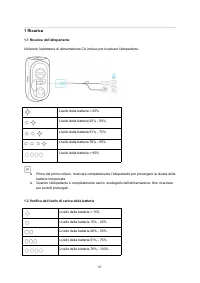
57 1 Ricarica 1.1 Ricarica dell’altoparlante Utilizzare l’adattatore di alimentazione CA incluso per ricaricare l’altoparlante. Livello della batteria < 25% Livello della batteria 25% - 50% Livello della batteria 51% - 75% Livello della batteria 76% - 95% Livello della batteria > 95% ● Prima d...
Page 60 - Ricarica dei dispositivi USB; Accensione/Spegnimento
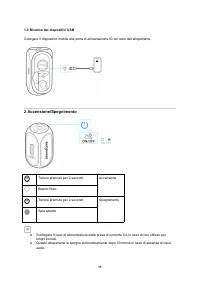
58 1.3 Ricarica dei dispositivi USB Collegare il dispositivo mobile alla porta di alimentazione IQ sul retro dell’altoparlante. 2 Accensione/Spegnimento Tenere premuto per 2 secondi Accensione Bianco fisso Tenere premuto per 2 secondi Spegnimento Spia spenta ● Scollegare il cavo di alimentazione dal...
Page 61 - Utilizzo dell’altoparlante; Associazione Bluetooth
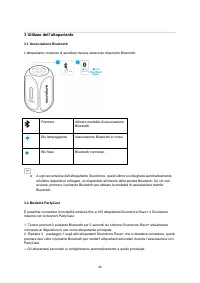
59 3 Utilizzo dell’altoparlante 3.1 Associazione Bluetooth L’altoparlante consente di ascoltare musica attraverso dispositivi Bluetooth. Premere Attivare modalità di associazione Bluetooth Blu lampeggiante Associazione Bluetooth in corso Blu fisso Bluetooth connesso ● A ogni accensione dell’altoparl...
Page 62 - Quando ci si trova in modalità PartyCast:
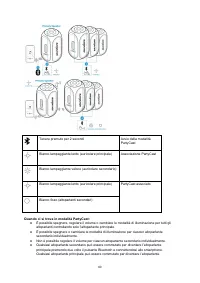
60 Tenere premuto per 2 secondi Avvio della modalità PartyCast Bianco lampeggiante lento (auricolare principale) Associazione PartyCast Bianco lampeggiante veloce (auricolare secondario) Bianco lampeggiante lento (auricolare principale) PartyCast associato Bianco fisso (altoparlanti secondari) Quand...
Page 63 - Modalità party con diffusione multipla di tipo cablato
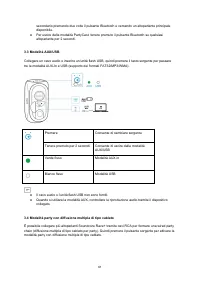
61 secondario premendo due volte il pulsante Bluetooth e cercando un altoparlante principale disponibile. ● Per uscire dalla modalità PartyCast, tenere premuto il pulsante Bluetooth su qualsiasi altoparlante per 2 secondi. 3.3 Modalità AUX/USB Collegare un cavo audio o inserire un’unità flash USB, q...
Page 64 - Controlli pulsanti
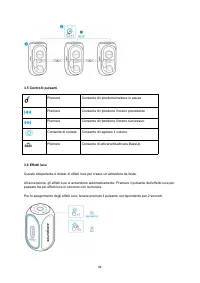
62 3.5 Controlli pulsanti Premere Consente di riprodurre/mettere in pausa Premere Consente di riprodurre il brano precedente Premere Consente di riprodurre il brano successivo Consente di ruotare Consente di regolare il volume Premere Consente di attivare/disattivare BassUp 3.6 Effetti luce Questo a...
Page 65 - App Soundcore
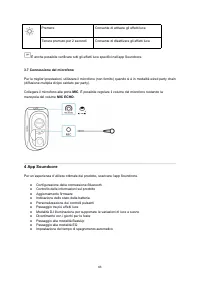
63 Premere Consente di attivare gli effetti luce Tenere premuto per 2 secondi Consente di disattivare gli effetti luce È anche possibile verificare tutti gli effetti luce specifici nell’app Soundcore. 3.7 Connessione del microfono Per le migliori prestazioni, utilizzare il microfono (non fornito) qu...
Page 66 - Specifiche
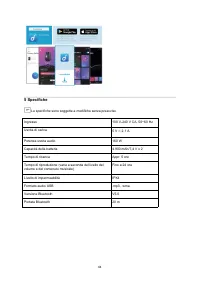
64 5 Specifiche Le specifiche sono soggette a modifiche senza preavviso. Ingresso 100 V-240 V CA, 50~60 Hz Uscita di carica 5 V ⎓ 2,1 A Potenza uscita audio 160 W Capacità della batteria 4.900 mAh/7,4 V x 2 Tempo di ricarica Appr. 5 ore Tempo di riproduzione (varia a seconda del livello del volume e...
Page 67 - Opladen; Uw luidspreker opladen; Gebruik het meegeleverde netsnoer om uw luidspreker op te laden.; Het batterijniveau controleren
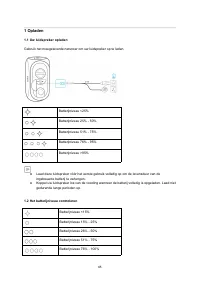
65 1 Opladen 1.1 Uw luidspreker opladen Gebruik het meegeleverde netsnoer om uw luidspreker op te laden. Batterijniveau <25% Batterijniveau 25% - 50% Batterijniveau 51% - 75% Batterijniveau 76% - 95% Batterijniveau >95% ● Laad deze luidspreker vóór het eerste gebruik volledig op om de levensdu...
Page 69 - Uw luidspreker gebruiken; Koppelen via Bluetooth
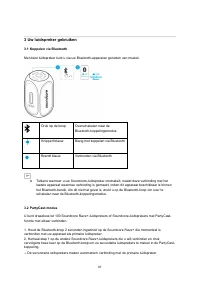
67 3 Uw luidspreker gebruiken 3.1 Koppelen via Bluetooth Met deze luidspreker kunt u via uw Bluetooth-apparaten genieten van muziek. Druk op de knop Overschakelen naar de Bluetooth-koppelingsmodus Knippert blauw Bezig met koppelen via Bluetooth Brandt blauw Verbonden via Bluetooth ● Telkens wanneer ...
Page 70 - Nadat er met succes is overgeschakeld naar de PartyCast-modus:
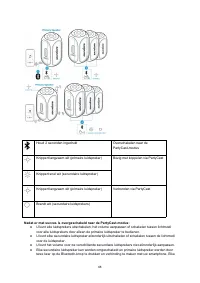
68 Houd 2 seconden ingedrukt Overschakelen naar de PartyCast-modus Knippert langzaam wit (primaire luidspreker) Bezig met koppelen via PartyCast Knippert snel wit (secundaire luidspreker) Knippert langzaam wit (primaire luidspreker) Verbonden via PartyCast Brandt wit (secundaire luidsprekers) Nadat ...
Page 74 - Specificaties
72 5 Specificaties Specificaties zijn onderhevig aan verandering zonder kennisgeving. Ingang 100V-240V-AC~, 50/60 Hz Oplaaduitgang 5 V ⎓ 2,1 A Audiovermogen 160 W Batterijcapaciteit 4900 mAh / 7,4 V x 2 Oplaadtijd Ca. 5 uur Afspeeltijd (afhankelijk van volume en muziekinhoud) Maximaal 24 uur Waterdi...
Page 75 - Bruk vekselstrømledningen som følger med, for å lade høyttaleren.; Kontrollere batterinivået
73 1 Lade 1.1 Lade høyttaleren Bruk vekselstrømledningen som følger med, for å lade høyttaleren. Batterinivå < 25 % Batterinivå 25 %–50 % Batterinivå 51 %–75 % Batterinivå 76 %–95 % Batterinivå > 95 % ● Lade denne høyttaleren helt før den brukes første gang for å forlenge levetiden til det inn...
Page 77 - Bruke høyttaleren
75 3 Bruke høyttaleren 3.1 Bluetooth-paring Med denne høyttaleren kan du lytte til musikk via Bluetooth-aktiverte enheter. Trykk Gå inn i Bluetooth-paringsmodus Blinker blått Bluetooth-paring Fast blått Bluetooth tilkoblet ● Hver gang du slår på Soundcore-høyttaleren, vil den automatisk koble til de...
Page 79 - Fellestrådet modus
77 ● For å avslutte PartyCast-modus skal du trykke og holde nede Bluetooth-knappen på den ene eller den andre høyttaleren i 2 sekunder. 3.3 AUX/USB-modus Koble til lydkabelen eller sett inn en USB-minnepinne, trykk deretter på kildeknappen for å veksle mellom AUX inn-modus og USB-modus (støtter FAT3...
Page 82 - Spesifikasjoner
80 5 Spesifikasjoner Spesifikasjoner kan endres uten varsel. Inngang 100 V–240 V AC~, 50/60 Hz Spenning ut 5 V ⎓ 2,1 A Lydutgangseffekt 160W Batterikapasitet 4900 mAh / 7,4 V x 2 Ladetid Omtrent 5 timer Avspillingstid (varierer etter volumnivå og musikkinnhold) Opptil 24 timer Vanntetningsnivå IPX4 ...
Page 83 - Ładowanie; Ładowanie głośnika; Do ładowania głośnika użyj dołączonego kabla zasilającego.; Sprawdzanie poziomu naładowania akumulatora
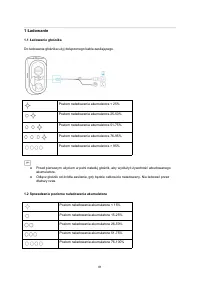
81 1 Ładowanie 1.1 Ładowanie głośnika Do ładowania głośnika użyj dołączonego kabla zasilającego. Poziom naładowania akumulatora < 25% Poziom naładowania akumulatora 25-50% Poziom naładowania akumulatora 51-75% Poziom naładowania akumulatora 76-95% Poziom naładowania akumulatora > 95% ● Przed p...
Page 84 - Ładowanie urządzeń USB; Włączanie i wyłączanie
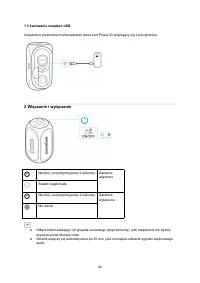
82 1.3 Ładowanie urządzeń USB Urządzenie przenośne można ładować przez port Power IQ znajdujący się z tyłu głośnika. 2 Włączanie i wyłączanie Naciśnij i przytrzymaj przez 2 sekundy Zasilanie włączone Światło ciągłe białe Naciśnij i przytrzymaj przez 2 sekundy Zasilanie wyłączone Nie świeci ● Odłącz ...
Page 85 - Parowanie Bluetooth
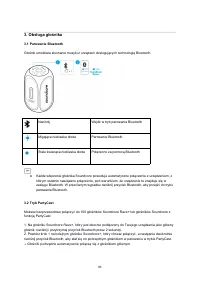
83 3. Obsługa głośnika 3.1 Parowanie Bluetooth Głośnik umożliwia słuchanie muzyki z urządzeń obsługujących technologię Bluetooth. Naciśnij Wejdź w tryb parowania Bluetooth Migająca niebieska dioda Parowanie Bluetooth Stale świecąca niebieska dioda Połączono za pomocą Bluetooth ● Każde włączenie głoś...
Page 86 - Jeśli tryb PartyCast jest włączony prawidłowo:
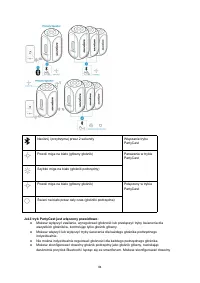
84 Naciśnij i przytrzymaj przez 2 sekundy Włączanie trybu PartyCast Powoli miga na biało (główny głośnik) Parowanie w trybie PartyCast Szybko miga na biało (głośnik podrzędny) Powoli miga na biało (główny głośnik) Połączony w trybie PartyCast Świeci na biało przez cały czas (głośniki podrzędne) Jeśl...
Page 87 - Przewodowy tryb Impreza
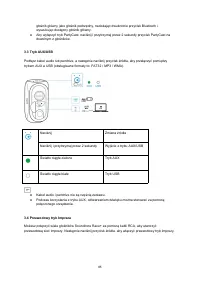
85 głośnik główny jako głośnik podrzędny, naciskając dwukrotnie przycisk Bluetooth i wyszukując dostępny głośnik główny. ● Aby wyłączyć tryb PartyCast, naciśnij i przytrzymaj przez 2 sekundy przycisk PartyCast na dowolnym z głośników. 3.3 Tryb AUX/USB Podłącz kabel audio lub pendrive, a następnie na...
Page 88 - Przyciski sterujące
86 3.5 Przyciski sterujące Naciśnij Odtwarzanie/wstrzymanie Naciśnij Poprzedni utwór Naciśnij Następny utwór Rotacja Dostosowanie głośności Naciśnij Włączanie/wyłączanie BassUp 3.6 Efekty świetlne Głośnik posiada efekty świetlne dla stworzenia nastroju zabawy. Efekty świetlne włączają się automatycz...
Page 89 - Aplikacja Soundcore
87 Naciśnij Przełączanie/wyłączanie efektów świetlnych Naciśnij i przytrzymaj przez 2 sekundy Włączanie efektów świetlnych Dostępne efekty świetlne można również sprawdzić w aplikacji Soundcore. 3.7 Podłączanie mikrofonu Aby uzyskać najlepszą jakość działania, użyj mikrofonu (nie jest częścią zestaw...
Page 91 - Carregamento; Use o cabo de energia CA incluso para carregar o seu alto-falante.; Verificação de nível de bateria
89 1 Carregamento 1.1 Carregar seu alto-falante Use o cabo de energia CA incluso para carregar o seu alto-falante. Nível da bateria <25% Nível da bateria 25% - 50% Nível da bateria 51% - 75% Nível da bateria 76% - 95% Nível da bateria > 95% ● Carregar totalmente o alto-falante antes do primeir...
Page 92 - Carregar seus dispositivos USB
90 1.3 Carregar seus dispositivos USB Carregue seu dispositivo móvel usando a porta Power IQ na parte traseira do alto-falante. 2 Ligar/desligar Mantenha pressionado por 2 segundos Ligado Luz branca constante Mantenha pressionado por 2 segundos Desligado Luz apagada ● Desconecte o cabo de alimentaçã...
Page 93 - Usar o alto-falante; Emparelhamento Bluetooth
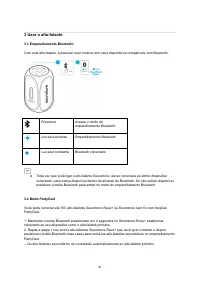
91 3 Usar o alto-falante 3.1 Emparelhamento Bluetooth Com este alto-falante, é possível ouvir música com seus dispositivos compatíveis com Bluetooth. Pressione Acesse o modo de emparelhamento Bluetooth Luz azul piscante Emparelhamento Bluetooth Luz azul constante Bluetooth conectado ● Toda vez que v...
Page 94 - Ao entrar no modo PartyCast:
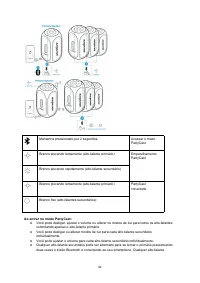
92 Mantenha pressionado por 2 segundos Acessar o modo PartyCast Branco piscando lentamente (alto-falante primário) Emparelhamento PartyCast Branco piscando rapidamente (alto-falante secundário) Branco piscando lentamente (alto-falante primário) PartyCast conectado Branco fixo (alto-falantes secundár...
Page 95 - Modo de festa com fio
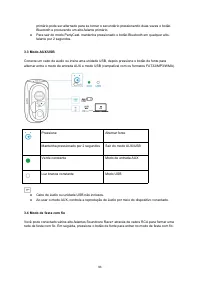
93 primário pode ser alternado para se tornar o secundário pressionando duas vezes o botão Bluetooth e procurando um alto-falante primário. ● Para sair do modo PartyCast, mantenha pressionado o botão Bluetooth em qualquer alto- falante por 2 segundos. 3.3 Modo AUX/USB Conecte um cabo de áudio ou ins...
Page 96 - Botões de controle
94 3.5 Botões de controle Pressione Reproduzir/pausar Pressione Faixa anterior Pressione Próxima faixa Girar Ajustar o volume Pressione Ligar/desligar BassUp 3.6 Efeitos de luz O alto-falante está equipado com efeitos de luz para um clima de festa. Quando ligado, os efeitos de luz são ativados autom...
Page 97 - Aplicativo Soundcore
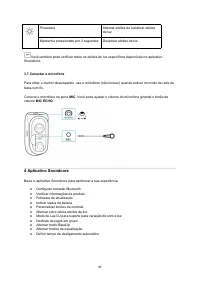
95 Pressione Alternar efeitos de luz/ativar efeitos de luz Mantenha pressionado por 2 segundos Desativar efeitos de luz Você também pode verificar todos os efeitos de luz específicos disponíveis no aplicativo Soundcore. 3.7 Conectar o microfone Para obter o melhor desempenho, use o microfone (não in...
Page 98 - Especificações
96 5 Especificações As especificações estão sujeitas a alterações sem aviso prévio. Entrada 100 V - 240 VCA, 50/60 Hz Saída de carregamento 5 V ⎓ 2,1 A Alimentação de saída de áudio 160W Capacidade da bateria 4.900 mAh / 7,4 V x 2 Tempo de carregamento Cerca de 5 horas Tempo de reprodução (varia de ...
Page 99 - Зарядка; Проверка уровня заряда аккумулятора
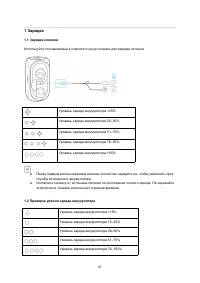
97 1 Зарядка 1.1 Зарядка колонки Используйте поставляемый в комплекте шнур питания для зарядки колонки. Уровень заряда аккумулятора <25% Уровень заряда аккумулятора 25‒50% Уровень заряда аккумулятора 51‒75% Уровень заряда аккумулятора 76‒95% Уровень заряда аккумулятора >95% ● Перед первым испо...
Page 100 - Включение/выключение
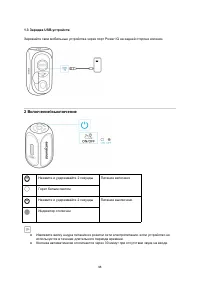
98 1.3 Зарядка USB-устройств Заряжайте свои мобильные устройства через порт Power IQ на задней стороне колонки. 2 Включение/выключение Нажмите и удерживайте 2 секунды Питание включено Горит белым светом Нажмите и удерживайте 2 секунды Питание выключено Индикатор отключен ● Извлеките вилку шнура пита...
Page 101 - Использование колонки; Сопряжение Bluetooth
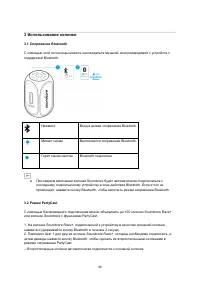
99 3 Использование колонки 3.1 Сопряжение Bluetooth С помощью этой колонки вы можете наслаждаться музыкой, воспроизводимой с устройств с поддержкой Bluetooth. Нажмите Вход в режим сопряжения Bluetooth Мигает синим Выполняется сопряжение Bluetooth Горит синим светом Bluetooth подключен ● При каждом в...
Page 102 - После входа в режим PartyCast:
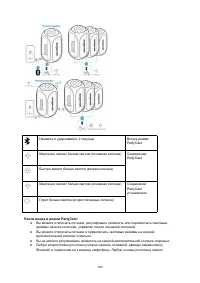
100 Нажмите и удерживайте 2 секунды Вход в режим PartyCast Медленно мигает белым светом (основная колонка) Сопряжение PartyCast Быстро мигает белым светом (вторая колонка) Медленно мигает белым светом (основная колонка) Соединение PartyCast установлено Горит белым светом (второстепенные колонки) Пос...
Page 103 - Проводной режим вечеринки
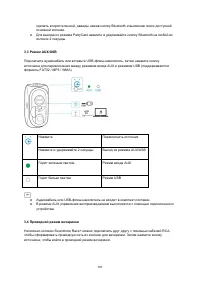
101 сделать второстепенной, дважды нажав кнопку Bluetooth и выполнив поиск доступной основной колонки. ● Для выхода из режима PartyCast нажмите и удерживайте кнопку Bluetooth на любой из колонок 2 секунды. 3.3 Режим AUX/USB Подключите аудиокабель или вставьте USB-флеш-накопитель, затем нажмите кнопк...
Page 104 - Кнопки управления
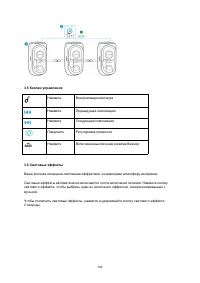
102 3.5 Кнопки управления Нажмите Воспроизведение/пауза Нажмите Предыдущая композиция Нажмите Следующая композиция Поверните Регулировка громкости Нажмите Включение/выключение режима BassUp 3.6 Световые эффекты Ваша колонка оснащена световыми эффектами, создающими атмосферу вечеринки. Световые эффек...
Page 105 - Приложение Soundcore
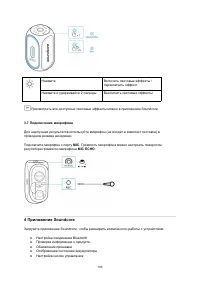
103 Нажмите Включить световые эффекты / переключить эффект Нажмите и удерживайте 2 секунды Выключить световые эффекты Просмотреть все доступные световые эффекты можно в приложении Soundcore. 3.7 Подключение микрофона Для наилучших результатов используйте микрофон (не входит в комплект поставки) впро...
Page 106 - Технические характеристики
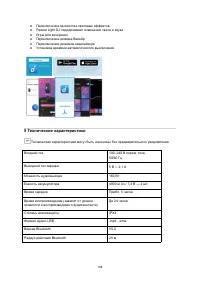
104 ● Переключение множества световых эффектов ● Режим Light DJ поддерживает изменение света и звука ● Игры для вечеринок ● Переключение режима BassUp ● Переключение режимов эквалайзера● Установка времени автоматического выключения 5 Технические характеристики Технические характеристики могут быть и...
Page 107 - Laddning; Använd nätadaptern som medföljer för att ladda högtalaren.; Kontrollera batternivån
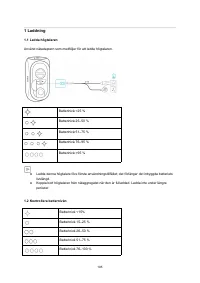
105 1 Laddning 1.1 Ladda högtalaren Använd nätadaptern som medföljer för att ladda högtalaren. Batterinivå <25 % Batterinivå 25–50 % Batterinivå 51–75 % Batterinivå 76–95 % Batterinivå >95 % ● Ladda denna högtalare före första användningstillfället; det förlänger det inbyggda batteriets livslä...
Page 109 - Använda högtalaren
107 3 Använda högtalaren 3.1 Bluetooth-parkoppling Med denna högtalare kan du njuta av musik via dina Bluetooth-aktiverade enheter. Tryck Aktivera Bluetooth- parkopplingsläge Blinkar blått Bluetooth-parkoppling Lyser blått Anslutna till Bluetooth ● Varje gång du slår på din Soundcore-högtalare komme...
Page 115 - Şarj İşlemi; Hoparlörünüzü Şarj Etme; uzun süre şarj etmeyin.; Pil Seviyesini Kontrol Etme
113 1 Şarj İşlemi 1.1 Hoparlörünüzü Şarj Etme Hoparlörünüzü şarj etmek için ürünle birlikte verilen AC güç kablosunu kullanın. Pil seviyesi <%25 Pil seviyesi %25 - %50 Pil seviyesi %51 - %75 Pil seviyesi %76 - %95 Pil seviyesi >%95 ● Yerleşik pilin ömrünü uzatmak için bu hoparlörü ilk defa kul...
Page 116 - USB Cihazlarınızı Şarj Etme; Cihazı Açma/Kapatma
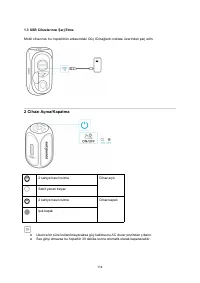
114 1.3 USB Cihazlarınızı Şarj Etme Mobil cihazınızı bu hoparlörün arkasındaki Güç IQ bağlantı noktası üzerinden şarj edin. 2 Cihazı Açma/Kapatma 2 saniye basılı tutma Cihaz açık Sabit yanan beyaz 2 saniye basılı tutma Cihaz kapalı Işık kapalı ● Uzunca bir süre kullanılmayacaksa güç kablosunu AC duv...
Page 117 - Hoparlörünüzü Kullanma; Bluetooth Eşleştirme
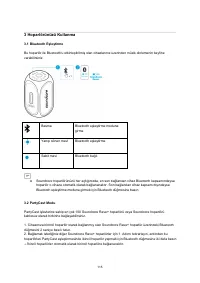
115 3 Hoparlörünüzü Kullanma 3.1 Bluetooth Eşleştirme Bu hoparlör ile Bluetooth'u etkinleştirilmiş olan cihazlarınız üzerinden müzik dinlemenin keyfine varabilirsiniz. Basma Bluetooth eşleştirme moduna girme Yanıp sönen mavi Bluetooth eşleştirme Sabit mavi Bluetooth bağlı ● Soundcore hoparlörünüzü h...
Page 118 - PartyCast moduna başarıyla girildiğinde:
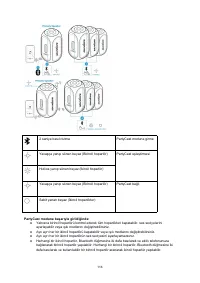
116 2 saniye basılı tutma PartyCast moduna girme Yavaşça yanıp sönen beyaz (Birincil hoparlör) PartyCast eşleştirmesi Hızlıca yanıp sönen beyaz (İkincil hoparlör) Yavaşça yanıp sönen beyaz (Birincil hoparlör) PartyCast bağlı Sabit yanan beyaz (İkincil hoparlörler) PartyCast moduna başarıyla girildiğ...
Page 119 - Kablolu Parti Modu
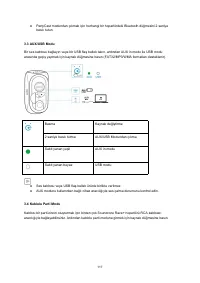
117 ● PartyCast modundan çıkmak için herhangi bir hoparlördeki Bluetooth düğmesini 2 saniye basılı tutun. 3.3 AUX/USB Modu Bir ses kablosu bağlayın veya bir USB flaş bellek takın, ardından AUX in modu ile USB modu arasında geçiş yapmak için kaynak düğmesine basın (FAT32/MP3/WMA formatları destekleni...
Page 120 - Düğme Kontrolleri
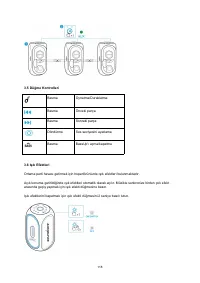
118 3.5 Düğme Kontrolleri Basma Oynatma/Duraklatma Basma Önceki parça Basma Sonraki parça Döndürme Ses seviyesini ayarlama Basma BassUp'ı açma/kapatma 3.6 Işık Efektleri Ortama parti havası getirmek için hoparlörünüzde ışık efektleri bulunmaktadır. Açık konuma getirildiğinde ışık efektleri otomatik ...
Page 121 - Soundcore Uygulaması
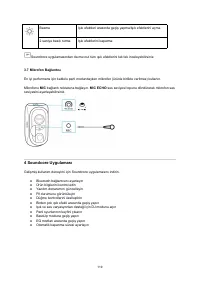
119 Basma Işık efektleri arasında geçiş yapma/Işık efektlerini açma 2 saniye basılı tutma Işık efektlerini kapatma Soundcore uygulamasından da mevcut tüm ışık efektlerini tek tek inceleyebilirsiniz. 3.7 Mikrofon Bağlantısı En iyi performans için kablolu parti modundayken mikrofon (ürünle birlikte ve...
Page 122 - Teknik Özellikler
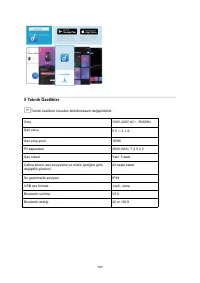
120 5 Teknik Özellikler Teknik özellikler önceden bildirilmeksizin değiştirilebilir. Giriş 100V-240V AC~, 50/60Hz Şarj çıkışı 5 V ⎓ 2,1 A Ses çıkış gücü 160W Pil kapasitesi 4900 mAh / 7,4 V x 2 Şarj süresi Yakl. 5 saat Çalma süresi (ses seviyesine ve müzik içeriğine göre değişiklik gösterir) 24 saat...
Page 125 - 本製品の使用
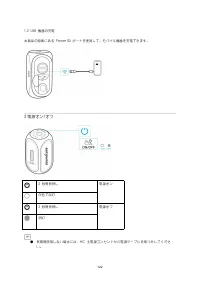
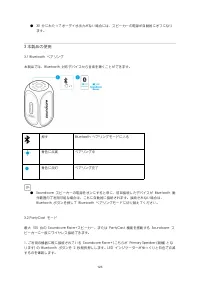
123 ● 30 分にわたってオーディオ出力がない場合には、スピーカーの電源が自動的にオフになり ます。 3 本製品の使用 3.1 Bluetooth ペアリング 本製品では、Bluetooth 対応デバイスから音楽を聴くことができます。 押す Bluetooth ペアリングモードに入る 青色に点滅 ペアリング中 青色に点灯 ペアリング完了 ● Soundcore スピーカーの電源をオンにすると常に、前回接続したデバイスが Bluetooth 動 作範囲内で利用可能な場合は、これに自動的に接続されます。接続されない場合は、Bluetooth ボタンを押して Bluetooth ペアリングモード...
Page 126 - PartyCast ペアリング中; PartyCast 接続済み
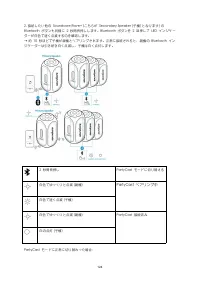
124 2. 接続したい他の Soundcore Rave+ (こちらが Secondary Speaker (子機) となります) のBluetooth ボタンも同様に 2 秒間長押しします。Bluetooth ボタンを 2 回押して LED インジケーターが白色で速く点滅するのを確認します。→ 約 10 秒ほどで子機が親機とペアリングされます。正常に接続されると、親機の Bluetooth インジケーターは引き続き白く点滅し、子機は白く点灯します。 2 秒間長押し PartyCast モードに切り替える 白色でゆっくりと点滅 (親機) PartyCast ペアリング中 白色で速く点滅 (子...
Page 128 - 戻る
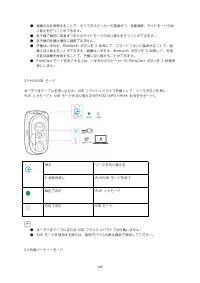
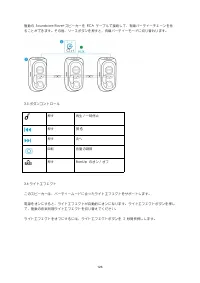
126 複数の Soundcore Rave+スピーカーを RCA ケーブルで接続して、有線パーティーチェーンを作ることができます。その後、ソースボタンを押すと、有線パーティーモードに切り替わります。 3.5 ボタンコントロール 押す 再生 / 一時停止 押す 戻る 押す 次へ 回転 音量の調節 押す BassUp のオン / オフ 3.6 ライトエフェクト このスピーカーは、パーティームードに合ったライトエフェクトをサポートします。 電源をオンにすると、ライトエフェクトが自動的にオンになります。ライトエフェクトボタンを押して、複数の音楽同期ライトエフェクトを切り替えてください。 ライトエフェ...
Page 129 - Soundcore アプリ
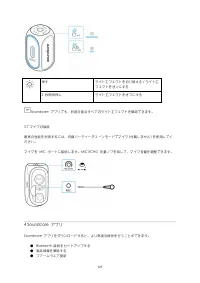
127 押す ライトエフェクトを切り替える / ライトエフェクトをオンにする 2 秒間長押し ライトエフェクトをオフにする Soundcore アプリでも、利用可能なすべてのライトエフェクトを確認できます。 3.7 マイクの接続 最高の性能を利用するには、有線パーティーチェーンモードでマイク (付属しません) を使用してください。 マイクを MIC ポートに接続します。MIC ECHO 音量ノブを回して、マイク音量を調整できます。 4 Soundcore アプリ Soundcore アプリをダウンロードすると、より高度な操作を行うことができます。 ● Bluetooth 接続をセットアップする...
Page 130 - Bluetooth 5
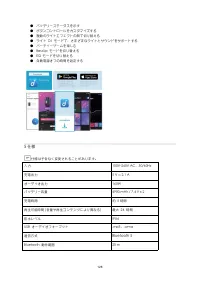
128 ● バッテリーステータスを示す● ボタンコントロールをカスタマイズする● 複数のライトエフェクトの間で切り替える● ライト DJ モードで、さまざまなライトとサウンドをサポートする● パーティーゲームを楽しむ● BassUp モードを切り替える● EQ モードを切り替える● 自動電源オフの時間を設定する 5 仕様 仕様は予告なく変更されることがあります。 入力 100V-240V AC、50/60Hz 充電出力 5 V ⎓ 2.1 A オーディオ出力 160W バッテリー容量 4900 mAh / 7.4 V x 2 充電時間 約 5 時間 再生可能時間 (音量や再生コンテンツにより異...
Page 131 - 충전; AC
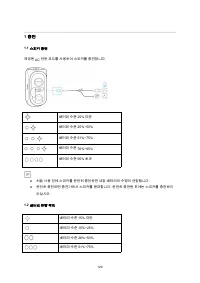
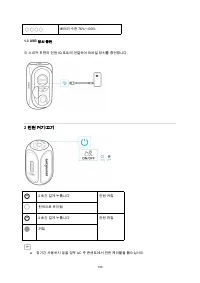
129 1 충전 1.1 스피커 충전 제공된 AC 전원 코드를 사용하여 스피커를 충전합니다 . 배터리 수준 25% 미만 배터리 수준 25%~50% 배터리 수준 51%~75% 배터리 수준 76%~95% 배터리 수준 95% 초과 ● 처음 사용 전에 스피커를 완전히 충전하면 내장 배터리의 수명이 연장됩니다 . ● 완전히 충전되면 충전기에서 스피커를 분리합니다 . 완전히 충전된 후에는 스피커를 충전하지 마십시오 . 1.2 배터리 잔량 확인 배터리 수준 15% 미만 배터리 수준 15%~25% 배터리 수준 26%~50% 배터리 수준 51%~75...
Page 132 - IQ; 전원 켜기
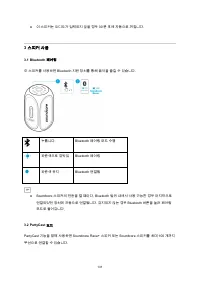
130 배터리 수준 76%~100% 1.3 USB 장치 충전 이 스피커 후면의 전원 IQ 포트에 연결하여 모바일 장치를 충전합니다 . 2 전원 켜기 / 끄기 2 초간 길게 누릅니다 . 전원 켜짐 흰색으로 유지됨 2 초간 길게 누릅니다 . 전원 꺼짐 꺼짐 ● 장기간 사용하지 않을 경우 AC 주 콘센트에서 전원 케이블을 뽑으십시오 .
Page 133 - 스피커 사용
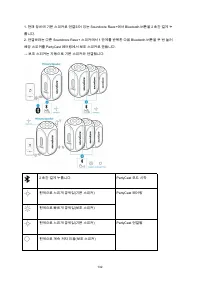
131 ● 이 스피커는 오디오가 입력되지 않을 경우 30 분 후에 자동으로 꺼집니다 . 3 스피커 사용 3.1 Bluetooth 페어링 이 스피커를 사용하면 Bluetooth 지원 장치를 통해 음악을 즐길 수 있습니다 . 누릅니다 . Bluetooth 페어링 모드 수행 파란색으로 깜박임 Bluetooth 페어링 파란색 유지 Bluetooth 연결됨 ● Soundcore 스피커의 전원을 켤 때마다 , Bluetooth 범위 내에서 사용 가능한 경우 마지막으로 연결되었던 장치에 자동으로 연결됩니다 . 감지되지 않는 경우 Bluetoot...
Page 135 - PartyCast
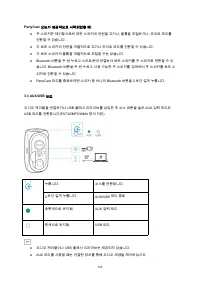
133 PartyCast 모드가 성공적으로 시작되었을 때 : ● 주 스피커만 제어함으로써 모든 스피커의 전원을 끄거나 , 볼륨을 조절하거나 , 라이트 모드를 전환할 수 있습니다 . ● 각 보조 스피커의 전원을 개별적으로 끄거나 라이트 모드를 전환할 수 있습니다 . ● 각 보조 스피커의 볼륨을 개별적으로 조절할 수는 없습니다 . ● Bluetooth 버튼을 두 번 누르고 스마트폰에 연결하여 보조 스피커를 주 스피커로 전환할 수 있 습니다 . Bluetooth 버튼을 두 번 누르고 사용 가능한 주 스피커를 검색하여 주 스피커를 보조 스...
Page 136 - Party; RCA
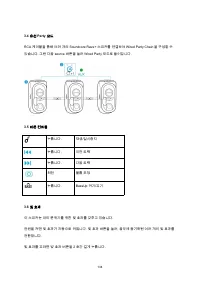
134 3.4 유선 Party 모드 RCA 케이블을 통해 여러 개의 Soundcore Rave+ 스피커를 연결하여 Wired Party Chain 을 구성할 수 있습니다 . 그런 다음 source 버튼을 눌러 Wired Party 모드로 들어갑니다 . 3.5 버튼 컨트롤 누릅니다 . 재생 / 일시중지 누릅니다 . 이전 트랙 누릅니다 . 다음 트랙 회전 볼륨 조정 누릅니다 . BassUp 켜기 / 끄기 3.6 빛 효과 이 스피커는 파티 분위기를 위한 빛 효과를 갖추고 있습니다 . 전원을 켜면 빛 효과가 자동으로 켜집니다 . 빛 효과 ...
Page 137 - MIC ECHO; Soundcore
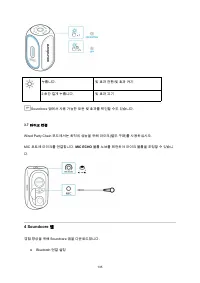
135 누릅니다 . 빛 효과 전환 / 빛 효과 켜기 2 초간 길게 누릅니다 . 빛 효과 끄기 Soundcore 앱에서 사용 가능한 모든 빛 효과를 확인할 수도 있습니다 . 3.7 마이크 연결 Wired Party Chain 모드에서는 최적의 성능을 위해 마이크 ( 별도 구매 ) 를 사용하십시오 . MIC 포트에 마이크를 연결합니다 . MIC ECHO 볼륨 노브를 회전하여 마이크 볼륨을 조정할 수 있습니 다 . 4 Soundcore 앱 경험 향상을 위해 Soundcore 앱을 다운로드합니다 . ● Bluetooth 연결 설정
Page 138 - 사양
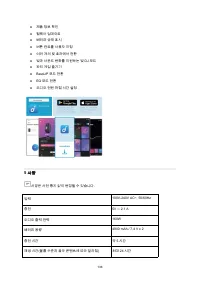
136 ● 제품 정보 확인 ● 펌웨어 업데이트 ● 배터리 상태 표시 ● 버튼 컨트롤 사용자 지정 ● 여러 개의 빛 효과에서 전환 ● 빛과 사운드 변화를 지원하는 빛 DJ 모드 ● 파티 게임 즐기기 ● BassUP 모드 전환 ● EQ 모드 전환 ● 오디오 전원 꺼짐 시간 설정 5 사양 사양은 사전 통지 없이 변경될 수 있습니다 . 입력 100V-240V AC~, 50/60Hz 충전 5V ⎓ 2.1 A 오디오 출력 전력 160W 배터리 용량 4900 mAh / 7.4 V x 2 충전 시간 약 5 시간 재생 시간 ( 볼륨 수준과 음악 콘...
Page 140 - 充电; 为音箱充电
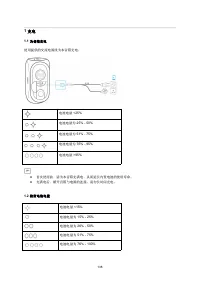
138 1 充电 1.1 为音箱充电 使用提供的交流电源线为本音箱充电。 电池电量 <25% 电池电量为 25% - 50% 电池电量为 51% - 75% 电池电量为 76% - 95% 电池电量 >95% ● 首次使用前,请为本音箱充满电,从而延长内置电池的使用寿命。 ● 充满电后,断开音箱与电源的连接。请勿长时间充电。 1.2 检查电池电量 电池电量 <15% 电池电量为 15% - 25% 电池电量为 26% - 50% 电池电量为 51% - 75% 电池电量为 76% - 100%
Page 141 - Power IQ; 打开
139 1.3 为 USB 设备充电 使用本音箱背面的 Power IQ 端口为移动设备充电。 2 打开 / 关闭电源 按住 2 秒钟 打开电源 白色常亮 按住 2 秒钟 关闭电源 指示灯熄灭 ● 长时间不使用时,请从交流电源插座上拔下电源线。 ● 如果超过 30 分钟没有音频输入,音箱将自动关闭电源。
Page 142 - 使用音箱; 蓝牙配对; 模式
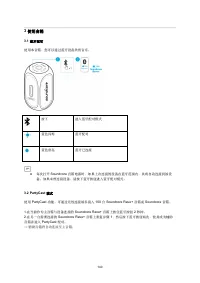
140 3 使用音箱 3.1 蓝牙配对 使用本音箱,您可以通过蓝牙设备欣赏音乐。 按下 进入蓝牙配对模式 蓝色闪烁 蓝牙配对 蓝色常亮 蓝牙已连接 ● 每次打开 Soundcore 音箱电源时,如果上次连接的设备在蓝牙范围内,其将自动连接到该设 备。如果未曾连接设备,请按下蓝牙按钮进入蓝牙配对模式。 3.2 PartyCast 模式 使用 PartyCast 功能,可通过无线连接最多接入 100 台 Soundcore Rave+ 音箱或 Soundcore 音箱。 1. 在当前作为主音箱与设备连接的 Soundcore Rave+ 音箱上按住蓝牙按钮 2 秒钟。 2. 在另一台需要连接的 S...
Page 143 - 成功进入
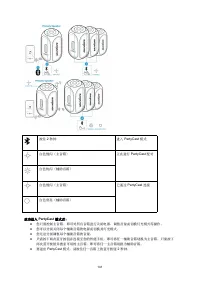
141 按住 2 秒钟 进入 PartyCast 模式 白色慢闪(主音箱) 正在进行 PartyCast 配对 白色快闪(辅助音箱) 白色慢闪(主音箱) 已通过 PartyCast 连接 白色常亮(辅助音箱) 成功进入 PartyCast 模式后: ● 您只需控制主音箱,即可对所有音箱进行关闭电源、调整音量或切换灯光模式等操作。 ● 您可以分别关闭每个辅助音箱的电源或切换其灯光模式。 ● 您无法分别调整每个辅助音箱的音量。 ● 只需按下两次蓝牙按钮并连接至您的智能手机,即可将任一辅助音箱切换为主音箱。只需按下两次蓝牙按钮并搜索可用的主音箱,即可将任一主音箱切换为辅助音箱。 ● 要退出 Part...
Page 145 - 按钮控制; BassUp; 灯光效果
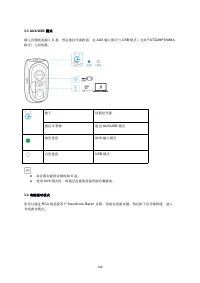
143 3.5 按钮控制 按下 播放 / 暂停 按下 上一曲目 按下 下一曲目 循环播放 调整音量 按下 打开 / 关闭 BassUp 3.6 灯光效果 本音箱配备有灯光效果,能够营造出派对氛围。 接通电源后,灯光效果将自动开启。按下灯光效果按钮,切换多种与音乐同步的灯光效果。 如需关闭灯光效果,请按住灯光效果按钮 2 秒钟。
Page 146 - 麦克风连接
144 按下 打开 / 切换灯光效果 按住 2 秒钟 关闭灯光效果 您可以在 Soundcore 应用中查看所有可用的特定灯光效果。 3.7 麦克风连接 为实现最佳的音箱效果,请在有线派对链模式下使用麦克风(未提供)。 将麦克风连接至 MIC 端口。旋转 MIC ECHO 音量旋钮即可调节麦克风音量。 4 Soundcore 应用 下载 Soundcore 应用,获得更好的产品使用体验。 ● 设置蓝牙连接 ● 查看产品信息 ● 更新固件 ● 指示电池状态 ● 自定义按钮控制 ● 切换多种灯光效果 ● 灯光 DJ 模式支持灯光和声音变化 ● 享受派对游戏 ● 切换 BassUp 模式 ● 切换 ...
Page 147 - 规格; USB
145 5 规格 规格如有变更,恕不另行通知。 输入 100V-240V AC~ , 50/60Hz 充电输出 5 V ⎓ 2.1 A 音频输出功率 160W 电池容量 4900 mAh / 7.4 V x 2 充电时间 大约 5 小时 播放时间(因音量和音乐内容而异) 长达 24 小时 防水等级 IPX4 USB 音频格式 .mp3 、 .wma 蓝牙版本 V5.0 蓝牙范围 20 m / 66 ft
Page 148 - 充電; 為揚聲器充電; 檢查電池電量
146 1 充電 1.1 為揚聲器充電 使用隨附的 AC 電源線為您的揚聲器充電。 電量 <25% 電量 25% - 50% 電量 51% - 75% 電量 76% - 95% 電量 >95% ● 初次使用前,請先將此揚聲器充飽電力,以延長內建電池的使用壽命。 ● 電力完全充飽時請中斷連接揚聲器的電源。請勿進行長時間的充電。 1.2 檢查電池電量 電量 <15% 電量 15% - 25% 電量 26% - 50% 電量 51% - 75% 電量 76% - 100%
Page 149 - 開啟
147 1.3 為 USB 裝置充電 透過此揚聲器背面的 Power IQ 連接埠為您的行動裝置充電。 2 開啟 / 關閉電源 按住 2 秒 電源開啟 穩定亮起白燈 按住 2 秒 電源關閉 指示燈熄滅 ● 當長時間不使用時,從 AC 電源插座拔下電源線。 ● 如果無音訊輸入,此揚聲器將會在 30 分鐘後自動關機。
Page 150 - 使用您的揚聲器; 藍牙配對
148 3 使用您的揚聲器 3.1 藍牙配對 使用此揚聲器,您可透過具備藍牙功能的裝置享受音樂。 按下 進入藍牙配對模式 閃爍藍燈 藍牙配對 持續亮起藍燈 藍牙已連線 ● 每次啟動 Soundcore 揚聲器的電源後,它將會自動連線至您上次連線的裝置(如果在藍牙範圍 內的話)。如果沒有,請按下藍牙按鈕來進入藍牙配對模式。 3.2 PartyCast 模式 您可無線連接最多 100 個 Soundcore Rave+ 揚聲器或 Soundcore 揚聲器並搭配使用 PartyCast 功 能。 1. 在目前連接至您裝置做為主要揚聲器的 Soundcore Rave+ 上,按住藍牙按鈕 2 秒。 ...
Page 151 - 當成功進入
149 按住 2 秒 進入 PartyCast 模式 緩慢閃爍白燈(主要揚聲器) PartyCast 配對中 快速閃爍白燈(次要揚聲器) 緩慢閃爍白燈(主要揚聲器) PartyCast 已連線 穩定亮起白燈(次要揚聲器) 當成功進入 PartyCast 模式時: ● 您只需控制主要揚聲器,就可以對所有揚聲器關機、調整音量或切換燈光模式; ● 您可以對個別次要揚聲器關機或切換燈光模式。 ● 您無法個別調整次要揚聲器的音量。 ● 按下藍牙按鈕兩次並連線至您的智慧型手機,可將任何次要揚聲器切換為主要揚聲器。按下藍牙按鈕兩次並搜尋可用的主要揚聲器,可將任何主要揚聲器切換為次要揚聲器。 ● 如要結束 P...
Page 153 - 按鈕控制項; 燈光效果
151 3.5 按鈕控制項 按下 播放 / 暫停 按下 上一首曲目 按下 下一首曲目 旋轉 調整音量 按下 開啟 / 關閉 BassUp 3.6 燈光效果 您的揚聲器提供派對氣氛的燈光效果。 開機時,燈光效果會自動開啟。按下燈光效果按鈕以切換多種不同的音樂同步燈光效果。 如要關閉燈光效果,按住燈光效果按鈕 2 秒。
Page 154 - 麥克風連接
152 按下 切換燈光效果 / 開啟燈光效果 按住 2 秒 關閉燈光效果 您也可以在 Soundcore 應用程式中檢查所有可用的特定燈光效果。 3.7 麥克風連接 為取得最佳效能,在有線派對鏈模式下,請使用麥克風(未隨附)。 將麥克風連接至 MIC 連接埠。您可旋轉 MIC ECHO 音量旋鈕來調整麥克風音量。 4 Soundcore 應用程式 下載 Soundcore 應用程式,享受更佳的體驗。 ● 設定藍牙連線 ● 檢查產品資訊 ● 更新韌體 ● 指出電池狀態 ● 自訂按鈕控制項 ● 在不同的燈光效果之間切換 ● 燈光 DJ 模式支援燈光和聲音變化 ● 享受派對遊戲 ● 切換 BassU...
Page 155 - 規格
153 5 規格 規格可能隨時變更,恕不另行通知。 輸入 100V-240V AC , 50/60Hz 充電輸出 5 V ⎓ 2.1 A 音訊輸出功率 160W 電池容量 4900 mAh / 7.4 V x 2 充電時間 約 5 小時 播放時間 ( 視音量大小與音樂內容而有所不同 ) 最多 24 小時 防水等級 IPX4 USB 音效格式 .Mp3 、 .wma 藍牙版本 V5.0 藍牙範圍 20 m / 66 ft
Page 156 - نحشلا; تاعامسلا نحش; .كتاعامس نحشل قفرملا ددرتملا رایتلا لباك مدختسا; ةیراطبلا ىوتسم صحف
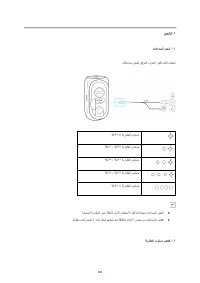
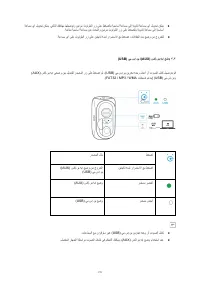
۱ نﺣﺷﻟا ۱.۱ تﺎﻋﺎﻣﺳﻟا نﺣﺷ .كﺗﺎﻋﺎﻣﺳ نﺣﺷﻟ ﻖﻓرﻣﻟا ددرﺗﻣﻟا رﺎﯾﺗﻟا لﺑﺎﻛ مدﺧﺗﺳا > ﺔﯾرﺎطﺑﻟا ىوﺗﺳﻣ ۲٥ % ﺔﯾرﺎطﺑﻟا ىوﺗﺳﻣ ۲٥ % - ٥۰ % ﺔﯾرﺎطﺑﻟا ىوﺗﺳﻣ ٥۱ % - ۷٥ % ﺔﯾرﺎطﺑﻟا ىوﺗﺳﻣ ۷٦ % - ۹٥ % < ﺔﯾرﺎطﺑﻟا ىوﺗﺳﻣ ۹٥ % ● .ﺔﺟﻣدﻣﻟا ﺔﯾرﺎطﺑﻟا رﻣﻋ ﺔﻟﺎطﻹ لوﻷا مادﺧﺗﺳﻻا لﺑﻗ ﺎ ًﻣﺎﺗ ﺎًﻧﺣﺷ تﺎﻋﺎﻣﺳﻟا نﺣﺷا ● .ﺔﻟوطﻣ ددﻣﻟ نﺣﺷﺗ ﻻ ...
Page 157 - لیغشتلا فاقیإ/لیغشتلا
> ﺔﯾرﺎطﺑﻟا ىوﺗﺳﻣ ۱٥ % ﺔﯾرﺎطﺑﻟا ىوﺗﺳﻣ ۱٥ % - ۲٥ % ىوﺗﺳﻣ ﺔﯾرﺎطﺑﻟا ۲٦ % - ٥۰ % ﺔﯾرﺎطﺑﻟا ىوﺗﺳﻣ ٥۱ % - ۷٥ % ﺔﯾرﺎطﺑﻟا ىوﺗﺳﻣ ۷٦ % - ۱۰۰ % ۱,۳ ) ﻲﺑ.سإ.وﯾ ةزﮭﺟأ نﺣﺷ USB ( .تﺎﻋﺎﻣﺳﻟا نﻣ ﻲﻔﻠﺧﻟا ءزﺟﻟا ﻲﻓ "وﯾﻛ يآ روﺎﺑ" ذﻔﻧﻣ ﺔطﺳاوﺑ ﺔﻟوﻣﺣﻣﻟا كﺗزﮭﺟأ نﺣﺷا ۲ لﯾﻐﺷﺗﻟا فﺎﻘﯾإ/لﯾﻐﺷﺗﻟا 155
Page 158 - كتاعامس مادختسا; ثوتولبلاب طبرلا
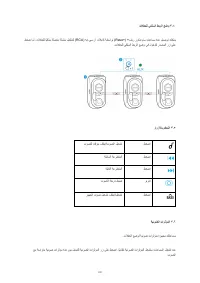
نﯾﺗﯾﻧﺎﺛ ةدﻣﻟ رارﻣﺗﺳﻻا ﻊﻣ طﻐﺿا لﯾﻐﺷﺗﻟا رﻣﺗﺳﻣ ضﯾﺑأ نﯾﺗﯾﻧﺎﺛ ةدﻣﻟ رارﻣﺗﺳﻻا ﻊﻣ طﻐﺿا لﯾﻐﺷﺗﻟا فﺎﻘﯾإ ةءﺎﺿﻹا ءﺎﻔطﻧا ● .ﺔﻟوطﻣ ددﻣﻟ تﺎﻋﺎﻣﺳﻟا مادﺧﺗﺳا مدﻋ ﺔﻟﺎﺣ ﻲﻓ ءﺎﺑرﮭﻛﻟا ذﺧﺄﻣ نﻣ ددرﺗﻣﻟا رﺎﯾﺗﻟا لﺑﺎﻛ لﺻﻓا ● دﻌﺑ ﺎًﯾﺋﺎﻘﻠﺗ لﯾﻐﺷﺗﻟا نﻋ تﺎﻋﺎﻣﺳﻟا فﻗوﺗﺗﺳ ۳۰ .ﻲﺗوﺻ لﺧدُﻣ دوﺟو مدﻋ ﺔﻟﺎﺣ ﻲﻓ ﺔﻘﯾﻗد ۳ كﺗﺎﻋﺎﻣﺳ مادﺧﺗﺳا ۳.۱ ثوﺗوﻠﺑ...
Page 159 - تلافحلا عضو; Rave
طﻐﺿا ثوﺗوﻠﺑﻟﺎﺑ طﺑرﻟا ﻊﺿو لﺧدا قرزأ ضﯾﻣو ثوﺗوﻠﺑﻟﺎﺑ طﺑرﻟا رﻣﺗﺳﻣ قرزأ لﺻﺗﻣ ثوﺗوﻠﺑﻟا نﺎﻛ اذإ حﺎﺟﻧﺑ تﺎﻋﺎﻣﺳﻟا ﮫﺑ تﻠﺻﺗا يذﻟا رﯾﺧﻷا زﺎﮭﺟﻟا ﻊﻣ ﺎًﯾﺋﺎﻘﻠﺗ لﺻﺗﺗﺳ ﺎﮭﻧﺈﻓ ،روﻛدﻧوﺎﺳ عوﻧ نﻣ كﺗﺎﻋﺎﻣﺳ لّﻐ ُﺷﺗ ةرﻣ لﻛ ﻲﻓ ● .ثوﺗوﻠﺑﻟﺎﺑ طﺎﺑﺗرﻻا ﻊﺿو ﻲﻓ لوﺧدﻠﻟ ثوﺗوﻠﺑﻟا رز طﻐﺿا ،كﻟذ ثدﺣﯾ مﻟ اذإ .ثوﺗوﻠﺑﻟا قﺎطﻧ لﺧاد ﺎ ًﺣﺎﺗﻣ ۳.۲ ت...
Page 160 - :تلافحلا ثب عضو يف حاجنب لوخدلا دنع
نﯾﺗﯾﻧﺎﺛ ةدﻣﻟ رارﻣﺗﺳﻻا ﻊﻣ طﻐﺿا تﻼﻔﺣﻟا ثﺑ ﻊﺿو لﺧدا (ﺔﯾﺳﺎﺳﻷا ﺔﻋﺎﻣﺳﻟا) ءﻲطﺑ ضﯾﺑأ ضﯾﻣو تﻼﻔﺣﻟا ثﺑ ﻊﺿوﺑ طﺎﺑﺗرﻻا (ﺔﯾوﻧﺎﺛﻟا ﺔﻋﺎﻣﺳﻟا) ﻊﯾرﺳ ضﯾﺑأ ضﯾﻣو (ﺔﯾﺳﺎﺳﻷا ﺔﻋﺎﻣﺳﻟا) ءﻲطﺑ ضﯾﺑأ ضﯾﻣو تﻼﻔﺣﻟا ثﺑ ﻊﺿوﺑ لﺎﺻﺗﻻا مﺗ (ﺔﯾوﻧﺎﺛﻟا تﺎﻋﺎﻣﺳﻟا) رﻣﺗﺳﻣ ضﯾﺑأ :تﻼﻔﺣﻟا ثﺑ ﻊﺿو ﻲﻓ حﺎﺟﻧﺑ لوﺧدﻟا دﻧﻋ ● فﺎﻘﯾإ كﻧﻛﻣﯾ .طﻘﻓ ﺔﯾﺳﺎﺳﻷا ﺔﻋﺎﻣﺳﻟﺎﺑ م...
Page 162 - تلافحلل يكلسلا طبرلا عضو; رارزلأاب مكحتلا
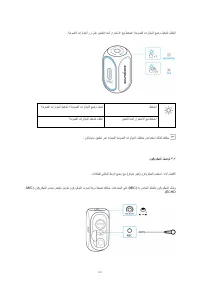
۳.٤ تﻼﻔﺣﻠﻟ ﻲﻛﻠﺳﻟا طﺑرﻟا ﻊﺿو +) +فﯾر روﻛدﻧوﺎﺳ تﺎﻋﺎﻣﺳ ةدﻋ لﯾﺻوﺗ كﻧﻛﻣﯾ Rave ( ) ﮫﯾإ.ﻲﺳ.رآ تﻼﺑﺎﻛ ﺔطﺳاوﺑ RCA ( طﻐﺿا مﺛ .تﻼﻔﺣﻠﻟ ﺎًﯾﻛﻠﺳ ﺔﻠﺻﺗﻣ ﺔﻠﺳﻠﺳ لﯾﻛﺷﺗﻟ ردﺻﻣﻟا رز ﻰﻠﻋ .تﻼﻔﺣﻠﻟ ﻲﻛﻠﺳﻟا طﺑرﻟا ﻊﺿو ﻲﻓ لوﺧدﻠﻟ ۳.٥ رارزﻷﺎﺑ مﻛﺣﺗﻟا طﻐﺿا توﺻﻠﻟ تﻗؤﻣ فﺎﻘﯾإ/توﺻﻟا لﯾﻐﺷﺗ طﻐﺿا ﺔﻘﺑﺎﺳﻟا ﺔﻋوطﻘﻣﻟا طﻐﺿا ﺔﯾﻟﺎﺗﻟا ﺔﻋوطﻘﻣﻟا رﯾودﺗ ...
Page 163 - نوفوركیملا لیصوت; MIC
ا تارﺛؤﻣﻟا رز ﻰﻠﻋ نﯾﺗﯾﻧﺎﺛ ةدﻣﻟ رارﻣﺗﺳﻻا ﻊﻣ طﻐﺿا ،ﺔﯾﺋوﺿﻟا تارﺛؤﻣﻟا ﻊﺿو لﯾﻐﺷﺗ فﺎﻘﯾﻹ .ﺔﯾﺋوﺿﻟ طﻐﺿا ﺔﯾﺋوﺿﻟا تارﺛؤﻣﻟا لﯾﻐﺷﺗ / ﺔﯾﺋوﺿﻟا تارﺛؤﻣﻟا ﻊﺿو لﯾدﺑﺗ نﯾﺗﯾﻧﺎﺛ ةدﻣﻟ رارﻣﺗﺳﻻا ﻊﻣ طﻐﺿا ﺔﯾﺋوﺿﻟا تارﺛؤﻣﻟا لﯾﻐﺷﺗ فﺎﻘﯾإ .روﻛدﻧوﺎﺳ ﻖﯾﺑطﺗ رﺑﻋ ةددﺣﻣﻟا ﺔﯾﺋوﺿﻟا تارﺛؤﻣﻟا فﻠﺗﺧﻣ ضارﻌﺗﺳا كﻟذﻛ كﻧﻛﻣﯾ ۳.۷ نوﻓورﻛﯾﻣﻟا لﯾﺻوﺗ .تﻼ...
Page 164 - روكدنواس قیبطت; DJ; تافصاوملا
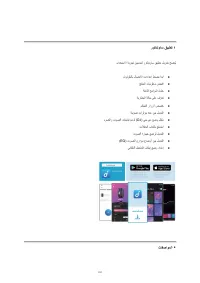
٤ روﻛدﻧوﺎﺳ ﻖﯾﺑطﺗ .مادﺧﺗﺳﻻا ﺔﺑرﺟﺗ نﯾﺳﺣﺗﻟ روﻛدﻧوﺎﺳ ﻖﯾﺑطﺗ لﯾزﻧﺗﺑ ﺢﺻﻧُﯾ ● ثوﺗوﻠﺑﻟﺎﺑ لﺎﺻﺗﻻا تادادﻋإ طﺑﺿﺑ أدﺑا ● ﺞﺗﻧﻣﻟا تﺎﻣوﻠﻌﻣ صﺣﻓا ● ﺔﺗﺑﺎﺛﻟا ﺞﻣارﺑﻟا ثّدﺣ ● ﺔﯾرﺎطﺑﻟا ﺔﻟﺎﺣ ﻰﻠﻋ ف ّرﻌﺗ ● مﻛﺣﺗﻟا رارزأ صﺻﺧ ● ﺔﯾﺋوﺿ تارﺛؤﻣ ةدﻋ نﯾﺑ لﯾدﺑﺗﻟا ● ) ﻲﺟ.يد ﻊﺿو لّﻐﺷ DJ ( ءوﺿﻟاو توﺻﻟا تﺎﻧﯾﺎﺑﺗ مﻋدﻟ ● تﻼﻔﺣﻟا بﺎﻌﻟﺄﺑ ﻊﺗﻣﺗﺳا ...
Page 166 - הניעט; לוקמרה תניעט; .לוקמרה תניעטל ףרוצמה למשחה לבכב שמתשהל שי; הללוסה תניעט תמר תקידב
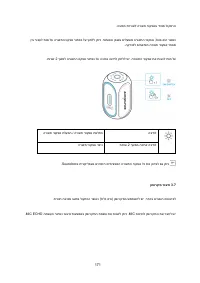
164 1 הניעט 1.1 לוקמרה תניעט .לוקמרה תניעטל ףרוצמה למשחה לבכב שמתשהל שי > הללוסה תניעט תמר 25% הללוסה תניעט תמר 25% - 50% הללוסה תניעט תמר 51% - 75% הללוסה תניעט תמר 76% - 95% < הללוסה תניעט תמר 95% ● לש םייחה תלחות תא ךיראהל תנמ לע ינושארה שומישה ינפל לוקמרה לש האלמ הניעטל עיגהל ץלמומ .תינבומ...
Page 168 - לוקמרב שומיש; דומיצ; Bluetooth
166 ךשמב הכורא הציחל 2 תוינש הלעפה עובק ןבל רוא ךשמב הכורא הציחל 2 תוינש יוביכ יובכ רוא ● .ךשוממ ןמז קרפ שומישב וניא רשאכ עקתהמ למשחה לבכ תא קתנל שי ● רחאל יטמוטוא ןפואב הבכיי לוקמרה 30 .עמש טלק לבקתמ אל םא תוקד 3 לוקמרב שומיש 3.1 דומיצ Bluetooth ב םיכמותה םירישכממ הקיזוממ תונהיל ןתינ הז לוקמר תועצמ...
Page 169 - בצמ
167 הציחל דומיצ בצמל הסינכ Bluetooth בהבהמ לוחכ רוא דומיצ Bluetooth עובק לוחכ רוא Bluetooth רבוחמ ,רבוחמ היה וילאש ןורחאה רישכמל יטמוטוא ןפואב רבחתי אוה , Soundcore לוקמר תא םיליעפמש םעפ לכב ה חווטב ןימז רישכמה םא - Bluetooth . רותפכ לע ץוחלל שי ,אל םא Bluetooth דומיצ בצמל סנכיהל תנמ לע Bluetooth . ...
Page 170 - בצמל הסינכ החלצהב העצבתה רשאכ
168 .ישארה לוקמרל יטמוטוא ןפואב ורבחתי םיינשמה םילוקמרה ← ךשמב הכורא הציחל 2 תוינש בצמל הסינכ PartyCast (ישאר לוקמר) תויטאב בהבהמ ןבל רוא דומיצ PartyCast (ינשמ לוקמר) תוריהמב בהבהמ ןבל רוא (ישאר לוקמר) תויטאב בהבהמ ןבל רוא PartyCast רבוחמ (םיינשמ םילוקמר) עובק ןבל רוא בצמל הסינכ החלצהב העצבתה רשאכ P...
Page 172 - AUX; תיטוח הביסמ בצמ; Soundcore Rave; הטילש ירותפכ; BaseUp; הרואת יטקפא
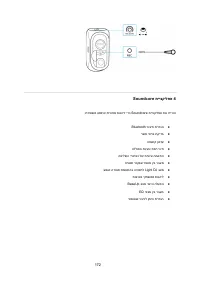
170 ● בצמב שומיש תעב AUX , .רבוחמה רישכמה תועצמאב עמשה ןוגינב טולשל ןתינ 3.4 תיטוח הביסמ בצמ םגדמ םילוקמר רפסמ רבחל ןתינ Soundcore Rave + ילבכ תועצמאב RCA רחאל .תיטוח הביסמ תרשרש רוציל ידכב .תיטוח הביסמ בצמל סנכיהל תנמ לע רוקמה רותפכ לע ץוחלל שי ןכמ 3.5 הטילש ירותפכ הציחל הייהשה/הלעפה הציחל תמדוקה ה...
Page 173 - ןופורקימ רוביח
171 .הביסמ תריוואל הרואת יטקפאב דיוצמ לוקמרה ןיב רובעל תנמ לע הרואתה טקפא רותפכ לע ץוחלל ןתינ .יטמוטוא ןפואב םילעפומ הרואתה יטקפא ,לעופ אוה רשאכ .הקיזומל םימאתומ הרואת יטקפא רפסמ ךשמל הרואתה טקפא רותפכ לע הכורא הציחל ץוחלל שי ,הרואתה יטקפא תא תובכל תנמ לע 2 .תוינש הציחל הרואת יטקפא תלעפה / הרואת יטק...
Page 175 - טרפמ
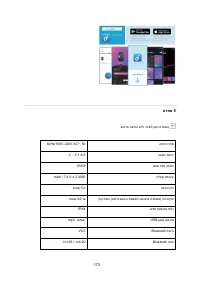
173 5 טרפמ .שארמ העדוה אלל יונישל ןותנ טרפמה הסינכ חתמ 100V- 240V AC~, 50 / 60Hz הניעט תאיצי 5 V ⎓ 2.1 A עמש טלפ קפסה 160W הללוס תלוביק 4900 mAh / 7.4 V x 2 הניעט ןמז תועש 5-כ (הקיזומה ןכותלו עמשה תמצועל םאתהב הנתשמ) הניגנ ןמז דע 24 תועש םימל תומיטא תמר IPX4 עמש טמרופ USB . mp3, .wma תסרג Bluetooth ...