ZOTAC ZBOX ECM53060C-BE - User Manual
ZOTAC ZBOX ECM53060C-BE System unit – User Manual, read for free online in PDF format. We hope this helps you resolve any issues you may have. If you have further questions, please contact us through the contact form.
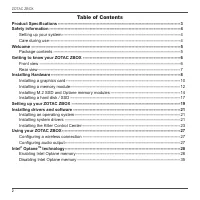
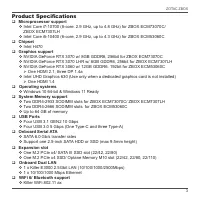
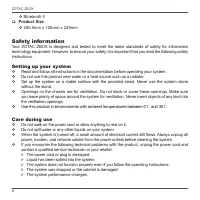
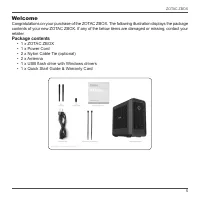
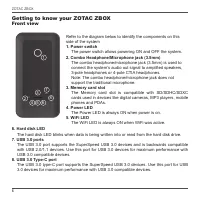
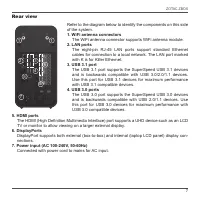
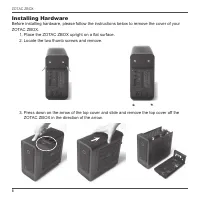
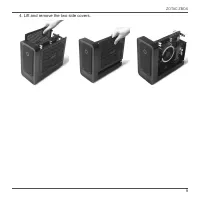
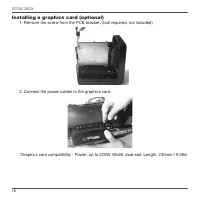
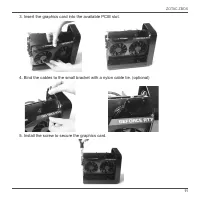
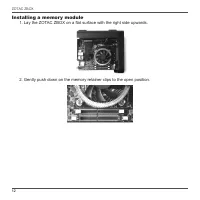
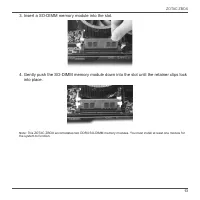
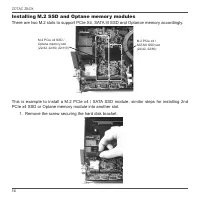
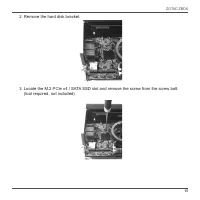
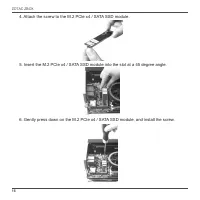
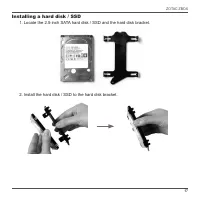
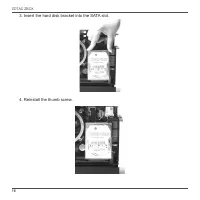
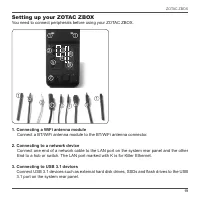
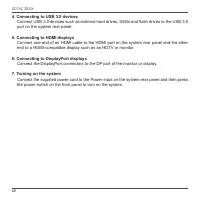
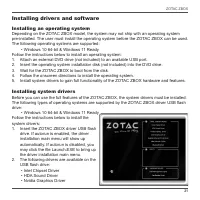
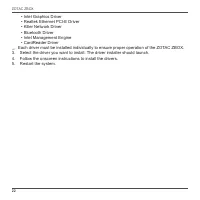
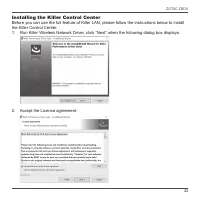
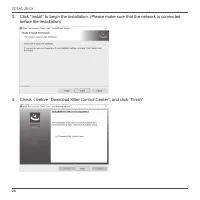
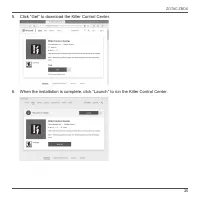
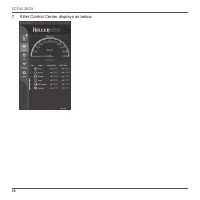
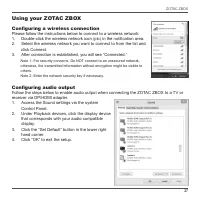
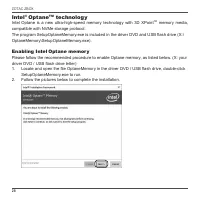
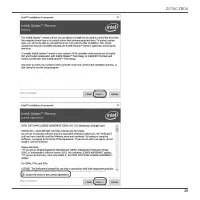
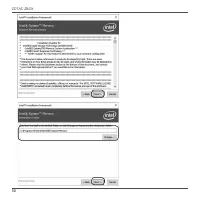
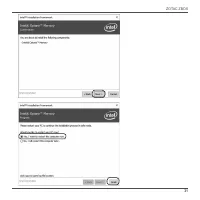
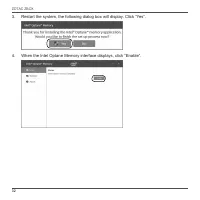
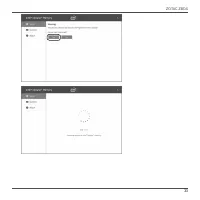
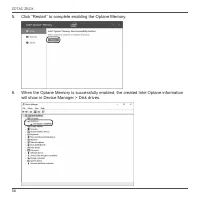
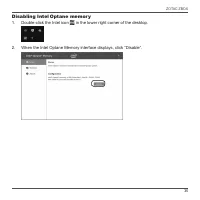
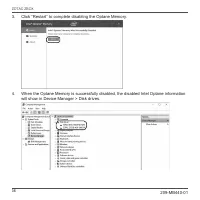

Table of Contents:
- Page 2 – ZOTAC ZBOX; only. All trademarks are the property of their respective owners.
- Page 3 – Table of Contents; Configuring a wireless connection
- Page 4 – Product Specifications; Up to 64 GB of memory
- Page 5 – Product Size; Safety information; Setting up your system; contact a qualified service technician or your retailer.
- Page 6 – Welcome; Package contents; • 1 x ZOTAC ZBOX
- Page 7 – Getting to know your ZOTAC ZBOX; Front view; connect the system’s audio out signal to amplified speakers,
- Page 8 – Rear view; WiFi antenna connectors
- Page 9 – Installing Hardware; Place the ZOTAC ZBOX upright on a flat surface.
- Page 11 – Connect the power cables to the graphics card.
- Page 12 – Insert the graphics card into the available PCIE slot.
- Page 13 – Installing a memory module; Lay the ZOTAC ZBOX on a flat surface with the right side upwards.
- Page 15 – Installing M.2 SSD and Optane memory modules; PCIe x4 SSD or Optane memory module into another slot.
- Page 18 – Installing a hard disk / SSD
- Page 19 – Insert the hard disk bracket into the SATA slot.
- Page 20 – Setting up your ZOTAC ZBOX; You need to connect peripherals before using your ZOTAC ZBOX.; Connecting a WiFi antenna module; Connect a BT/WiFi antenna module to the BT/WiFi antenna connector.; Connecting to a network device
- Page 21 – port on the system rear panel.; Connecting to HDMI displays; end to a HDMI-compatible display such as an HDTV or monitor.; Connecting to DisplayPort displays; the power switch on the front panel to turn on the system.
- Page 22 – Installing drivers and software; Installing an operating system; Insert the ZOTAC ZBOX driver USB flash
- Page 24 – Installing the Killer Control Center; the Killer Control Center.
- Page 25 – before the installation)
- Page 26 – Click “Get” to download the Killer Control Center.
- Page 27 – Killer Control Center displays as below.
- Page 28 – Using your ZOTAC ZBOX; Access the Sound settings via the system
- Page 29 – Intel; technology; driver DVD and USB flash drive; Enabling Intel; DVD / USB flash drive
- Page 33 – When the Intel Optane Memory interface displays, click “Enable”.
- Page 35 – will show in Device Manager > Disk drives.
- Page 36 – Disabling Intel; When the Intel Optane Memory interface displays, click “Disable”.
"Loading the manual" means you need to wait until the file loads and becomes available for online reading. Some manuals are very large, and the time they take to appear depends on your internet speed.
Summary
ZOTAC ZBOX 1 ZOTAC ZBOX User’s Manual No part of this manual, including the products and software described in it, may be reproduced, transmitted, transcribed, stored in a retrieval system, or translated into any language in any form or by any means, except documentation kept by the purchaser for ba...
ZOTAC ZBOX 2 Table of Contents Product Specifications ---------------------------------------------------------------------------------------- 3 Safety information ---------------------------------------------------------------------------------------------- 4 Setting up your system ----------------...
ZOTAC ZBOX 3 Product Specifications q Microprocessor support v Intel Core i7-10700 (8-core, 2.9 GHz, up to 4.8 GHz) for ZBOX ECM73070C/ ZBOX ECM7307LH v Intel Core i5-10400 (6-core, 2.9 GHz, up to 4.3 GHz) for ZBOX ECM53060C q Chipset v Intel H470 q Graphics support v NVIDIA GeForce RTX 3070 w/ 8GB ...