Xerox 5335 - Manual

Xerox 5335 Printer – Manual, read for free online in PDF format. We hope this helps you resolve any issues you may have. If you have further questions, please contact us through the contact form.


Table of Contents:
- Page 3 – GROUNDING; FUNCTIONAL DESCRIPTION; BPM; Symbology
- Page 4 – OPERATION; READ AND SAVE ALL INSTRUCTIONS FOR FUTURE USE.; EXTENSION CORDS
- Page 5 – MAINTENANCE
- Page 8 – MISE A LA TERRE; Pictographie; DESCRIPTION FONCTIONNELLE
- Page 9 – MANIEMENT; CORDONS DE RALLONGE; LISEZ ATTENTIVEMENT CES INSTRUCTIONS ET CONSERVEZ-LES
- Page 13 – TIERRA; Simbología; DESCRIPCION FUNCIONAL
- Page 14 – OPERACION; LEA Y GUARDE TODAS LAS INSTRUCCIONES PARA; EXTENSIONES ELECTRICAS
- Page 15 – MANTENIMIENTO
- Page 17 – MILWAUKEE ELECTRIC TOOL CORPORATION; Service; Servicios de
OPERATOR'S MANUAL
MANUEL de L'UTILISATEUR
MANUAL del OPERADOR
TO REDUCE THE RISK OF INJURY, USER MUST READ AND UNDERSTAND
OPERATOR'S MANUAL.
AFIN DE RÉDUIRE LE RISQUE DE BLESSURES, L'UTILISATEUR DOIT LIRE ET
BIEN COMPRENDRE LE MANUEL DE L'UTILISATEUR.
PARA REDUCIR EL RIESGO DE LESIONES, EL USUARIO DEBE LEER Y
ENTENDER EL MANUAL DEL OPERADOR.
HEAVY DUTY DEMOLITION HAMMER
EXTRA ROBUSTE MARTEAU DE DÉMOLISSEUR
MARTILLO PERFORADOR DE DEMOLICION PARA TRABAJOS
PESADOS
FPO
Catalog No.
No de Cat.
Catálogo No.
5335
"Loading the manual" means you need to wait until the file loads and becomes available for online reading. Some manuals are very large, and the time they take to appear depends on your internet speed.
Was this manual helpful?
About this manual
- Brand
- Xerox
- Model
- 5335
- Document type
- Manual
- Category
- Printer
- Language(s)
- English, Spanish, French
- Pages
- 17
- File size
- 284.7 KB
- Format
Other Manuals for Xerox 5335
Summary
4 5 The grounding prong in the plug is con- nected through the green wire inside the cord to the grounding system in the tool. The green wire in the cord must be the only wire connected to the tool's ground- ing system and must never be attached to an electrically live terminal.Your tool must be p...
6 7 WARNING! To reduce the risk of injury, wear safety goggles or glasses with s i d e s h i e l d s . U n p l u g t h e t o o l before changing accessories or m a k i n g a d j u s t m e n t s . U s e only specifically recommended M I L W A U K E E h a m m e r i r o n s . Others may damage tool. OP...
8 9 Trigger T r i g g e r lock Fig. 3 Starting and Stopping the Tool 1. Pull the trigger to start the tool.2. Release the trigger to stop the tool. Locking Trigger The lock button holds the trigger in the ON position for continuous full-speed use. Side handle knob Side handle Fig. 4 1. To lock the t...
Ask a question
Related manuals
More Xerox Printers models
 Xerox Phaser 3117 User Manual
 Xerox Phaser 3150 User Manual
 Xerox Phaser 3250 User Manual
 Xerox Phaser 3428 User Manual
 Xerox Phaser 3435 User Manual
 Xerox Phaser 3600 User Manual
 Xerox Phaser 5335 User Manual
 Xerox Phaser 6110 User Manual
 Xerox Phaser 6120 User Manual
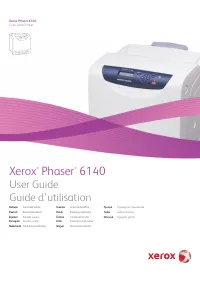 Xerox Phaser 6140 User Manual
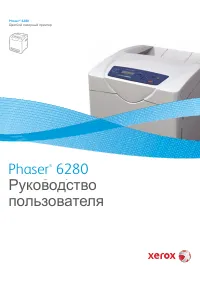 Xerox Phaser 6280 User Manual
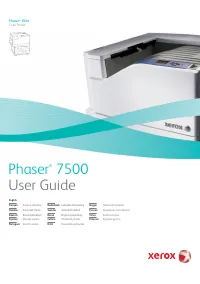 Xerox Phaser 7500 User Manual


