Page 2 - Follow these instructions to reduce the risk; SAFETY AND CAUTIONS
2 5 - S TA G E A I R P U R I F I E R ZERO 360 Before operating this equipment, carefully read and follow these safety cautions. Ensure filters are inserted before running unit. Running the unit without filters may shorten the lifespan of the unit and cause electric shock or injury. Be sure foreign o...
Page 3 - SAFETY INSTRUCTIONS; IMPORTANT CAUTIONS FOR USING YOUR AIR PURIFIER
5 - S TA G E A I R P U R I F I E R ZERO 360 3 SAFETY INSTRUCTIONS Thank you for purchasing a Winix air purifier. This product is for household use only. • Do not repair or modify the unit. All repairs should be completed by a qualified technician. • Do not use if the power cord or plug is damaged or...
Page 4 - MODEL PART DIAGRAM
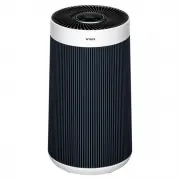
5 - S TA G E A I R P U R I F I E R ZERO 360 4 FRONT BACK Smart Sensor Air Outlet Vent Handle Power Plug Control Panel Front Panel PACKAGE CONTENTS Unit New 360 All-in-one True HEPA filter User Manual MODEL PART DIAGRAM
Page 5 - WHERE TO USE; Place indoors away from direct sunlight
5 - S TA G E A I R P U R I F I E R ZERO 360 5 WHERE TO USE 30 ~ 45 cm 30 ~ 45 cm Allow 30 ~ 45 cm. of space between TVs, radios, , humidifiers, and other electronics It can cause malfunction due to electromagnetic interference and humidified water. Place indoors away from direct sunlight Direct expo...
Page 6 - CONTROL PANEL; - Filter Reset Button can be used when the; Light Mode Button; 0 seconds of power, the Air Quality Indicator
5 - S TA G E A I R P U R I F I E R ZERO 360 6 CONTROL PANEL 02 05 13 03 03 01 0607 04 09 08 14 10 11 12 15 01. Filter Life / Filter Reset Button • A quick press will show the remaining filter life: indicated on the front display (F99 ~ F00). • A long press of 5 seconds will reset the filter life ind...
Page 7 - BLUE
5 - S TA G E A I R P U R I F I E R ZERO 360 7 06. Light Sensor Detects the amount of ambient light in the environment. When in Auto Mode, the light sensor detects when to put the unit into Sleep Mode. 07. Wi-Fi / Pairing Button • A quick press will turn Wi-Fi on/off. • A long press of 3 seconds will...
Page 8 - Winix Smart QUICK GUIDE; Follow these steps to connect your Air Purifier to Wi-Fi; Register; Smart; Requirements Before You Begin:; Download the Winix Smart App; Winix Smart
5 - S TA G E A I R P U R I F I E R ZERO 360 8 Winix Smart QUICK GUIDE Follow these steps to connect your Air Purifier to Wi-Fi 2. Login or Register LOGIN REGISTER SMART If you have an existing Winix Smart account, please login. If you do not have an account, please register and then login. 3. Add Yo...
Page 9 - Other Guidelines; Q The product fails to connect to the wireless; Advanced
5 - S TA G E A I R P U R I F I E R ZERO 360 9 Other Guidelines Trouble Shooting Q The product fails to connect to the wireless Wi-Fi router and continues to flash. A1 Please check the Wi-Fi router password. Check if there are any changes to the router configurations. (make sure the router is on a 2....
Page 10 - When to Replace Filters; Filter; Clean once every 14; MAINTENANCE; -STAGE AIR PURIFICATION; Activated Carbon Filter
5 - S TA G E A I R P U R I F I E R ZERO 360 10 When to Replace Filters Filter Indicator Light When to service When to replace New 360 All-in-one True HEPA filter Clean once every 14 days Lasts Approx. 12 months • When the Check Filter indicator LED is on, it is time to replace the New 360 All-in-one...
Page 11 - INITIAL OPERATION; Install the filter, top side down, into the
5 - S TA G E A I R P U R I F I E R ZERO 360 11 INITIAL OPERATION 1. Turn the product upside down. 2. Grab the handle at the bottom of the product, turn anticlockwise, and pull out the filter cover. 3. Remove the protective vinyl from the filter installed inside the product. BOTTOM 4. Install the fil...
Page 12 - CLEANING CARE; CAN NOT
5 - S TA G E A I R P U R I F I E R ZERO 360 12 CLEANING CARE Cleaning the Filters: Clean with a vacuum or a soft brush. • Only clean the Pre-Filter.• This filter CAN NOT be washed. • Intervals between filter cleaning may vary depending on the air quality. Cleaning the Exterior & Interior: Wipe w...
Page 13 - FREQUENTLY ASKED QUESTIONS; Problem; FILTER; Resetting Filter Life:; REPLACING FILTERS
5 - S TA G E A I R P U R I F I E R ZERO 360 13 FREQUENTLY ASKED QUESTIONS Problem Check / Actions to take The unit does not turn on at all • Is the plug securely attached to the outlet? - Make sure the outlet has power going to it, and ensure the plug is secured. • Is there a power outage? - Check t...
Page 14 - UNIT SPECIFICATIONS; FILTER CLUB; Air Purifier
5 - S TA G E A I R P U R I F I E R ZERO 360 14 UNIT SPECIFICATIONS Model Name WXAP800W, WXAP800S, WXAP800B Power Voltage AC 220 - 240 V, 50/60Hz Power Rate 45 W Verified Room Size 100 m 2 Dimensions 286 mm (W) x 286 mm (D) x 518 mm (H) Weight 4.7 kg Replacement Filter FITLER GR / SKU : 1712-0118-01 ...
Page 15 - Two Year Warranty; slightly from the actual product.
5 - S TA G E A I R P U R I F I E R ZERO 360 15 Two Year Warranty Thank you for purchasing this Winix product. Your product is warranted against faults and manufacture when used in normal domestic use for a period of two years. In non-domestic use Winix limits the voluntary warranty to three months.W...