Page 2 - CONTENTS; This product is suitable for 120V only.
English 2 5500-2 CONTENTS Set Up Where to use 5 Installing the filters 6 Safety Instructions Safety and Cautions 8 Operation Initial Operation 9 Modes of Operation 10 Features and Settings 11 Care and Maintenance Filter Care 13 Cleaning Care 17 Remote Remote Control Guide 18 Troubleshooting Frequent...
Page 3 - Light sensor; PACKAGE; Front panel; Carbon Filter; AIR PURIFICATION
English 3 5500-2 Light sensor ➍ User Manual PACKAGE CONTENTS Front panel ➋ True HEPA filter Power cord with plug (This product is suitable for 120V only.) Odor sensor ➊ Washable Advanced Odor Control (AOC TM ) Carbon Filter Pre-filter ➌ PlasmaWave ® Control Panel / Display Panel 3-STAGE AIR PURIFICA...
Page 4 - Air; CONTROLS
English 4 5500-2 소피아 2 영문 소피아 1 소피아 2 영문 소피아 1 Air Outlet Vent CONTROLS Reset Button After replacing a filter, press the RESET button for at least 5 seconds. Fan Speed Indicator Indicates the current fan speed. Timer Indicator If timer has been set, the LED light indicates the set time of operation....
Page 5 - WARNING; WHERE TO USE
English 5 5500-2 WARNING Follow these instructions to reduce the risk of serious injury or death and to reduce risk of damaging the unit. WHERE TO USE Do not use around mist or fumes from industrial oil or around large quantities of metallic dustDo not install in any sort of motor or transport vehic...
Page 6 - INSTALLING FILTERS; Remove filters from protective plastic; Note
English 6 5500-2 INSTALLING FILTERS This product comes with all the required filters. The protective plastic wrap must be removed from the filters before use※ Operating the unit without removing the plastic wrap may result in product failure. ※ Unplug and make sure the unit is turned off before inst...
Page 7 - Install the filters until they fit; Filters must be installed in this order:; Carbon filter; Replace the front panel by first; Filter; To purchase replacement
English 7 5500-2 ※ Intervals between filter replacement may vary depending on environment. ※ For optimal use, Pre-filter can be cleaned once every 14 days which can extend the life of other filters. ④ Install the filters until they fit securely in place. Filters must be installed in this order: 3 Tr...
Page 8 - SAFETY AND CAUTIONS
English 8 5500-2 SAFETY AND CAUTIONS Before operating this equipment, carefully read and follow these safety cautions WARNING Follow these instructions to reduce the risk of serious injury or death and to reduce risk of damaging the unit. Do not pull on the power cord when unplugging the unit Do not...
Page 9 - Insert the power cord into an electrical; Press the ‘Power’ button.; INITIAL OPERATION
English 9 5500-2 ① Insert the power cord into an electrical outlet. ③ By default, when the unit first powers on, the mode will be set to Auto with PlasmaWave ® enabled. • When in Auto mode, the fan speed will be automatically adjusted according to the environments air quality. • PlasmaWave ® works t...
Page 10 - Press the Mode button to select
English 10 5500-2 1. Auto Mode Enables auto operation based on the unit's air quality Smart Sensors. 소피아 2 영문 소피아 1 ① Press the Mode button to select Auto mode. • The LED ‘Auto’ light will indicate when Auto mode is activated, and operation will begin. • When in Auto mode the fan speed is automatica...
Page 11 - Press the Fan Speed button to set
English 11 5500-2 3. Manual Mode (setting fan speed) Users can opt to manually set the fan speed to Low, Medium, High, or Turbo. • When Manual Mode is selected, Auto Mode is automatically disabled. Note 소피아 2 영문 소피아 1 소피아 2 영문 소피아 1 ① Press the Fan Speed button to set the desired fan speed. 4. Timer...
Page 12 - PLASMAWAVE; By default, PlasmaWave
English 12 5500-2 6. Air Quality Indicator When on, the LED light will indicate the current indoor air quality according to three levels: BLUE (good), AMBER (fair), RED (poor). • Air quality level is displayed on the indicator, based on the Smart Sensors. Depending on the immediate environment, the ...
Page 13 - FILTER CARE
English 13 5500-2 AOC TM Carbon filter / True HEPA filter ※ Intervals between filter replacement may vary depending on environment. ※ For optimal use, Pre-filter can be cleaned once every 14 days which can extend the life of other filters. Filter Indicator Light When to service When to replace 1 Pre...
Page 14 - NOTICE; Press on the Pre-filter tabs near the top of the filter, release and; Carbon filter and True HEPA Filter.; Turn the unit power off before removing filters.; Preparing New Filters
English 14 5500-2 • For optimal performance, only Winix filters should be used with this unit. NOTICE ① Remove the front panel by grasping its upper edge and gently pulling forward. ② Press on the Pre-filter tabs near the top of the filter, release and remove. ③ Pull out the AOC TM Carbon filter and...
Page 15 - After replacing the filters, turn the; Insert the True HEPA Filter first, then the AOC; Replace the front panel by first inserting the latch at the bottom; Resetting The Unit
English 15 5500-2 ① After replacing the filters, turn the power onto the unit and then use a thin object, such as a paper clip, to press the RESET switch for 5 seconds. 소피아 2 영문 소피아 1 AOC TM Carbon filter ① Insert the True HEPA Filter first, then the AOC TM Carbon filter. ② Insert the Pre-filter. • ...
Page 16 - Cleaning the filters; When cleaning the AOC; If the pre-filter becomes damaged or; Please contact Winix
English 16 5500-2 6. Cleaning the filters Intervals between filter cleaning may vary depending on the air quality. • Do not use benzene, alcohol, or other volatile fluids, which may cause damage or discoloration. • The Pre-filter and AOC TM Carbon are both reusable after cleaning, ensuring they are ...
Page 17 - CLEANING CARE; Wipe with a soft damp cloth
English 17 5500-2 2. Cleaning the Exterior & Interior CLEANING CARE ① Wipe with a soft damp cloth using room temperature water. Afterwards, wipe it down with a clean dry cloth. • To keep unit in peak condition, clean every 1-2 months. ① Open the front panel and clean the interior with a vacuum c...
Page 18 - Cradle; Operates in a 20 foot radius.; REMOTE CONTROL
English 18 5500-2 ( A ) Power: Turns the unit on or off. ( B ) Auto: Enables Auto Mode. ( C ) Fan Speed: Enters into Manual Mode while selecting Fan Speed. ( D ) Turbo: Enters Manual Mode setting device directly to Turbo Fan Speed. Cradle Wall mountable storage cradle. Battery Replacement ① Squeeze ...
Page 19 - Problem; Is the plug securely attached to the outlet?; It doesn’t work; Has Auto Mode been selected?; FREQUENTLY ASKED QUESTIONS
English 19 5500-2 Problem Check / Actions to take It does not turn on at all. • Is the plug securely attached to the outlet? - Make sure the outlet has power going to it, and ensure the plug is secured. • Is there a power outage? - Check to see if other lights and electrical equipment are working an...
Page 20 - Is it running on a slanted or uneven surface?; Is the Check Filter indicator light on?
English 20 5500-2 Problem Check / Actions to take It vibrates and makes a lot of noise. • Is it running on a slanted or uneven surface? - Move the unit to a hard, flat, even area of the floor. The power plug and outlet feel hot. • Is the plug securely plugged in? - Make sure the plug is properly plu...
Page 21 - Information regarding ENERGY EFFICIENCY RATING LABEL; UNIT SPECIFICATIONS
English 21 5500-2 Model Name 5500-2 Power Voltage AC120V / 60Hz Power Rate 70W Room Area Served 360ft 2 Dimensions 14.9 in(W) x 23.6 in(D) x 7.8 in(H) Weight 17.6 lbs ※ The exterior, design, and product specifications may be changed without prior notice to improve product performance. ❖ Information ...
Page 22 - SAFETY INSTRUCTIONS; IMPORTANT CAUTIONS FOR; IMPORTANT PRECAUTIONS FOR; This product contains chemicals
English 22 5500-2 SAFETY INSTRUCTIONS Thank you for purchasing a Winix air purifier. This product is for household use only. IMPORTANT CAUTIONS FOR USING YOUR AIR PURIFIER WARNING: Follow the instructions in this manual to reduce the risk of electric shock, short circuit, and/or fire. x x Do not rep...
Page 23 - The terms of the warranty are as follows.; Air Purifier; PRODUCT WARRANTY
English 23 5500-2 The terms of the warranty are as follows. 1. This product is manufactured under stringent quality control and inspections. 2. Warranty void if product failure is a result of negligence or misuse by the consumer, shipping and service fees may be incurred even during the warranty per...
Page 24 - Dedicated Call Center :; Contact for product
To expedite service, please specify the model name and number, the nature of the problem, your contact information, and your address. x Dedicated Call Center : (877) 699-4649 x Website : www.winixamerica.com 162502 Rev.A ¥Î«—ªÍ∫Œ¿Œ∞˙ Developed in partnership with Drexel University (Philadelphia, P...


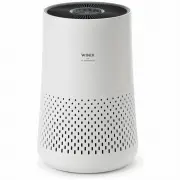 Winix AUS-0850AAPU
User Manual
Winix AUS-0850AAPU
User Manual
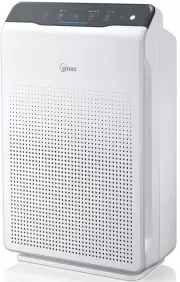 Winix AUS-1050AZBU
User Manual
Winix AUS-1050AZBU
User Manual
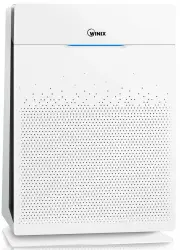 Winix AUS-1250AZPU
User Manual
Winix AUS-1250AZPU
User Manual
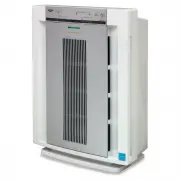 Winix AUS-5500
User Manual
Winix AUS-5500
User Manual
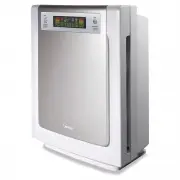 Winix AUS-9500
User Manual
Winix AUS-9500
User Manual
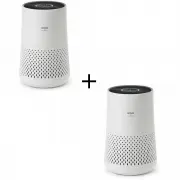 Winix PKAUS-0850AAPU
User Manual
Winix PKAUS-0850AAPU
User Manual
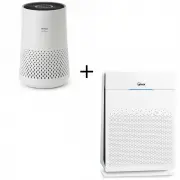 Winix PKAUS-1250A850
User Manual
Winix PKAUS-1250A850
User Manual
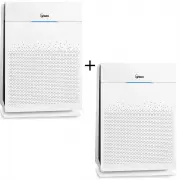 Winix PKAUS-1250AZPU
User Manual
Winix PKAUS-1250AZPU
User Manual
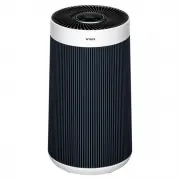 Winix WXAP800B
User Manual
Winix WXAP800B
User Manual
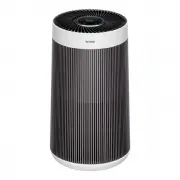 Winix WXAP800S
User Manual
Winix WXAP800S
User Manual
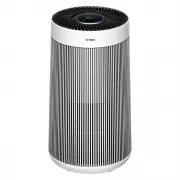 Winix WXAP800W
User Manual
Winix WXAP800W
User Manual