Westinghouse WVEP615SC - User Manual
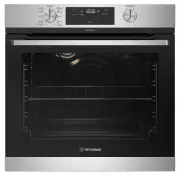
Westinghouse WVEP615SC Oven – User Manual, read for free online in PDF format. We hope this helps you resolve any issues you may have. If you have further questions, please contact us through the contact form.


Table of Contents:
- Page 2 – IMPORTANT SAFETY INSTRUCTIONS; WARNING; Conditions of use; CONTENTS; IMPORTANT INFORMATION THAT MAY
- Page 3 – CAUTION; Rated power input; INSTALLING YOUR APPLIANCE; Cooktop only
- Page 4 – Non-pyrolytic underbench ovens and side open door oven; Hard wiring detail; Levelling oven
- Page 5 – Double oven; Combo oven – cooktop cut-out dimensions; Separate grill underbench oven; Separate grill wall oven & duo oven
- Page 6 – PRODUCT DESCRIPTION
- Page 8 – Side racks; INSTALLING YOUR OVEN ACCESSORIES; Shelves and trays; Preparing your appliance for the first time; Setting the time of day; Electronic clock; BEFORE FIRST USE
- Page 9 – INSTALLING YOUR OVEN ACCESSORIES (CONTINUED); USING YOUR OVEN; Large oven
- Page 10 – Fan Assist
- Page 11 – Operating the electronic clock
- Page 12 – Setting the delayed start cooking time
- Page 13 – IMPORTANT
- Page 14 – Operating the Programmable Controller (WVEP618); Display
- Page 15 – Before first use; Initial cleaning; Daily Use; Navigating the menus
- Page 16 – Clock functions; Symbol; Additional Functions; Advice for special heating functions of the oven
- Page 17 – COOKING GUIDE
- Page 18 – GRILLING GUIDE; STEAM ASSISTED COOKING
- Page 19 – Emptying the water tank; DEALING WITH COOKING PROBLEMS
- Page 20 – GETTING TO KNOW THE OVEN
- Page 26 – USING YOUR COOKTOP; TROUBLESHOOTING
- Page 27 – Oven; NOTES
- Page 28 – Warranty; Important Notice; AUSTRALIA; NEW ZEALAND
USER MANUAL
WVE613, WVES613, WVE614, WVE615, WVEP615,
WVE616, WVE617, WVEP617, WVEP618, WVE625,
WVEP627, WVE636, WVE645, WVE655, WVE665
ELECTRIC BUILT-IN OVENS
Timer
Cook Time
End Time
MODE
Clock
"Loading the manual" means you need to wait until the file loads and becomes available for online reading. Some manuals are very large, and the time they take to appear depends on your internet speed.
Was this manual helpful?
About this manual
- Brand
- Westinghouse
- Model
- WVEP615SC
- Document type
- User Manual
- Category
- Oven
- Language(s)
- English
- Pages
- 29
- File size
- 10 MB
- Format
Summary
2 3 IMPORTANT SAFETY INSTRUCTIONS CONTENTS Please read the user manual carefully and store in a handy place for later reference. TIPS & INFORMATION IMPORTANT Important – check for any damages or marks. • If you find the oven is damaged or marked, you must report it within 7 days if you wish to c...
4 5 INSTALLING YOUR APPLIANCE IMPORTANT SAFETY INSTRUCTIONS IMPORTANT SAFETY INSTRUCTIONS Cooktop only • If the ceramic glass on cooktop is accidently cracked, switch off the appliance to avoid the possibility of electric shock. • Unattended cooking on a hob with fat or oil can be dangerous and may ...
6 7 INSTALLING YOUR APPLIANCE INSTALLING YOUR APPLIANCE Non-pyrolytic underbench ovens and side open door oven Your underbench oven looks best when the control panel is directly under the benchtop. An upper infill panel may have to be added if the cooktop placed over the oven is too deep. Refer to c...
Ask a question
Related manuals
Popular Westinghouse Ovens


More Westinghouse Ovens models
 Westinghouse WVE6555SD User Manual
 Westinghouse WVE6565SD User Manual
 Westinghouse WVE6565WD User Manual
 Westinghouse WVE9515SD User Manual
 Westinghouse WVE9516DD User Manual
 Westinghouse WVEP615S User Manual
 Westinghouse WVEP617DSC User Manual
 Westinghouse WVEP617SC User Manual
 Westinghouse WVEP627DSC User Manual
 Westinghouse WVEP916SC User Manual
 Westinghouse WVEP917DSC User Manual
 Westinghouse WVEP6716DD User Manual