Page 2 - WARNING; WARNING; CAUTION; ENVIRONMENTAL TIPS; ENVIRONMENT; Conditions of use; IMPORTANT INFORMATION THAT MAY IMPACT; CONTENTS
2 CONTENTS Important safety instructions ...................................................... 3Description of your appliance: WVE915SC ....................................................................................5 WVE915SCA ......................................................................
Page 3 - Installation, cleaning and servicing warnings; General warnings; Always clean the grill/oven dish after every use.; IMPORTANT SAFETY INSTRUCTIONS
3 IMPORTANT SAFETY INSTRUCTIONS Installation, cleaning and servicing warnings • An authorised person must install this appliance. (Certificate of Compliance to be retained). • Before using the appliance, ensure that all packing materials are removed from the appliance. • In order to avoid any potent...
Page 4 - Oven; Child safety
4 IMPORTANT SAFETY INSTRUCTIONS WARNING WARNING Oven • During use the appliance becomes hot. Care should be taken to avoid touching the hot surfaces inside the oven. • Switch the appliance off at the isolating switch before removing the oven light glass for globe replacement. • To avoid an accident,...
Page 5 - DESCRIPTION OF YOUR APPLIANCE; Knob control electric oven; Control Panel
5 DESCRIPTION OF YOUR APPLIANCE DESCRIPTION OF YOUR APPLIANCE WVE915SC Knob control electric oven WVE915SCA Programmable electric oven Control Panel Control Panel
Page 6 - Pyro clean knob control electric oven
6 DESCRIPTION OF YOUR APPLIANCE DESCRIPTION OF YOUR APPLIANCE (continued) WVEP916SC Pyro clean knob control electric oven WVEP917DSC Pyro clean programmable electric oven Control Panel Control Panel
Page 7 - Cabinet requirement; INSTALLATION OF THE APPLIANCE; IMPORTANT; Press the l; Leveling oven
7 INSTALLATION OF THE APPLIANCE Cabinet requirement Models are designed to be built into cabinetry either below a benchtop or into a vertical cabinet. WARNING WARNING • The cooker must be installed and serviced only by an authorised person. • A Certificate of Compliance MUST be supplied to be kept by...
Page 8 - INSTALLATION; Oven dimensions
8 INSTALLATION OF THE APPLIANCE INSTALLATION (continued) Oven dimensions 895mm 552mm 572mm 586mm 596mm Underbench installation Your underbench oven looks best when the control panel is directly under the benchtop. An upper infill panel may be added if the cooktop placed above the benchtop is too dee...
Page 9 - Cabinet construction for built in oven
INSTALLATION (continued) Cabinet construction for built in oven For the best integration within a kitchen, install this appliance in a cupboard that gives a flush fit with the surrounding cupboard fronts. A recess of 20mm is ideal. NOTE: Your appliance must be mounted on a horizontal surface for the...
Page 10 - For New Zealand Only:; Connecting to services and commissioning; Hard wiring detail
WIRING REQUIREMENTS The cooker MUST be installed in compliance with: • Wiring connections in AS/NZS 3000 Wiring Rules. • Local regulations, municipal building codes and other statutory regulations. For New Zealand Only: The cooking range must be connected to the supply by a supply cord fitted with t...
Page 11 - Preparing your appliance for the first time
BEFORE OPERATING YOUR APPLIANCE FOR THE FIRST TIME Preparing your appliance for the first time • Please remove all internal boxes and bags from the oven before operation. • Please wipe out the oven interior prior to operation with warm soapy water and polish dry with a soft clean cloth. Do not close...
Page 12 - INSTALLING YOUR OVEN ACCESSORIES; Installing the slides (telescopic runners)
12 INSTALLING YOUR OVEN ACCESSORIES INSTALLING YOUR OVEN ACCESSORIES Slides (telescopic runners) (on selected models) 1. The selected models are supplied with a set of slides and instructions on how to assemble. Ensure the rack and slides are of the same hand, eg. left hand slide should be fitted on...
Page 13 - Fitting grill dish and insert; Fitting the AirFry
13 INSTALLING YOUR OVEN ACCESSORIES INSTALLING YOUR OVEN ACCESSORIES (continued) Fitting grill dish and insert Your oven comes with a full width grill dish and a grill insert. The grill dish insert is designed with flexibility to adjust distance between the food and the grill element. Maximum grill ...
Page 14 - USING YOUR OVEN; Understanding your oven functions; Easy Bake Steam
14 USING YOUR OVEN USING YOUR OVEN Understanding your oven functions Rapid Heat/AirFry This function can be either used for a quicker pre-heat of your oven or used to turn your oven into an AirFry for your frying needs. Heat comes from the elements surrounding the fans as well as the smaller element...
Page 15 - Pizza
15 USING YOUR OVEN USING YOUR OVEN (continued) Pizza “Pizza” is a combination of “Base Heat” and “Fan Forced” and offers you the combined benefits of both functions. Heat comes from the elements surrounding the fans as well as the clean heat element below the oven floor. The “Pizza” function is idea...
Page 16 - Pyro Clean; Preheating your oven with rapid heat; On completion of cooking
16 USING YOUR OVEN USING YOUR OVEN (continued) Pyro Clean (WVEP916SC & WVEP917DSC models only) The oven has a Pyrolytic self-cleaning function. It cleans by burning off the spatters and accumulated dirt and grease from the oven liner, at high temperature. This process produces ash which can then...
Page 17 - Operating the touch control clock model; Select the cooking function
17 USING YOUR OVEN USING YOUR OVEN (continued) Operating the touch control clock model WVE915SC Select the cooking function Turn the function selector in any direction to the desired cooking function. The oven cavity light will come on. Select the temperature To set the temperature, turn the tempera...
Page 19 - Setting the time; Selecting the oven temperature; Cooking with the timer
19 USING YOUR OVEN Operating WVEP916SC Setting the time Before the appliance, can be used, the time must be set. When power is supplied to the oven the clock icon will be displayed. Along with the clock symbol the ‘12’ will be flashing. This indicates that ‘hour’ portion of the time is ready to be c...
Page 20 - Additional Functionality
20 USING YOUR OVEN USING YOUR OVEN (continued) Setting the end time 1. Use the knobs to select the desired oven function and cooking temperature. 2. Touch the button as often as necessary, until the ‘end time’ symbol appears. 3. Set the desired end time commencing with hours using or whilst the symb...
Page 21 - Activating the child-proof lock
21 USING YOUR OVEN USING YOUR OVEN (continued) Activating the child-proof lock When the child lock is engaged, the oven cannot be operated and the door cannot be opened. 1. Switch off the appliance using the function selector switch. 2. Touch and hold the and buttons at the same time until the word ...
Page 23 - Display; Other indicators of the display:
23 USING YOUR OVEN USING YOUR OVEN (continued) Display 1 Heating function 2 Time of day 3 Heat-up indicator 4 Function duration/end time 5 Temperature 16:3000:15 140°C 1 2 4 5 3 Other indicators of the display: SYMBOL FUNCTION DESCRIPTION Minute minder The function is currently working Time of day T...
Page 24 - Submenu for “Basic Settings”
24 USING YOUR OVEN USING YOUR OVEN (continued) Submenu for “Basic Settings” SYMBOL FUNCTION DESCRIPTION Set time of day Sets the current time on the clock. Time indication When ON, the display shows the current time when you deactivate the appliance. Fast heat up When on, fast heat up will be activa...
Page 25 - Clock functions; Symbol
25 USING YOUR OVEN USING YOUR OVEN (continued) Navigating the menus 1. Turn on the oven 2. Press or to select the menu option 3. Press OK to move to the submenu or accept the setting TIPS & INFORMATION At each point you can go back to the main menu with Setting a heating function 1. Turn on the ...
Page 26 - Additional Functions; Favourites; Saving a favourite program; Using the Child Lock; Hints and tips; Brightness of the display
26 USING YOUR OVEN USING YOUR OVEN (continued) Additional Functions Favourites You can save your favourite settings, such as duration, temperature or heating function. They are available in the menu: Favourites. You can save 20 programs. • Saving a favourite program 1. Turn on the oven. 2. Set a hea...
Page 27 - EASY BAKE STEAM
27 EASY BAKE STEAM EASY BAKE STEAM Your WVEP917DSC has the ability to add steam while baking. Cooking with steam is a great addition to straight ‘hot air’ cooking. Steam brings out all the natural flavours and goodness in the food, cooks evenly from surface to centre and retains more nutrients and v...
Page 28 - Get to know your new oven with this; COOKING TEST; Oven shelf location
28 COOKING TEST Get to know your new oven with this ‘Simple Test Cake’ Although we strive for a perfect performing oven, it’s possible that there will be some variation in colour when baking. Therefore, we suggest this simple, easy and delicious to make Simple Test Cake, it can help you understand y...
Page 29 - COOKING GUIDE; Choosing the best oven settings; Modes without oven fan; FOOD
29 COOKING GUIDE COOKING GUIDE (continued) Choosing the best oven settings The following table is intended as a guide and experience may show some variation in cooking times necessary to meet individual requirements. We recommend that you preheat your oven for 30 minutes. Modes without oven fan FOOD...
Page 30 - Easy Bake Steam function
30 COOKING GUIDE COOKING GUIDE (continued) Easy Bake Steam function FOOD WATER IN CAVITY WELL (ML) TEMPERATURE C OVEN SHELF POSITION* TIME IN MINUTES Yeast goods Bread loaves 200 180 - 200 2 or 3 35 - 45 Bread rolls 200 190 - 210 2 or 3 20 - 25 Gluten free bread 200 180 - 200 2 or 3 40 - 50 Pizza (f...
Page 31 - Roasting Meat; Grilling Guide; Grilling is conducted with the oven door closed
31 COOKING GUIDE COOKING GUIDE (continued) Roasting Meat 1. Place the meat in the oven and set the temperature between 180°C and 200°C. (It is recommended to wrap your meats in an oven roasting bag or foil to prevent fats and oils from splattering, making it easier to clean your oven.) 2. Use the gr...
Page 32 - DEALING WITH COOKING PROBLEMS
32 DEALING WITH COOKING PROBLEMS PROBLEM CAUSES REMEDIES Uneven cooking: • Incorrect shelf position. • Trays not centralised. • Air flow in oven uneven. • Grill/Baking dish affecting thermostat. – Select shelf that puts food in the centre of the oven. – Centre trays. – Rotate food during cooking. – ...
Page 33 - CLEANING YOUR OVEN
33 CLEANING YOUR OVEN WARNING WARNING • Always switch off power to the oven before cleaning. • Do not line the bottom of the oven with foil or cookware. • Do not use steam cleaners. Stainless steel WARNING WARNING The oven door trim and the control panel are decorated with a special stainless steel ...
Page 34 - Cleaning your oven door; Changing the light globes
34 CLEANING YOUR OVEN ACCESSORIES CLEANING YOUR OVEN (continued) Cleaning your oven door The oven door has been designed to allow the two inner door glasses to be removed for cleaning without removing the door from the product. Removing the inner door glass for cleaning: • Open the door fully to gai...
Page 35 - Starting the Pyrolytic cleaning function; Pyrolytic cleaning programmable controller
WVEP916SC & WVEP917DSC Pyrolytic cleaning of the oven cavity The oven has the Pyrolytic self-cleaning function, it cleans by burning off the spatters and accumulated dirt and grease from the oven liner, at high temperature. This process produces ash which can then be wiped out of the oven cavity...
Page 36 - After Pyrolytic cleaning
After Pyrolytic cleaning The door will only unlock when the oven has cooled to a safe temperature. Turning the function off will not unlock the door. After cool-down, wipe the ash out of the oven with a soft damp cloth and warm water. To restore the enamel shine to more difficult areas, use a damp c...
Page 37 - Faults; TROUBLESHOOTING; Further information
37 TROUBLESHOOTING Faults If there is a problem with the oven and/or grill, please: • Check the points listed below before calling for service. It may be possible to avoid a call by fixing the problem yourself – and so continue cooking. NOTE: We may charge for service even in the guarantee period if...
Page 38 - NOTES
Page 39 - Warranty; Important Notice; AUSTRALIA; NEW ZEALAND
This document sets out the terms and conditions of the product warranties for Westinghouse Appliances. It is an important document. Please keep it with your proof of purchase documents in a safe place for future reference should there be a manufacturing defect in your Appliance. This warranty is in ...
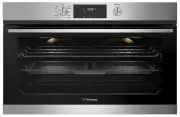


 Westinghouse WVEP615S User Manual
 Westinghouse WVEP615SC User Manual
 Westinghouse WVEP617DSC User Manual
 Westinghouse WVEP617SC User Manual
 Westinghouse WVEP627DSC User Manual
 Westinghouse WVEP917DSC User Manual
 Westinghouse WVEP6716DD User Manual
 Westinghouse WVEP6716SD User Manual
 Westinghouse WVEP6717DD User Manual
 Westinghouse WVEP6727DD User Manual
 Westinghouse WVEP6918DD User Manual
 Westinghouse WVEP9716SD User Manual