Westinghouse WVEP6716DD - User Manual
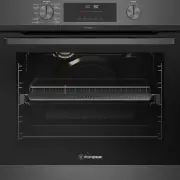
Westinghouse WVEP6716DD Oven – User Manual, read for free online in PDF format. We hope this helps you resolve any issues you may have. If you have further questions, please contact us through the contact form.


Table of Contents:
- Page 2 – WARNING; WARNING; CAUTION; Conditions of use; Please ensure you read the instruction manual fully; CONTENTS; IMPORTANT INFORMATION THAT MAY
- Page 3 – IMPORTANT; Important – check for any damages or marks.; ENVIRONMENT; Information on disposal for users; These warnings have been provided in the interest of; IMPORTANT SAFETY INSTRUCTIONS
- Page 4 – NOTE: You must read these warnings carefully before
- Page 5 – INSTALLING YOUR APPLIANCE
- Page 6 – Hard wiring detail; Cabinet construction for your appliance; Levelling oven
- Page 7 – nderbench oven; clearance between cooktop and oven.; cabinet. This can be a full width opening 20mm deep.
- Page 8 – PRODUCT DESCRIPTION
- Page 9 – Preparing your appliance for the first time; Setting the time of day; Set the time; BEFORE FIRST USE; Side racks; INSTALLING YOUR OVEN
- Page 10 – INSTALLING YOUR OVEN ACCESSORIES; Shelves and trays; NOTE: To Locate the rear edge of the shelves, the detents; To fit a shelf or tray to telescopic slides; INSTALLING YOUR OVEN ACCESSORIES (CONTINUED)
- Page 11 – Fitting grill dish and insert; Maximum grill power
- Page 12 – Air Fry; Understanding your oven functions; USING YOUR OVEN
- Page 14 – Condensation and steam; Select the oven function; Select the oven temperature
- Page 15 – USING THE APPLIANCE; Control panel
- Page 17 – CLOCK FUNCTIONS; . Maximum is 23 hours
- Page 18 – How to set: Minute minder; Set the Minute minder
- Page 19 – How to set: Cooking time; How to set: Time Delay
- Page 20 – How to change: Settings
- Page 22 – Before carrying out the Pyrolytic function; Light clean
- Page 23 – pyrolytic cleaning cycle there may be some burn off; NOTE: The cooling fan will operate at an increased speed; Do not turn off the mains power supply to the; Hints and tips; Baking; Heavy clean; Pyrolytic Cleaning Operation
- Page 25 – COOKING GUIDE; Choosing the best oven settings
- Page 26 – The AirFry feature works best for single shelf baking.; To set the AirFry function:; Note: Set the minute minder for the; first; OKING GUIDE
- Page 27 – Grilling hints; NOTE: The door must be FULLY closed whilst grilling.; Guide to better grilling; MEAT; Fan grill; GRILLING GUIDE; GRILLING
- Page 28 – DEALING WITH COOKING PROBLEMS
- Page 29 – Enamel; Stainless steel; Glass; CARE AND CLEANING; Get to know the oven with this ‘Simple Test Cake’; ‘Simple Test Cake’
- Page 30 – Oven; Grill; Cleaning your oven accessories; Removing the side racks; NOTE: :Light globes are not covered by warranty
- Page 31 – Removing oven door top trim; Cleaning the quad glazed oven door; Removing the oven door
- Page 32 – Removing the door glass panels; Cleaning the door glass panels; Re-assembling the quad glazed oven door; Re-assembling the door glass panels
- Page 33 – Pyrolytic Cleaning of the Oven Cavity; Clean large deposits, spills or grease from the; Fitting the oven door
- Page 34 – Faults; NOTE: We may charge for service even in the guarantee; Data Plate; TROUBLESHOOTING
- Page 35 – PROBLEM
- Page 36 – NOTES
- Page 37 – WARRANTY; Warranty; Important Notice; AUSTRALIA; NEW ZEALAND
USER MANUAL
ELECTRIC BUILT-IN OVEN
WVEP6716
Enjoy peace of mind.
Register your appliance today.
Stay updated on better living services, safety notices and
shop for accessories.
1. Open the camera app on your smartphone and
point at the QR code to scan
Product Registration QR code is located on the
front of your appliance or inside the door rim*.
2. Tap the notification or link to open the registration form
3. Complete your details and enjoy peace of mind
*Exact location of QR code may vary depending on oven model
"Loading the manual" means you need to wait until the file loads and becomes available for online reading. Some manuals are very large, and the time they take to appear depends on your internet speed.
Was this manual helpful?
About this manual
- Brand
- Westinghouse
- Model
- WVEP6716DD
- Document type
- User Manual
- Category
- Oven
- Language(s)
- English
- Pages
- 38
- File size
- 7.8 MB
- Format
Summary
2 CONTENTS Please read the user manual carefully and store in a handy place for later reference. The symbols you will see in this booklet have these meanings: WARNING WARNING This symbol indicates information concerning your personal safety. WARNING CAUTION This symbol indicates information on how t...
3 IMPORTANT SAFETY INSTRUCTIONS Please read the user manual carefully and store in a handy place for later reference. TIPS & INFORMATION IMPORTANT Important – check for any damages or marks. • If you find the oven is damaged or marked, you must report it within 7 days if you wish to claim for da...
4 IMPORTANT SAFETY INSTRUCTIONS IMPORTANT SAFETY INSTRUCTIONS WARNING CAUTION Read the following carefully to avoid damage to the appliance. • The grill tray must be fully inserted whilst grilling. • Do not place thick portions of food under the grill. Foods may curl, catch and ignite. • Do not use ...
Ask a question
Related manuals
Popular Westinghouse Ovens


More Westinghouse Ovens models
 Westinghouse WVEP617DSC User Manual
 Westinghouse WVEP617SC User Manual
 Westinghouse WVEP627DSC User Manual
 Westinghouse WVEP916SC User Manual
 Westinghouse WVEP917DSC User Manual
 Westinghouse WVEP6716SD User Manual
 Westinghouse WVEP6717DD User Manual
 Westinghouse WVEP6727DD User Manual
 Westinghouse WVEP6918DD User Manual
 Westinghouse WVEP9716SD User Manual
 Westinghouse WVEP9917DD User Manual
 Westinghouse WVG6314SD User Manual