Westinghouse WVE6565WD - User Manual
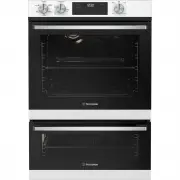
This Quick Start Guide covers essential setup and operation for Westinghouse WVG6555 and WVG6565 ovens, including prerequisites like unpacking and power preparation. It highlights key features such as control panel components–like the function selector and temperature dials–and provides diagrams for installing accessories (e.g., side racks) and configuring settings (e.g., clock setup). The guide also addresses basic cooking functions, including preheating, fan-forced baking, defrosting, and grilling modes.


Table of Contents:
- Page 1 – Oven Control Panel Identification and Prerequisites
- Page 2 – Installation and Maintenance Procedures
- Page 3 – Basic Oven Usage and Cooking Programs
- Page 4 – Appliance Registration and Customer Support
Quick Start Guide
WVG6555, WVG6565 oven series
Ready
Set...
Before you start, please make sure:
Your oven has been correctly installed by a qualified person.
Your oven has power and is switched on.
You’ve removed all relevant packaging.
Get to know your oven control panel:
To access your detailed user manual online, simply scan the QR code on your smart phone.
For more detailed information and installation guide refer to user manuals
at westinghouse.com.au/manuals
This is a Quick Start Guide. Please refer to user manual
online for detailed information and installation
Most of the packaging
materials can be recycled.
Please dispose of them at
your local recycling centre
or in your own recycling bin.
Dear Customer,
Thank you for purchasing a Westinghouse oven. You have chosen a product that comes
from a history of durable and reliable products loved by many families. We look to help
you make the most of your time at home, so you can spend your time doing what you
really love, with the ones you love.
Welcome to Westinghouse.
1
Function selector
2
Oven Temperature selector
3
Function indicator light
4
On when timer is set
5
Cook time Icon
6
Electronic Clock
7
Time of day icon
8
Grill indicator light
9
Grill temperature selector
1
2
3
5
6
8
9
7
4
"Loading the manual" means you need to wait until the file loads and becomes available for online reading. Some manuals are very large, and the time they take to appear depends on your internet speed.
Was this manual helpful?
About this manual
- Brand
- Westinghouse
- Model
- WVE6565WD
- Document type
- User Manual
- Category
- Oven
- Language(s)
- English
- Pages
- 4
- File size
- 342.1 KB
- Format
Summary
Guide for installation prerequisites, power requirements, packaging removal, and identification of control panel components including function selectors and temperature controls.
Instructions for installing oven accessories, setting the clock, attaching side racks and shelves, and procedures for removing manufacturing residue by running the oven.
Tips for preheating, explanations of cooking programs such as Fan Forced, Defrost, Bake, Grill, and temperature setting instructions.
Ask a question
Related manuals
Popular Westinghouse Ovens


More Westinghouse Ovens models
 Westinghouse WVE6516DD User Manual
 Westinghouse WVE6516SD User Manual
 Westinghouse WVE6525SD User Manual
 Westinghouse WVE6526DD User Manual
 Westinghouse WVE6555SD User Manual
 Westinghouse WVE6565SD User Manual
 Westinghouse WVE9515SD User Manual
 Westinghouse WVE9516DD User Manual
 Westinghouse WVEP615S User Manual
 Westinghouse WVEP615SC User Manual
 Westinghouse WVEP617DSC User Manual
 Westinghouse WVEP617SC User Manual