TP-Link Neffos X20 3/64GB (TP9131A) DS - User Manual

A Quick Start Guide for the Neffos smartphone covers essential setup procedures, focusing on physical components and basic operations. The manual highlights key topics like inserting SIM cards (nano-SIM or microSD) and configuring dual-SIM functionality, ensuring compatibility with GSM networks while emphasizing safety precautions during card insertion. It also includes instructions for powering on/off, restarting the device, and identifying major hardware elements such as cameras, charging ports, and sensors across multiple language versions.
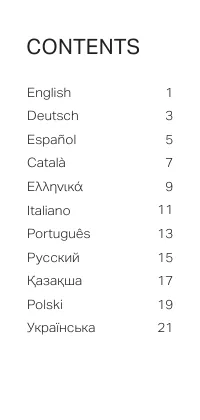
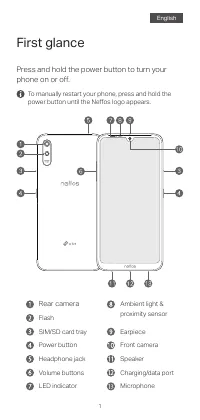
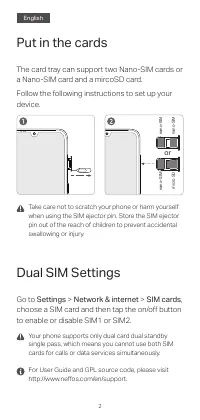
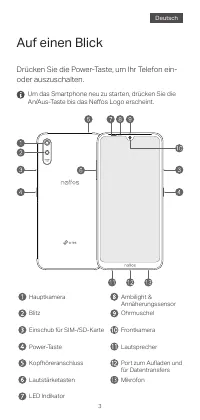
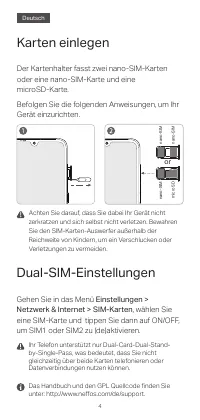
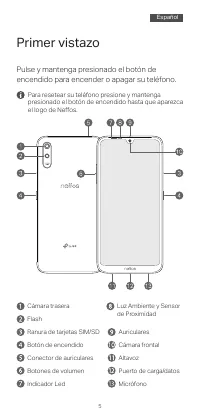
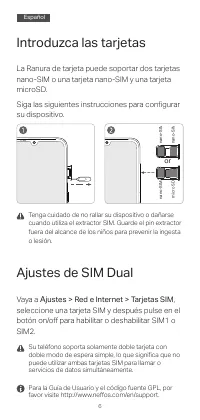
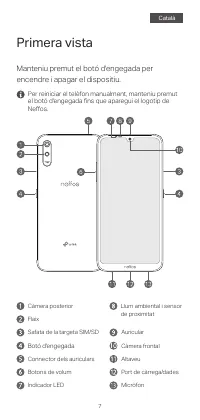
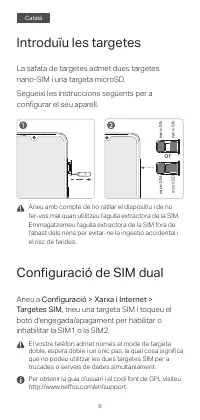
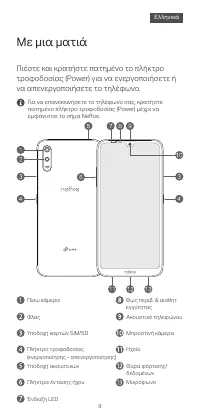
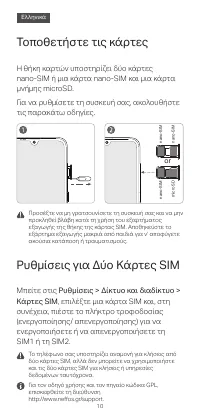
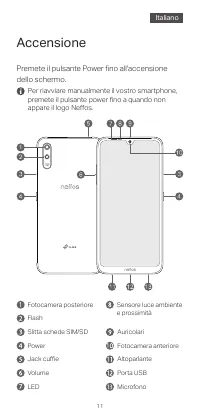
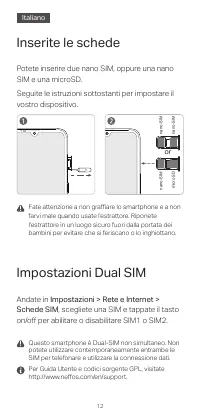
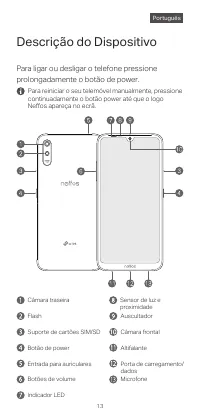
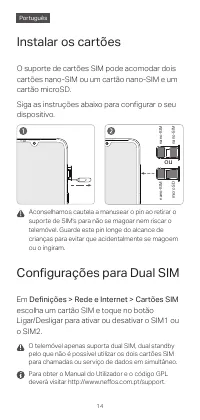
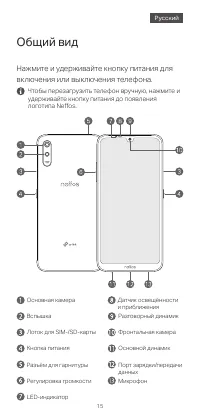
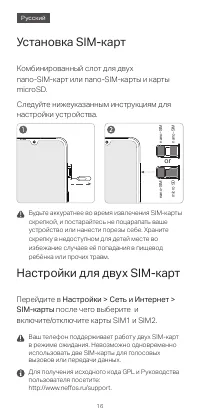
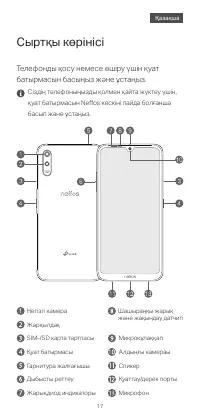
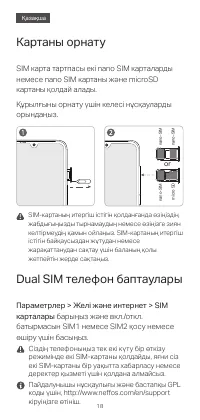
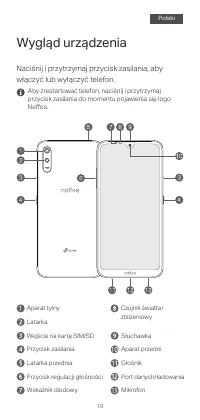
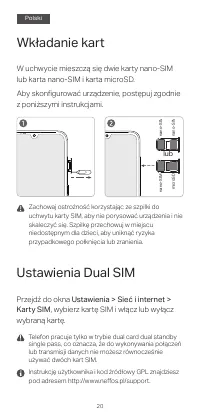
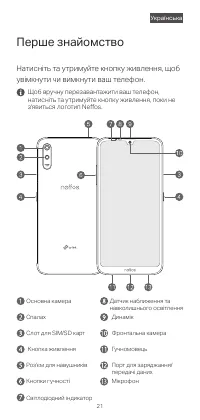
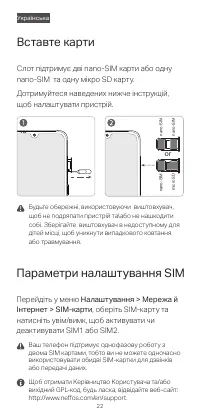
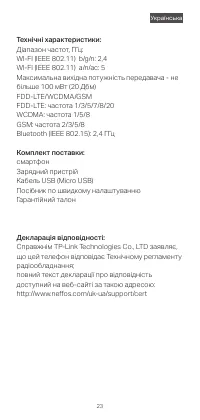
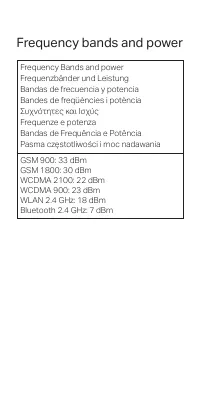

Table of Contents:
- Page 1 – Quick Start Guide Introduction
- Page 2 – Manual Table of Contents
- Page 3 – Phone Physical Components Overview
- Page 4 – SIM and Memory Card Insertion
- Page 5 – Smartphone Component Labeling and Power Procedures
- Page 6 – SIM and Memory Card Insertion Details
- Page 7 – Phone Physical Layout and Reset
- Page 8 – SIM and Memory Card Configuration
- Page 9 – Smartphone Component Overview
- Page 10 – SIM and Memory Card Insertion in Catalan
- Page 11 – Power On Procedure and Greek Labels
- Page 12 – SIM Card Insertion Details
- Page 13 – Power On and Component Diagram
- Page 14 – SIM and Memory Card Management
- Page 15 – Smartphone Features and Components
- Page 16 – SIM and Memory Card Installation
- Page 17 – Physical Component Diagram and Reset
- Page 18 – SIM Installation and Dual SIM Configuration in Russian
- Page 19 – Rear View Component Identification
- Page 20 – SIM and Memory Card Settings Management
- Page 21 – Front and Back View Labeling in Polish
- Page 22 – SIM and Memory Card Configuration in Polish
- Page 23 – Front and Back Component Identification
- Page 24 – SIM and SD Card Management and Safety
- Page 25 – Technical Specifications and Compliance
- Page 26 – Wireless Communication Frequency Bands
1
Quick Start Guide
"Loading the manual" means you need to wait until the file loads and becomes available for online reading. Some manuals are very large, and the time they take to appear depends on your internet speed.
Was this manual helpful?
About this manual
- Brand
- TP-Link
- Model
- Neffos X20 3/64GB (TP9131A) DS
- Document type
- User Manual
- Category
- Smartphone
- Language(s)
- German, English, Spanish, French, Italian, Polish, Russian
- Pages
- 28
- File size
- 632.6 KB
- Format
Summary
Introduction to the Quick Start Guide for setting up or using a Neffos device, including branding and distribution information.
Listing of manual sections and corresponding page numbers for available language versions.
First glance overview of the phone's physical components, including labeled diagrams of the front and back with descriptions of parts like buttons, camera, ports, and sensors, and power operation instructions.
Ask a question
Related manuals
Other TP-Link appliances
 TP-Link 1910010933 Manual
 TP-Link AC750 Manual
 TP-Link AC1200 Manual
 TP-Link AC1750 Manual
 TP-Link AC1900 Manual
 TP-Link Archer AX10 User Manual
 TP-Link ARCHER AX73 AX5400 (ARCHER-AX73) User Manual
 TP-Link Archer AX6000 User Manual
 TP-Link ARCHER AX11000 User Manual
 TP-Link Archer C5 Manual
 TP-Link Archer C20 v5.0 User Manual
 TP-Link Archer c20i Manual
 TP-Link ARCHER GX90 AX6600 User Manual
 TP-Link Archer MR400 User Manual
 TP-Link Archer MR600 User Manual
 TP-Link Archer T2UH Manual
 TP-Link Archer T4U Manual
 TP-Link Archer T9E Manual
 TP-Link Archer TX50E AX3000 BT5.0 PCI User Manual
 TP-Link AV200 Manual