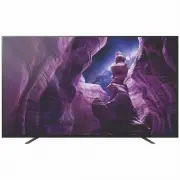
Page 2 - Location of the identification label; About Manuals; Setup Guide; HELP
C:\Users\User\Desktop\NC\SY20_NC_HK_RG_111\FINAL\5014785111\5014785111_01GB\5014785111_GB.fm master page: Left KD-65A8H / 55A8H 5-014-785- 11 (1) 2 GB Note • Before operating the TV, please read the “Safety Information”.• Read the supplied safety documentation for additional safety information. •...
Page 4 - Remote Control and TV; Number buttons
C:\Users\User\Desktop\NC\SY20_NC_HK_RG_111\FINAL\5014785111\5014785111_01GB\5014785111_GB.fm master page: Left KD-65A8H / 55A8H 5-014-785- 11 (1) 4 GB Remote Control and TV The remote control shape, location, availability and function of remote control buttons may vary depending on your region/count...
Page 5 - Installing the TV to the Wall; To Sony Dealers and Contractors:; Installing the TV to the Wall from Carton; Remove the centre cushion.
C:\Users\User\Desktop\NC\SY20_NC_HK_RG_111\FINAL\5014785111\5014785111_01GB\5014785111_GB.fm master page: Right KD-65A8H / 55A8H 5-014-785- 11 (1) 5 GB Installing the TV to the Wall Using the optional Wall-Mount Bracket (SU-WL850 or SU-WL450) * (not supplied) To Customers: For product protection and...

Page 6 - Remove the screws from the rear of the TV.; Detaching the Table-Top Stand from the TV
C:\Users\User\Desktop\NC\SY20_NC_HK_RG_111\FINAL\5014785111\5014785111_01GB\5014785111_GB.fm master page: Left KD-65A8H / 55A8H 5-014-785- 11 (1) 6 GB 2 Remove the screws from the rear of the TV. Note • Be sure to store the removed screws and reuse when attaching the Wall-Mount Bracket to the TV set...
Page 7 - Troubleshooting; A white line appears on the screen.
C:\Users\User\Desktop\NC\SY20_NC_HK_RG_111\FINAL\5014785111\5014785111_01GB\5014785111_GB.fm master page: Right KD-65A8H / 55A8H 5-014-785- 11 (1) 7 GB Troubleshooting General troubleshooting for issues like: black screen, no sound, frozen picture, TV does not respond, or network is lost, do the fol...
Page 8 - Specifications; System
C:\Users\User\Desktop\NC\SY20_NC_HK_RG_111\FINAL\5014785111\5014785111_01GB\5014785111_GB.fm master page: Left KD-65A8H / 55A8H 5-014-785- 11 (1) 8 GB Specifications System Panel system: OLED (Organic Light Emitting Diode) Panel TV system Analogue: I, D/K, B/G, MDigital: DTMB Colour system: PAL/SECA...
Page 9 - Trademark Information
C:\Users\User\Desktop\NC\SY20_NC_HK_RG_111\FINAL\5014785111\5014785111_01GB\5014785111_GB.fm master page: Right KD-65A8H / 55A8H 5-014-785- 11 (1) 9 GB *1 When 4096 × 2160p is input and [Wide mode] is set to [Normal], the resolution is displayed as 3840 × 2160p. To display 4096 × 2160p, set [Wide mo...
Page 10 - 識別標籤的位置; 關於說明書; 安裝指南; 說明指南 (電子說明書)
C:\Users\User\Desktop\NC\SY20_NC_HK_RG_111\FINAL\5014785111\5014785111_02CT\5014785111_CT.fm master page: Left KD-65A8H / 55A8H 5-014-785-11(1) 2 CT 註 • 使用電視機之前,請詳讀 “ 安全資訊 ”。 • 有關其他安全資訊,請閱讀隨附的安全檔案。 • 有關 “ 將電視機安裝在牆上 ” 的指示已包含在這台電視機的使用說明書。 • 安裝指南和本說明書中使用的影像和插圖僅作參考並可能與實際產品不同。 識別標籤的位置 電視機型號和電源等級的標籤位於電視機背...
Page 11 - 保護螢幕免受損壞之預先注意事項
C:\Users\User\Desktop\NC\SY20_NC_HK_RG_111\FINAL\5014785111\5014785111_02CT\5014785111_CT.fm master page: Right KD-65A8H / 55A8H 5-014-785-11(1) 3 CT 防止傾倒 保護螢幕免受損壞之預先注意事項 影像殘留 OLED 電視機由於所用材料的特性而容易出現影像殘留。如果影像在螢幕上相同位置重複或長時間顯示,則可能出現影像殘留。這不是電視機故障。避免顯示可能導致影像殘留的影像。 以下為可能導致影像殘留的影像範例: • 螢幕上下側及 / 或左右側有帶黑條的內容...
Page 12 - 遙控器和電視機
C:\Users\User\Desktop\NC\SY20_NC_HK_RG_111\FINAL\5014785111\5014785111_02CT\5014785111_CT.fm master page: Left KD-65A8H / 55A8H 5-014-785-11(1) 4 CT 遙控器和電視機 遙控器外形、按鈕的位置、可用性與功能視您的國家 / 區域 / 電視機型號而可能略有不同。 (麥克風): 使用語音搜尋 * 1 。 / / / / : 在螢幕選單導航和選擇上。 TV: 顯示電視機頻道清單或切換為輸入。 (電視待機) 數字按鈕 (點) (文...
Page 13 - 將電視機安裝在牆上; (非附帶); 將電視機由紙箱裡安裝在牆上; 拆下中央墊子。
C:\Users\User\Desktop\NC\SY20_NC_HK_RG_111\FINAL\5014785111\5014785111_02CT\5014785111_CT.fm master page: Right KD-65A8H / 55A8H 5-014-785-11(1) 5 CT 將電視機安裝在牆上 使用選購的壁掛式支架 (SU-WL850 或 SU-WL450) * (非附帶) 致客戶:出於產品保護及安全原因,Sony 強烈建議由 Sony 經銷商或授權的承包商安裝電視機。請勿嘗試自行安裝電視機。 致 Sony 經銷商和承包商:安裝、定期維護及檢查本產品時,請充分注意安全。...
Page 14 - 從桌面底座將電視機安裝在牆上; 從電視機背面卸下螺絲。; 將桌面底座從電視機上拆下來; 重複上一步並拆下桌面底座的另一側。; 故障排除
C:\Users\User\Desktop\NC\SY20_NC_HK_RG_111\FINAL\5014785111\5014785111_02CT\5014785111_CT.fm master page: Left KD-65A8H / 55A8H 5-014-785-11(1) 6 CT 從桌面底座將電視機安裝在牆上 從電視機背面卸下螺絲。 註 • 將掛鉤 (底座)/ 壁掛式支架安裝於電視機上時,務必要存放好取下來的螺絲並再次使用 (僅限 SU-WL850)。請將螺絲存放在兒童接觸不到的位置。 將桌面底座從電視機上拆下來 1 一次拆下桌面底座的一側。當其他人抬起電視機時,用雙手牢牢抓握...
Page 15 - 規格; 系統
C:\Users\User\Desktop\NC\SY20_NC_HK_RG_111\FINAL\5014785111\5014785111_02CT\5014785111_CT.fm master page: Right KD-65A8H / 55A8H 5-014-785-11(1) 7 CT 螢幕上顯示一條白線。 • 面板更新在電視機長時間使用後自動執行,以減少影像殘留。面板更新在關閉電視機後啟動,需要大約一個小時才能完成。面板更新期間,螢幕上可能顯示一條白線。這不是電視機故障。 將顯示 [ 面板重新整理未完成 …] 訊息。當 i)開啟電視時,ii)拔下 AC 電源線 (主電源線),或者...
Page 16 - 電源和其他規格; 商標資訊
C:\Users\User\Desktop\NC\SY20_NC_HK_RG_111\FINAL\5014785111\5014785111_02CT\5014785111_CT.fm master page: Left KD-65A8H / 55A8H 5-014-785-11(1) 8 CT 1、 2、 3 USB 連接埠 1 和 2 支援高速 USB (USB 2.0)USB 連接埠 3 支援超快速 USB (USB 3.1 Gen 1) LAN 10BASE-T/100BASE-TX 接頭 (視網絡的作業環境而定,連線速度可能不同。不保證通訊率和通訊品質。) 電源和其他規格 電源需求 ...
Page 20 - © 2020 Sony Corporation Printed in Japan
C:\Users\User\Desktop\NC\SY20_NC_HK_RG_111\FINAL\5014785111\5014785111_01GB\BCO HK.fm master page: Cover KD-65A8H / 55A8H 5-014-785- 11 (1) Support / 支援 https://www.sony-asia.com/support © 2020 Sony Corporation Printed in Japan